Hi,
We searched through all the possible posts regarding the bridge mode problem with the TRB500 and TRB501 and have found no solution yet. All the existing topics got closed and always end with somebody from Teltonika redirecting the problem to a ticket or privat conversation.
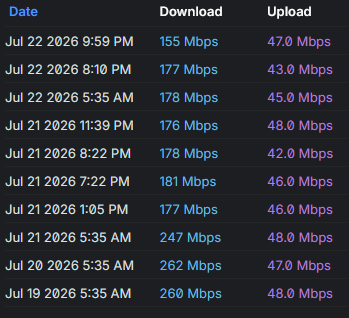
How is it possible that after more then two years we still don’t have a working bridge mode on the TRB500? (and as i read, the “new” TRB501 also has the same problem.) We bought multiple TRB500 for deployment at our locations and clients but have them laying in boxes as our test setup still can’t achieve more then 200mbits in bridge mode (but easily 500-600mbits in NAT, maximum what our SIM provider gives us).
Our Test-Setup right now is running the latest Device and Modem Firmware:
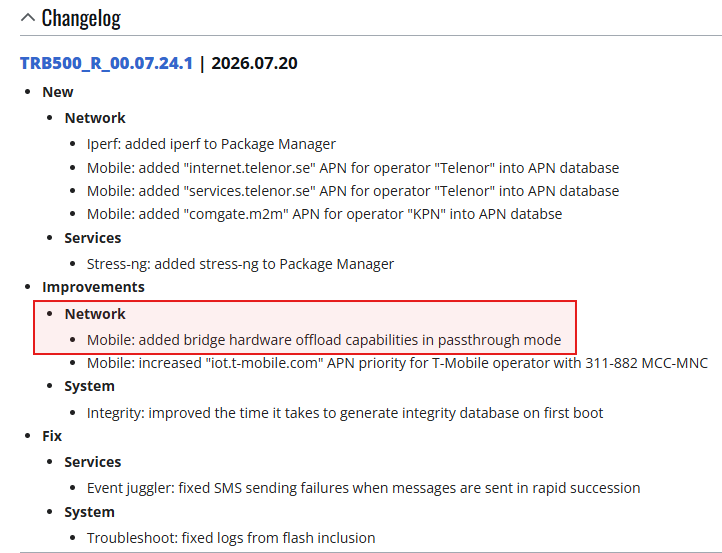
Device: TRB500_R_00.07.21.1
Modem: RG501QEUAAR12A11M4G
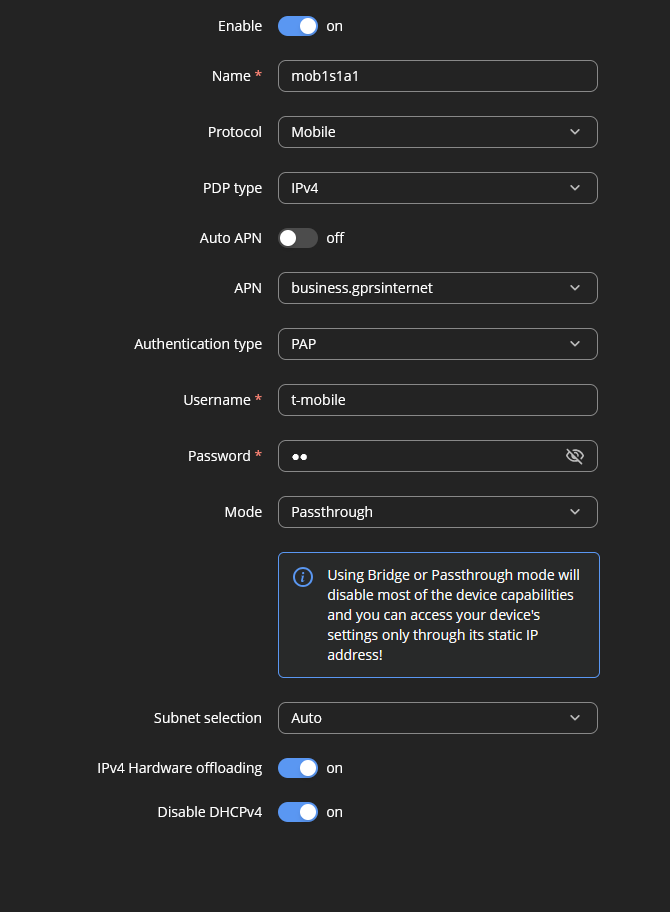
Stability is fine(-ish) after the upgrade to the newest Modem Firmware, thanks to the user @gt-solutions (PatrickWegmann on Github). Sometimes the UniFi Firewall can’t aquire the IPv4 address. Newest Device Firmware with the “Local DHPCv4 lease off” toggle fixed it for us.
What we observed so far:
- NAT mode perfomes well, with low latency and full speed. Using a TRB500 and QuMax Omni
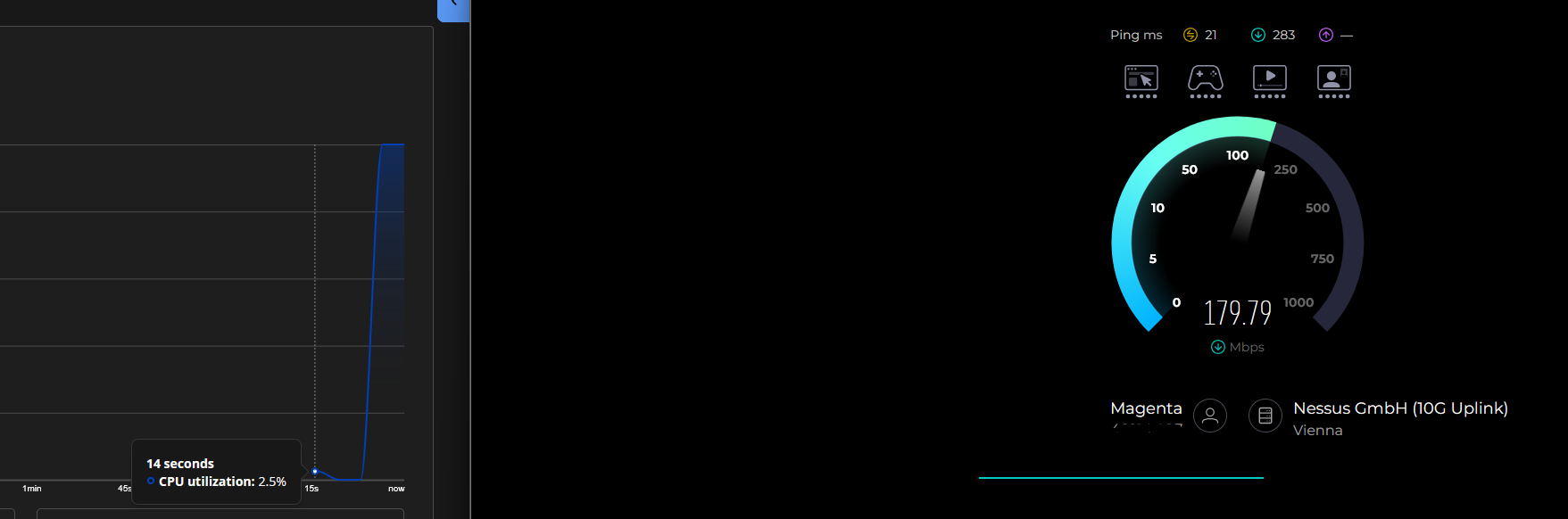
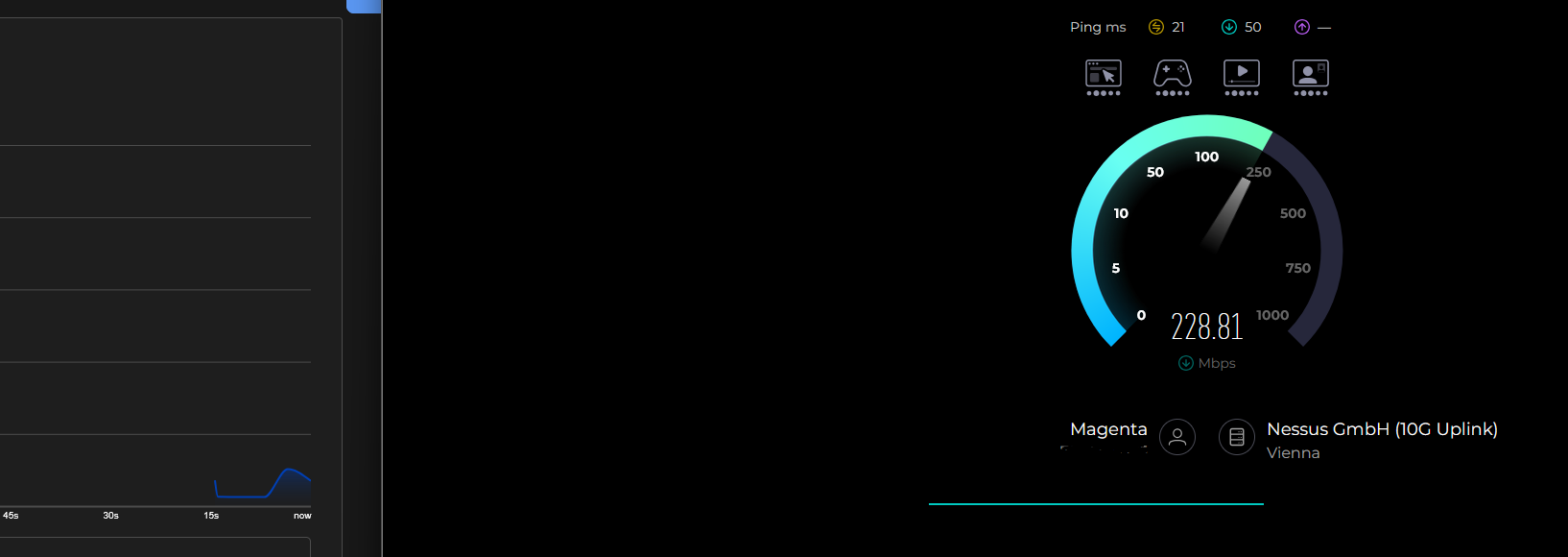
- Bridge mode with same hardware barely gets 200, more like 160-180, latency is very high and can’t be fixed with any limiters or queues
- While using bridge mode and running the speedtest, CPU Load spikes to an extreme. WebUi sometimes freezes.
- Random disconnects at night (around 01:00), we have to clarify with our ISP but its probably some routine from their side. Problem is: the TRB500 sometimes doesn’t reconnect and has to be power-cycled. Happens around 3-4 times in a month.
- Very often we encounter the error “Events Log could not be accessed because the database is being optimized.” Event Logs then don’t work. After multiple restarts sometimes they start working, till we restart again. Then they are broken again.
Our goal is to finally have a working, full-speed bridge mode modem. We have yet to find a solution to this.
Does any solution finally exist or should we just write off our loses and buy a different product?