Dear people in this thread, I found some time after work hours to go through the update and test all possible options. First to answer some quick questions:
@r.janssen Auto-Updater was also not showing the newest 7.24.1 to me, only 7.24. Can’t trust the Auto-Updater. Downloading the file from the Wiki and flashing it that way worked out.
@Bjorn I don’t know why or how, but it looks like the fix is only applicable to the Passthrough mode, as when selected there is a new toggle for “IPv4 Hardware offloading”. Bridge Mode doesn’t show the toggle. Maybe because Passthrough is like a faked bridge mode which is in reality a NAT Mode with special setup. (Maybe a NAT Setup with DMZ and DHCP Server assigning the public IP to only one client???, don’t really know or get how they make Passthrough work)
Without spending to much time talking about the toggle and Passthrough mode and just in short: This still doesn’t work, not on my end. I am asking other users to test aswell and let us know of your findings. Dear Teltonika Team, i really want to work with you guys and make those devices work, i am not here to dunk all the time on the TRB500 or other devices.
I took the time and made some screenshots and documented my findings. Attached first the config of my modem:
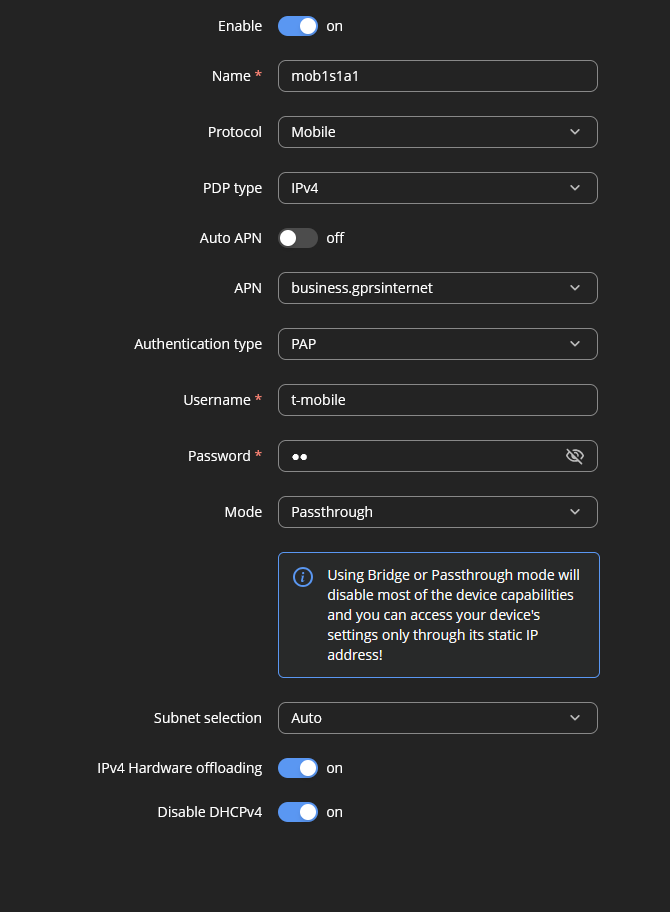
Data is not confidential and the standard setup for Magenta Business SIM in Austria (Magenta is our local T-Mobile Name). Here you can see the new toggle and Passthrough mode selected.
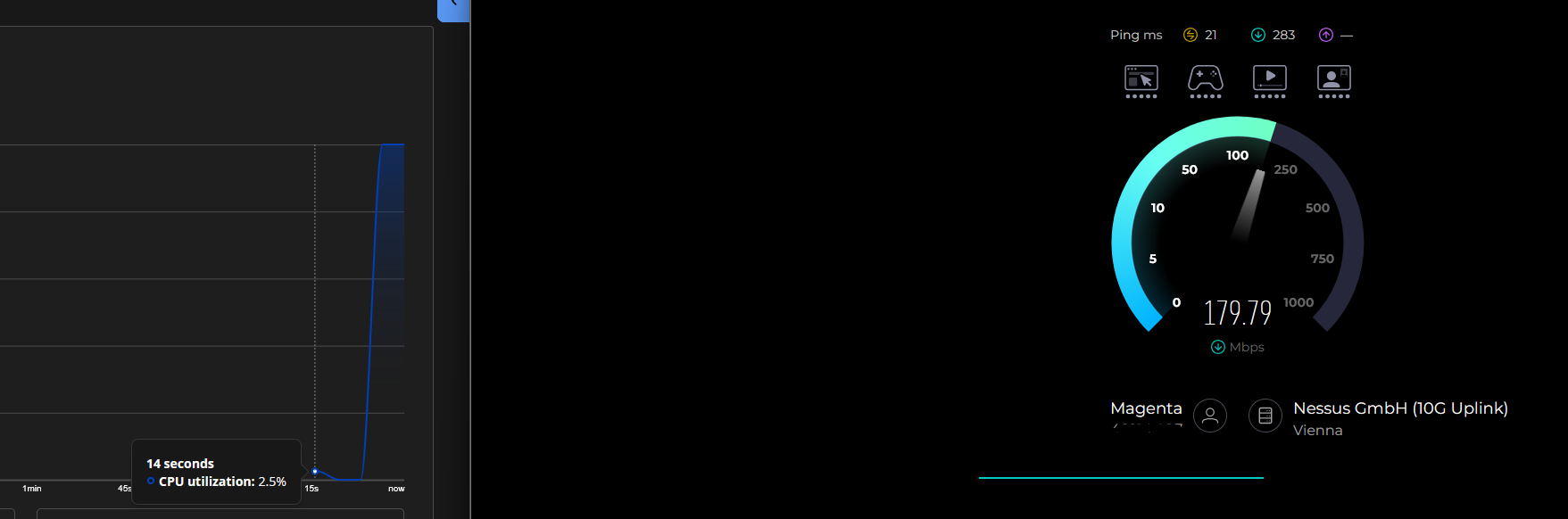
Next we have a speedtest to Nessus locally in Vienna. Settings are as in the first picture. You can clearly see that the CPU is pinned again at 100 percent and we get 180mbit constant. (just like mentioned in my first post). Just so i know that i am not going mad, i have an old iPhone 13 next to me with one of our Magenta SIM cards inserted, achieving 380/13 on the same APN. Upload is worse but maybe the iPhone is struggling there.
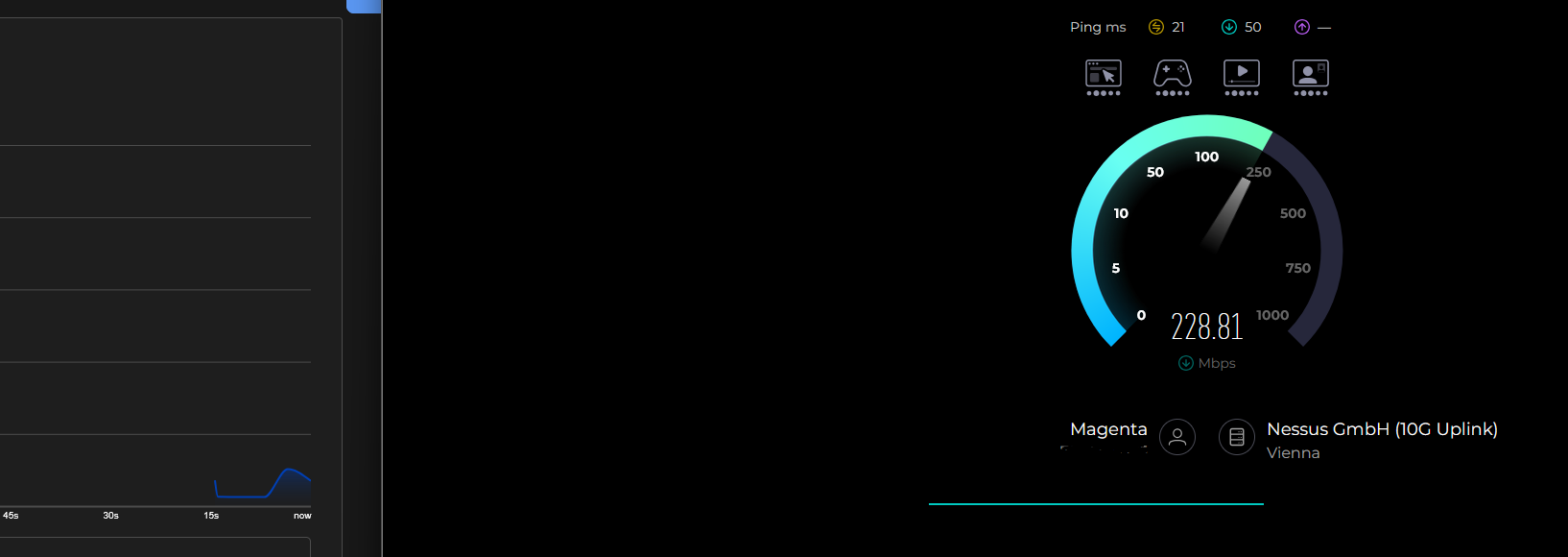
Next a speedtest with NAT mode, nothing else changed, same physical position, same APN, just a change in Mode. CPU is at a low 4-5 percent, speed is instantly at 220-230mbit down and especially look at the ping… 283 vs 50ms (idle ping is same, but as soon as we hit traffic it goes crazy. CPU bottlenecking for sure)
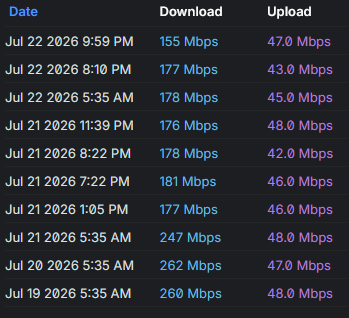
Also attached the Speedtest Log of our UniFi Setup. We have an automatic Speedtest at 5AM (to a server chosen by the UniFi System, but always the same) You can clearly see the speed before the update. (here we were running an old FW with NAT Mode, TRB500_R_00.07.19.4, because anything newer blocked our 5G reception) And instantly when i got your message on the forum on the 21st i decided to upgrade and check out the fix. (with some speedtest forced by me but also a speedtest at 5am)
Thats the status on my side right now. 
We will keep it for now on the new firmware and run it in NAT mode to see how the 5G NSA connection behaves, as we had some problems with those before.
@Vilius I will be answering you in the other post about the 5G NSA problem we had with FW TRB500_R_00.07.23.6 but just so you know about this thread and also that atleast with the newst FW 07.24.1 we are not seeing problems with 5G NSA and speed is again up to par with NAT mode atleast.
If anybody is interested here is the other thread about a different problem but i hope this has been fixed with the update knock on wood