Router/modem: Teltonika RUTX50 with its built-in 4G/5G modem
Mobile operator: Telia Lithuania
External enclosure/antenna: QuWireless QuMax for Teltonika RUTX50 (AX50M). The RUTX50 is installed directly inside the outdoor QuMax enclosure, so there are no long RF coaxial cables between the modem and the cellular antennas.
Cellular antenna: Integrated directional 4x4 MIMO LTE/5G antenna
Connection to the house: Ethernet cable from the RUTX50 to a PoE switch, then to the main Ethernet switch
LAN devices: Tenda access point, NAS, PC, TV and other wired devices are connected to the switch
Routing/DHCP: The RUTX50 is the main router and DHCP server. The Tenda is used only as a Wi-Fi access point, so there is no double NAT.
Firmware latest 00.07.24.2.
Current Wi-Fi problem
The problem is with the RUTX50’s own Wi-Fi, not with the cellular connection or Ethernet LAN.
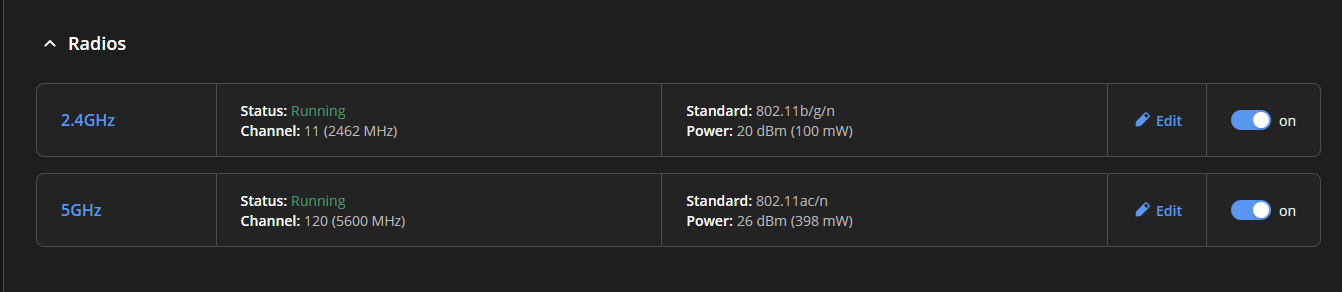
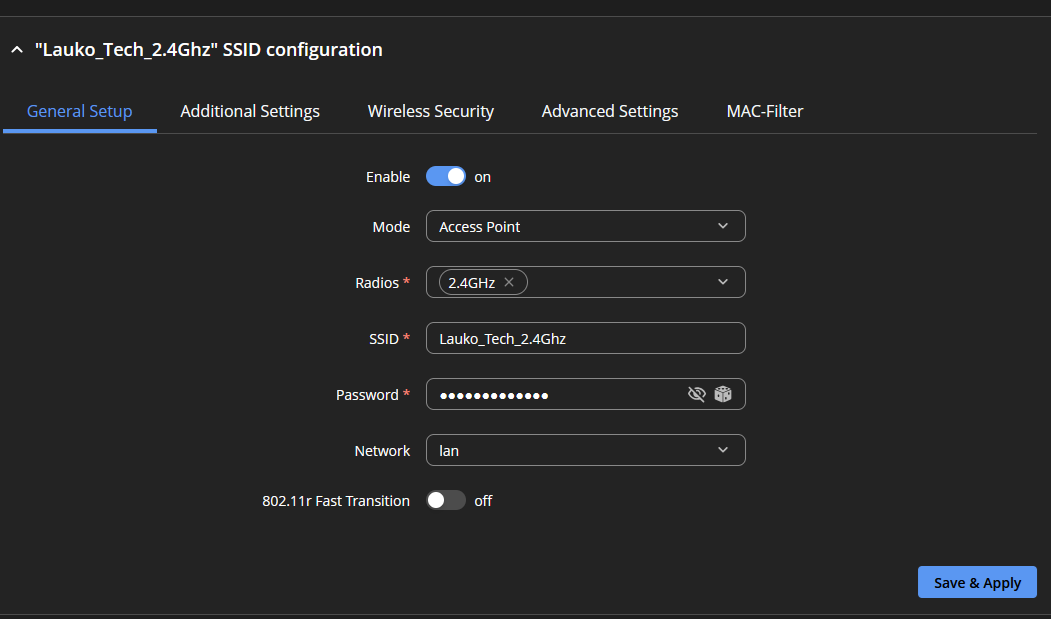
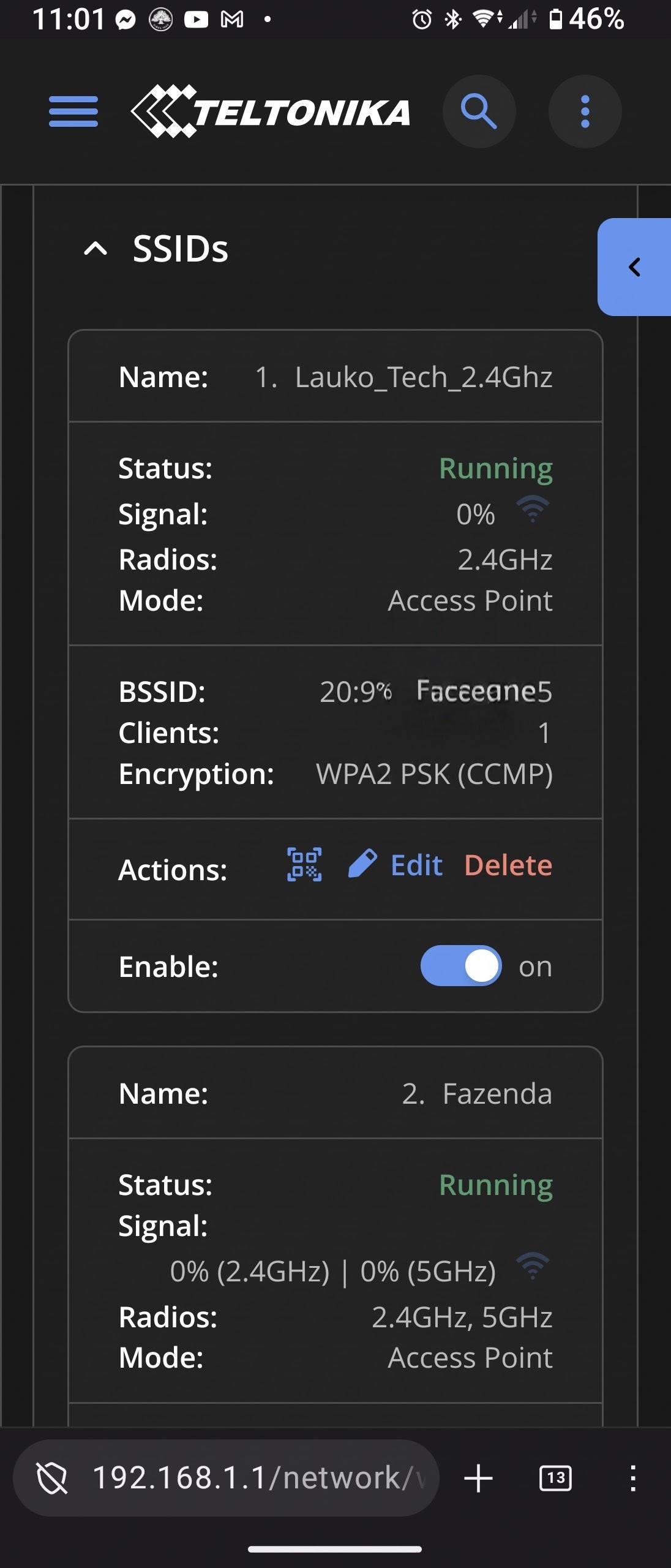
In the RUTX50 WebUI, the Wi-Fi interface/SSID is shown as Running, but the reported Wi-Fi signal is 0%.
At the same time:
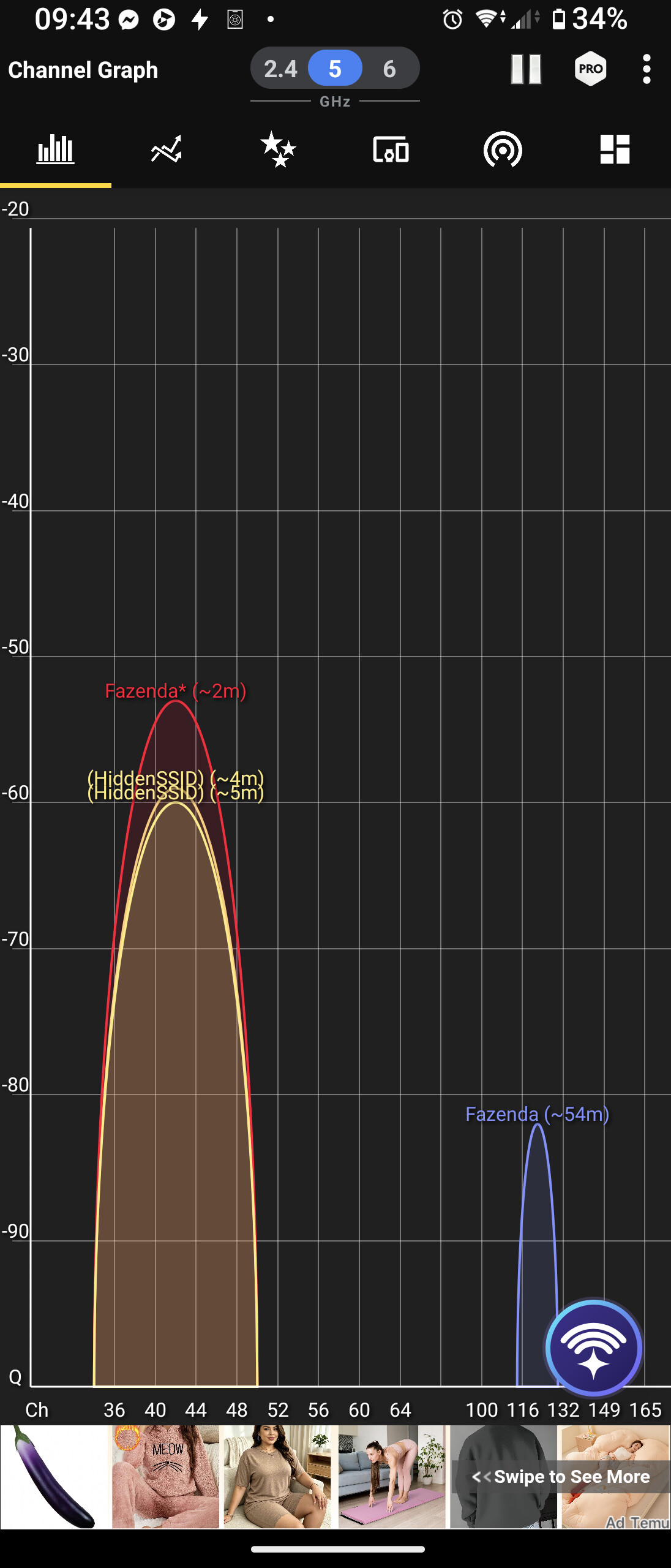
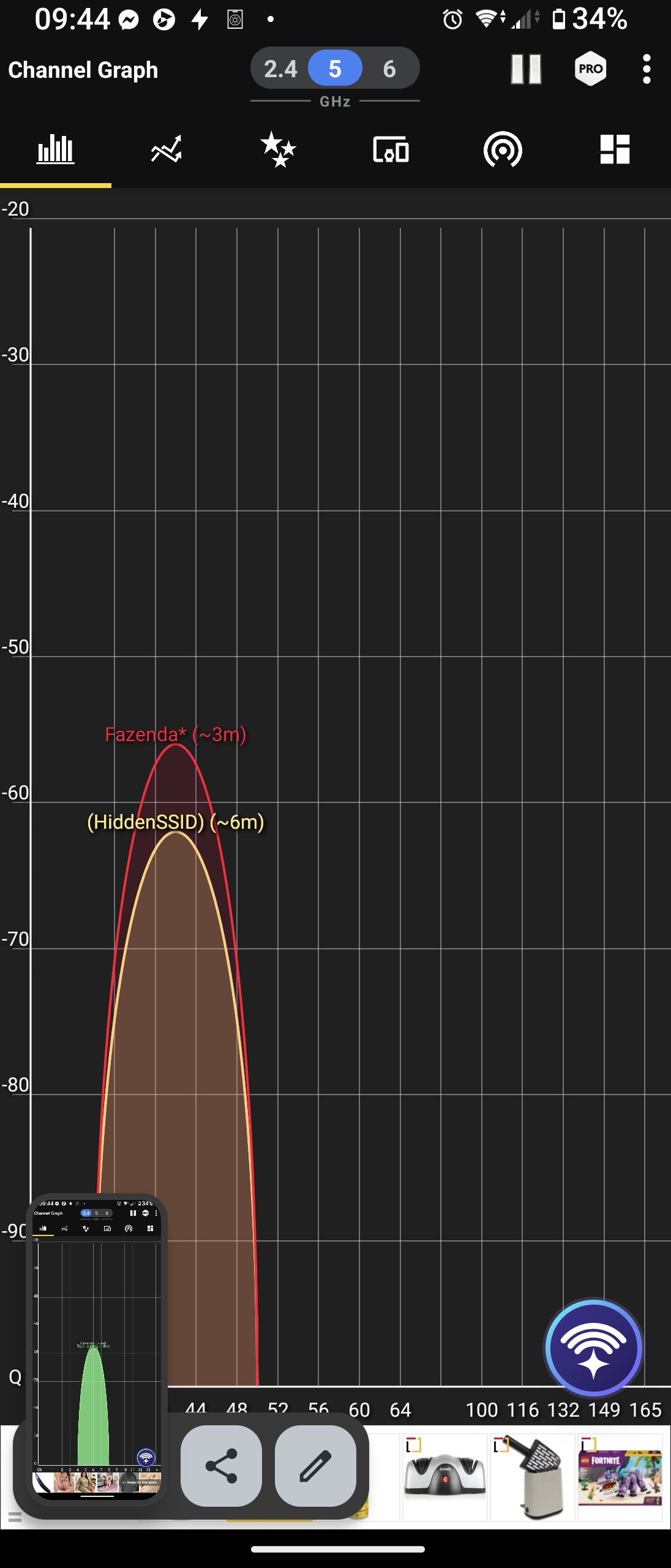
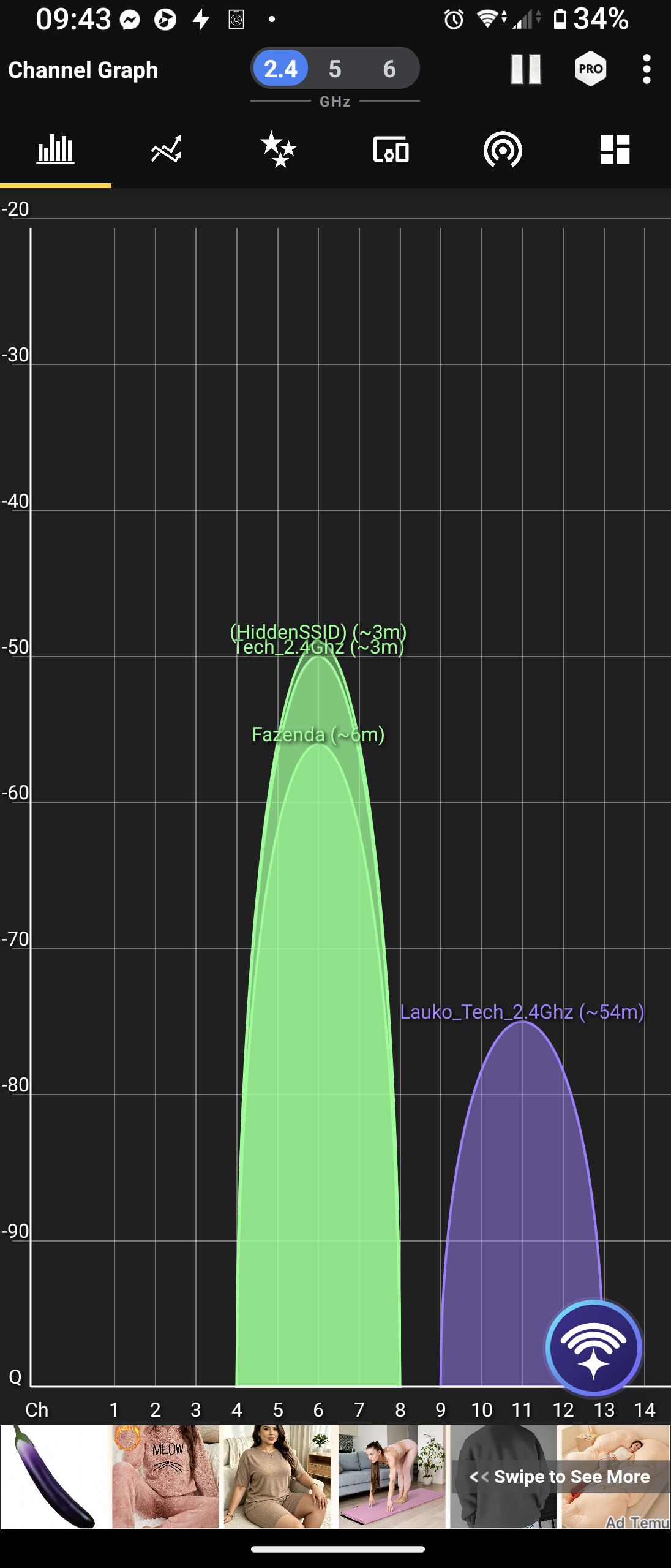
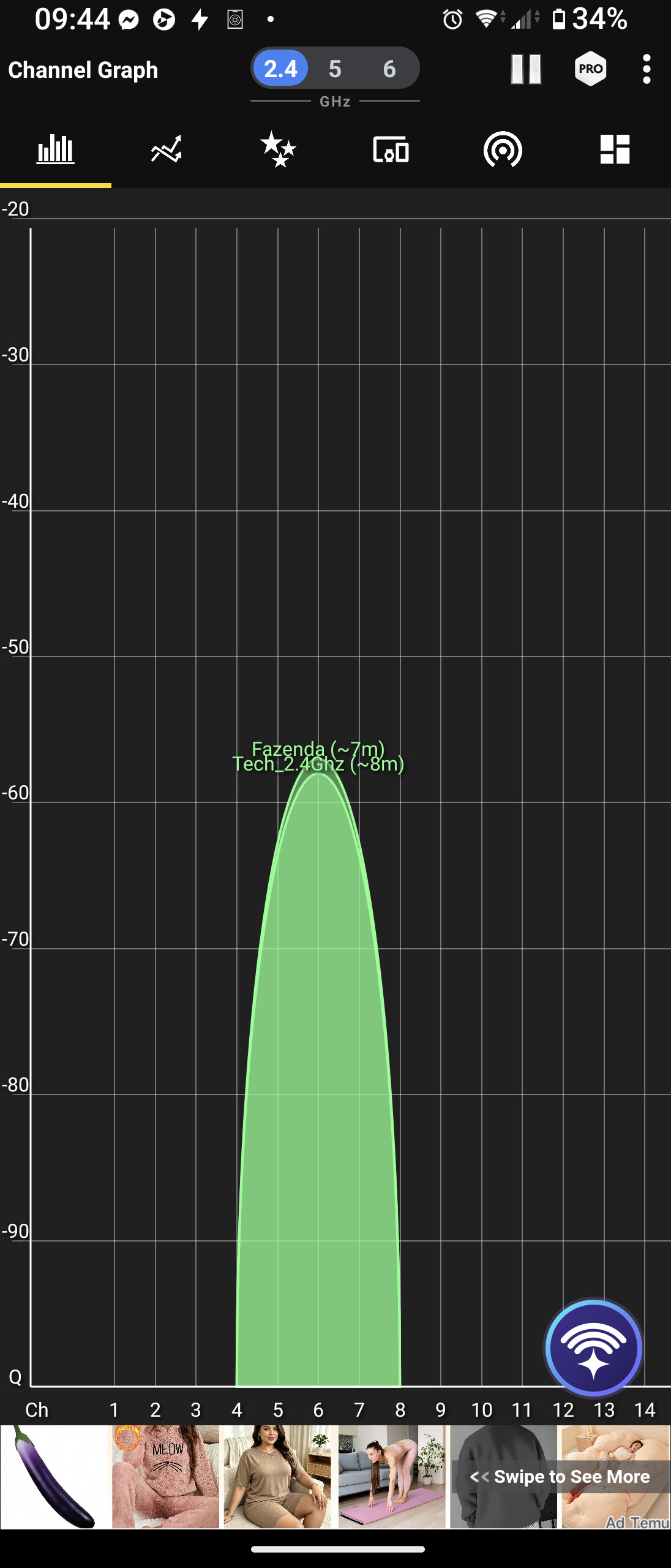
My phone cannot detect the RUTX50 SSID at all using a Wi-Fi Analyzer application.
Devices that were previously connected directly to the RUTX50 Wi-Fi, including a Wi-Fi relay, have disconnected and are now offline.
Wired Ethernet connectivity through the RUTX50 continues to work normally.
Therefore, it appears that RutOS reports the Wi-Fi interface as running, while the RUTX50 is actually not transmitting/detectably broadcasting the Wi-Fi network.
I would appreciate advice on what diagnostics I should run to determine whether this is a software/configuration issue, a Wi-Fi radio/driver problem, or a hardware issue with the RUTX50/QuMax installation.
While writing this post and going through menu, taking screenshoots SSID appeared. While uploading screenshot from phone it dissapeared. Couple of days was alright, again SSIDS are gone.
I will try someday, because antenna is on the roof. Not easy to access. But I think it is not the problem. Because it was working, then not working, working again and now not working. If some setting are changed and saved sometimes it helps and it starts working.
Intermittent faults are the worst to diagnose and resolve. I’m assuming that the WiFi antennas are outside, are you trying to connect WiFi devices that are inside a building or that are, say in the garden or street side?
The roof structure and internal floors etc maybe a substantial barrier to any WiFi signal indoors, below and thus making the diagnosis of the issue somewhat more difficult.
Hallo. Ist nur das 5ghz WLAN weg oder auch das 2,4 GHz?
Ich habe so ein ähnliches Problem mit dem RUTM30. Bei mir ist aber nur das 5Ghz WLAN weg. Dies auch nur, wenn mit Mobilfunk verbunden. Bei Verbindung über WLAN mit Hotspot alles gut.
gave a restart for modem, relay and camera was reachable. came back home after couple of hours. i can see that camera disconnected 162027. so 12 minutes ago.
I was starting to think I was going crazy.
I’ve been noticing the same issue with my RUTX50 since the last firmware update.
The original Wi-Fi antennas are connected.
The only workaround right now is a hard reboot of the router.
After that, the 2.4 GHz Wi-Fi works for a maximum of 48 hours. Then, it drops back down to 0% power, even though I’ve configured the settings to run it at maximum power.
The Wi-Fi networks have different names so I can distinguish between them.
This is particularly annoying because I use an ESP32—which only supports 2.4 GHz—to control my Truma heating system.
Hi, I have same issue with RUT260. I have two ip-cameras connected to SSID from RUT260 (mostly default factory configuration). Randomly after day or two cameras disappear and are not reachable anymore. At the same time SSID is not visible from my phone or my laptop. Soft reboot does not help and issue persist. After hard reboot (power cycle on/off) restores everything, ssid is visible and cameras, phone and laptop are able to find SSID and connect to wifi. Unfortunately this setup is located at remote site so it takes time to fix the issue. I have also tried to disable/enable SSID, change settings, etc but nothing helps. Only power cycle fixes the issue. Could this be hardware issue?
Edit: During the time issue is happening, RUT260 is reachable all time remotely through 4G connection.
@Shaaaris
For troubleshooting purposes, we will require more sensitive information from your end, such as the troubleshooting file, which may contain passwords, public IP addresses, serial numbers, and such. To avoid leaking this information, we have sent you a form to fill out, which you will receive in your e-mail inbox that you have registered your account with in the forums. In the Ticket ID field of the form, please enter the ID of this thread, which is 20738
@Peanuts, I have sent you a form as well, please use the ID 20738-2 when filling it out @jeretr, I have sent you a form as well, please use the ID 20738-3 when filling it out
I think i found a solution, but i cant remember what i did.
I know what i did, i turn back setting radio to channel auto. when it was dedicated channel that i had problems. try it out somebody, maybe this is a solution
Hi, I have submitted the form. Meanwhile I did update to 07.24.2 but wifi still remains broken after upgrade and soft reboot. Cold reboot is still to be done.