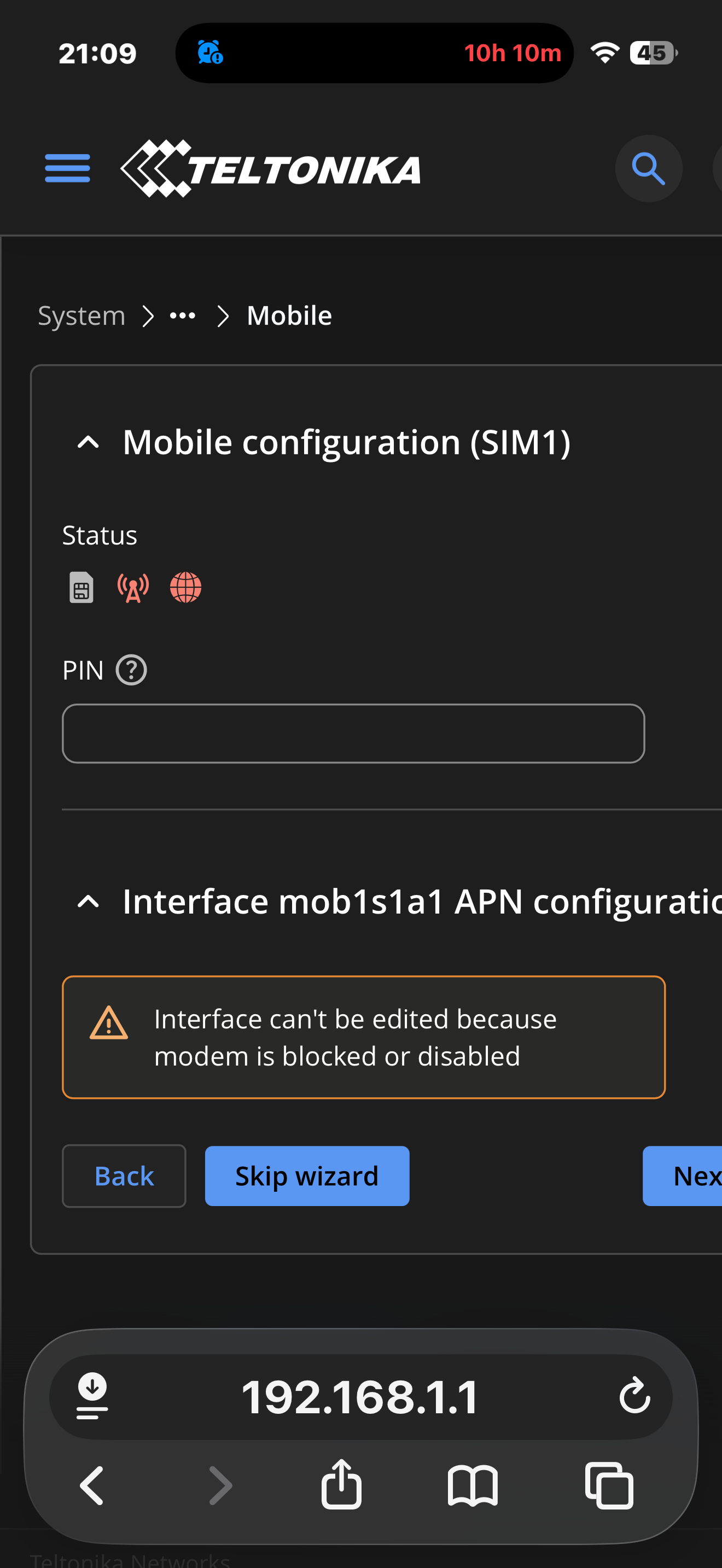
RUTX50 internal modem unstable after RG520 modem firmware update – SIM failure, gsmctl N/A, no registration

Hello Leigh,

thank you very much for your post and for sharing the downgrade procedure.

I can confirm that the same modem firmware problem also affected my Teltonika RUTC50 eSIM version with the Quectel RG520N-EBDC modem.

The modem firmware was already RG520NEBDCR03A05M4G_A0.300.A0.300 before I sent the device in for repair. After almost one month I received it back, but the same problems were still there. So in my case, it was very likely not a hardware issue, but related to the modem firmware.

With A05 installed, normal operation in 5G/Auto mode was not really possible. The modem became unstable, the connection sometimes dropped, and the router behaved unpredictably. In some cases, when using 5G/Auto, the WebUI froze for up to around two minutes. Sometimes the internal modem disappeared completely and was no longer visible/usable in the router until a restart or recovery action.

The only way to get a somewhat usable connection was to manually select specific bands instead of using full auto mode.

I followed your idea and downgraded the modem firmware to:

RG520NEBDCR03A04M4G_01.200.01.200

I did it via SSH on my RUTC50, using a stable WAN connection and not the mobile connection for the download. In my case, I first had to install sshfs, otherwise the downgrade failed before flashing.

The successful commands were:

sh opkg update && opkg install sshfs modem_updater modem_updater -v RG520NEBDCR03A04M4G_01.200.01.200

After the downgrade, I checked it with:

sh modem_updater -g gsmctl -A ATI

The modem now reports:

Revision: RG520NEBDCR03A04M4G_01.200.01.200

Interestingly, after the downgrade, A05 is no longer offered to me by modem_updater -g. The RUT WebUI also does not offer an update back to A05 anymore and shows the current modem firmware as the newest installed version.

Since the downgrade, 5G/Auto mode looks much more stable on my RUTC50. The modem connects again to Vodafone Germany with 5G NSA and does not crash immediately like before.

So this issue is not only affecting the RUTX50. It also affects at least my RUTC50 eSIM version with RG520N-EBDC.

Thanks again for pointing us in the right direction.

Kind regards,
Stefan

Any update about progress with new firmware for modem? At the moment I can only use 4G.

I can confirm my RUTM30 suffers from the same 5G problems with the A.05 firmware. A 5G connection is maintained and working sometimes, but especially in sub-optimal conditions 5G connections are very flaky, it seems the A.05 moden isn’t falling back to 4G connections soon enough to prevent connection problems.

I don’t understand this. It worked fine before the update of the modem but is now unusable in 5G. Until you have sorted this out can’t you simply make an ”update” to the previous version which worked and then when a new functioning version is available make a new real update?

Yes, the downgrade is the only thing that works.

Remember to update the firmware for the device first (RUTC50 in my case, RUTC_R_00.07.23.1 | 2026.05.05) using the Web UI, and only after it’s complete, update the modem firmware using the terminal app (PuTTY or other).

Now it´s working on 5G (SA).

I have 2 RUTM30’s in the same area same firmware. 100m apart. One is an EE e-sim working without issue. One is on O2 networks with physical sim causing issues.

Hands up who is having issues on O2?

I have 30+ more spread around the country on different networks in different territories having no issues but mostly Three networks.

Hello,

We want to sincerely apologize for the experience you’ve had with your device and for the delays in getting back to you.

With the help of the information provided on our forum, our R&D team analyzed the situation and identified the issue, which was escalated to the modem manufacturer with critical priority. Now we’ve received a new firmware, which passed internal tests, so please test whenever possible.

If you are currently on modem firmware A05 (also soon there will be updates from older versions to newest A06 version as well - keep an eye on it), please update using the WebUI DFOTA method:

1. Navigate to System → Firmware → Update Firmware → Modem update.

2. Proceed with the update from the server.

You should be able to run on 5G again without the instability after this is applied.

If you encounter any issues after applying the update, please reply here and we’ll ensure it receives prompt attention.

Thank you for sticking with us this long, and we hope this puts things right.

Best regards,

Thank you @Klaidas! That sounds promising!

I can see this firmware as a installation candidate:

Available versions (highest version number first):
RG520NEBDCR03A06M4G_A0.300.A0.300

I guess this is the fixed one?

Yep … that’s the latest version (the fixed one)

Hello,

You are right :slight_smile:

Has anyone tried RG520NEBDCR03A06M4G_A0.300.A0.300? How did it go?

No problems on a RUTX50

Installed A06 last night and everthing is good now.

On a RUTC50 with: RG520NEBDCR03A06M4G. No problems so far. Thank you Teltonika for fixing the issue!

Hello. I have the same problem but my FW for the modem is RG501QEUAAR12A08M4G and I cannot update to the last mentioned FW. When I am checking the server for the update it says that there is no update available. How should I proceed to make the update.

Thanks.

You cant because your modem firmware has no issues. RG501QEUA is working properly. The issues you are having are caused by something else. Probably weak signal or lose antenna connectors. I would also recommend downloading official firmware from here, and then flash your device using these instructions. If nothing helps, contact Teltonika for further support.

I already updated to fw RUTX_R_00.07.23.3; the problem seems to be with the modem which is not responding; it managed to connect once but after 30 minutes disconnected and from then is dead. I think that is also a software issue and not a hardware one.