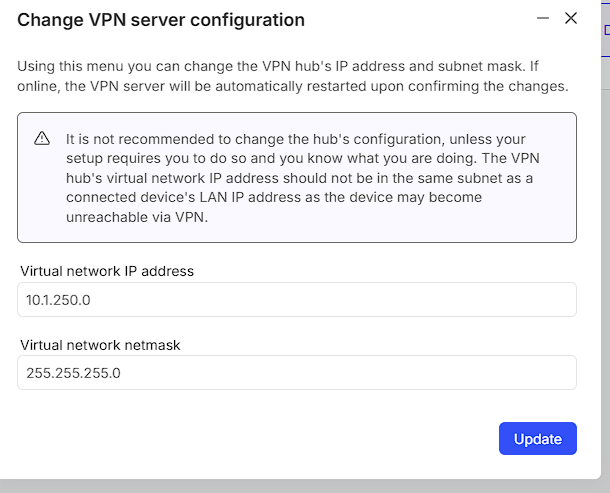
I have a problem accessing devices on an external network using vpn. The problem is that I have an overlapping subnet. My local network is in the 10.0.0.x range, the external network is too. I cannot change the ip ranges. The remote network is behind a RUTX10 router.
I think I need to use NAT for this.
My goal would be that when I try to access a certain IP range (e.g. 14.15.16.x), it is converted to 10.0.0.x on the remote network. I use 14.15.16.x so that my own PC knows that it should try to reach the device over the vpn connection.
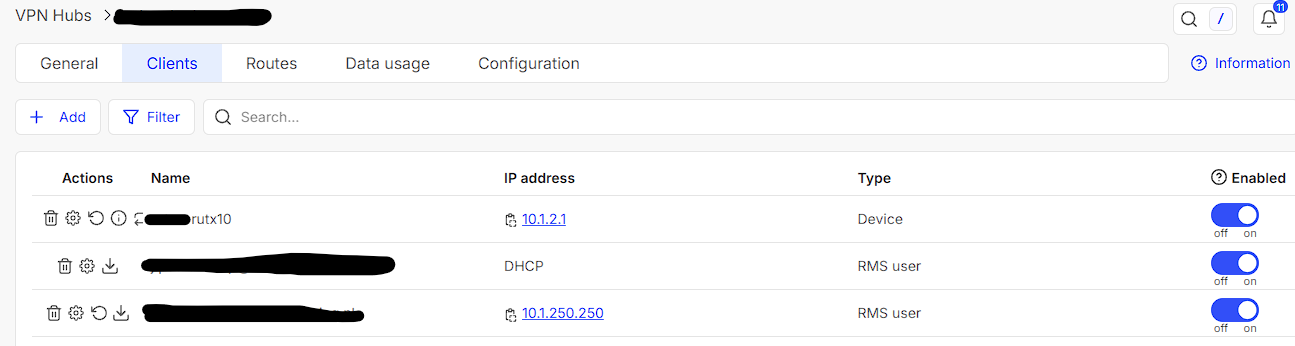
It might be important to know that the RUTX10 router is behind another router, and has no public IP address. I set up a VPN Hub in RMS to access it with VPN.
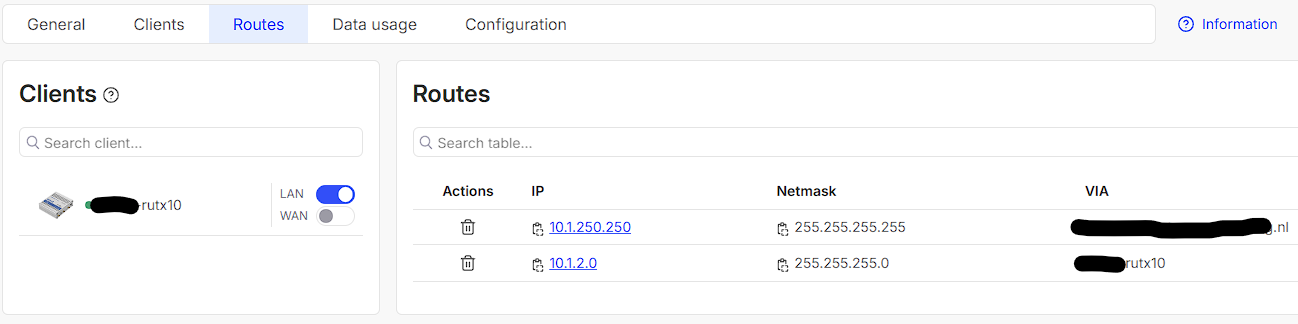
In the VPN, I created a route, so when I connect to vpn, I can see that 14.15.16.x IP addresses are routed to the IP Adress of the (RMS) VPN Hub. That seems al okay.
I tried some NAT rules, but it is not working yet.
In my test setup, I don’t have overlapping IP addresses, so it is easier for me to test.
My setup:
IP range of my local network: 10.0.0.x. (My PC has an 10.0.0.x IP nr.)
IP range of network behind RUTX10: 11.12.13.x
In the VPN hub, I created two routes, one for 11.12.13.0 and one for 14.15.16.0.
When connecting to vpn, I receive an IP address from the VPN Hub, which is 192.168.x.x
When I connect to VPN, I can reach/ping/connect to devices on the external network. For example, I can connect to 11.12.13.100 from my PC. So VPN and routes are working.
However, I cannot get a ping working to 14.15.16.100 which would be the same device.
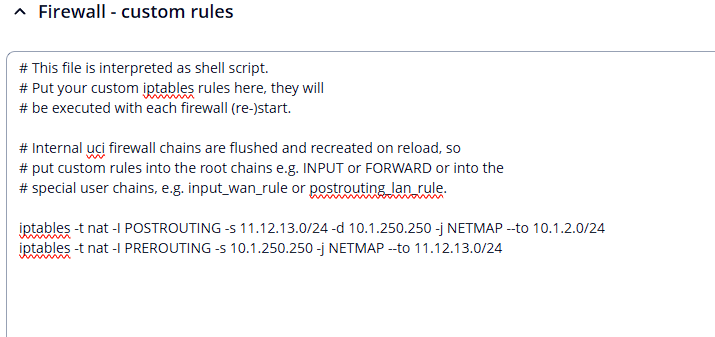
I tried those Custom NAT rules:
Can someone help me reach the device on 11.12.13.100 by using 14.15.16.100 on my PC?
Note: I will also need to connect to other devices on the external network, but let’s use this device for testing. Once I got this working, I can try to connect to an external network in the 10.0.0.x range.
My goal is to be able to access the remote devices from my PC. I cannot do that in the ‘field situation’ since the devices are in the same subnet (10.0.0.x) as my local network (10.0.0.x). I cannot change the subnets in the field situation.
I am able to change the subnet in the test situation, so I changed the subnet for the remote devices to 11.12.13.x.
I hope this helps
One of our colleagues has answered to a thread with a very similar issue to yours, and they’ve made a little configuration example, more specifically, this answer: Layer 2 TAP VPN - RMS VPN HUB - #7 by Justinas
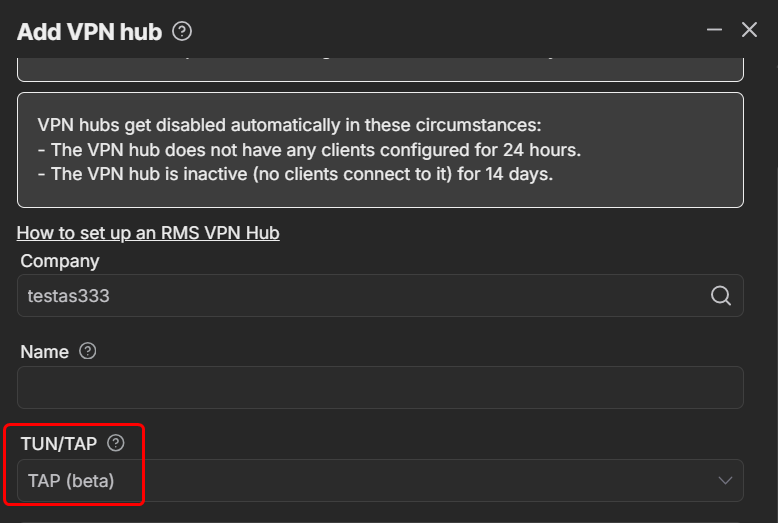
After looking at your provided field topology, it looks like you wish to connect two locations that have the same LAN and access it via RMS VPN. If we understood correctly, then you can use the RMS VPN in TAP (layer 2). Meaning, you’ll have to create a new VPN Hub and select “TAP” instead of “TUN”:
I don’t think using TAP is the good solution for us.
We are not looking to link two networks together. Preferably, we don’t link them together.
The only goal is that I can connect to the remote devices with my PC.
It might even be that there are devices on the remote and on my local network with the same IP addresses. Using TAP this would be a problem, using TUN (and NAT or similar) it wouldn’t be a problem, especially when I can connect to the remote device using e.g. 14.15.16.x.
I think NAT would be the ideal solution for us, but I cannot get it working.
Desired behaviour would be that when I try to access a remote device (e.g. 10.0.0.100), I would use e.g. 14.15.16.100, which would be translated to 10.0.0.100 when it arrives in the RUTX10. I think the routes in the VPN Hub can be used to direct the 14.15.16.x destinations to the VPN.
Andzej has given a very in-depth how-to on how everything needs to be set up with images included. Some settings may differ, since your setup does contain slightly different addresses and such, keep that in mind.
This helps a lot, as it is indeed a very similar situation as we have. However, for me it is still not working.
I changed some of the IP’s in my test setup, so it is very comparable to the other situation.
Current Topology:
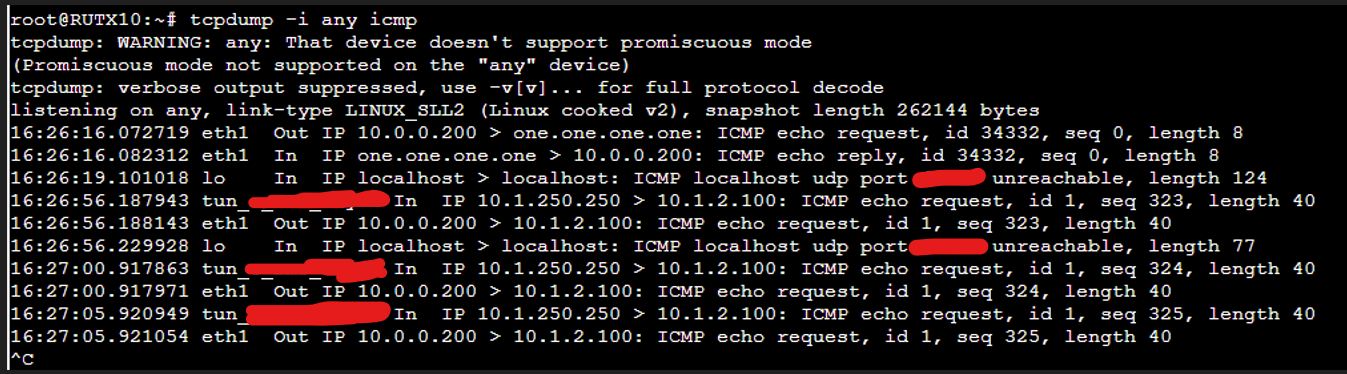
When I do a ping to 10.1.2.100, I expect it to arrive at the device behind the RUTX10 with ip 11.12.13.100, I see this in the (remote) cli of the RUTX10:
Could you please try installing the IP Table NAT Extra package, which is available to download either from our Wiki or via the Package manager found under System → Package Manager?