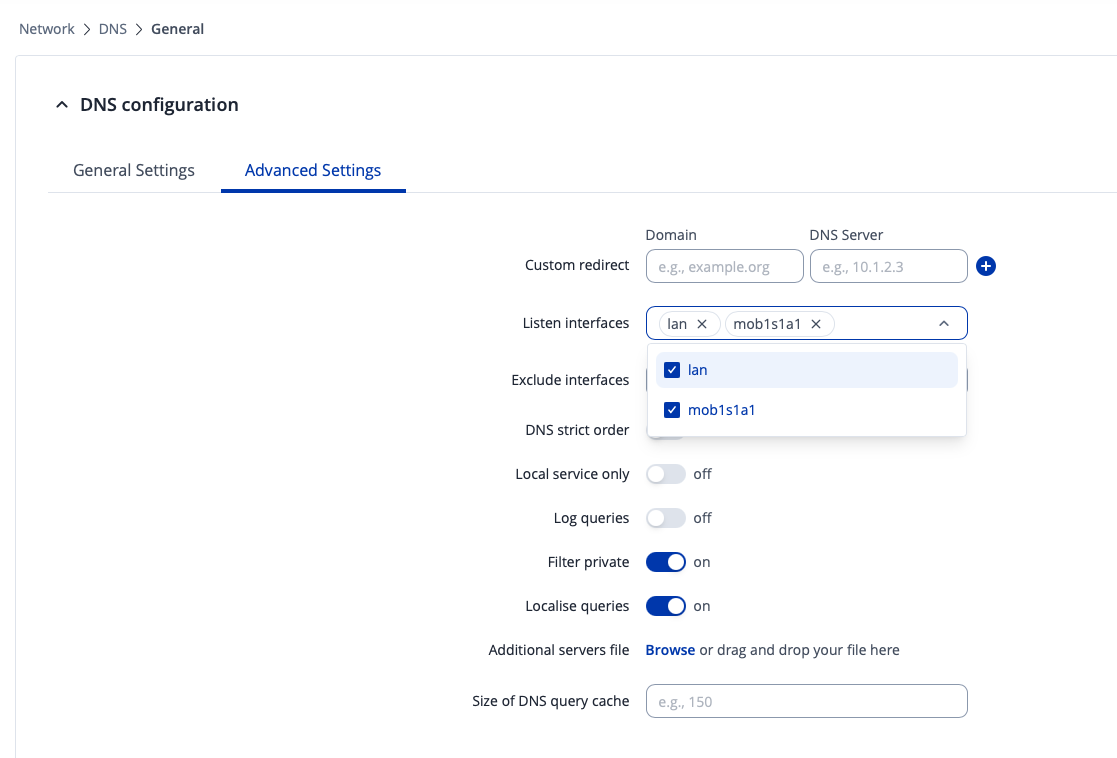
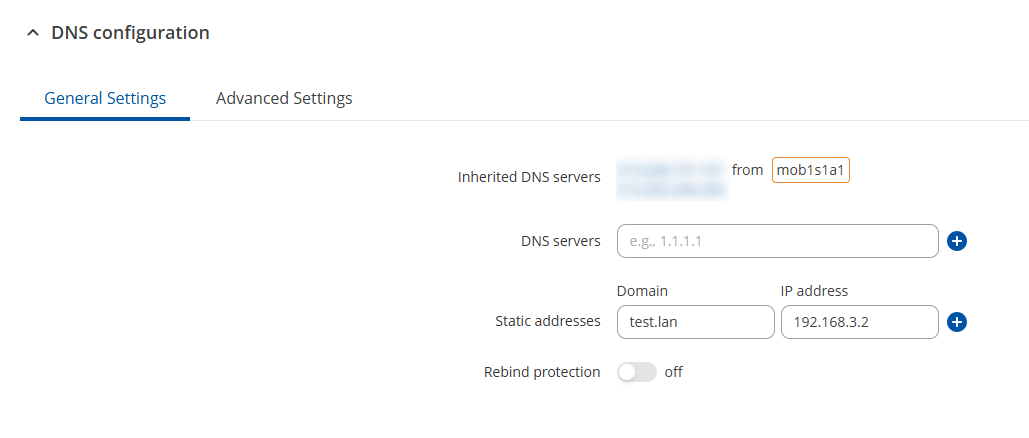
If you leave the “Listen interfaces” field empty, does the issue still persist? If you leave it empty, technically, it should work on all interfaces.
You could also look into setting up static leases for your end-devices, by going to Network → DHCP → Static leases, more information here: RUT241 DHCP - Teltonika Networks Wiki
following your suggestion I investigated a bit more:
for some reason I had to manually set the dns to 192.168.0.1 on the phone; leaving it to “automatic” did not work. not sure why because I was able to access the internet
on my laptop it is also set to 192.168.0.1 by default
so basically all my request seems to be handled by the router and show up in adguard under 192.168.0.1
if I set the dns on my phone to 192.168.0.117 I can access the internet but cannot ping test.lan however then my phone shows in adguard under its own ip. same behavior for the laptop.
I guess this behavior is because the test.lan is set in the rutc50 router but adguard is on another device
the current way works but I cannot differentiate devices in adguard; everything is under the router ip
is there a way to have a strict single dns set like I have now but “intercept” and serve local domains directly from the router ? why is the router not passing 192.168.0.117 as default dns to clients ?
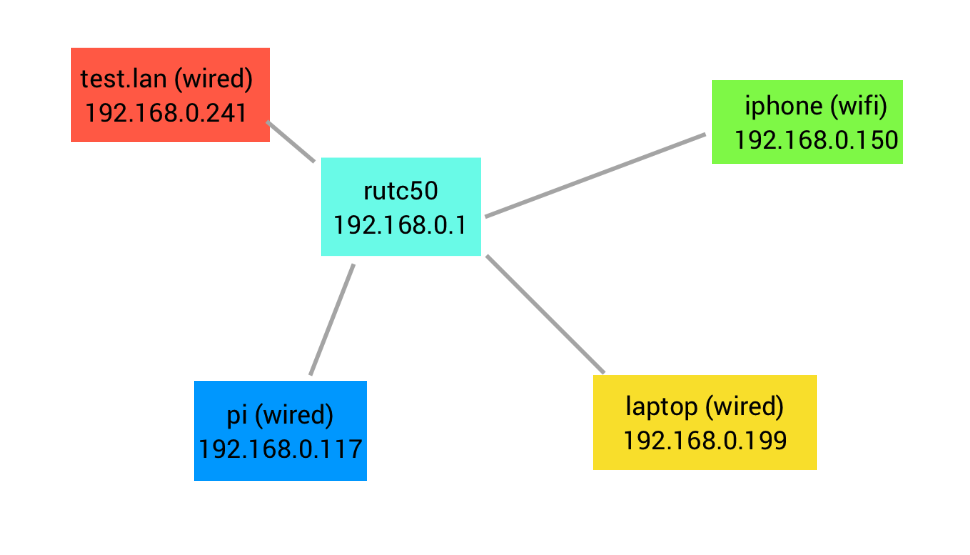
Just so we have a better understanding, could you please provide a topology of how you have everything connected? I’m very confused about the Adguard part - how exactly does it communicate with your router?
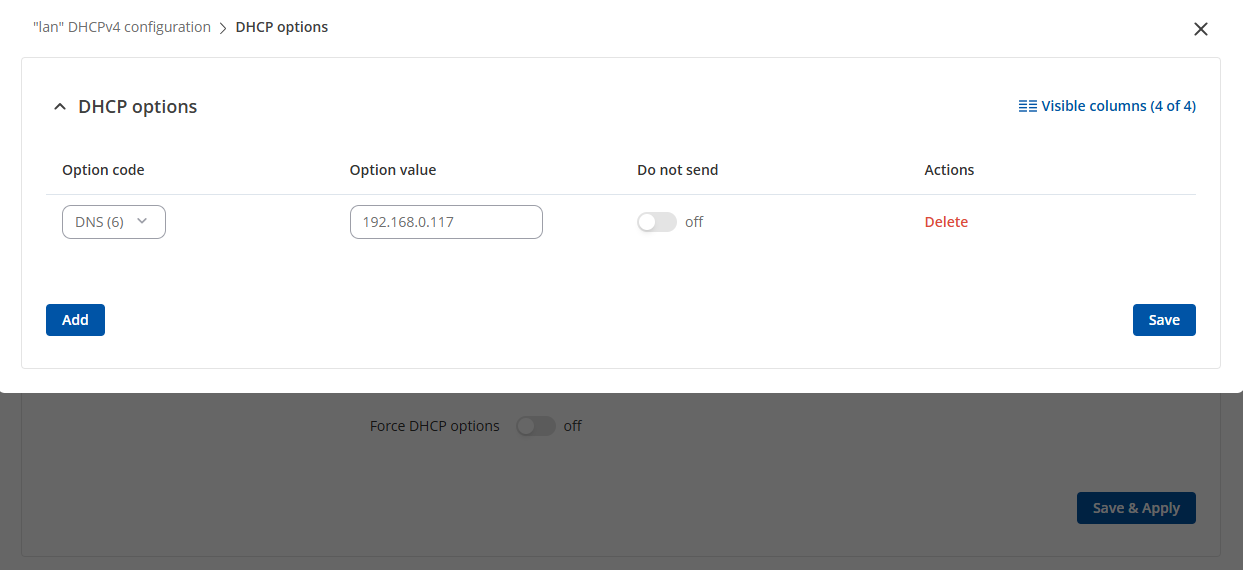
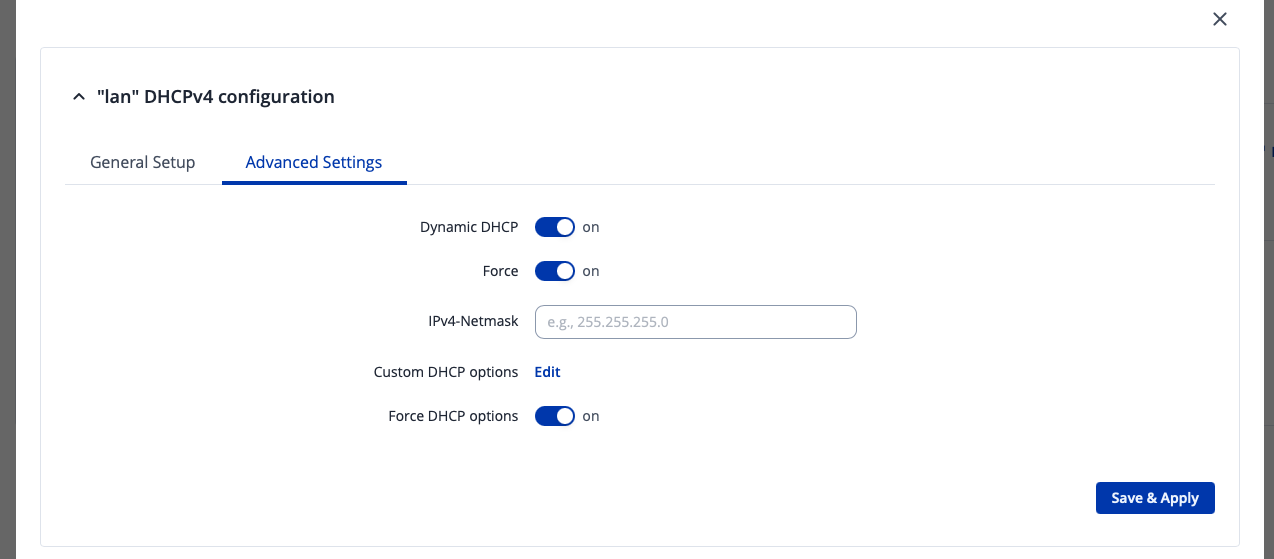
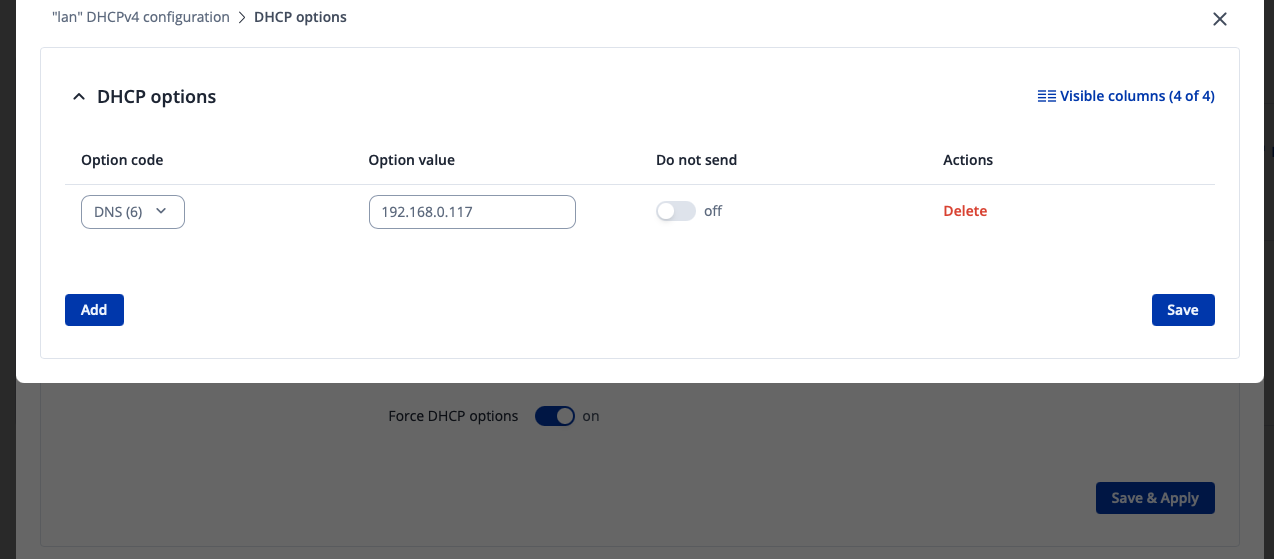
Additionally, could you please try heading to Network → DHCP → Server Settings → Click “Edit” on the server → Advanced Settings → Press “Edit” on the Custom DHCP Options → Click “add” → Option code, select DNS (6) and set the “option value” to your Adguard DNS server IP, which in your case is 192.168.0.117:
Thanks for providing more information on your case. From what I’ve gathered, the pi (AdGuard) is connected to the LAN of your RUTC50.
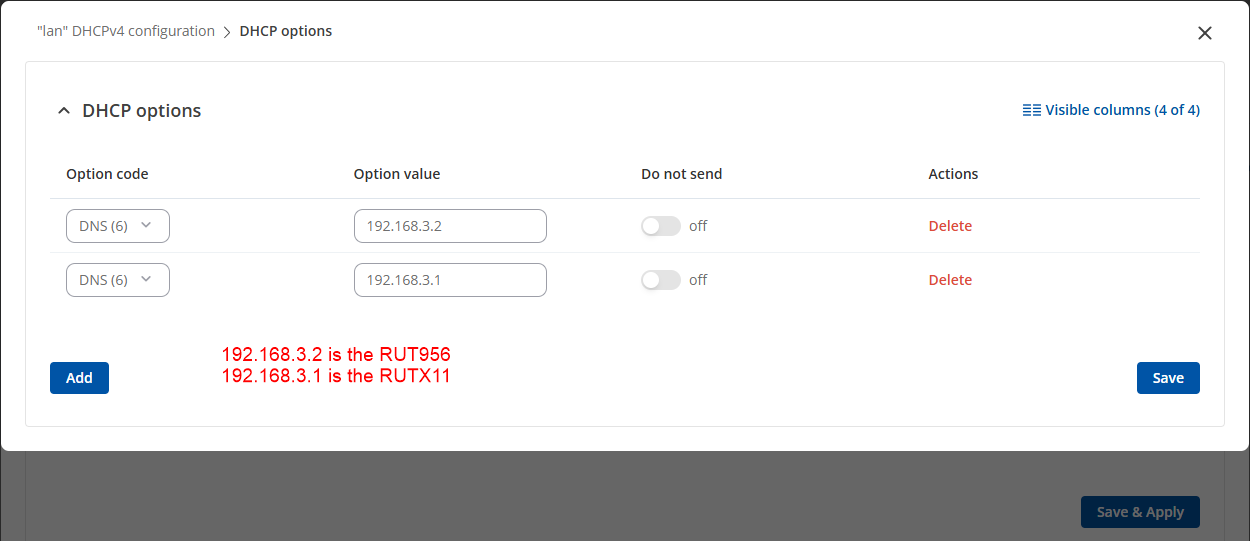
I went ahead and conducted a test with a RUT956 and a RUTX11 - the RUT956 acted as the main DNS server, while the RUTX11 itself acted as a secondary DNS server.
We’ve also disabled the IPv6 on RUTX11, but left the IPv4 running
Afterwards, we were able to connect to the RUT956 through the test.lan hostname, but Windows itself didn’t allow us to send a ping for some reason (probably a Windows-related setting), setup itself seemed to work just fine.
Thank you for the reply but I am failing to understand how your test reflects my setup and this might be my fault not explaining well.
at the moment everything is working if I make sure the client dns is set to 192.168.0.1 (rutc50)
the original issue was caused by the fact that somehow on my phone leaving dns set as default I could not ping my static adresses; I had to manually enter 192.168.0.1 as dns so Im thinking maybe there is a bug or misconfiguration on the wifi side of the rutc since my laptop was working fine from the beginning and it is wired.
secondly I wanted to go a bit further and comment on the fact that my DNS pi (192.168.0.117) only sees requests from 192.168.0.1. That seems normal at first but it is a bit annoying since I cannot see requests from individual clients anymore.
It seems that the router is making the dns request on behalf of the client instead of forwarding the dns request from the client if you see what I mean ?
I am a bit shocked by this behavior because before owning the RUTC50 I used to own a GLinet router that supports adguard natively and I could see individual client request from their own ip so I know this is possible since it is also based on openwrt.
I also noticed from my post below that creating a new wireless interface will not set the dns to my custom dns by default; this could be IMO a security issue; I have to set my dns every time to 192.168.0.117 on the wan interface created after joining the hotspot
RUTOS should have a MASTER DNS setting that is applied by default everywhere and enforced as strict dns by default (this was possible on gl router)
Since we don’t actually have an Adguard, nor have we ever tested our devices with it, I went ahead and imitated your setup with a couple of our devices, I’ve used the RUT956 as the main DNS server, while keeping the RUTX11 as the secondary “backup” option.
I’ve then conducted tests by trying to reach said devices from both, my phone via WLAN & their respective hostnames via a web browser in order to access the WebUI. All of this ended up working as expected.
DNS queries from LAN and Wi-Fi clients are relayed by the RUTC50 router via its internal DNS proxy (dnsmasq). Therefore, upstream DNS servers will only see the router’s IP (192.168.0.1) as the source.
I was able to find an older community forum post with another user asking for assistance for their RUTM10 + Adguard setup, and another user has replied with some proposals for changing the settings, you can look into this, see if it helps or not: AdGuard on RUTM10
Since we don’t advertise our routers as 100% compatible with Adguard, we can’t promise full functionality, and issues are bound to occur, but I believe the posts that I’ve provided should give you more insight on how to set this up. Judging by the other user comments, they seemed to have get it to work as they wanted.