I recently used all my data plan on my sim so I went ahead using my Iphone hotspot instead running the latest IOS26
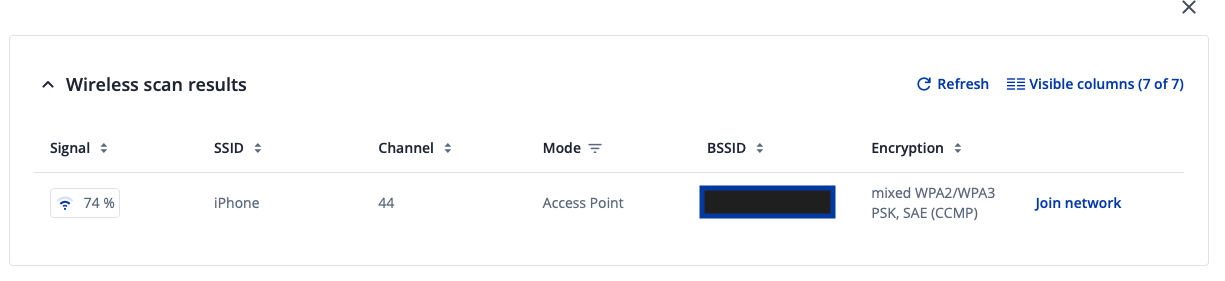
went to Wireless > SSID > SCAN 5ghz
after the scan selected my phone hotspot and successfully connected to it
the process created a new WAN interface and I got internet so all good
Now I leave with my phone in my pocket away from the router
coming back to the router it is now impossible to reconnect to my hotspot, the RUTC is stuck in endless scanning and does not join the hotspot.
- rebooting the router did not fix the issue
- the warning triangle only shows an error about checking the password but nothing useful
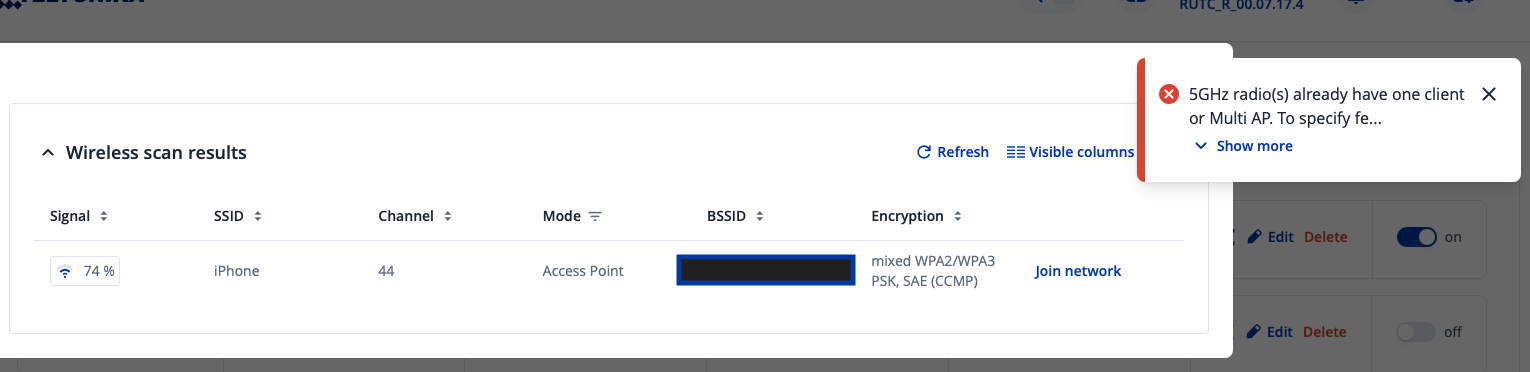
- scanning for wifi shows the iphone hotspot is present but clicking join gives error message like in screenshot below
the ONLY FIX is to delete the SSID wireless and start the process from scratch
please let me know if I can provide any information
here are screenshots
Hello,
I’ve tried replicating the identical issue using a wireless client (FWs 7.17.5, 7.18, connecting to an iPhone hotspot running iOS 26, both with and without Compatibility Mode and across 2.4 GHz and 5 GHz bands.
While I couldn’t reproduce the router getting completely stuck in a “Scanning” state, I did observe that after disabling and re-enabling the iPhone hotspot, the client does not reconnect automatically and its state remains on “Scanning” as you described.
I’ll forward this behavior to our R&D team for further analysis and testing.
Thank you for your input and for bringing this to our attention.
Best regards,
Hi
thank you for the follow up. Hopefully there is a fix at some point.
I have not managed to reconnect a single time. I even tried to disable the ssid before moving away from the router. But re-enabling the ssid leaves me in scanning state too
If I may suggest something it would be great that after a manual scan and finding the hotspot we have some kind of “force join” button instead of the error message from my original post.
I am using 5ghz and tried both with and without compatibility mode
Update:
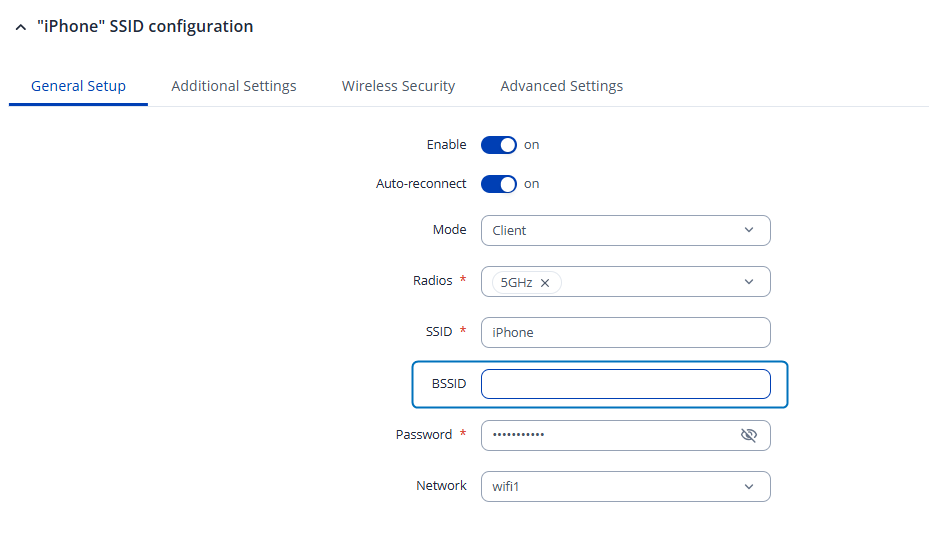
After further testing, it appears that the issue is related to randomized BSSID behavior on iPhone and Android hotspots. As a workaround, please try removing the BSSID value from the client’s SSID settings:
This should allow the router to reconnect to the access point automatically after inactivity or a lost connection.
Best regards,