Es ist nicht möglich den Router RUTX50 über eine sichere https Verbindung zu verbinden .
Mann muss immer diese Meldung “Unsichere Verbindung” weg klicken wieso können sie das nicht mal beheben, was ist da los, seit über einem Jahr geht die Meldung nicht weg.!!
WebUI ist nicht https fähig bei Teltonika
Auch KI sagt das es nicht geht da Teltonika keine cert. für Domain zulässt und die Erstellten cert. der Browser nicht akzeptiert da diese keine Domain zu lässt und IP + cert. kein sicher Verbindung.
Darum klare Anweisung an Teltonika veröffentlichen sie Gültige Zertifikate für den RUTX50.!!!
It is not possible to connect the RUTX50 router via a secure HTTPS connection.
You always have to dismiss the “Insecure Connection” message. Why can’t you fix this? What’s going on? This message hasn’t gone away for over a year!
The Teltonika web interface is not HTTPS-compatible.
Even AI says it’s not possible because Teltonika doesn’t allow certificates for domains, and the browser doesn’t accept the generated certificates because they don’t allow a domain name, and the IP address + certificate combination doesn’t provide a secure connection.
Therefore, a clear instruction to Teltonika: publish valid certificates for the RUTX50!
“Auch KI sagt das es nicht geht” ….. well, it must be true then …. or you could be a heretic and refer to previous posts or Teltonika documentation .
The change to forcing https connection was referenced in the Firmware release notes.
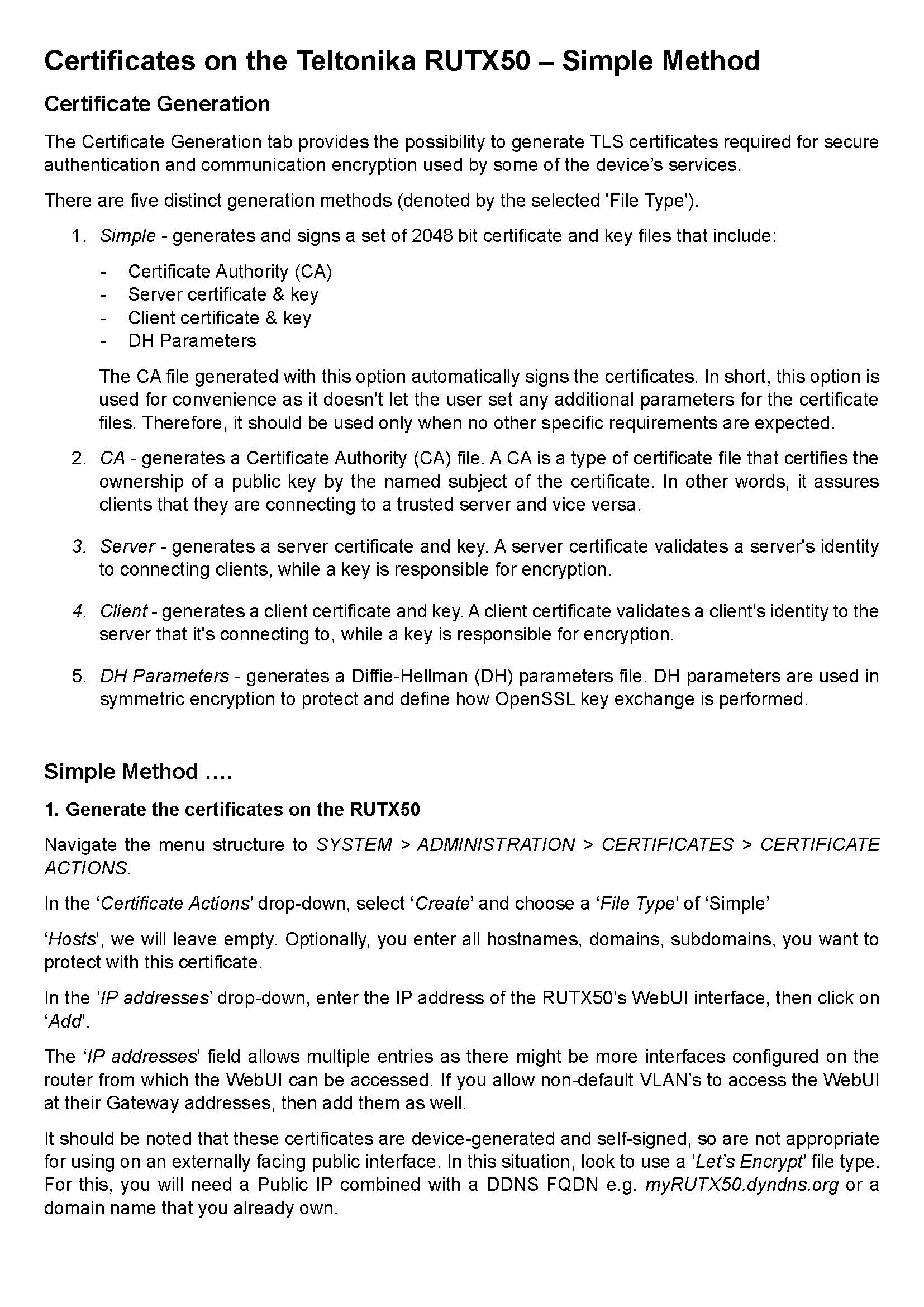
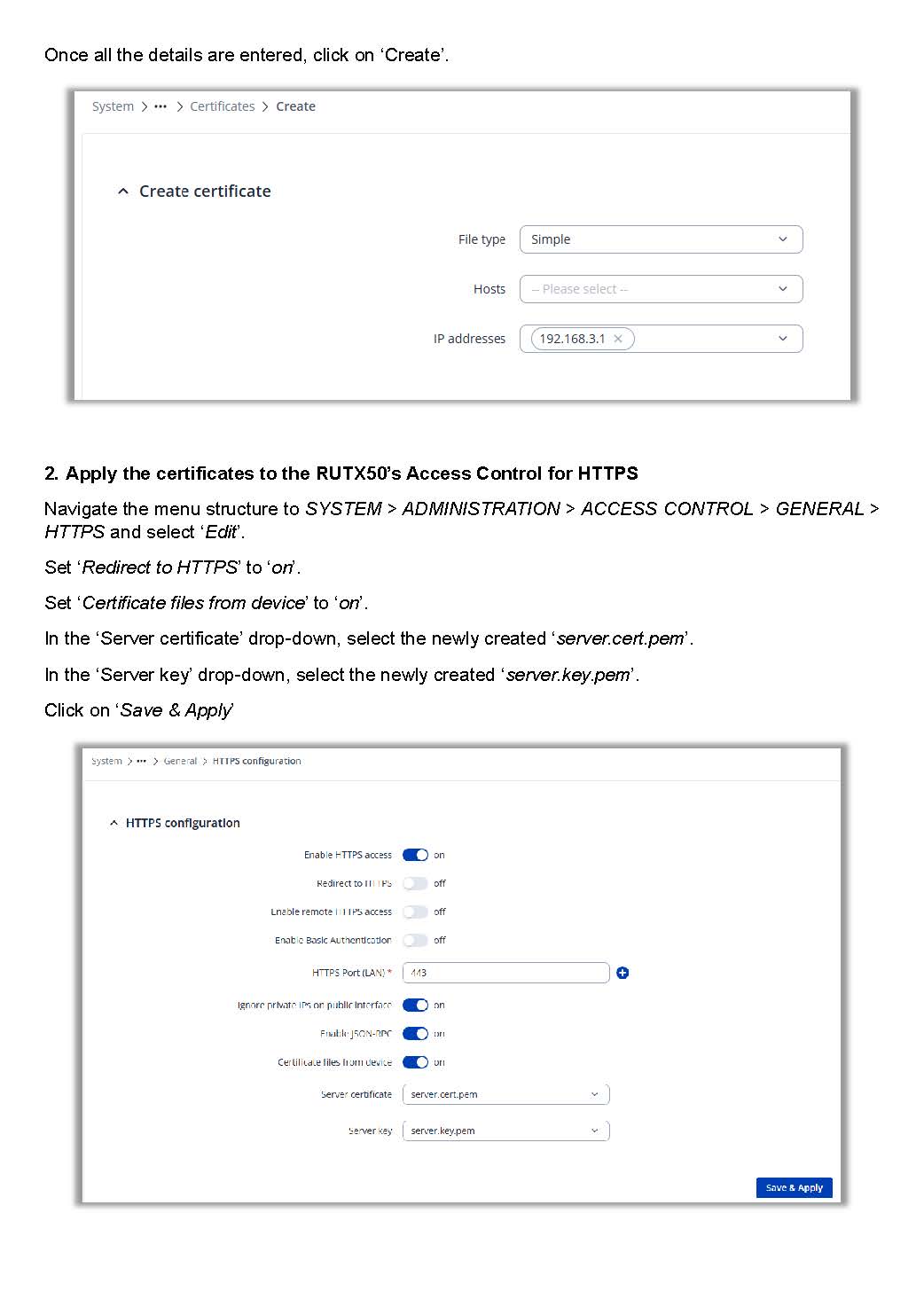
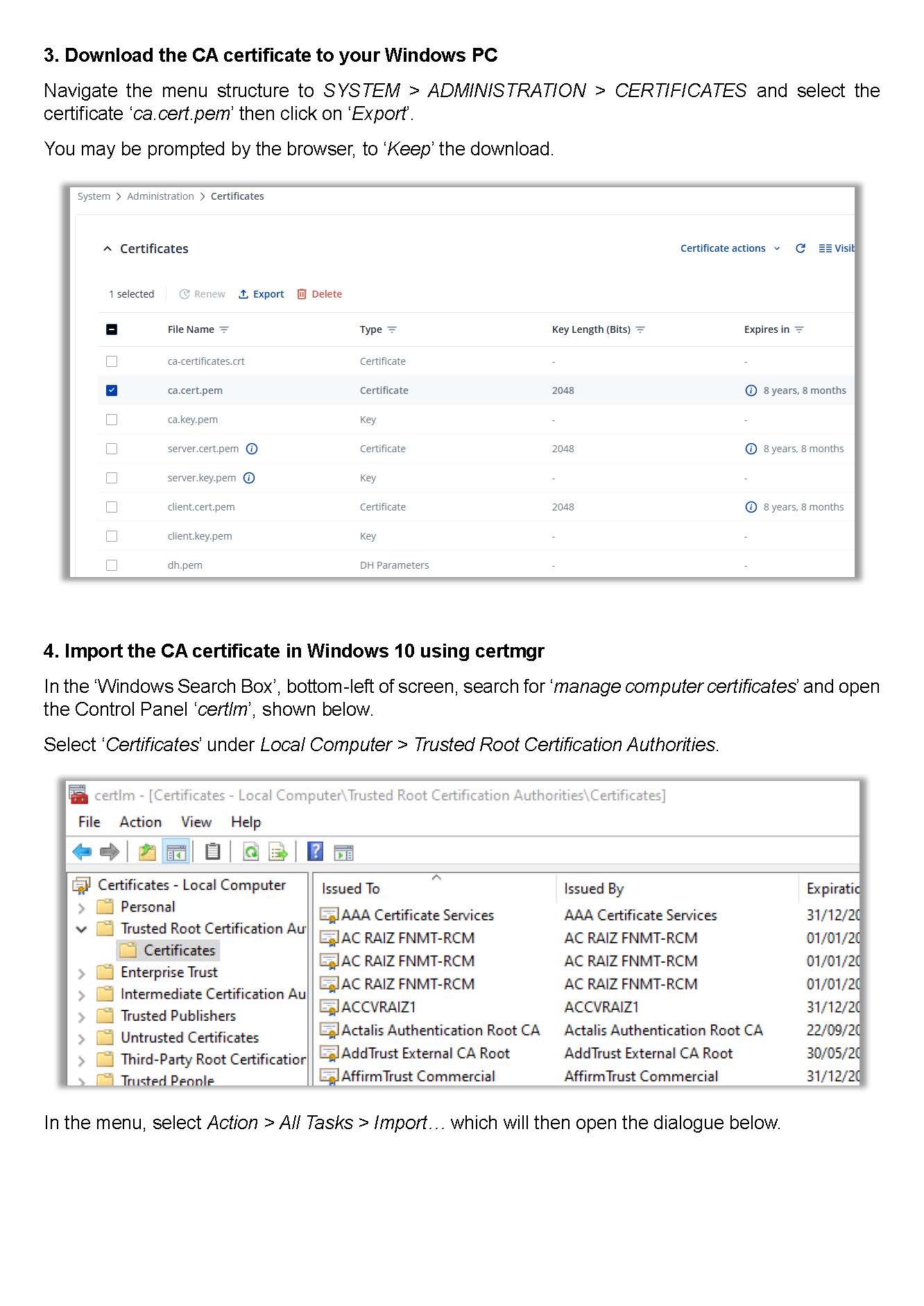
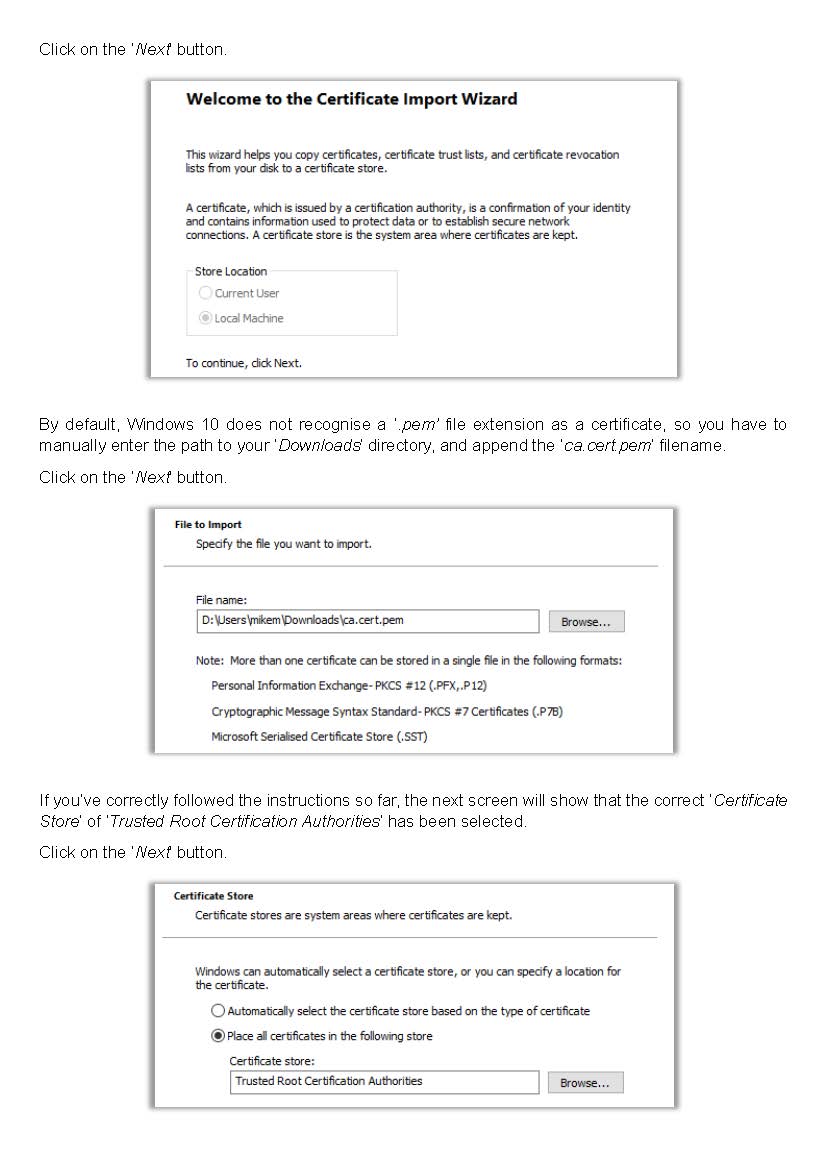
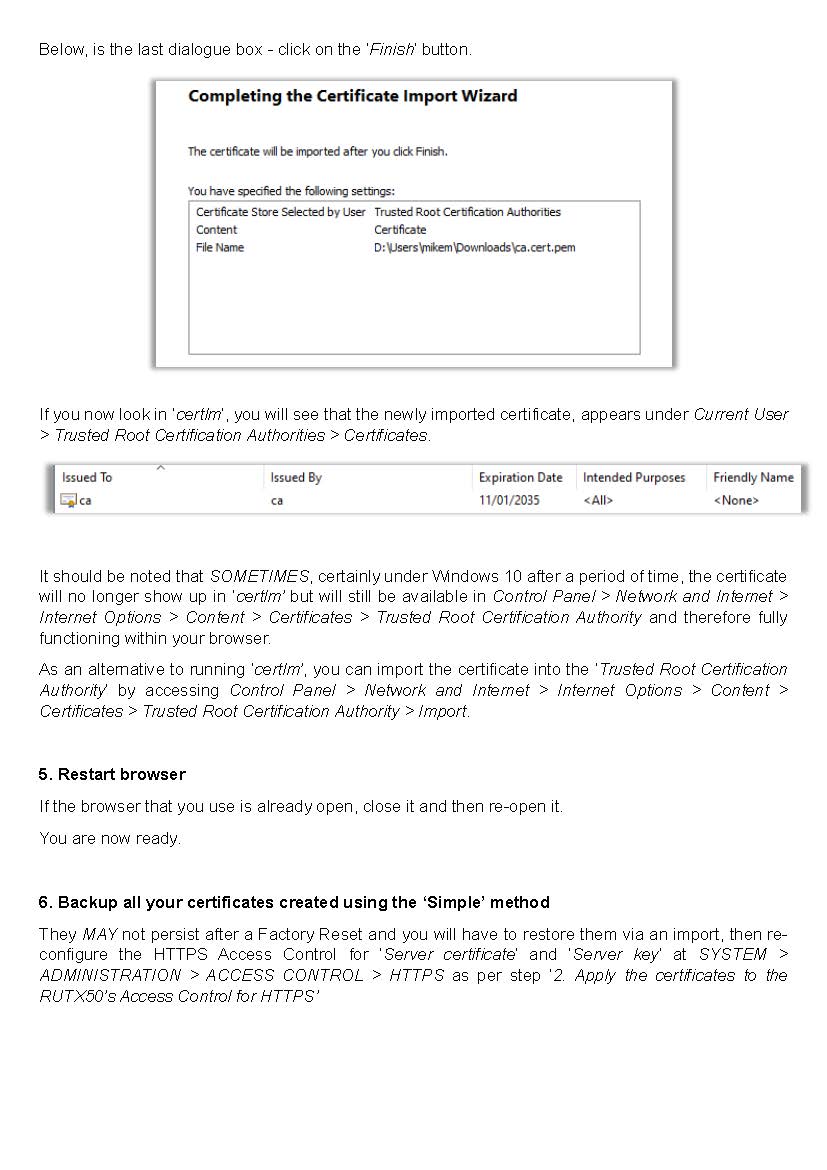
Apologies that the document below is in English, but if you are just using your device over a private network, then they will suffice.
If you are using a device over a publicly available URL, then you’ll need to look at using a certificate issued by someone like ‘Lets Encrypt’. This situation is very often found, in conjunction with a Public IP and a FQDN.
For the Teltonika manual referencing certificates, see here.
Diese und viele weitere Anleitungen habe ich schon versucht und es ist ein privates Netzwerk, kein öffentliches.
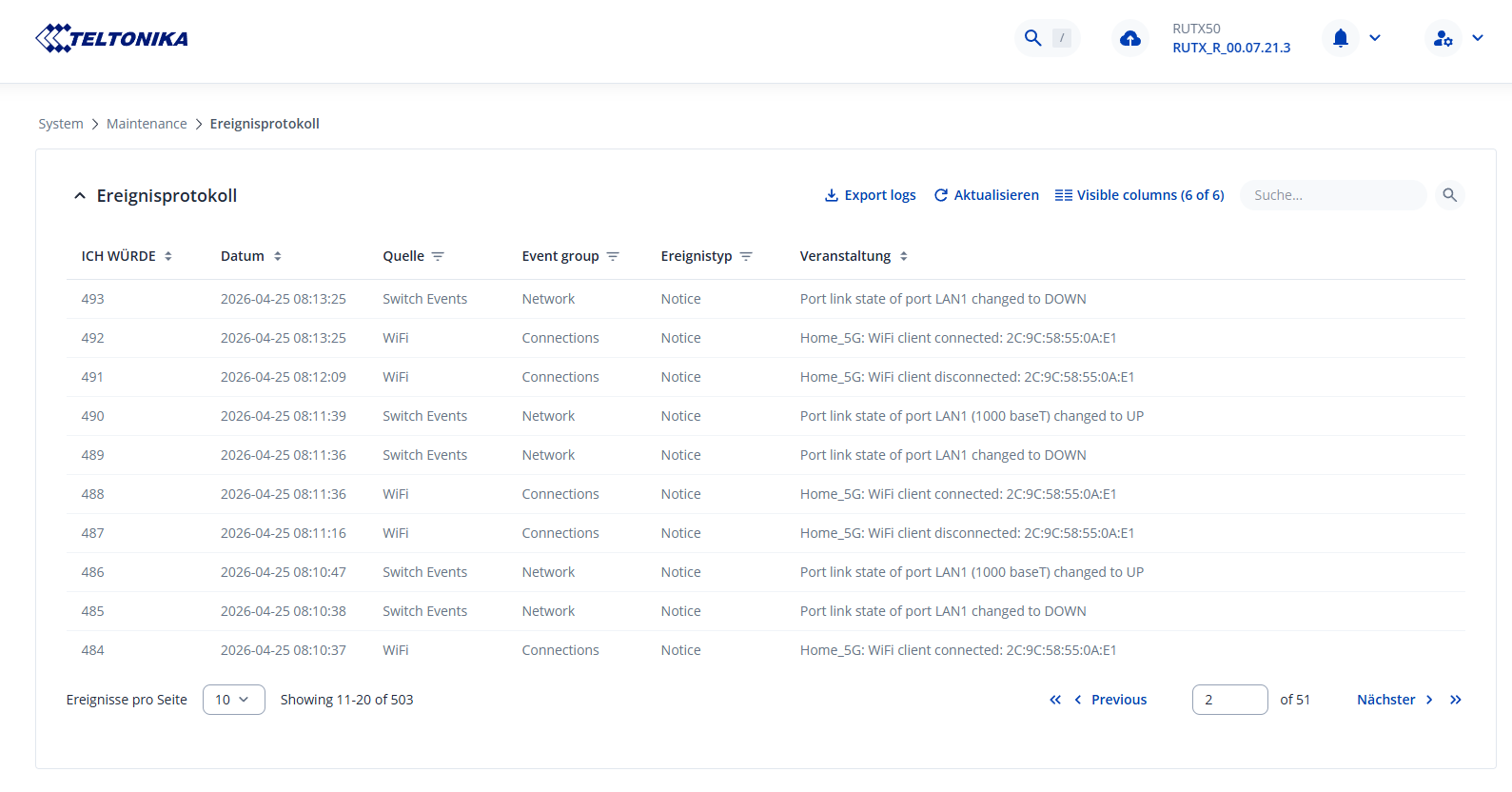
Des weiteren gibt es offensichtlich ein Problem mit LAN 1. 2. 3. 4. Ports, die zeitweise Down gehen im laufenden Betrieb, nur ein Wechsel auf ein anderen Port hilft hierbei eine weile, aber wenn man wieder Port 1 verwenden will, muss das gerät komplett vom Strom genommen werden, und das für 1 min und dann wieder eingeschaltet werden erst dann nach dem reboot Geht der Port 1 wieder biss er wieder Down geht!
Bei ein so hochpreisigen Produkt finde ich das nicht OK.
Ich hatte mich damals vor 14 Monaten für diesen Router entschieden weil Industrie Standard etc. +5G und viele Lan und WAN Ports + 5Ghz WLan, aber wenn ich mir das heute so anschaue, kein sicheres Produkt, nicht zuverlässig, Störanfällig, es ist zum heulen wie sehr die Qualität zu wünschen lässt.
My first suggestion would be to reflash the ROUTER firmware RutOS using the ‘Bootloader’ process, then follow the instructions to generate your certificate, as per my previous post.
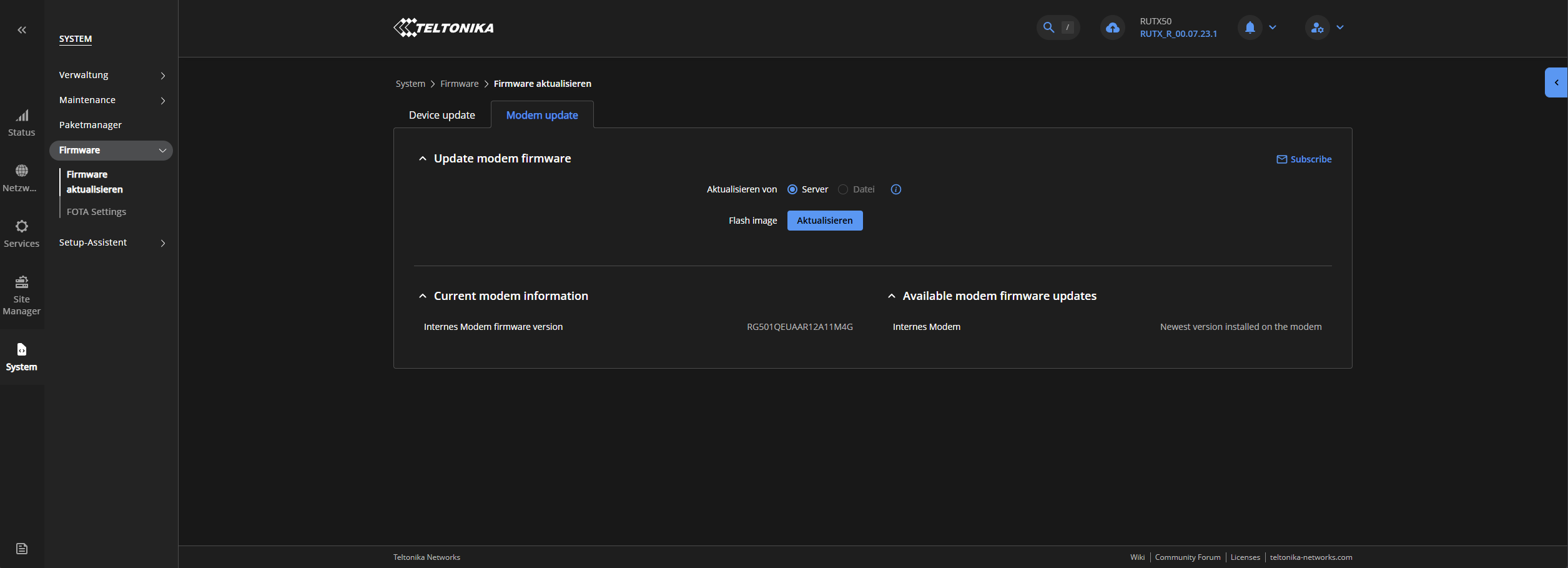
If your RUTX50 has the Quectel RG520N-EU Modem AND you have upgraded the MODEM firmware to version RG520NEBDCR03A05M4G, then it appears that this version is causing any number of problems. Teltonika are working on finding a solution, although there is a possibility that it is not related to your issue. Here, you can find one of the many differing posts on the new MODEM firmware, which includes a fix (firmware downgrade), that will require a certain level of competence.
Jetzt seht euch diesen Müll an! Innerhalb von 3 min ist das LAN weg, dann versucht er wieder Verbindung dann wechselt er auf WLAN und ich kann euch sagen ich habe ein CAT 8 Kabel und das ist nicht das Problem, auch nicht der Lan Port am PC! es kommt 100% vom RUTX50 und das läuft seit über 1 Jahr so und da Reden die von Stabilität und das Problem habe ich Täglich.
Danke an Teltonika für das verbrennen von Geld für ein nicht Funktionierendes Produkt!
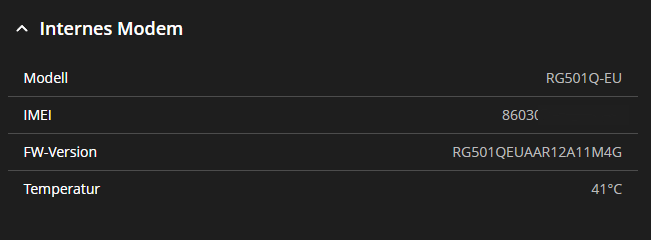
Modem Hardware ist nicht angegeben! dazu gibt es weder auf der Seite von Teltonika, noch im Benutzerhandbuch, Informationen welches Modem verbaut ist, des weiteren verliert nicht das Modem die Verbdingung! sondern der Router schaltet die Lan Ports selbständig ab!
Des weiteren verliert das Modem nur die Verbindung wenn man hohe Download Raten hat die circa bei 500-800 Mbps liegen, obwohl der Roeuter beworben wird mit 1 Gbps was er nie erreichen wird weil der CPU viel zu schwach ist und der Router nur einen X50 Qualcom hat der bessere währen ein X80 gewesen.!
Do you still need assistance with the HTTPS issue?
What is the current firmware version on the router?
If you navigate to Status → System, under Internal modem you can see what the firmware version of your modem is. If it is the A05 version, please follow the instructions here to update it. Known Issue With RG520NEBD Modem Firmware (Update Required)
 .
.