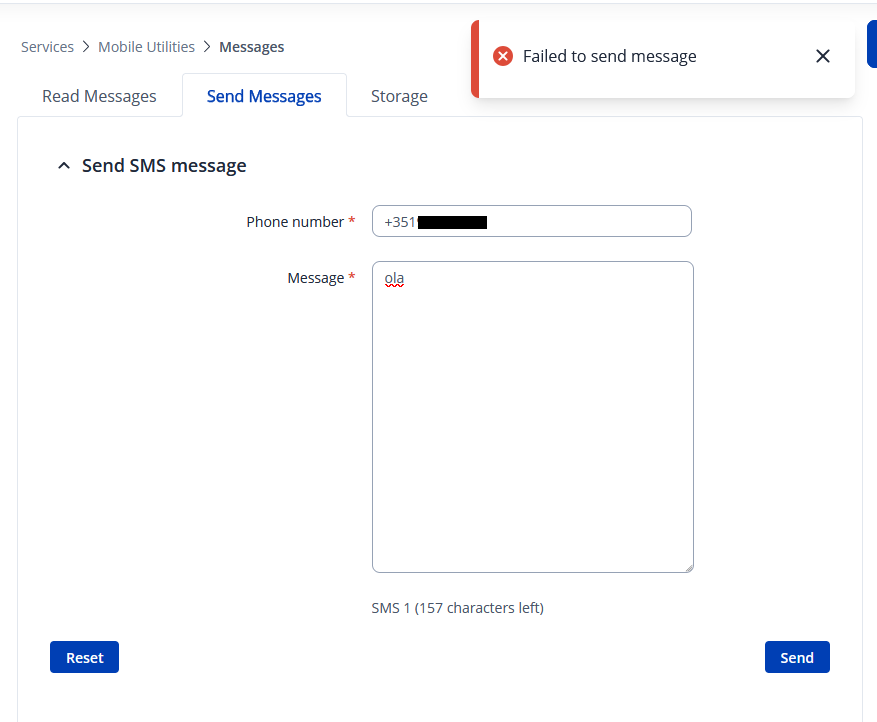
When performing a SMS Utility, as status, I get in system log: 631 Mon Mar 23 18:25:03 2026 events.notice SMS received from: +351 (internal modem) 632 Mon Mar 23 18:25:03 2026 daemon.notice urcd: Notice: ‘ip_block’ was restarted. Retrying to check for blocked numbers. 633 Mon Mar 23 18:25:05 2026 daemon.err /usr/sbin/sms_utils: [2-1] Failed to send SMS message ‘Router name - RUTX50; WAN IP - <WAN_IP>; Data Connection state - Connected; Network type - 5G-NSA; Signal Strength - -54; New FW available - No;’ to ‘+351’ 634 Mon Mar 23 18:25:05 2026 daemon.info /usr/sbin/sms_utils: Removing SMS ‘4’ from memory 635 Mon Mar 23 18:25:10 2026 daemon.info urcd: Removing SMS ‘4’ from memory
Tried with success with a SIM from a different operator.
So from what I’ve gathered, SMS sending works with one operator SIM Card, but doesn’t with the other? Please clarify.
If the statement I made is true - could we somehow ensure that the SIM card that isn’t working even supports SMS messages? Say you were to put it in a phone, would SMS sending work? Perhaps the SIM is data only? Is there a limited amount of SMS messages that can be sent per month / day, etc? Perhaps the limit has been exceeded? Maybe there’s no credit left?
A lot of what and ifs, so please do double check if possible.
Until recently my experience has been that even if a SIM is a “Data Only” card it will send SMS messages even though it shouldn’t.
I’ve found out that my next pre-loaded data only sim will not send SMS messages.
But it will receive SMS messages though and execute any commands given within the message.
Moving forward it would be nice to send an SMS message to the RUT with a command having chosen to get replies via email in Services > Mobile Utilities > SMS Utilities instead of by SMS.
Getting that confirmation that a command has been executed then another confirmation to say it was a success is comforting.
Try replacing the + with two 00’s and again try by removing the +351 and adding the leading 0.
+3517946123456
0017946123456
07946123456
It may be possible that the operator doesn’t recognize the RUT as an allowable device, it’s not a smartphone maybe. I’d give the operator a call and ask if this is an issue and ask if it can be resolved.
Please keep me informed once you receive a response from your SIM operator, as this information will help us proceed further with the investigation if needed.
The operator provides no support - they simply state that they don’t support non-phone devices. Still, I’m following up on it and have asked them directly whether there’s any active restriction preventing the SIM card from being used in a router.
WOO is a low-cost brand owned by NOS. Since WOO don’t provide support for non-phone devices, I tried a NOS SIM card as well - but the same issue occurs. NOS confirms that there are no active restrictions based on device type, though they don’t provide technical support for devices not sold by them.
I run the command:
gsmctl -A “AT+CSCA?”
and got: +CSCA: “+35193121314”,145
Which seems OK for Woo and NOS networks. Anything else I could check?
Thank you for the update - the test with the Quectel modem is a very useful finding. The fact that SMS works in text mode on a different modem with the same SIM narrows this down significantly.
Could you please try the following AT commands directly on the RUTX50 to investigate further?
Check the current SMS mode (PDU vs text):
gsmctl -A “AT+CMGF?”
A response of +CMGF: 0 means PDU mode, +CMGF: 1 means text mode.
Try forcing text mode and sending manually:
gsmctl -A “AT+CMGF=1”
gsmctl -A ‘AT+CMGS=“+351YOURNUMBER”’
Then type your message and end with Ctrl+Z.
Also, could you share the full AT response when a send attempt fails? You can capture it with:
gsmctl --debug -A “AT+CMGS=…”
The fact that MEO works but WOO/NOS do not - despite identical SMSC settings - suggests the issue may be related to how the RG501Q modem encodes outgoing PDUs for those specific operator SMSCs, or a character encoding mismatch.
Please share the results and we will take it from there.
Thanks for the support.
I tried running the commands, but it seems that pressing Ctrl+Z at the end is stopping the process rather than sending the message. Here’s what I get:
root@RUTX50:~# gsmctl -A "AT+CMGF?"
+CMGF: 0

root@RUTX50:~# gsmctl --debug -A "AT+CMGF=1"
GSMCTL modem[0]: Debug mode enabled
GSMCTL Modem id: 0
GSMCTL modem[0]: Calling LGSM EXEC to execute AT command
OK
root@RUTX50:~# gsmctl --debug -A 'AT+CMGS="+351NUMBER"'
GSMCTL modem[0]: Debug mode enabled
GSMCTL Modem id: 0
GSMCTL modem[0]: Calling LGSM EXEC to execute AT command
Hi^Z[1]+  Stopped                    gsmctl --debug -A "AT+CMGS=\"+351NUMBER\""
root@RUTX50:~# gsmctl -A 'AT+CMGS="+351NUMBER"'
hi^Z[5]+  Stopped                    gsmctl -A "AT+CMGS=\"+351NUMBER\""
Thank you for the detailed updates - knowing that the WOO SIM successfully sends SMS on a Quectel modem in text mode is very helpful and tells us the issue is specific to how the RUTX50’s modem (RG501QEUAAR12A11M4G) is handling SMS transmission.
Regarding the Ctrl+Z issue you encountered: when using gsmctl -A, the AT command is passed as a single shell argument, so there is no interactive session - Ctrl+Z is caught by the shell as a suspend signal rather than being forwarded to the modem as the required character (0x1A). This is expected behaviour.
To properly test SMS in text mode, please try the following sequence:
gsmctl -A "AT+CMGF=1"
gsmctl -A "$(printf 'AT+CMGS="+351YOURNUMBER"\r\nTestMessage\x1a')"
If that does not work, could you please also run the following commands and share the output?
gsmctl -A "AT+CPMS?"
gsmctl -A "AT+CSCA?"
gsmctl -A "AT+CGSMS?"
The last command (AT+CGSMS?) is particularly important - it will tell us whether the modem is routing SMS over the IMS/packet-switched domain rather than the traditional circuit-switched network. Some operators such as WOO and NOS may not support IMS-based SMS from this modem, which could explain why MEO works while the others do not.
Please share the outputs and we will proceed from there.
The error occurred because the command was not executed correctly. Please try running the following commands:
gsmctl -A "AT+CMGF=1"
gsmctl -A "$(printf 'AT+CMGS="+351YOURNUMBER"\r\nTestMessage\x1a')"
Be sure to replace +351YOURNUMBER with the actual phone number you would like to send the message to. After running the commands, please share the output so we can review the results.
Here, -S indicates SMS mode, and -s is used to send the message. Replace +351YOURNUMBER with the actual recipient number and include your message content.
If the output shows SMS sent: 1, your number should receive a text from the router with the message “Hello.”