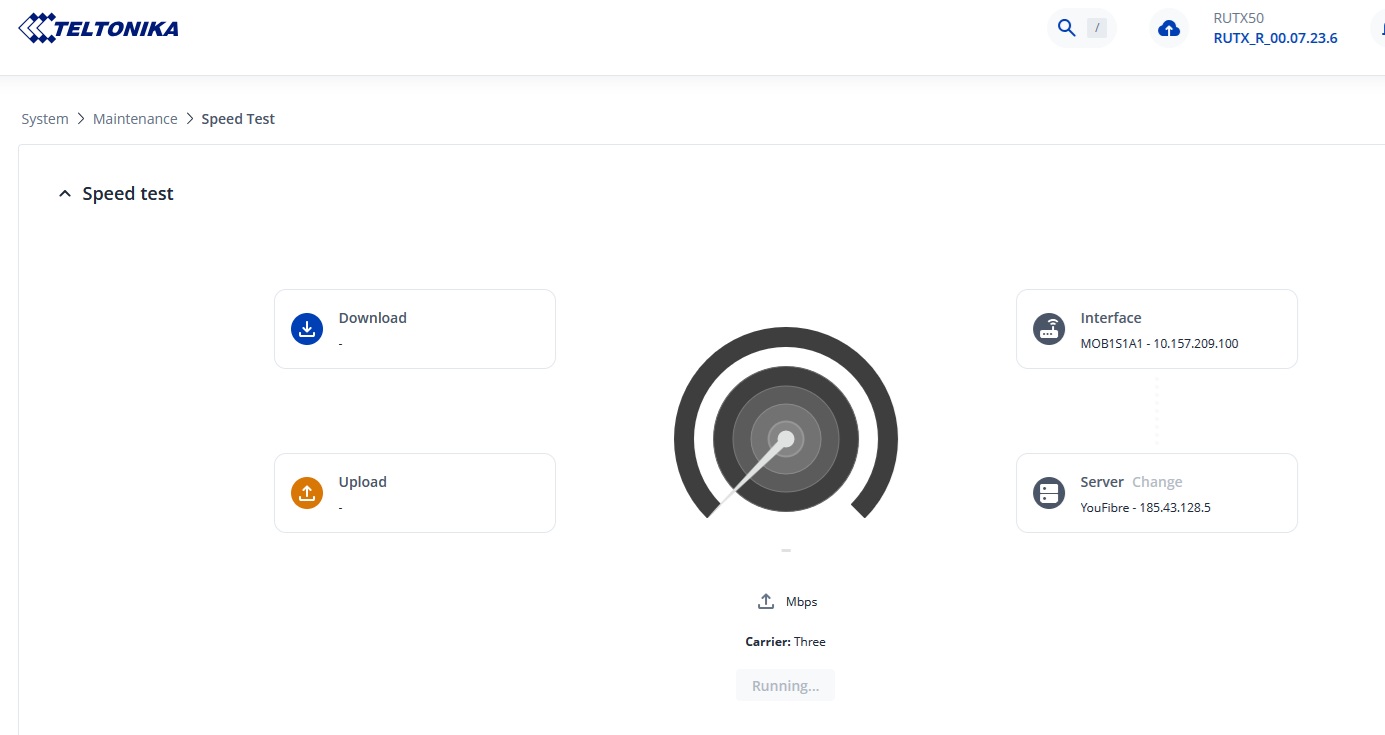
When running a speed test nothing is being displayed during and when the test comes to an end.
Hello, @akwe-xavante,
Thank you for reaching out to us.
Different speed test servers use different network routes, hardware, and available bandwidth. Some servers may be geographically closer, less congested, or better connected to your ISP, while others may experience higher load or less optimal routing. As a result, speed test results can show slower speeds or a failed test.
Could you please confirm whether you have tried selecting a different server on the Speed Test page in the device’s WebUI? If so, does the issue still persist when using a different server?
Additionally, could you please let us know who your SIM card provider is?
Please let us know the results so that we can continue troubleshooting the issue.
Best regards,
Povilas
Many other users have reported the same problem, so it does not seem to be an isolated case.
In my case, selecting different Speed Test servers in the WebUI does not resolve the issue.
I have also performed a full factory reset of the RUTX50, but the problem still persists.
What is interesting is that the Speed Test feature worked correctly when I first purchased the device, and the issue only appeared later.
This suggests that the problem is not related to our current configuration, as even a factory reset does not restore the original behavior.
There is also no difference depending on which Internet connection is used.
The issue occurs regardless of whether the router is using a WAN connection, SIM 1, or SIM 2.
My WAN Internet provider is Tele2.
SIM 1 is also using Tele2, while SIM 2 is using Telia.
The same Speed Test issue occurs with all three Internet sources, which suggests that the problem is not related to a specific ISP or connection type.
I look forward to your further investigation.
I dont have any problems with speed test on my RUTX50 with 7.23.6 firmware. I tested several different servers and they all work.
Sorry for the delay replying, weekends always get in the way.
Network Provider: Three UK
On firmware version 07.22.3 speed test was working perfectly.
I chose to upgrade to the next stable version which the time was 07.23.4 but i was incorrectly upgraded to 07.23.6 somehow and speed test no longer worked selecting all but just one speed test server which was a Quickline server in leeds.
After upgrading to firmware version 07.23.7 Quickline in leeds no longer works now but “Hyperoptic Limited - 152.37.114.6” in Manchester is working and i get a satisfactory result. The test runs, the GUI displays the test progress and the results at the end.
With all the other servers all that happens is after clicking the “Run Speed Test” button the button disapears and the word “Running” appears for what seems like the correct amount of time with no test progress or test results at the end then the “Run Speed Test” reappears.