Rutc50 VPN Wireguard not working as expected

Hi all, I bought the RUTC50 for my Camper to be able to connect from anywhere via VPN to my FRITZ!Box at home to stream German TV when I don’t have Satellite connection. My old FRITZ!Box could only handle IPsec VPN, which I could not get it running with RUTC50, even in the community no solution. So I bought a newer FRITZ!Box with WireGuard available : easy stuff I was told.

But the setup was super complex and with the help of few remote sessions with teltonika Support I could get it working, one more bug appeared and I got a new FW.

So far so good.

Now I sit here in south Marocco, wanted to watch Handball Final DEN:GER and it does not work.

I switched on the VPN on the RUTC50 an still get the error : German TV not allowed from that country. This was exactly why I bought this router !

I can connect to my FRITZ!Box, my Smart home devices etc, but Streaming does not work.

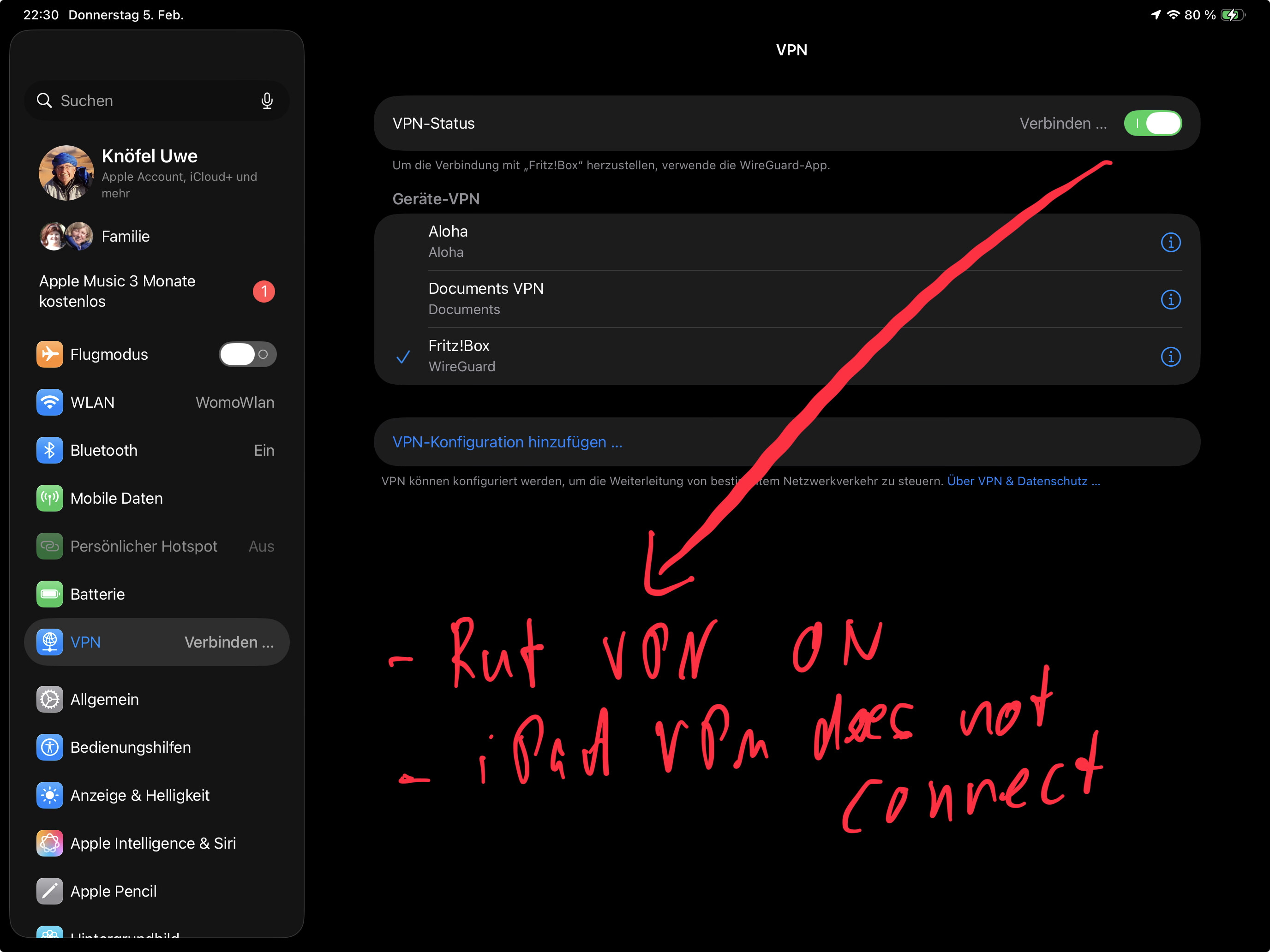
When I turn on VPN on my iPad, streaming German TV works perfect !! and I can watch everything on my iPad.

So here the summary of my problem :

  • turning on VPN on RUTC50 allows my to access my home devices etc - perfect
  • Turning on VPN on RUTC50 doesn’t allow me to stream German TV
  • Tuning on VPN on my iPad to my FRITZ!Box allows me to watch German TV ( if RUTC50 VPN on or off doesn’t matter )

Anyone any idea what could be the reason for this ?

BTW : Germany lost the handball final :frowning:

I used the Camping WiFi and local LTE ( Inwi ) to connect, no difference

This is what I wanted to watch, using VPN on the iPad it works

Both with RUTC50 and with iPad VPN I can connect to my FRITZ!Box and all systems at home

Here the connection established is via iPad

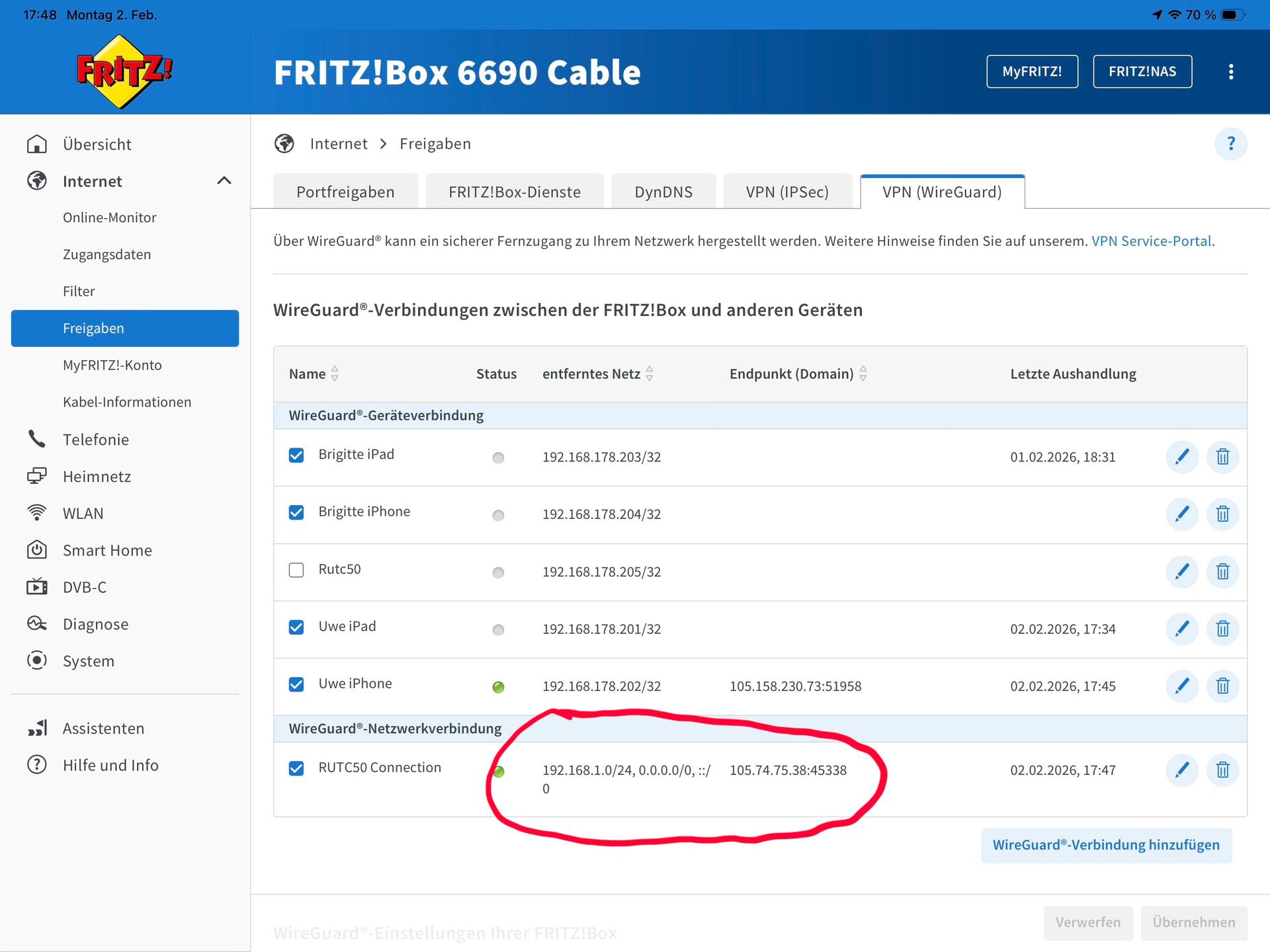
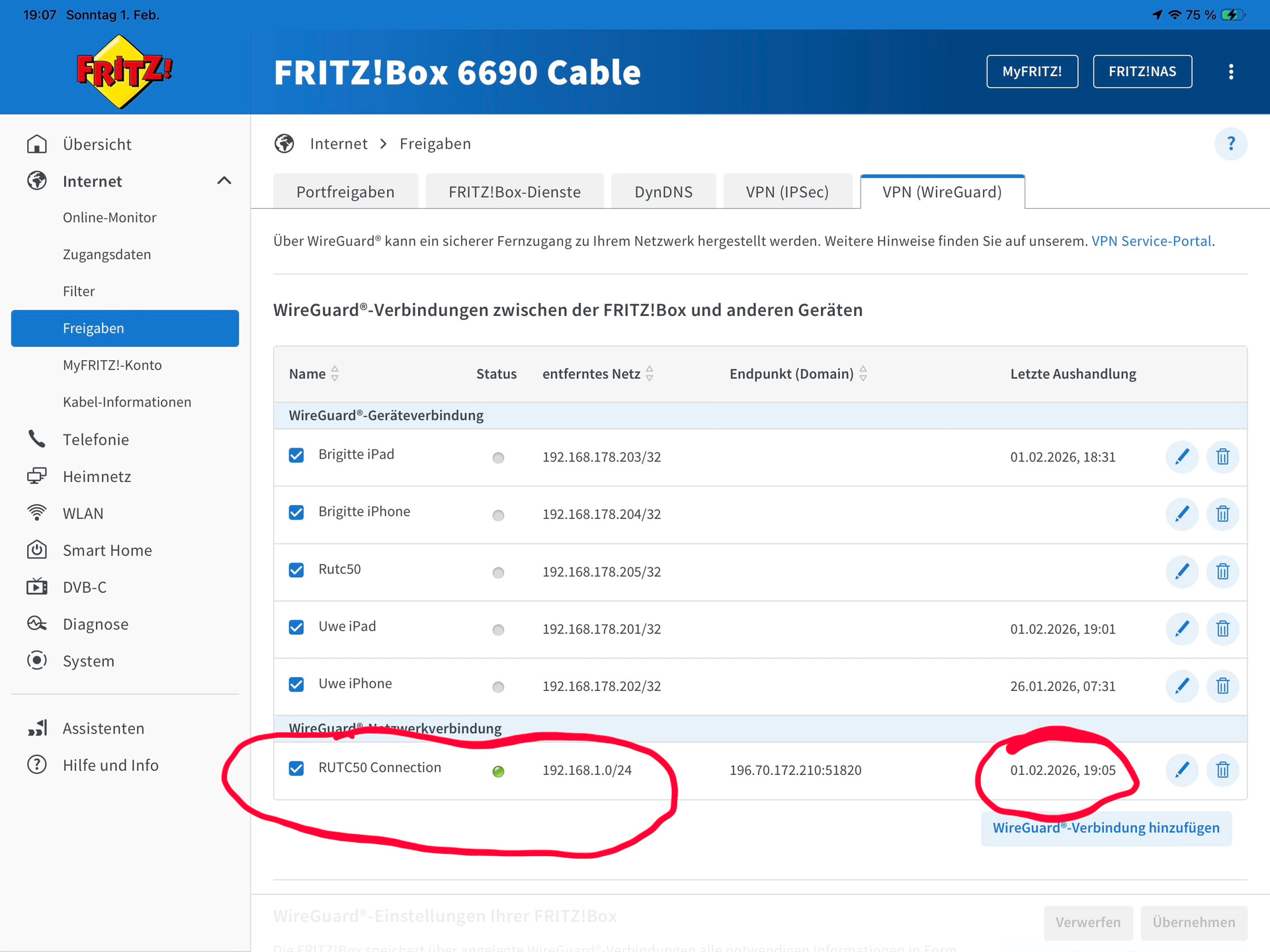
Here the connection via Rutc50 VPN
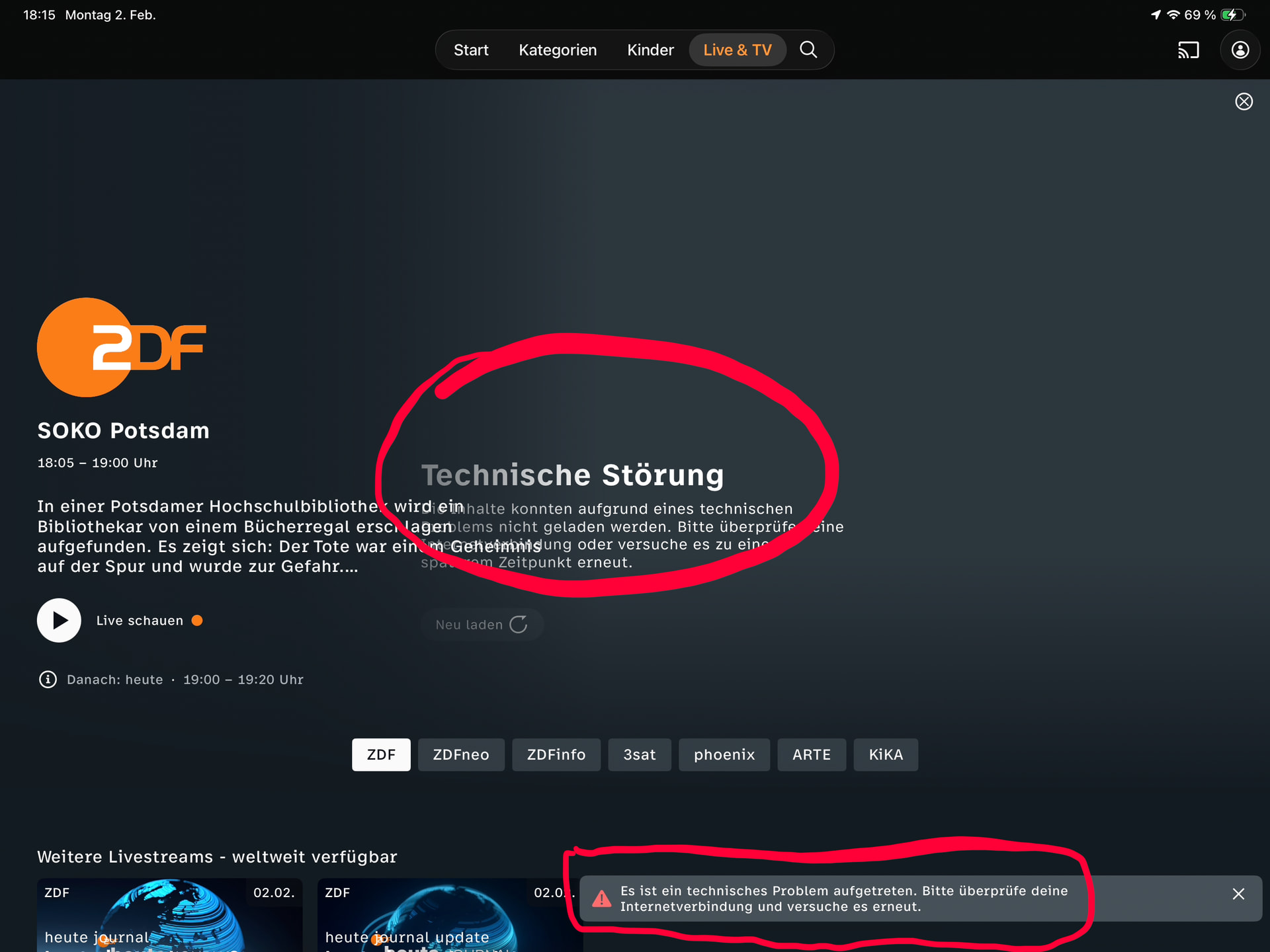
This is what I get : for copyright reasons you cannot watch in your country ( at the moment Marocco )

I can reach my FRITZ!Box both with Rutc50 and / or iPad VPN
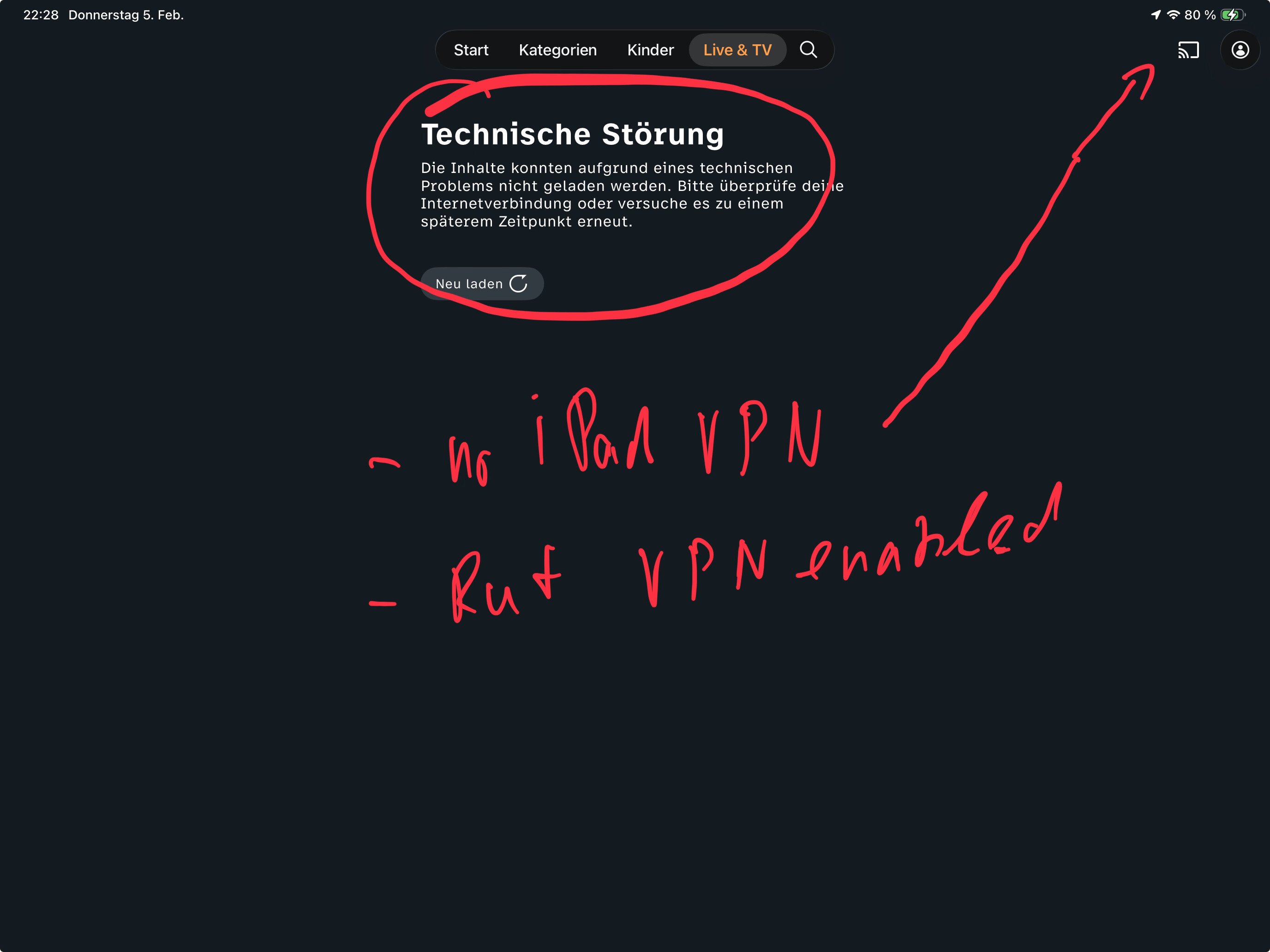
This is how it looks with RUTC50 VPN enabled

Hello,

1 - On the FB, enable masquerading for the RUTC50 client in the firewall section

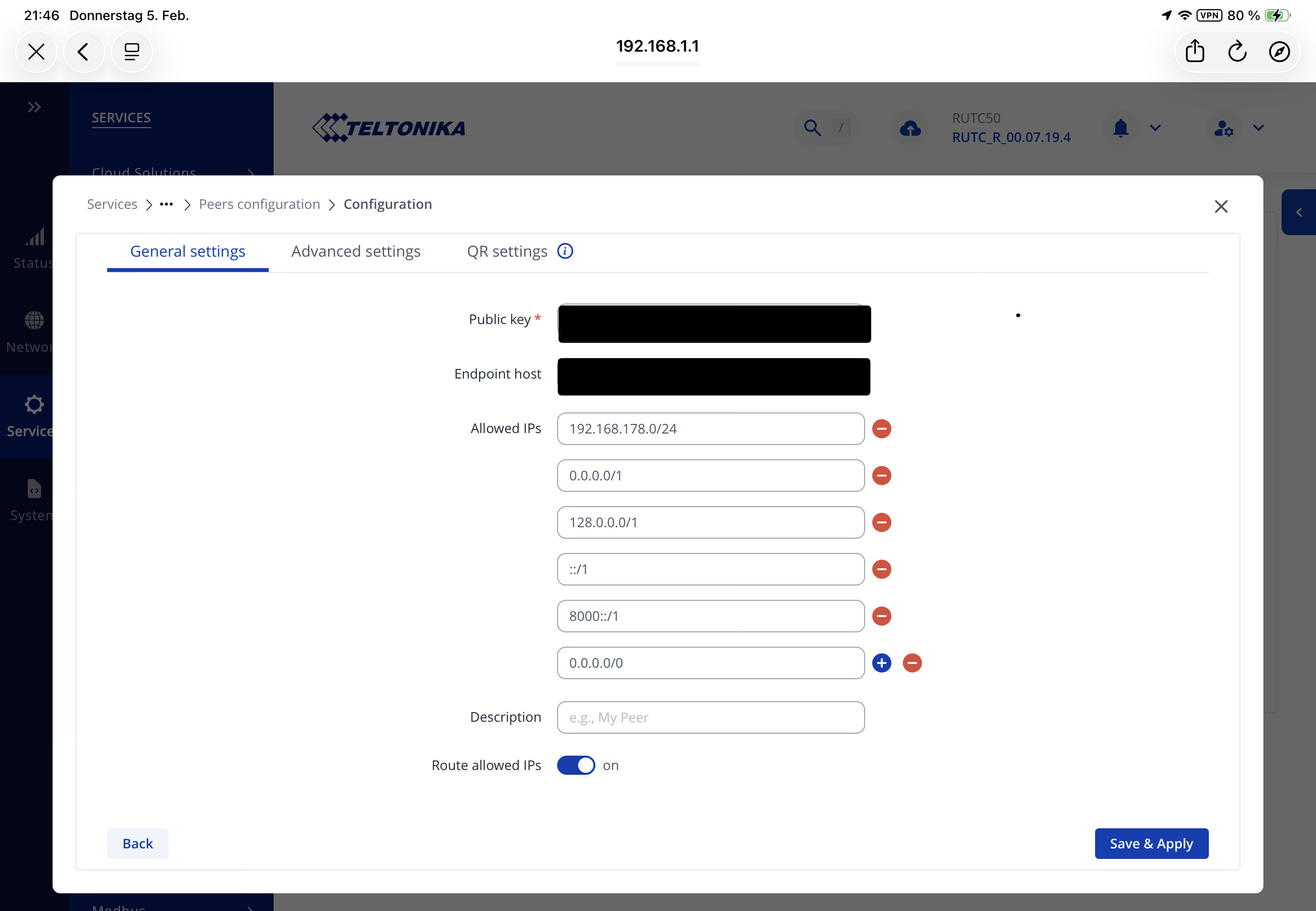
2 - on the RUTC50 set Allowed IPS to 0.0.0.0/1 + 128.0.0.0/1 + ::/1 + 8000::/1 in the wireguard config, this will force all traffic through the VPN.

Regards,

1 Like

Hello @UweK,

Please let me know whether the steps provided by vogon helped, or if you still need any assistance.

Best regards,

Hi Marija, no, doesn’t work with the changes I did.

Enabling only VPN on Rutc50 :

the error is different now : instead of stating ‚German TV‘ not allowed in your country ( Marocco ) it now says : ‚Technical Problem‘. But no further details

Enabling vpn only on iPhone or iPad :

everything works as expected.

enabling both VPN on Rutc50 and iPhone causes somewhere an issue : TV apps try to stream, but TV stream cannot established at all and no error as well.

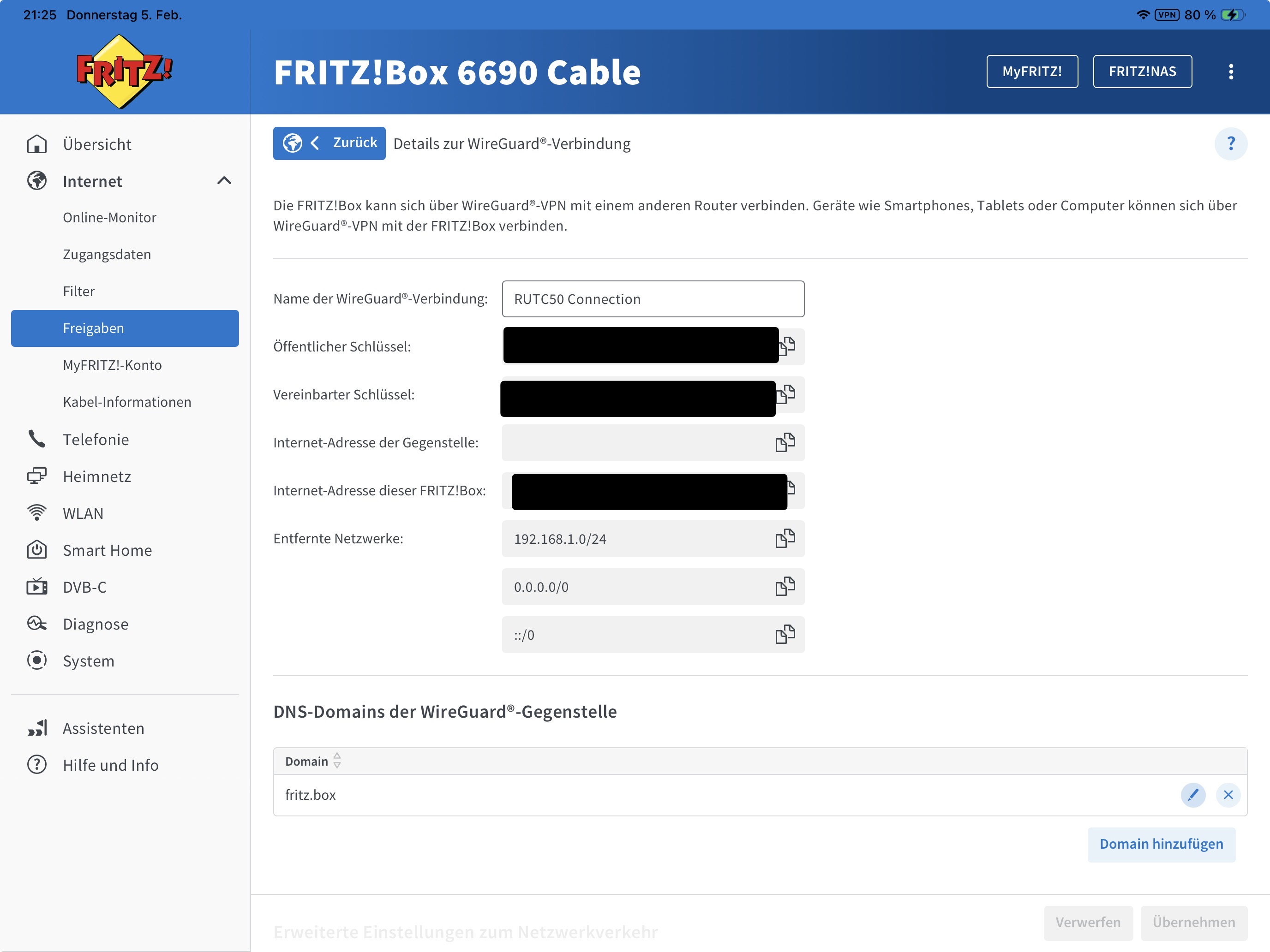
This is what I added based on the comment from @vogon

This is what the tv app is showing now

This is how the Fritz!Box setting looks now, there is no dedicated firewall setting for VPN ( or I don‘t know where )

So at least the connection to the TV provider comes from the IP address of the FB and the copyright issue is gone.

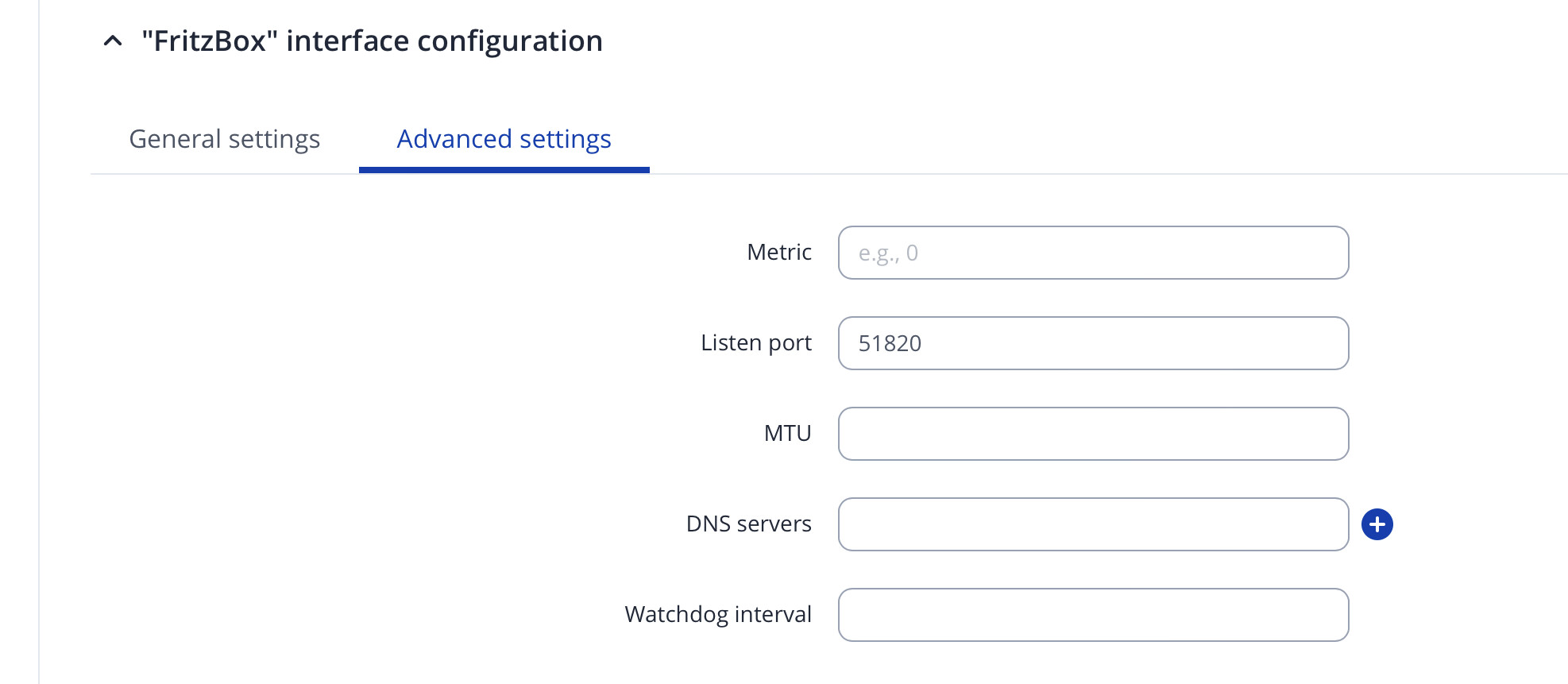
What MTU value do you use on the FB and RUT ?

Hello,

Please clarify:

Are you connecting to the same WireGuard VPN you have set up, or a different one?

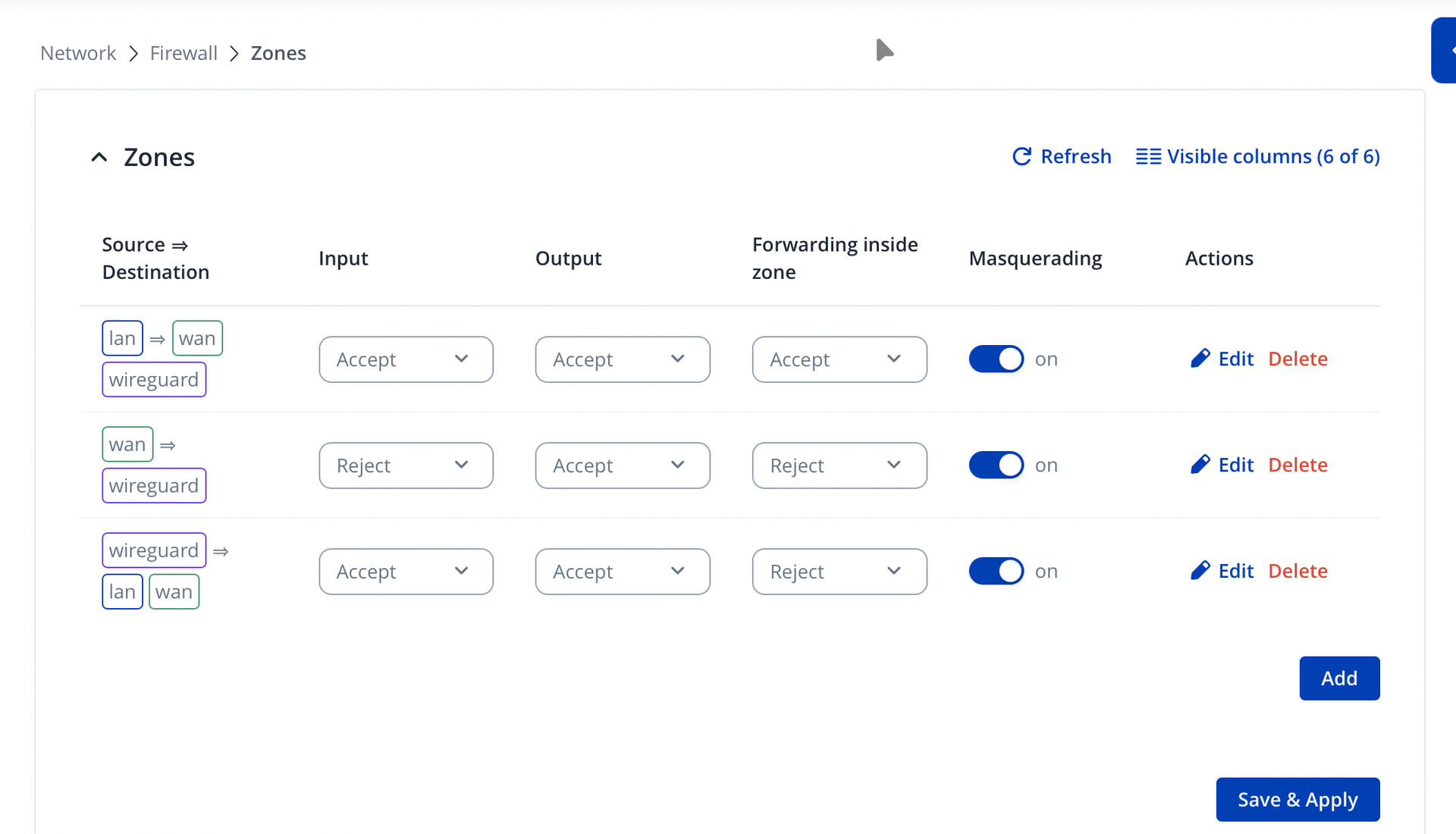
Next, could you go to Network → Firewall → Zones and edit the firewall zone that is Wireguard => LAN :


Next, on your RUTC50, head to the WireGuard settings, edit your Peer settings, and add 0.0.0.0/0 to the allowed IPs list, if you haven’t already - this will, however, create a full tunnel & route ALL the traffic through the VPN tunnel.

Regards,
M.

Hi, sorry for late response ….

The MTU in Rut config is empty and on the FB side there is no MTU to set in the Wireguard config.

On FB I have a wireguard config for every device : 2 iPhones, 2 IPads plus the VPN I configured together with support during a remote session.

have edited the zones as per advice

Here how the peer setting now looks like :slight_smile:

will test in the evening and respond.

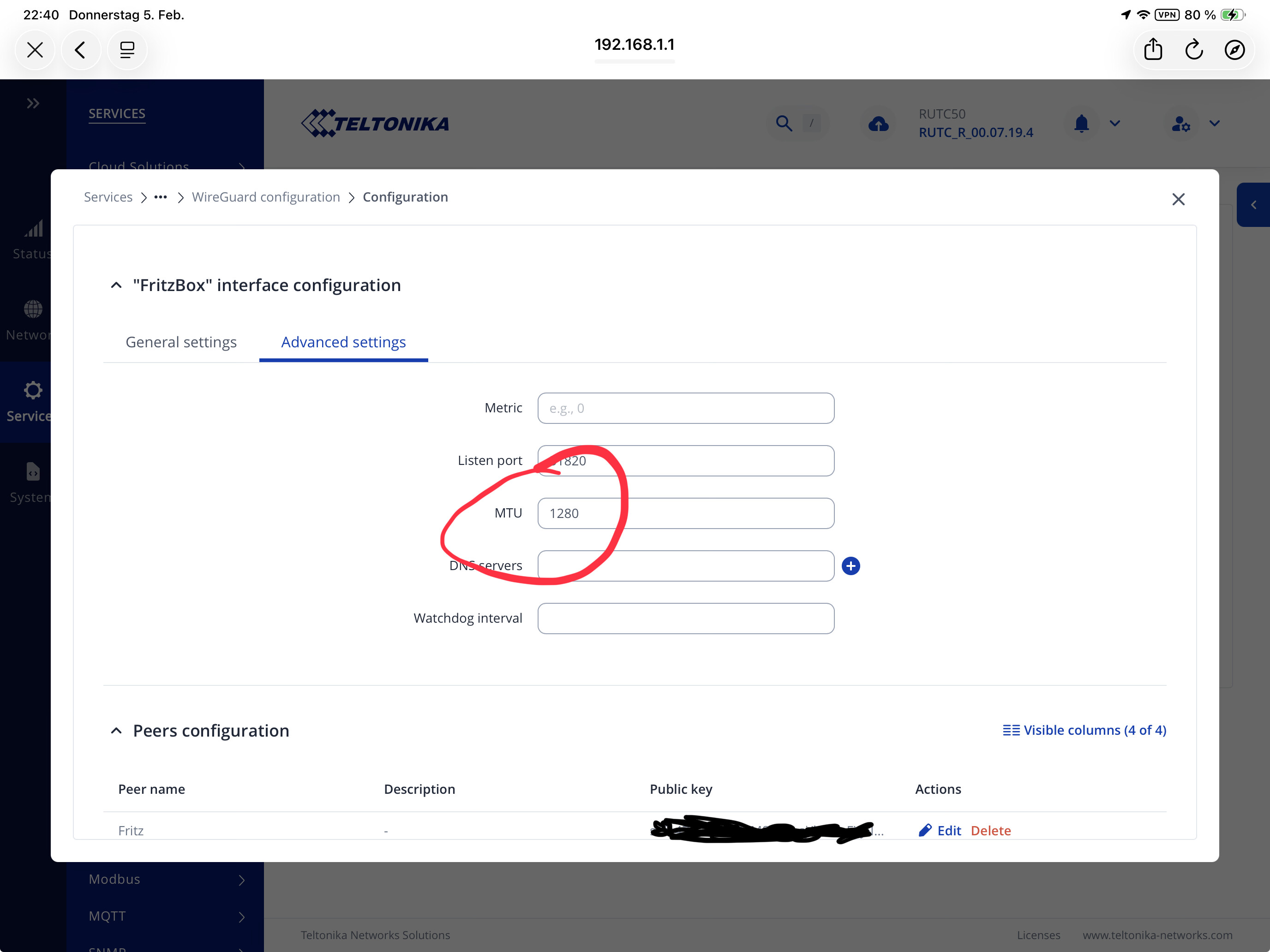
The absolute highest MTU value you can use for wg tunnels is 1420 bytes, and a commonly used one is 1280 bytes.

Could you retry with the MTU set at 1280 bytes on the RUT side ?

Changed the empty mtu to 1280

Then I tested the whole thing again, summary :

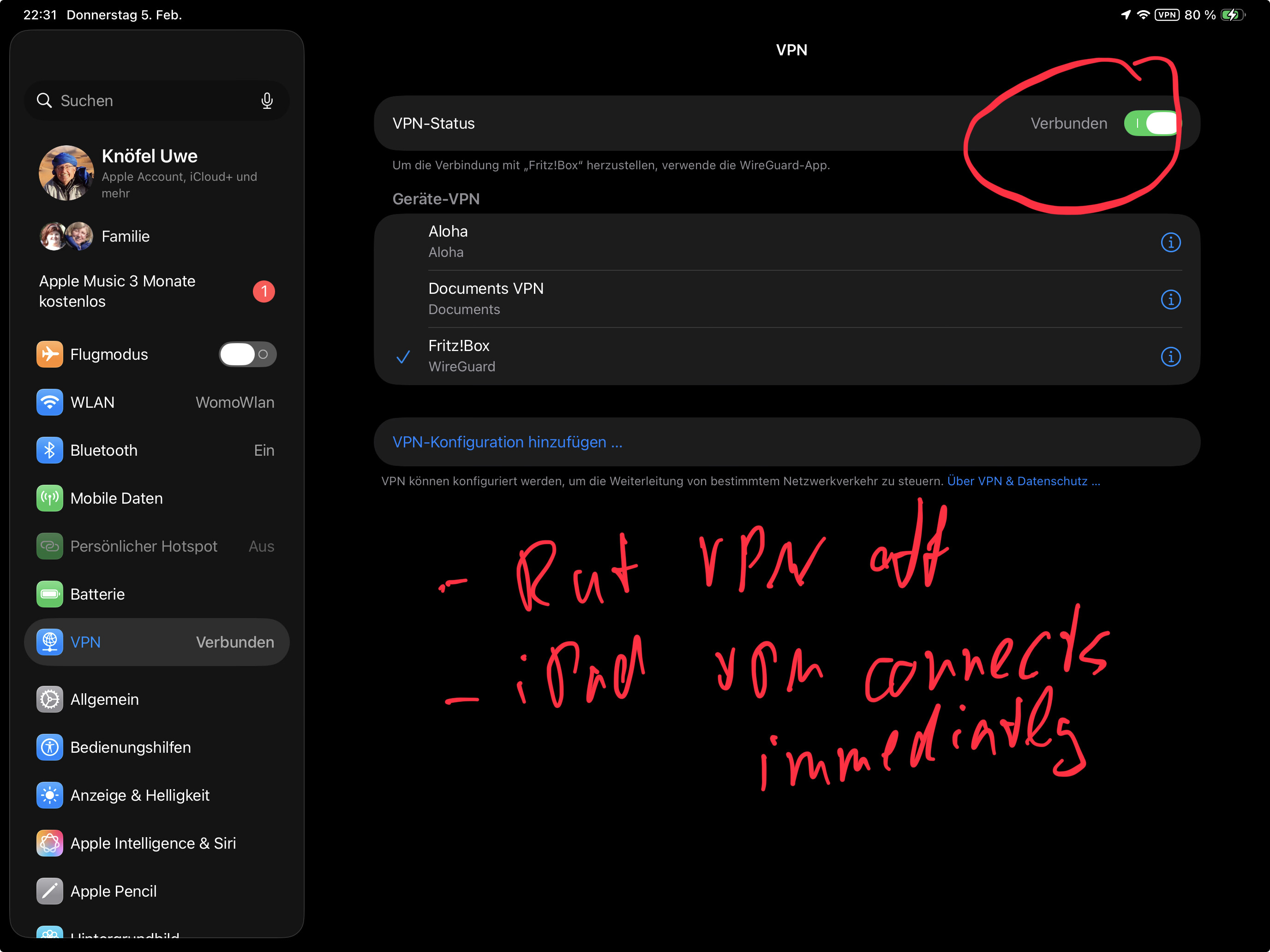
  • Rut vpn on, iPad VPN off → no tv
  • Rut vpn off, iPad vpn on → German tv works
  • Both rut vpn and iPad vpn on : the tv app tries forever, imcannot even connect to the FB

Have included all recommendations from above and the latest mtu settings

Something must be wrong on the FB side. What is the output of wg on the RUT ?

Hello,

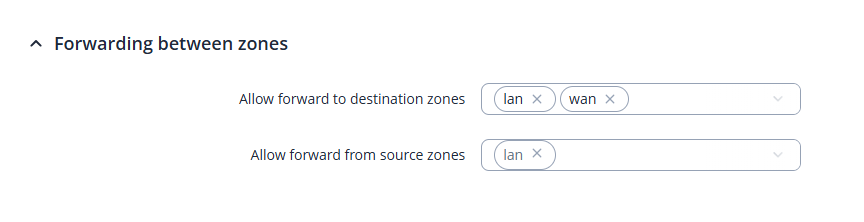
“Allow forward from source zones” was not mentioned in my comment that it needed to be edited, you did not need to add the extra zone there.

The configuration from our end besides that looks to be correct, so I’m unsure of what could possibly be happening, it is very well that @vogon is right and that there’s something going on with the FritzBox, with which, unfortunately, we’re not able to provide support with as we don’t know how that device functions.

A good question by vogon as well is, what is the output of the command wg in the CLI/SSH of the RUT device? It would be nice to know if a handshake even happens between the devices, since the status seems to be “Offline” on the FritzBox itself.

We do actually have a configuration example for Teltonika + FritzBox that you can find here: FritzBox and Teltonika WireGuard Configuration example - Teltonika Networks Wiki

Review the example, see if anything differs for you, perhaps even attempt to reconfigure everything (make screenshots of your current configuration so you could go back just in case). For the time being, it looks like while the iPad, iPhone are successfully establishing a connection, the router and the other iPad and iPhone aren’t for some reason.

Regards,
M.

Hi Matas,

We both had few AnyDesk sessions to get Wireguard working at all, it took another session to involve an expert and it was never the Fritz:Box`s fault.

Finally a special Firmware for the Rut was provided to me to fix / enable something that was not working properly. I have no idea if this fix made it in the latest FW release which I have installed.

Now I have the feeling, it is all my fault and I should refer to a wiki which is older than the date we had our sessions mid last year and it refers to a different Fritz!Box.

Based on screenshots you took from our sessions you wanted to created a Wiki for Fritz!Box. No idea if this happened.

Comming back to your / Vogon‘s question :

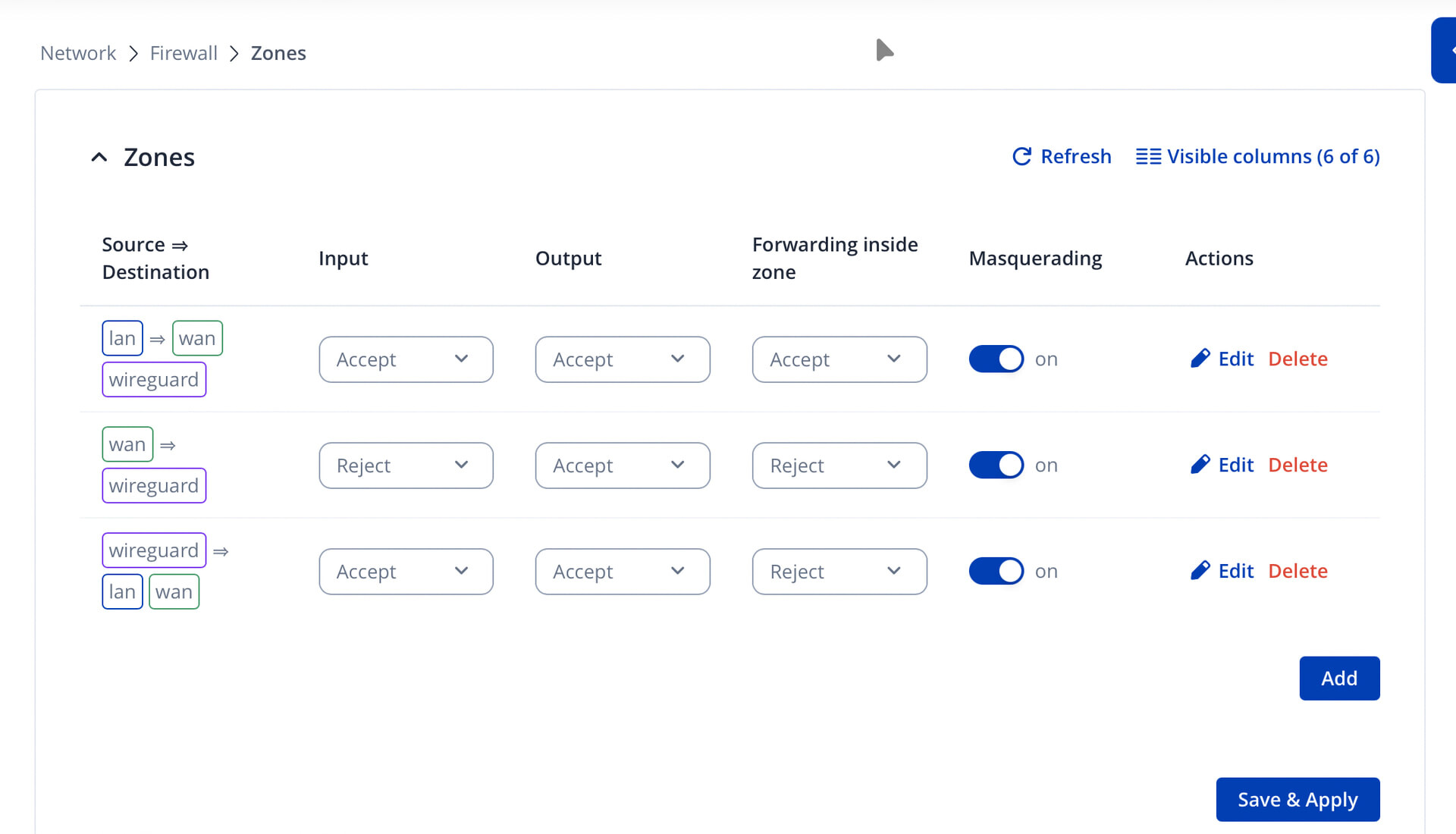
  • with regards to the zones, maybe I missunderstood what I should do. Here again the current zone config. Could you please tell me or mark which Zone could be deleted or changed ?

With regards to the wg command :

When shall I run this ? Stop VPN, run WG and then Start VPN ?

Many thx so far for your help

Hello,

Here I’ll compare your Zones to mine:

Yours:

For some reason, your second zone is wan => wireguard instead of wan => reject; the other two zones look to be okay.

Next, as mentioned, in the Allow forward from source zones, you do not need to add the WAN zone; by default, it should only have LAN in it, like so:

The rest at least looks to be okay. Could you perhaps tell me whether you ever got the RUTC50 to appear online on the FritzBox? That “special” firmware you were referring to was to simply fix some routing-related issues on WireGuard, which the fixes already come with firmware 7.19.x and above (perhaps even earlier versions). Having a different FritzBox at this moment, at least I believe, shouldn’t make much of a difference, as they’re all configured pretty much the same. Correct me if I’m wrong, though, please.

Regards,
M.

Good Morning,

Yes, the RUTC50 connection appeared always as green ( connected ) in the Fritz!Box VPN list once I switch on VPN on the RUT, this was always the case since we configured as in the remote session July / August.

I tried to fix the issue with the zones : unfortunately I am not able to connect to the RUT now at all any more and Internet is as well not working any more.

The WiFi is still visible and I can connect to the RUT WiFi, but I cannot reach the Admin UI and the Rut is not connecting to the internet any more.

I don‘t have any other idea as to reset the RUT and start from scratch.

Unfortunately I think I will not be able to configure the VPN again ( based on whatever WIKI ) as do to that the Fritz!Box requires confirmation phyiscally on site in Germany, where as I am in Marocco.

Hello, UweK,

Okay, that’s good then, I’m still wondering whether a handshake happens though, because, if I recall correctly, my last case of Teltonika + FritzBox wireguard connection, the status was green, but an actual connection between the two didn’t establish (I couldn’t ping the other end from either ends).

That’s not what was supposed to happen if you’ve set everything up like the screenshot I’ve shown you, but yes.. It looks like we will have to have the router reset. After that, we can look into reconfiguring everything from scratch once you have access to the FritzBox as well, that would make things a lot more simple as we’ll work with a clean setup. Let me know if this works for you.

Regards,
M.

Good morning,

I have reset the Rut and got it working again, easy - but without VPN so far.

once having more time I try to configure VPN again, maybe it works with the existing setup on the Fritz!box.

If not, I have to wait until I am back home, that will be end of march

That’s okay, we’re not going anywhere, in case the thread closes, simply reference this one and we’ll re-open it.

Regards,
M.

Hi Matas, I managed to get it working now, so TV streaming via the rutc50 is working now and I can still access my home devices. That is what I wanted to achieve all the time.

as I am not the greatest VPN expert, I took some help from a AI system, not perfect but worked. I hope it will still work when I switch from my current Marocain LTE provider back to European provider

Question : is there a way to export my VPN settings, that I can restore it just in case I need to ? ( new Firmware, having a documentation etc)

Hello,

First off - thank you for getting back to us and letting us know that you got it to work! Could you perhaps share what the issue was and how was it resolved?

Regarding backups - yes you can! Simply login to the WebUI and head to System → Maintenance → Backup and export a backup file. Note: The backup file can only be used on the same exact device model, that has the same exact product code and preferrably the same firmware version (though it may work on lower/higher firmware, but not recommended).

Regards,
M.