Hi all,
We installed a RUT241 as an access point for the LTE network. I checked with my smartphone that the signal is reliable enough, but the connection drops frequently. We set an automatic reboot function if there’s no response from Google DNS after a ping every 5 minutes. Given the enormous data monitoring capabilities with RMS and since we have a license, could you help me identify the parameters that could provide the reason for these disconnections? Thanks.
Hello,
Perhaps your ping reboot settings are a bit too strict in comparison to the network quality you’re receiving? You could try changing the interval count/timeout options a bit to see if the situation improves:
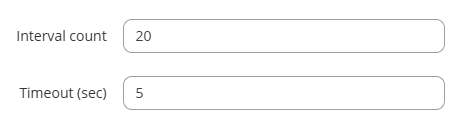
Additionally, what do you see when you go to WebUI → System → Maintenance → Events Log? Please blur out any sensitive information (Public IPs, passwords, etc.) if they can be seen in the screenshot.
Regards,
M.
Hi MatasR,
thanks for your reply.
I set ping reboot as for your suggestions.
I download a event-log CSV file but unfoprtunally can’t attach
what I can get is copy what I blured from event log as for SIM Status. Could you pls suggest any more enquiry to RUT system
Thanks for your help
| 5722 | 2025-07-08 01:55:13 | SIM status | Events | Info | SIM state changed to not inserted (internal modem) |
|---|---|---|---|---|---|
| 5741 | 2025-07-08 02:25:12 | SIM status | Events | Info | SIM state changed to not inserted (internal modem) |
| 5754 | 2025-07-08 02:45:12 | SIM status | Events | Info | SIM state changed to not inserted (internal modem) |
| 5770 | 2025-07-08 03:05:12 | SIM status | Events | Info | SIM state changed to not inserted (internal modem) |
| 5776 | 2025-07-08 03:15:12 | SIM status | Events | Info | SIM state changed to not inserted (internal modem) |
| 5794 | 2025-07-08 03:45:13 | SIM status | Events | Info | SIM state changed to not inserted (internal modem) |
| 5806 | 2025-07-08 04:05:13 | SIM status | Events | Info | SIM state changed to not inserted (internal modem) |
| 5826 | 2025-07-08 04:35:13 | SIM status | Events | Info | SIM state changed to not inserted (internal modem) |
| 5844 | 2025-07-08 05:05:13 | SIM status | Events | Info | SIM state changed to not inserted (internal modem) |
| 5856 | 2025-07-08 05:25:13 | SIM status | Events | Info | SIM state changed to not inserted (internal modem) |
| 5882 | 2025-07-08 06:05:13 | SIM status | Events | Info | SIM state changed to not inserted (internal modem) |
| 5894 | 2025-07-08 06:25:13 | SIM status | Events | Info | SIM state changed to not inserted (internal modem) |
| 5909 | 2025-07-08 06:45:13 | SIM status | Events | Info | SIM state changed to not inserted (internal modem) |
| 5929 | 2025-07-08 07:15:13 | SIM status | Events | Info | SIM state changed to not inserted (internal modem) |
| 5941 | 2025-07-08 07:35:13 | SIM status | Events | Info | SIM state changed to not inserted (internal modem) |
| 5959 | 2025-07-08 08:05:13 | SIM status | Events | Info | SIM state changed to not inserted (internal modem) |
| 5971 | 2025-07-08 08:25:12 | SIM status | Events | Info | SIM state changed to not inserted (internal modem) |
| 5984 | 2025-07-08 08:45:12 | SIM status | Events | Info | SIM state changed to not inserted (internal modem) |
| 5997 | 2025-07-08 09:05:13 | SIM status | Events | Info | SIM state changed to not inserted (internal modem) |
| 6027 | 2025-07-08 09:55:12 | SIM status | Events | Info | SIM state changed to not inserted (internal modem) |
| 6045 | 2025-07-08 10:25:12 | SIM status | Events | Info | SIM state changed to not inserted (internal modem) |
| 6064 | 2025-07-08 10:55:12 | SIM status | Events | Info | SIM state changed to not inserted (internal modem) |
| 6076 | 2025-07-08 11:15:13 | SIM status | Events | Info | SIM state changed to not inserted (internal modem) |
| 6089 | 2025-07-08 11:35:13 | SIM status | Events | Info | SIM state changed to not inserted (internal modem) |
| 6106 | 2025-07-08 11:55:13 | SIM status | Events | Info | SIM state changed to not inserted (internal modem) |
| 6127 | 2025-07-08 12:25:12 | SIM status | Events | Info | SIM state changed to not inserted (internal modem) |
| 6139 | 2025-07-08 12:45:13 | SIM status | Events | Info | SIM state changed to not inserted (internal modem) |
| 6156 | 2025-07-08 13:05:13 | SIM status | Events | Info | SIM state changed to not inserted (internal modem) |
| 6168 | 2025-07-08 13:25:13 | SIM status | Events | Info | SIM state changed to not inserted (internal modem) |
| 6186 | 2025-07-08 13:55:13 | SIM status | Events | Info | SIM state changed to not inserted (internal modem) |
According to the provided image, the SIM probably goes from the Inserted to Not inserted state for mysterious reasons. What environment is the device being used in? Is it maybe constantly shaking, being moved, or such?
Would it be possible at all to test a different SIM card in the device? You can also check the state of the SIM card under Status → Network → Mobile as seen in the image below:
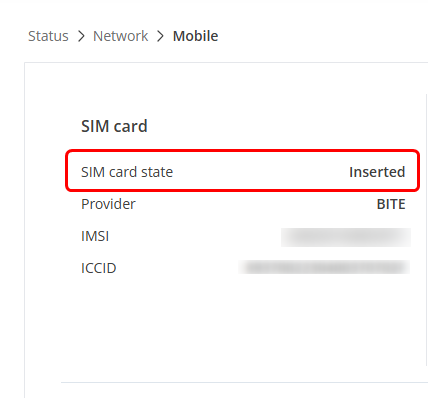
Monitor the status of the different SIM cards, if you have one, and see if the situation improves. This could be either:
a) The SIM card is placed wrongly
b) The adapter of the SIM card (if yours has one) is too small
c) The SIM slot is dirty, the SIM card itself could be dirty, you may try to clean it
d) The SIM slot of the device is faulty, but could also be potentially solved by doing a hard-reset (bootloader menu)
As mentioned in step d), we have a certain hard-reset process, called the Bootloader menu, to which the steps can be found here: Bootloader menu - Teltonika Networks Wiki
Kind regards,
M.
I read this, and i immediately noticed the SIM state changes occur precisely every 20 minutes, sometimes 30. It is not random enough to be a hardware faillure. So maybe there is a movement exactly every 10 or 20 minutes but it seems more probable that some script or other event is causing this.
1 Like
This very well could be the case, we shall wait for the user to let us know whether this could be the case here.
Regards,
M.
First of all, I wanted to thank you for your prompt response and apologize for the delay.
We are considering replacing the SIM card and the RUT241 device. We can rule out vibrations and the like. However, we cannot rule out moisture infiltration. The device is located inside a box that should be hermetically sealed (IP65). The box itself, however, is located inside storage cells with temperature and humidity values suitable for this purpose.
Attached is a photo of the inside of the box described.
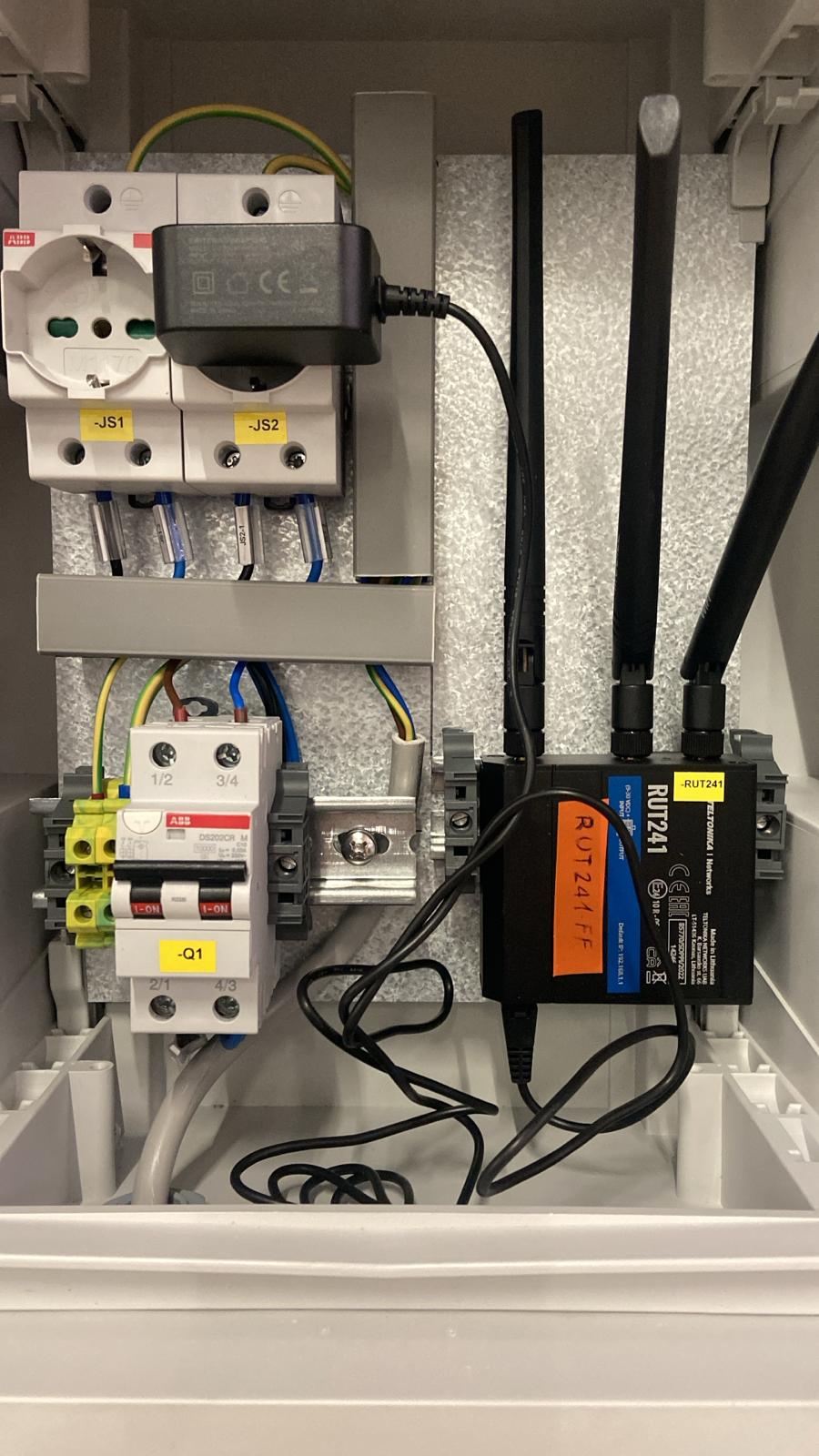
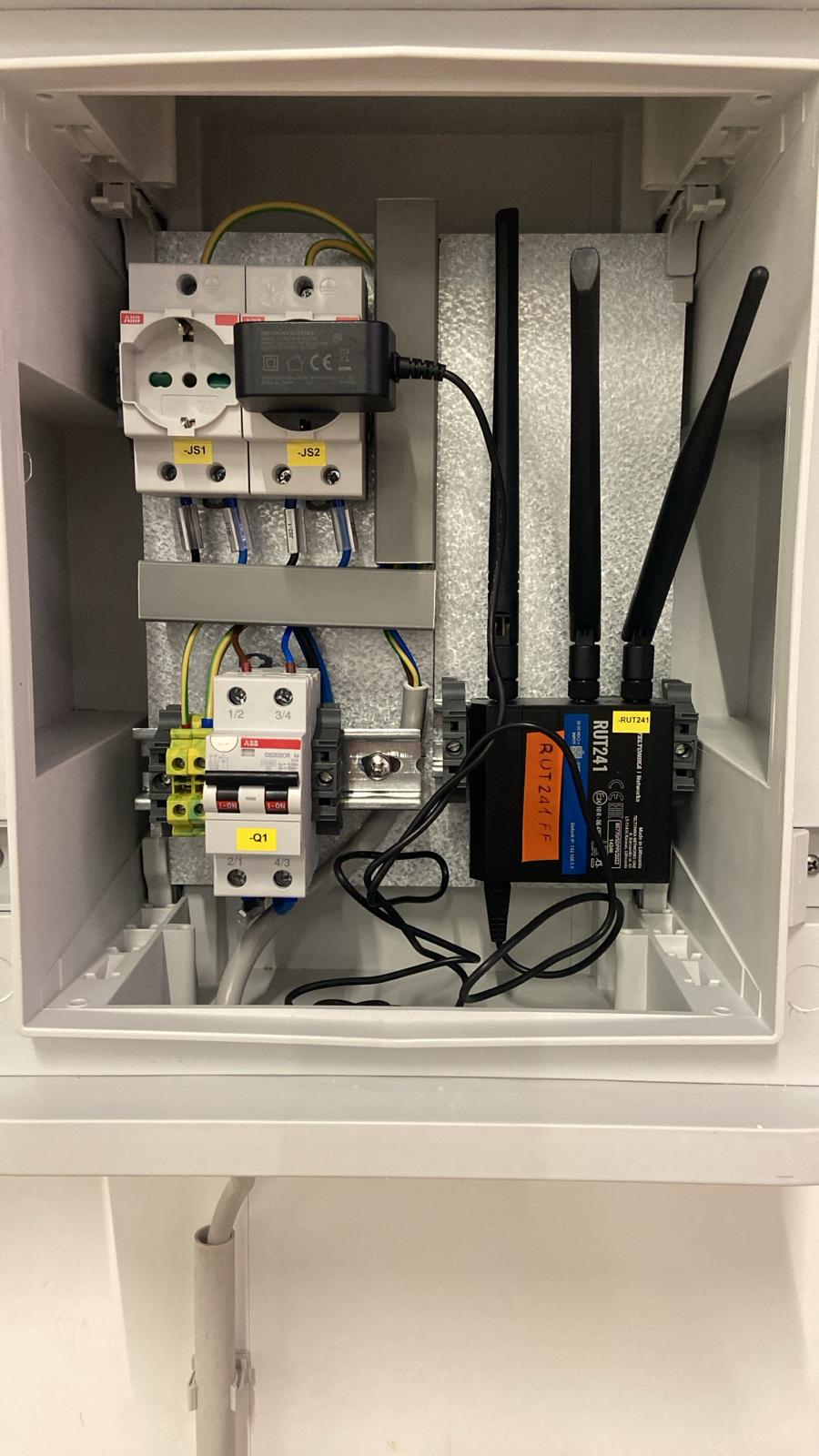
As soon as we can we will propose to our final customers the intervention mentioned above. Will inform you for future actions.
For now, thanks
Sounds good, we’ll be waiting!
Thank you,
M.
Hi all,
seems we solve the “SIM disconnections” problems, but seems also we still have unsolved the problem of disconnections.
I supply you a screenshot from where is possible see a discontinuity in communications. (I try to upload also Export Logs relatives, but can’t).
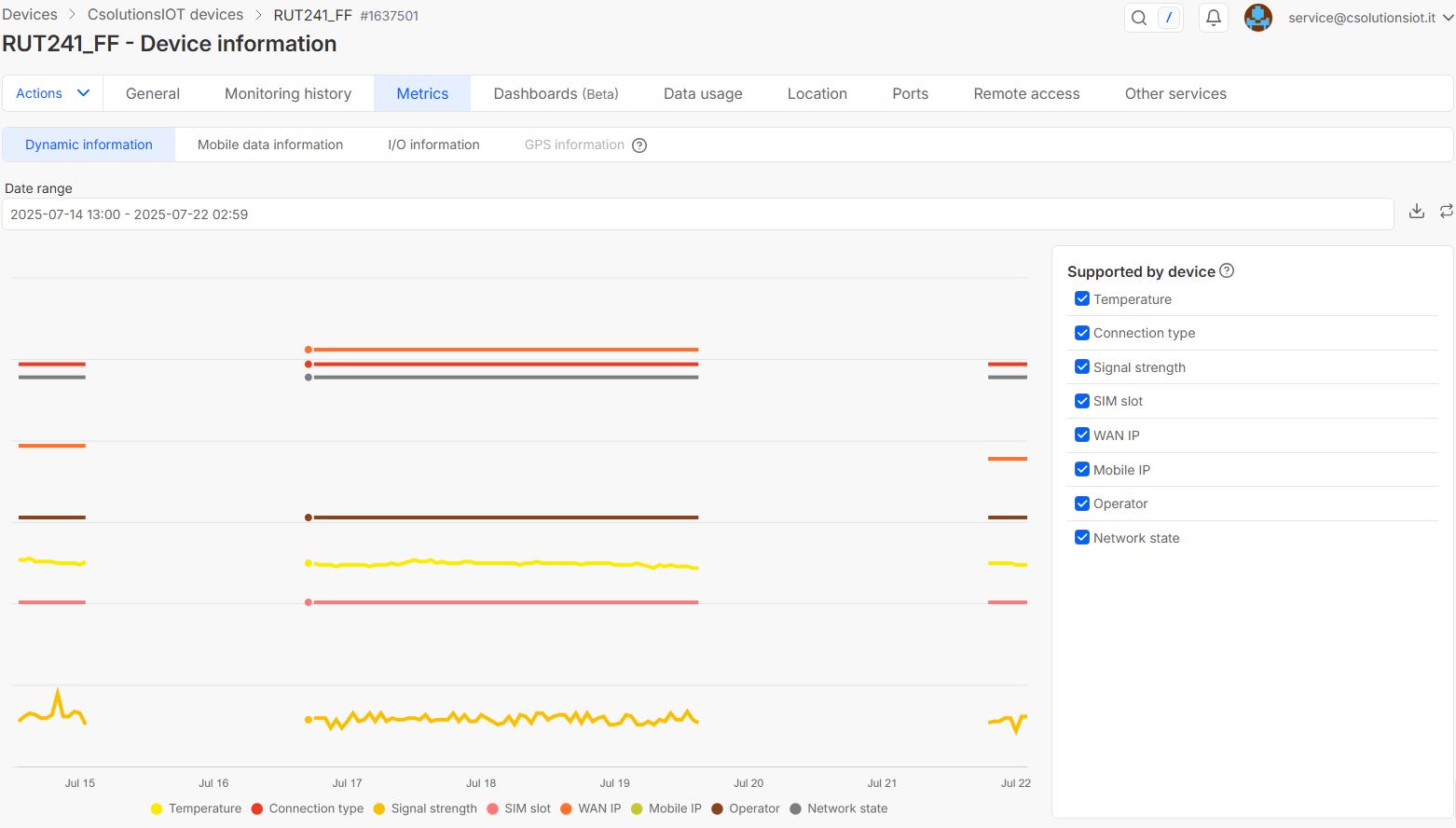
.
More I am sure no data were transmitted in the “black-out” interval because of a lack of data received by an external partner (DB).
As requested before, there is some data, some actions to take from what monitor and understand the reason of this No Transmission?
Thanks for yr precious help,
Regards
Hello,
To look further into this situation, I will need the logs from the device (troubleshoot file). For this, I’ve sent you a form to fill out so we can continue our conversation in private, to avoid accidentally leaking any sensitive information. In the Ticket ID field, simply enter the thread’s number, which is 14642.
Thank you,
M.
Pls excuse me. I’m trying to sove some problem with my email service provider. Seem I’m enable to answer you.
As soon I solve, I’m reply.
In any case, I did what you request…
Thanks
I’m sorry but I can’t send you the Troubleshoot file. Maybe something is going wrong but I can’t understand what. I used the email address from where you wrote me the indication to download the “troubleshoot file”. Pls can indicate a different mode? Thanks
Hi there,
Could you possibly try uploading it to Google Drive or somewhere similar and send me the link via email? Make sure you’re replying to the same e-mail I’ve sent you and please, don’t send the link here to avoid leaking your serial number & other details.
Thank you!
I try to send you a link to google drive by email, using address given.
Let me know if I get success.
Thanks and sorry for delay
No worries, found your e-mail, will get back to you through there.
Regards,
M.
Hi Matas,
from the last time you suggest to add the line option dhcp ‘0’ to the config interface mob1sa1 to the configuration of RUT241, no offline situation were detected.
But unfortunately this morning, checking connection by RMS, the status of the device was OFFLINE.
Is this information indicating the real OFFLINE status of the RUT241 connection LTE or is indicating only the status of RMS connection?
Can we say that my problem with the lack of LTE connection still exists?
Thanks
Hi there,
Hard to tell, to be honest, would be amazing to see what’s going on in the logs of the device. Has the problem appeared only after a while, compared to how long it used to appear previously?
Regards,
M.
Hi Matas,
I did some screenshot of connection state for months of May,June and July. Actually seems that May goes better than June/July.
Could you suggest some check to carry on to understand and identify better which can be the reason of default? Is it possible a lack of ISP signal? How can it be detected and how can it be overcome, if there’s chance? Thanks and Regards
A
Hi,
Access the WebUI of the device, and head to Status → Network → Mobile - at the bottom, you’ll see the “Bands” section where you’ll see 3 different signal values, you want those to be at least “Good” (yellow). Anything below that is starting to shift towards being unacceptable, although it still should work/
Signal strengths are always tricky to deal with, but our best suggestions are:
- Antennas were screwed on tightly
- Preferably, as good as possible environmental conditions
- Try Band Locking (personal favorite): Band Lock - Teltonika Networks Wiki
- Worst case scenario, stronger antennas could always help, but those come at an extra cost.
Honestly, the events log should give you a good headstart, but if you want to do more in-depth analysis yourself, generate a troubleshoot file from your device (System → Maintenance → Troubleshoot → Download), open it, and check the system.log - usually you would want to scroll all the way down and work your way up to see if anything catches your eye. If you have no idea what an error message means, it should be easily googlable, since our OS is OpenWRT-based, or you could use ChatGPT, although I wouldn’t put 100% of my trust into it 
Regards,
M.
Hi,
I did some check on the “Bands” section as you suggest.
Results are: RSRP: -102 Poor; RSRQ: -9 Excellent; SINR: 6 Fair to Poor; RSSI: -71 Good.
Still I have a question: if I compare the RUT241’s performance to my cell phone, I notice that I may experience a lack of coverage due to location or some provider issue. However, once sufficient conditions are restored, communication resumes automatically. Is it possible to implement the same functionality (if not automatically enabled) on the RUT 241?
Let’s add that unfortunately, the RUT241 is inside a PVC box, and so are the antennas. The back of the box has a metal plate for mounting the DIN rail on which the RUT241 is mounted. The PVC box must be IP67.
All of these situations certainly don’t facilitate communication.
Have you any suggestions on the type of antennas, for example? The ones that come standard with the RUT are currently mounted.
Thanks for any more suggestion you can provide.
and many thanks for your availability