The device should already do it automatically. Of course, extra things you could do are, for example, setting up automatic reboot of the device, or you can reboot the modem OR restart the mobile connection: RUT241 Auto Reboot - Teltonika Networks Wiki
This actually could very well be the way out of your issue - I’d actually recommend looking into stronger antennas than you have now. Recommendations:
Hi Matas,
I did auto reboot features but there’s no way to make them works. In any case, we suppose could be some problem with the device itself because today it goes offline a lot of time. So we plan to substitute it next days, after holidays time of customer. Also we were discussing if it could be a good idea substitute the model from RUT241 to another one. Are there in Teltonika Products, any model with same characteristics but more powerful for LTE weak signal?
Thanks in advance
I don’t think buying a different model will necessarily get you better signal strengths, but it would most likely provide a wider range of mobile frequency bands to connect to, depending on what order code of a device you currently have. Overall, upgrading your device is just upgrading the hardware that comes with it & having access to more services (for example serial ports, usb, gps, etc.).
I can try and suggest a device for you, but I’d require some type of mandatory requirements for it, for example, whether you need Wi-Fi or not, whether you need a specific amount of ethernet ports, do you need serial ports, etc etc.
Hi Matas,
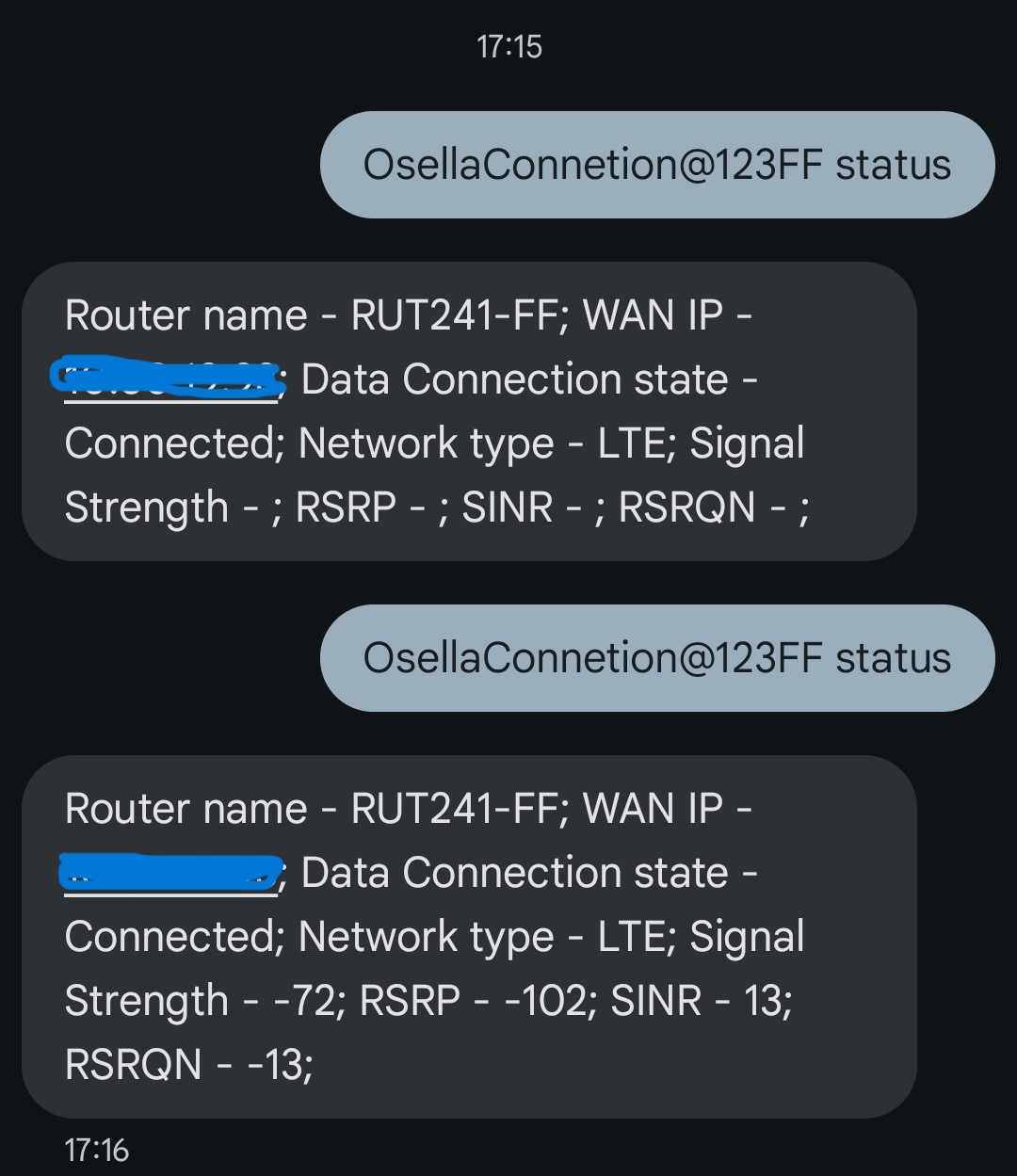
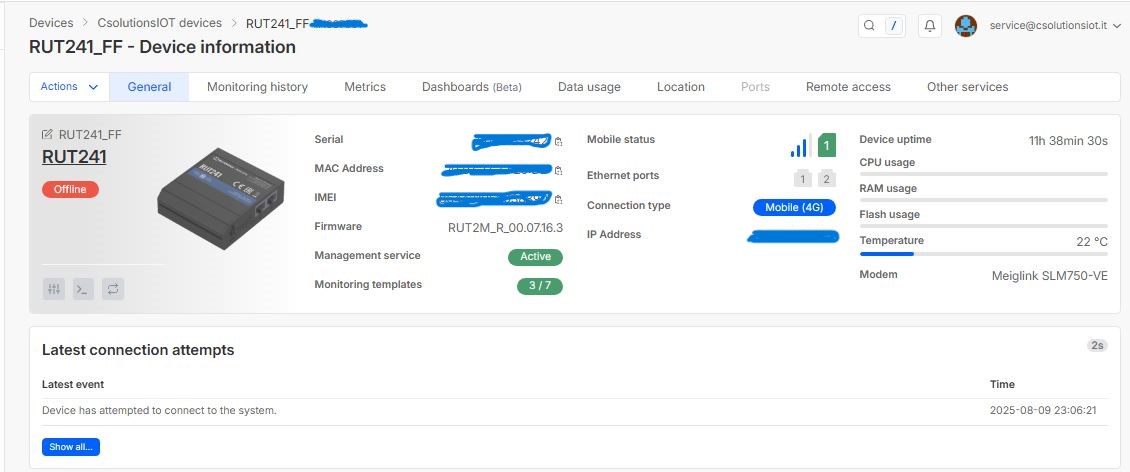
attached you can find a situation that I can explain myself.
How is it possible to have RMS Offline and Data Connected?
Is this meaning that also LTE connection is down or not?
Hi Matas,
one more fact.
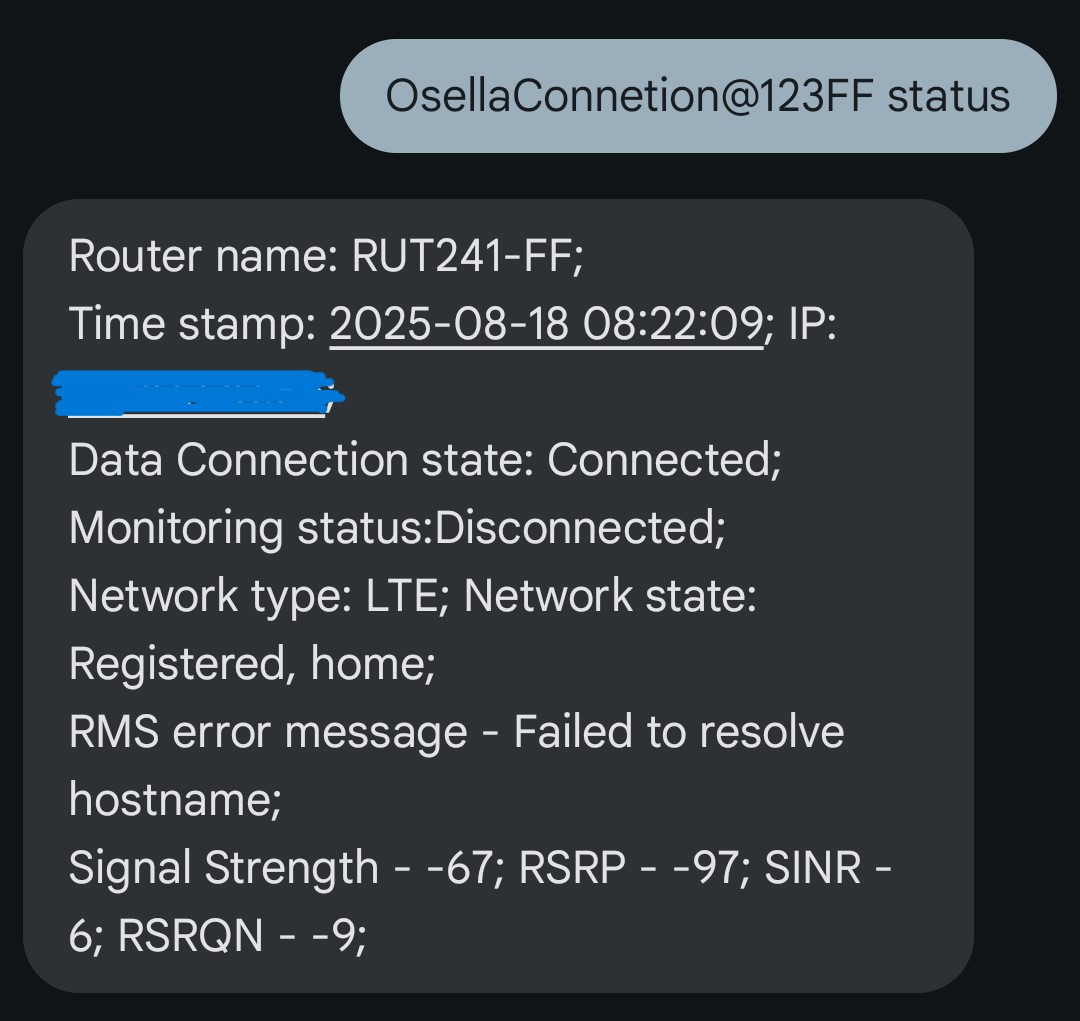
I modify the data I can get from SMS Status messages and attached is what I receive last time because an SMS of Data Disconnected.
RMS State is in error, follow this was impossible to reset RMS link and the only way was a Reboot SMS (try RMS_Connect and MonitoringOn without positive result).
Now I tried to modify DNS from 8.8.8.8 to 1.1.1.1. Will monitor what (if some) change.
If you can pls give a different and better solution, I will appreciate so much.
Sorry for the late response, as I was on a vacation.
Regarding the data connection state - if it says “connected” that means that the LTE connection has been established successfully and the device has proper internet connectivity. No worries there.
Your signal strengths seem to be great, which also falls off as a factor for the random disconnections. RSRP value is a bit on the worse-end though, that could be improved in one way or another.
Could you try sending the command device_password rms_connect and then device_password rms_status?
Hi Matas, hope you get enough rest.
About yr response, just this morning (1.00 UTC+1) RUT241 get disconnection.
Report from SMS was:
IP: NO_WAN_LINK
Data Connection State: Disconnected
Monitoring Status: Connected
RMS Error message: None
Signal Strength -68; RSRP: -96; SINR: 8; RSRQN: -11
From RMS Dashboard it show “OFFLINE” in the red box
So, I tried “rms_connect” / “rms_status” and the result was:
“Disconnected, Failed to resolve hostname”
Data connection state: Disconnected & the NO_WAN_LINK basically indicates that no internet connection is present; therefore, the device becomes offline in RMS automatically. As discussed earlier in the thread, the timing of the disconnections is just too perfect to be software/hardware-related. I would probably try contacting the mobile operator to ask about this more.
Hi Matas,
Thanks so much for your suggestions. Indeed will contact the mobile operator.
In the meanwhile I would like to submit you, my last trying:
Sent SMS: OsellaConnetion@123FF status
Rcvd SMS: Router name: RUT241-FF;
Time stamp: 2025-09-05 09:16:17; IP: 10.80.5.119;
Data Connection state: Connected;
Monitoring status:Disconnected;
Network type: LTE; Network state: Registered, home;
RMS error message - Failed to resolve hostname;
Signal Strength - -74; RSRP - -105; SINR - 9; RSRQN - -10;
Sent SMS: OsellaConnetion@123FF rms_status
Rcvd SMS: Disconnected, Failed to resolve hostname
Sent SMS: OsellaConnetion@123FF rms_connect
Rcvd SMS: Command executed successfully
---- waited 10 minutes
Sent SMS: OsellaConnetion@123FF rms_status
Rcvd SMS: Disconnected, Failed to resolve hostname
I hope you can help me to resolve this. The only way I got to solve this is with a reboot command, but I prefer avoid to use it.
In the very first log that you’ve sent, the device does have internet, but hasn’t connected to the RMS service yet (likely due to the recent loss of internet connectivity)
The next few of your attempts to connect to the RMS service both have failed, the “Failed to resolve hostname” error is usually due to the following factors:
As mentioned, no internet connection, or signals so bad, that the speed provided to the device isn’t enough to connect to the service (which is very highly unlikely, as not much is required)
Possibly an incorrect hostname set in the device configuration, this is also unlikely due to the fact that you’ve connected previously.
I don’t believe this is easily resolvable without having information from the operators end, the device simply cannot keep a stable and long enough of a connection to the operator & internet that it constantly fails to connect, resulting in your issue.
Hi Matas,
unfortunately from mobile operator we got any kind of help.
The situation will remain like this: Data Connected; RMS Disconnected (strange that using rms_connect doesn’t give result).
I like to know from your experience what does it means the last occurrence of disconnection , message:
RMS error message - Keepalive exceeded.
Thanks in advance for your availability,
Regards
Alessandro
This message indicates that the connection attempt to the RMS has timed out, and the device basically fails to connect.
How likely is it for you to test running the device with a different SIM card from a different provider? Maybe even testing the same SIM card on a different device (router, phone)?
Hi,
after having made a test on the nearest point of connection of the provider available for that area, we found that the actual (Vodafone) is the best with two available cell
(B1, RSRP -89, RSRQ -7;
B7, RSRP -78, RSRQ -8)
We already test SIM card on different device at the moment the provider was chosen.
and the final choice was Vodafone.
As mentioned, your signal strengths are fine, but I’ve requested testing a different provider SIM card because I’d like to remove the SIM from the equation as a potential culprit for your issue. As it was mentioned a few times before, the losses of connection are just too perfect to be hardware-related, so all we’re left with is either the configuration somewhere, or the SIM card/provider.
Good morning, I’m in the exact same situation. I’ve been in this situation for over a month. After trying everything (changing antennas, changing SIM cards, etc.), I think I’ll remove my RUT241 and replace it with another product (the strange thing is that I have 10 other RUTs within a 500m radius and they all work perfectly). Currently, I’m forced to send a text message at 8 a.m. to restart only the mobile connection. Then every 2 hours a phone call is made to restart the mobile connection again. I have to say, I’m extremely disappointed. I haven’t found a solution to the problem, not even with my mobile operator.
When it comes to mobile-related issues, each situation is very highly likely to be completely different, sometimes the culprit may be the SIM card, sometimes the signal, sometimes something completely else, there are even cases where the power supply unit could be the cause of the issue due to providing too much power to the device. As each situation is different, I highly suggest you create a separate forum thread so we could investigate your issue separately.
@CSolutionsiot in the last couple of days i started having symptoms with my RUT241 which may be somewhat comparable to your problem; my RUT241 would connect to the 4G LTE network but would disconnect a few minutes afterwards, and reconnect agian later, over and over again. Finally setting the Preferred Network Type to “4G only” on the appropriate SIM in Network, Mobile, Connection solved it. Somehow the router did connect to 4G in the first place but for some strange reason decided to leave that 4G connection a few minutes later. It maybe a long shot, but no harm in trying.