Hello everyone,
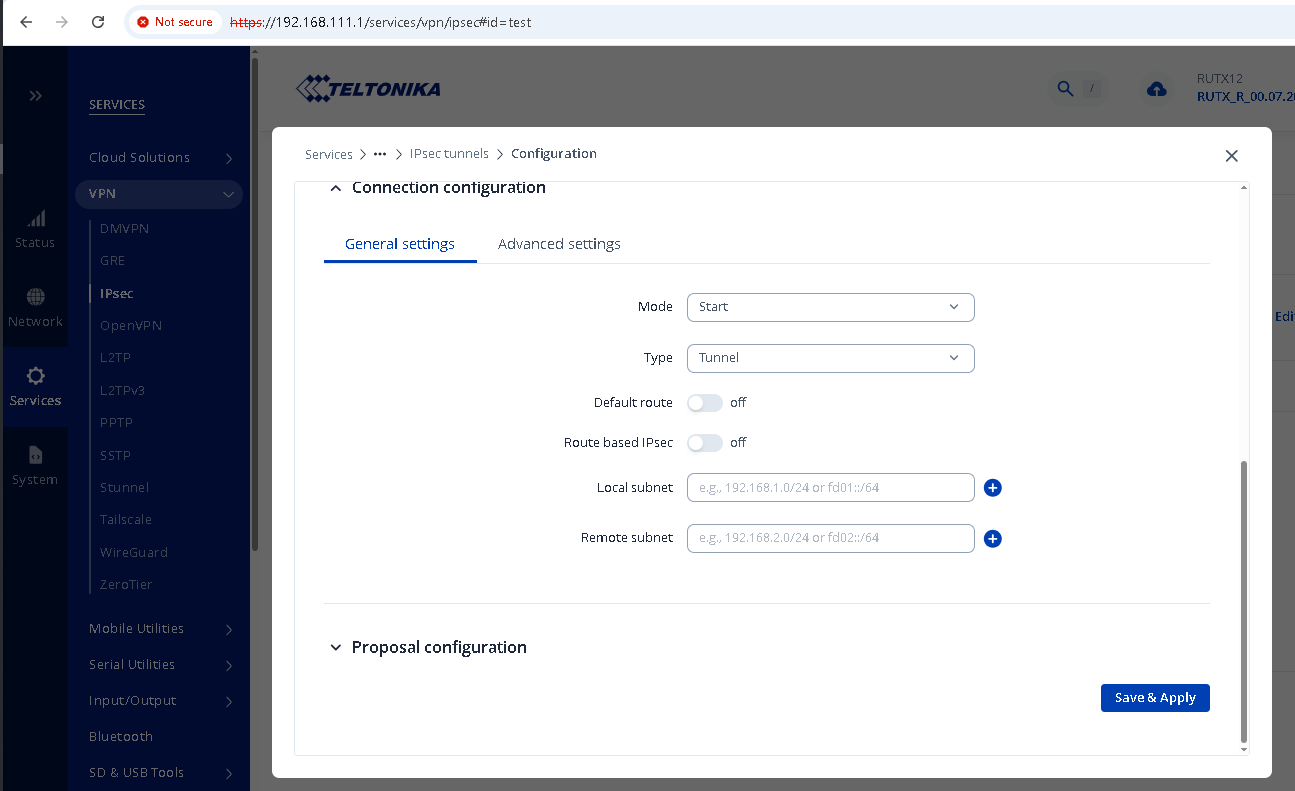
I’m trying to configure routing so that all traffic (0.0.0.0/0) from my local LAN is routed through a route-based IPsec tunnel.
I tried using the solution from this thread, but it stopped working after a reboot.
I also tried configuring Policy-Based Routing according to the official documentation, but that did not work either.
My goal is to establish an IPsec tunnel on a Teltonika device and route all Internet traffic from the local LAN of Teltonika through the IPsec tunnel to my CORE DC, where URL filtering policies are applied.
example:
192.168.0.10 (Host behind Teltonika) > ipsec > CORE DC > firewall > NAT > forward to internet
Is it actually possible on Teltonika devices to route 0.0.0.0/0 through a route-based IPsec tunnel for a local LAN subnet?
Device: RUTX12
Firmware: RUTX_R_00.07.22.1
Please, I’d be glad of any help. Thanks!
hi, @eXtrella
Welcome to Teltonika Community… 
Have you try this, at the ipsec settings?
Enable “Default Route”

Oh my god. I’ve tried everything, but I haven’t tried this.
I’ll back later.
Thank you!
Now I see 0.0.0.0 in CLI “route -n”, but when I trying to configure policy-based routing, I losing admin access to Teltonika.
I also configured “Passthrough interfaces and subnet”, but it doesn’t help
So, here’s what I did.
I configured the PBR with a default route to the IPsec tunnel interface and, following Marcelo.Baros advice, enabled the default gateway option in the IPsec configuration. All is good, traffic is routed.
After a reboot Telltonika, routing didn’t work for a while (but IPSec is UP), but as soon as routing through the IPsec VPN starts working, I immediately lose administrative access to Teltonika itself.
idk how to fix it. I think I’ll have to write some clever scripts to fix it