Please help: Newbie with Teltonika nightmare router issues

Hello everyone,

I’m new here and hoping someone can help with an issue that’s been driving me up the wall.

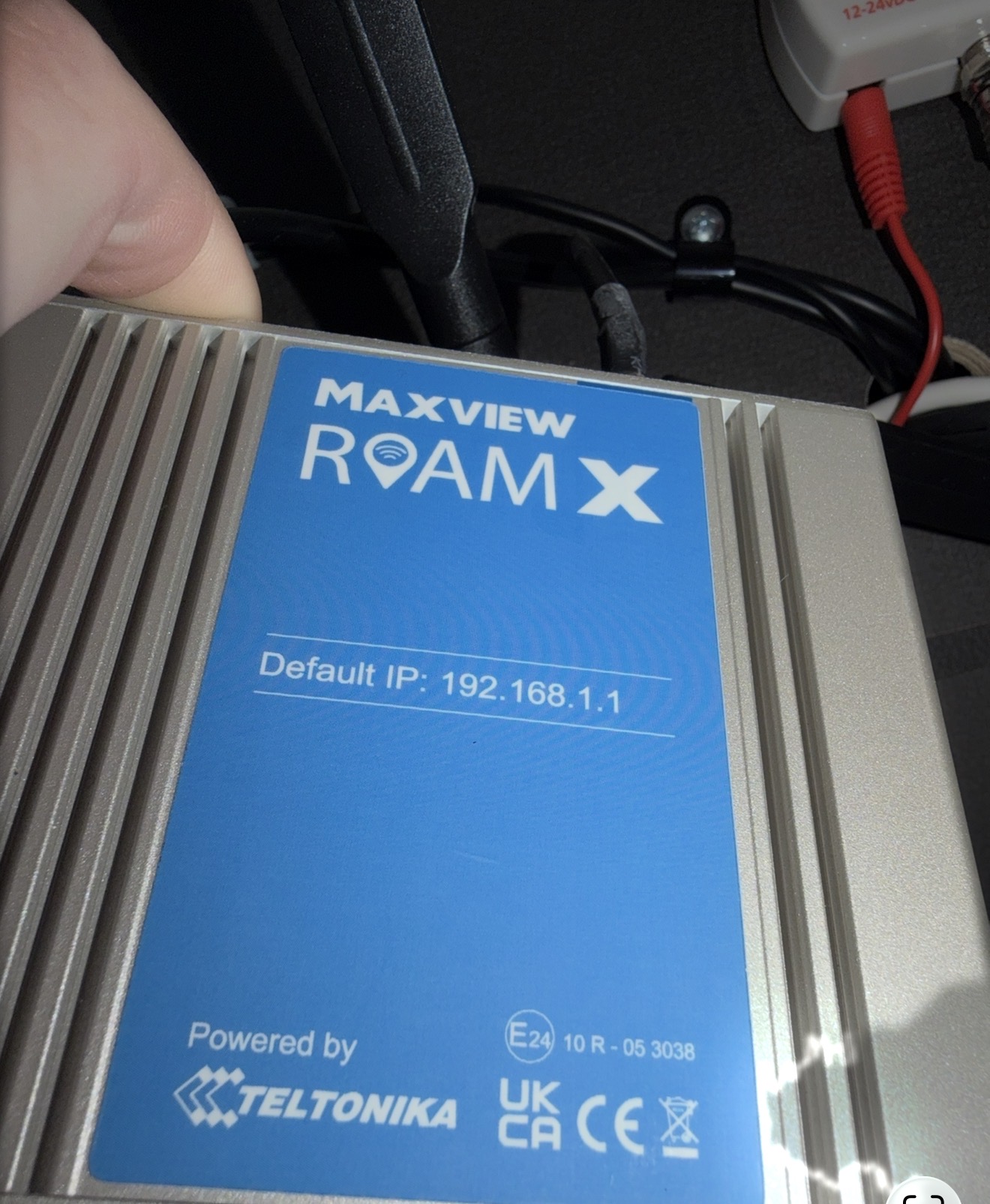
We’re currently on holiday in our caravan and I’m having problems with our Teltonika roam x router connected to the Maxview roof antenna. I’ve been in contact with Maxview via WhatsApp, and they’ve suggested the problem could be either a mobile network cell tower issue or a fault with the router that would require testing.

The router worked perfectly at our previous campsite and continued to work when we arrived in Scarborough. From Saturday 8th through to Monday 10th, everything was fine. Then, without warning on Monday afternoon, the internet connection stopped. This was particularly surprising because we’ve stayed here many times before without any issues.

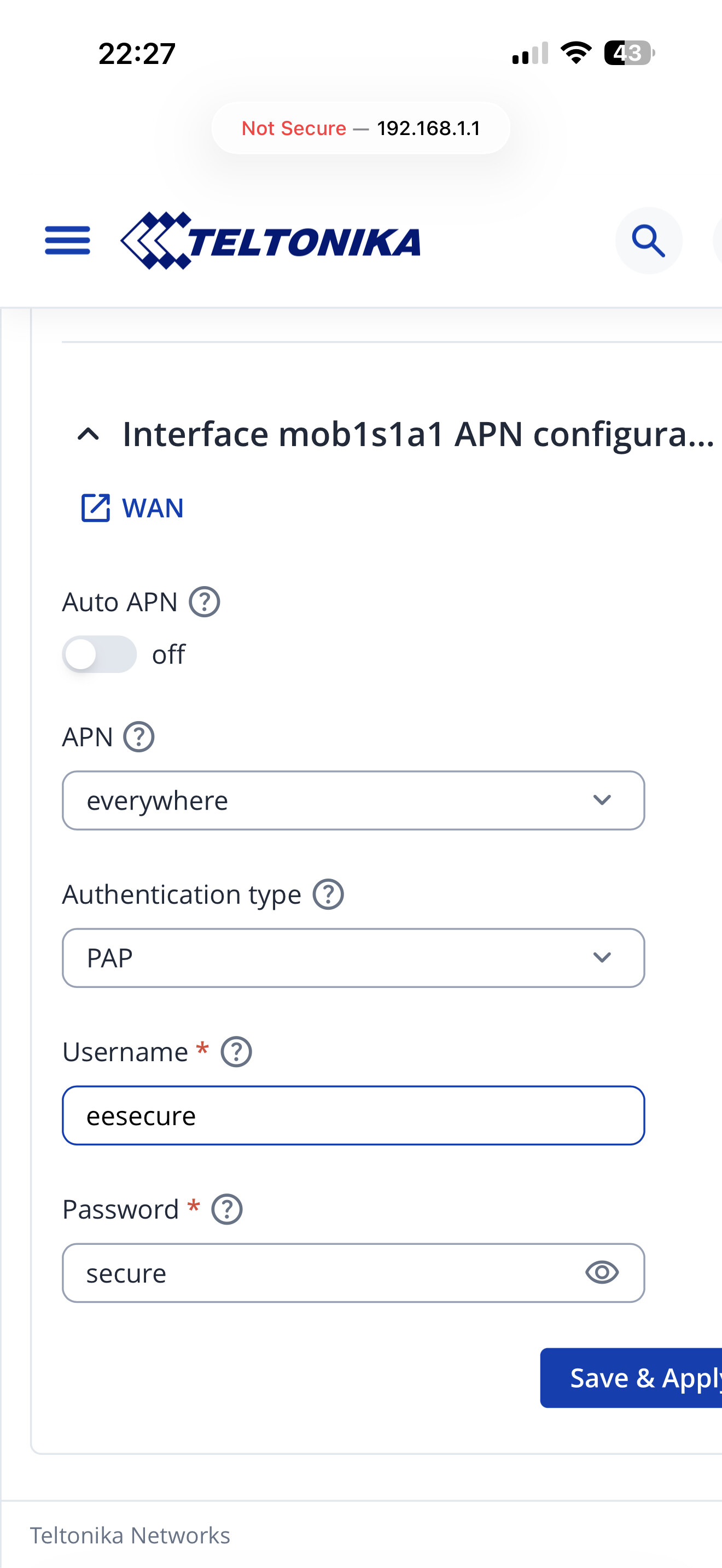
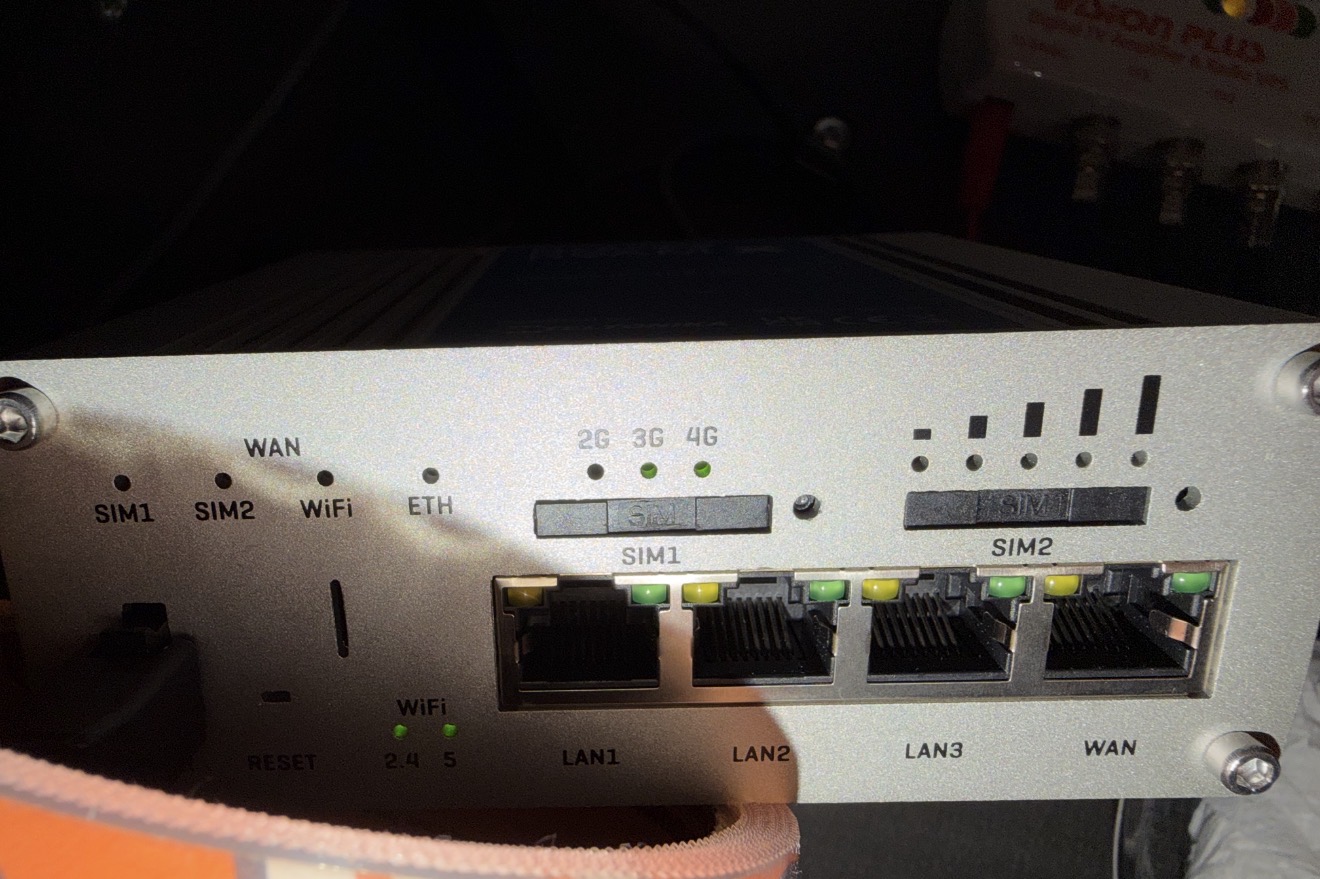
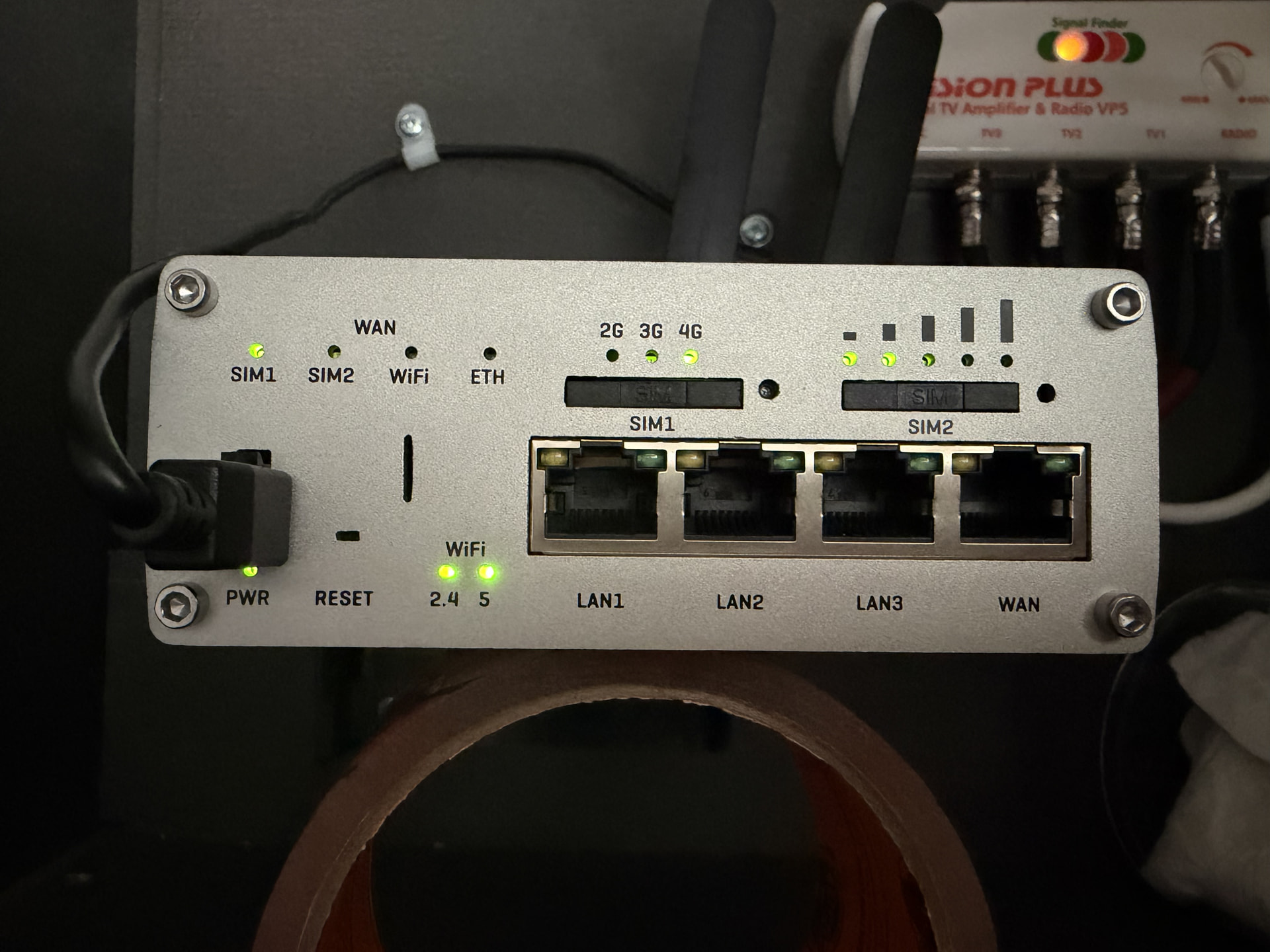
I noticed the 3G and 4G lights flashing alternating lit up 3G then 4g and so forth, so I contacted Maxview. They advised me to check the EE APN settings: APN set to “everywhere”, username “eesecure”, and password “secure”. Nothing had been changed, and I confirmed the SIM card and data plan were working by testing it in a spare iPhone. I then reset the router by pressing the reset pin until all the signal LEDs lit up and holding it for around five seconds.

After the reset, the connection partially returned, but speeds were extremely poor. Initial tests showed between 300–500 kbps, and a later FAST.com test reached only 1.1 Mbps. As we have an unlimited data plan with maximum-speed access, these results clearly weren’t normal.

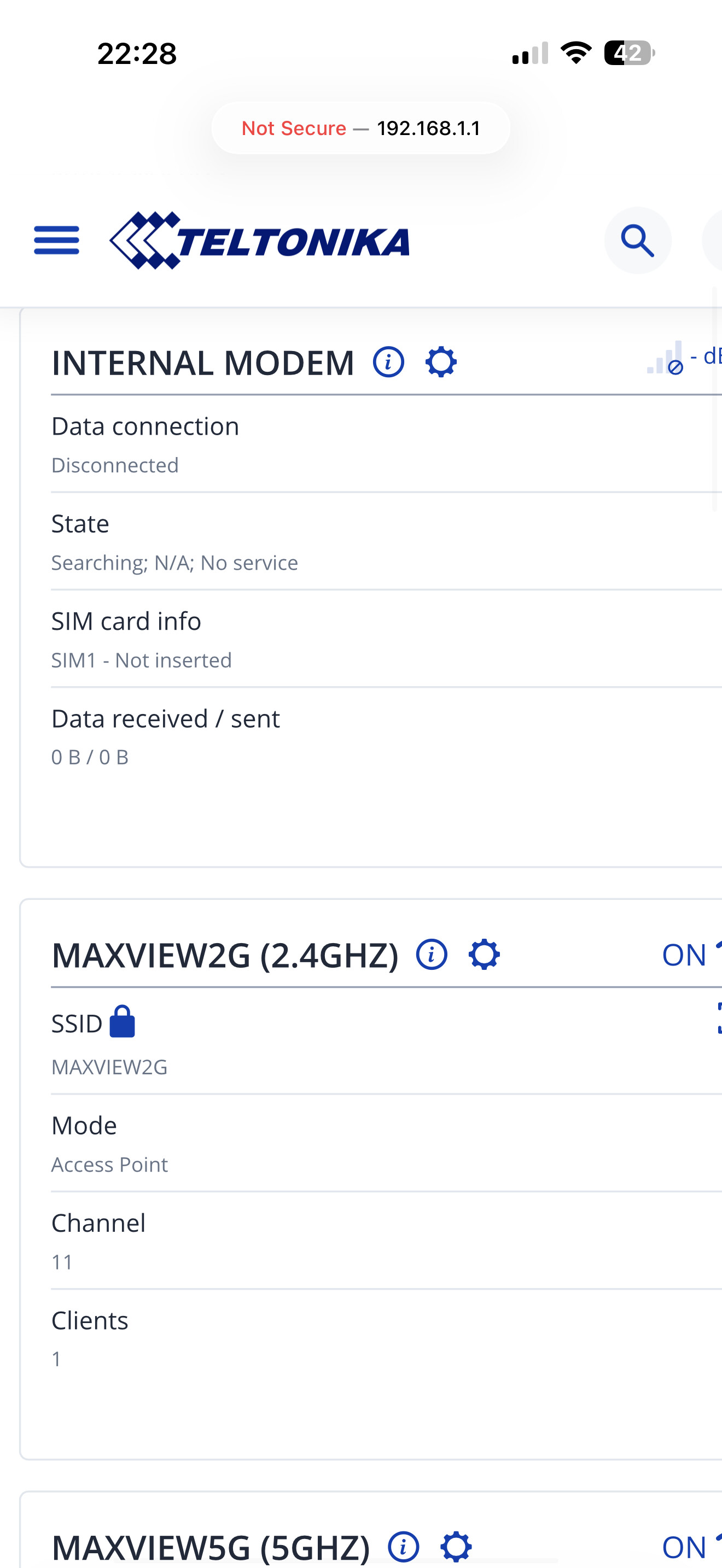
I’ve explored the router settings extensively but can’t identify the cause. To make matters worse, the SIM1 LED is no longer lit, and the 3G and 4G LEDs are now flashing on and off together.

I’m desperate to get this resolved. The kids are complaining, my wife is frustrated, and although we can keep ourselves occupied with other activities, I’d really like to understand and fix the problem.

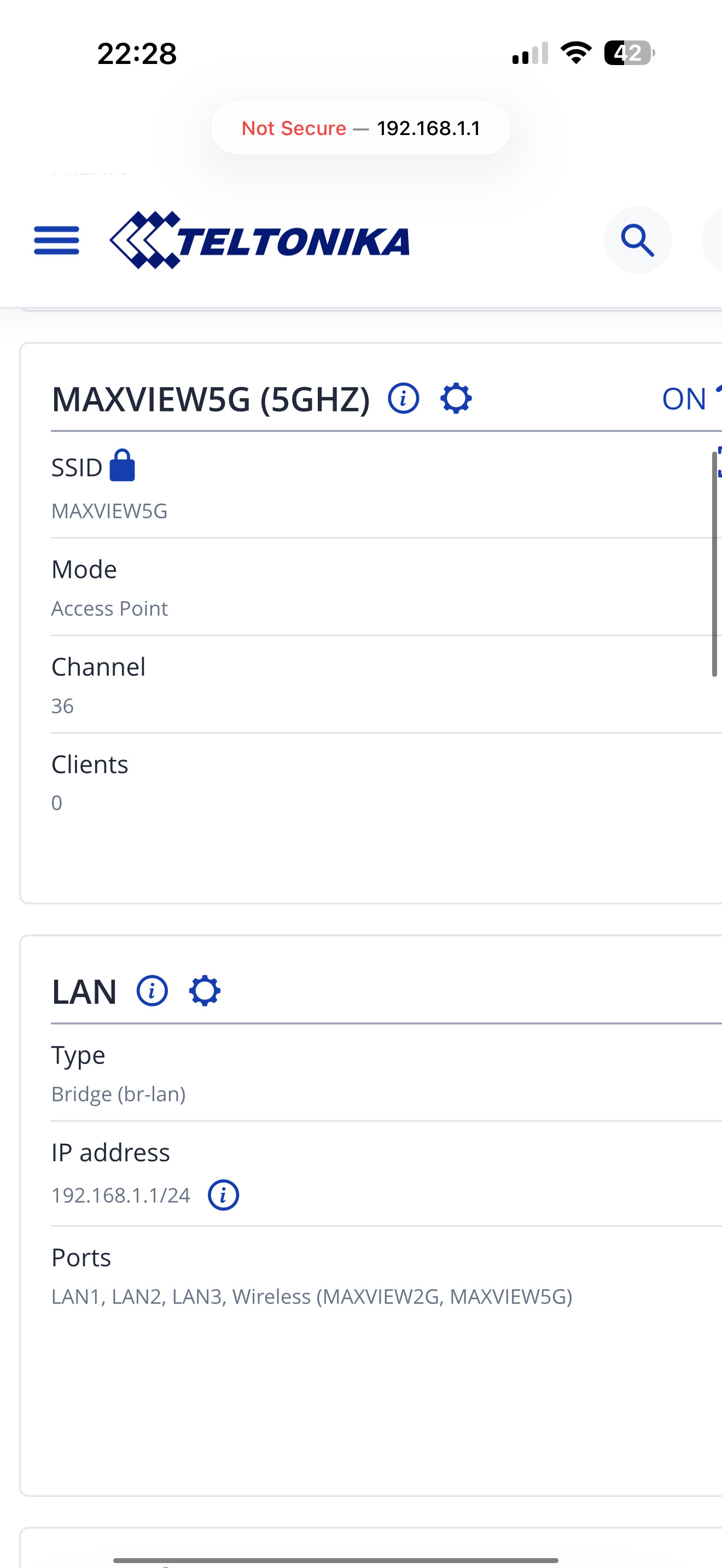
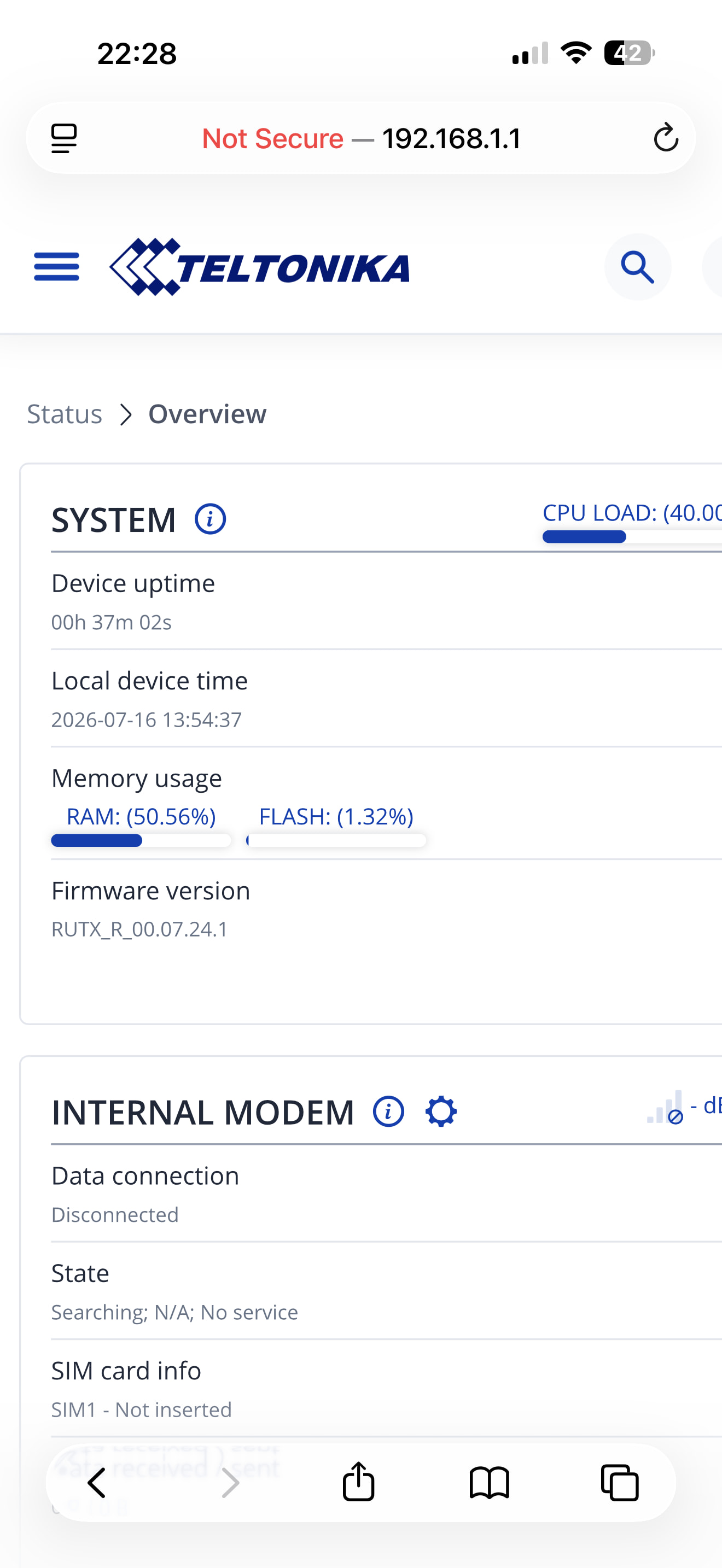
I’ll post as many screenshots as I can to help with troubleshooting.

Thanks in advance.
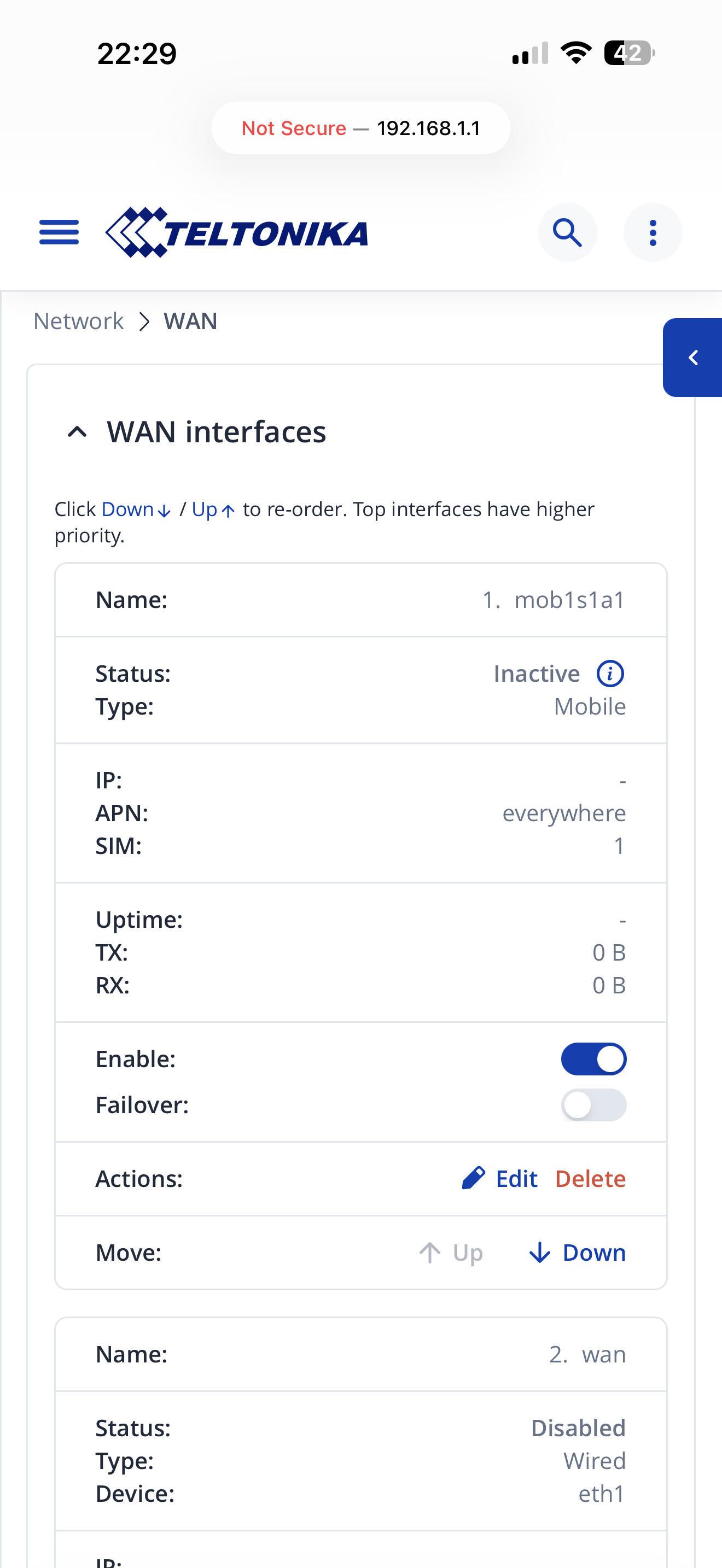
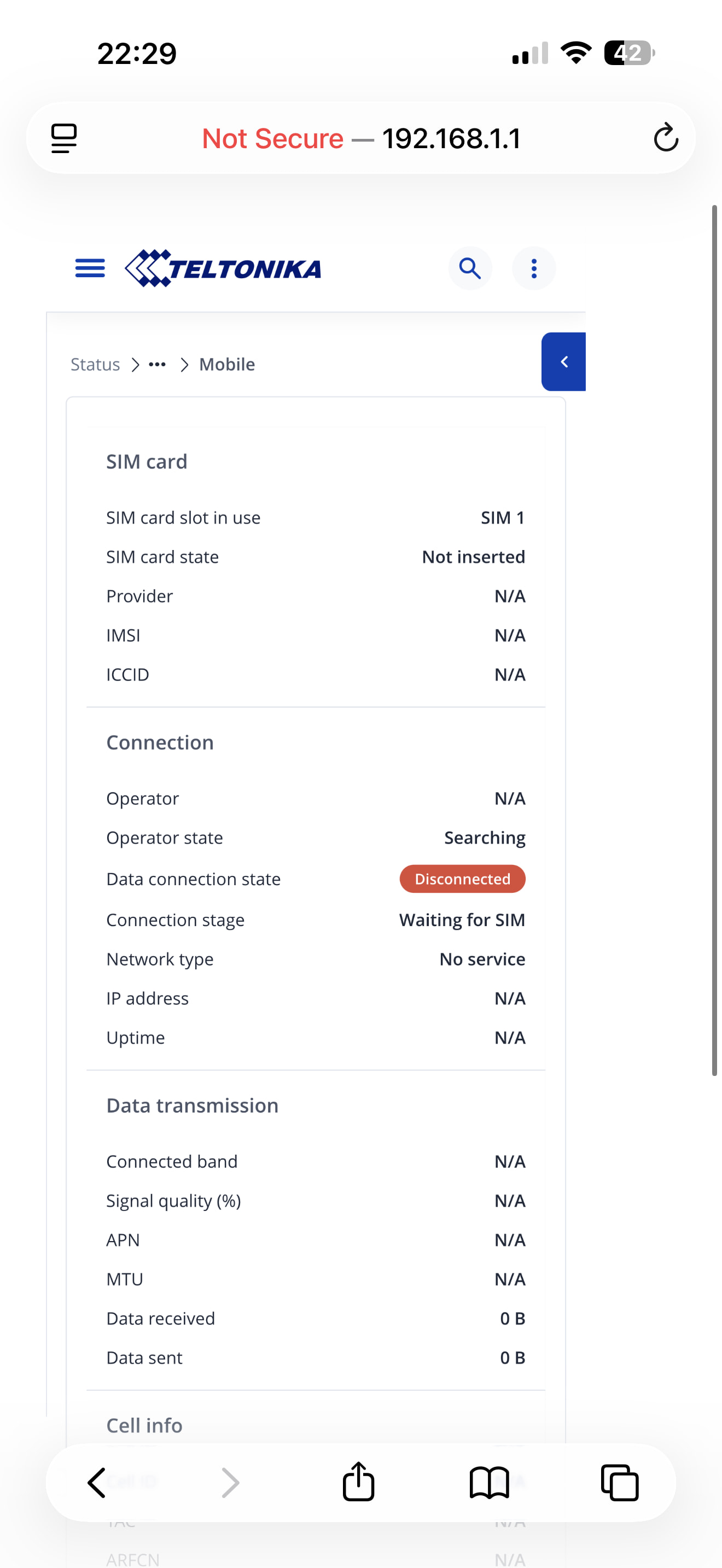
Hi. I read your message. Judging by your screenshots, it looks like I have the same problem. I posted about my issue on this forum a couple of hours ago. For three days now, I haven’t been able to connect to any mobile network operator. I notice we have something in common: the same device firmware. That gives me something to think about.

Interestingly i live in Scarborough and i have a RUTX50 too.

Which network Provider are you with?

Where are you parked? Don’t have to answer this one if you don’t want too, that’s ok.

Knowing where you are parked and who your network provider is i can find out if theres a mast near where you are within a sensible distance. I’ll know if you are in a “not spot”.

It looks like either the router can’t find the inserted SIM or can’t find a mast to get connected too.

It looks like you are with EE, i’d re-enable Auto APN and reboot, see what happens.

EE do have some not spots in the Scarborough / Filey area especially along the coast around the Caravan Sites near Gristhorpe, Lebberston and the Reighton (Haven) caravan parks.

Reading your words further it may be worth resetting via the bootloader method: Bootloader menu - Teltonika Networks Wiki

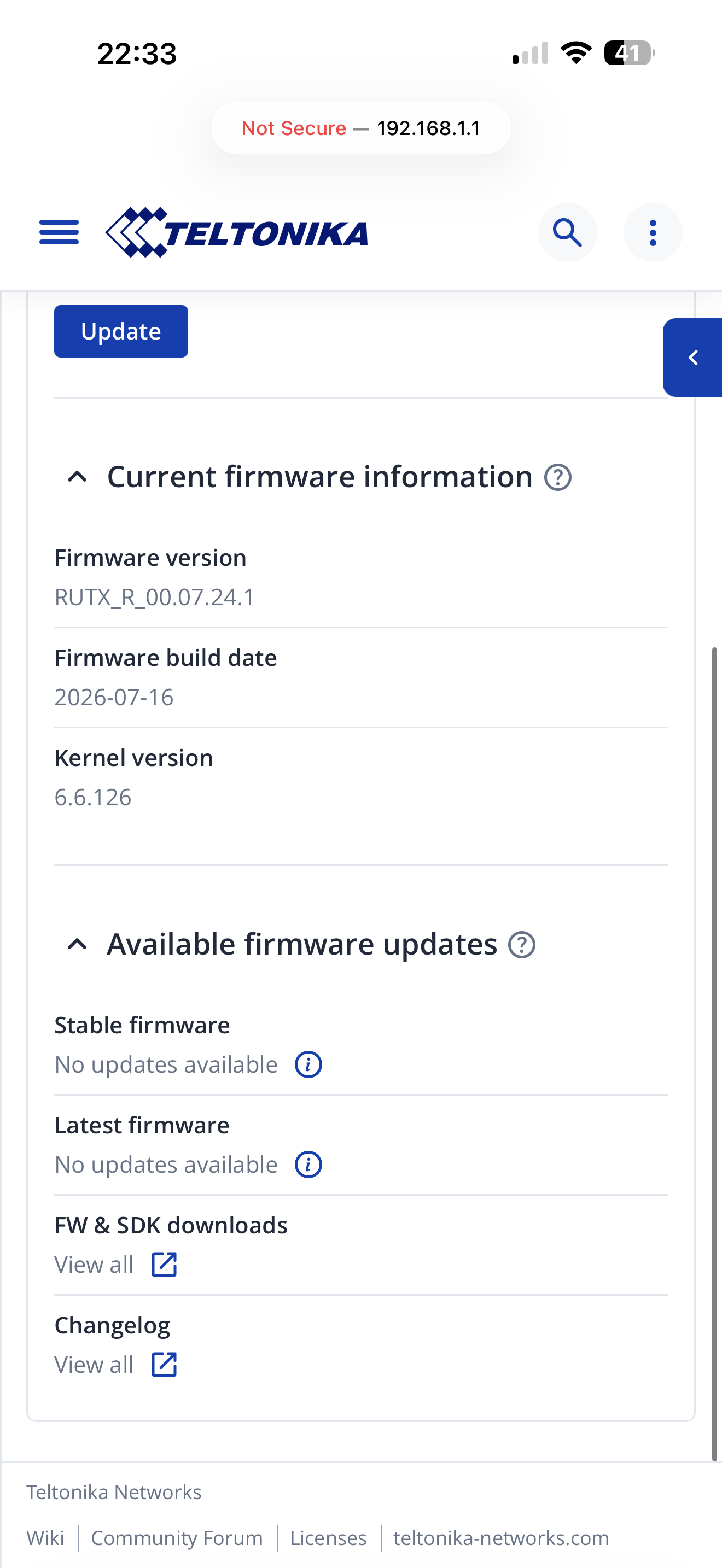
The bootloader method is the ultimate resetting method. When did you upgrade to firmware version 07.24.1? Did the issue occur after upgrade? This firmware version has only just been released. What firmware version is installed for the modem?

Modem firmware and device firmares are seperate and require installing seperatly.

Yeh I just don’t understand how one second it was working fine then bang! It started working on/off to now just not working at all no matter what I’ve tried, i.e. full reset, trying a different SIM card

I was told my maxview when my 3G and 4G led’s were flashing on/off alternating lit up. They told me it could be limited services is usually signal or the cell tower at capacity which will slow people down or kick people off.

But now I have absolutely no signal bars, no WAN led lit up for SIM1 and the 3G & 4G are flashing in unison green.

its doing my head in…urghh

Hi bud, we are at the CAMC site at West Ayton and we are on EE

I don’t think it matters, but we are about 5m away from the sites WiFi extender pole, but after reading up on this it should not interfere as we are able to join that network using this router interface so that was ruled out.

I upgraded on the Monday when it went down, as I thought a firmware update would solve the issue…it didn’t do anything. Everything was working fine though for a few days and at the previous site so it really is a scratch head moment…

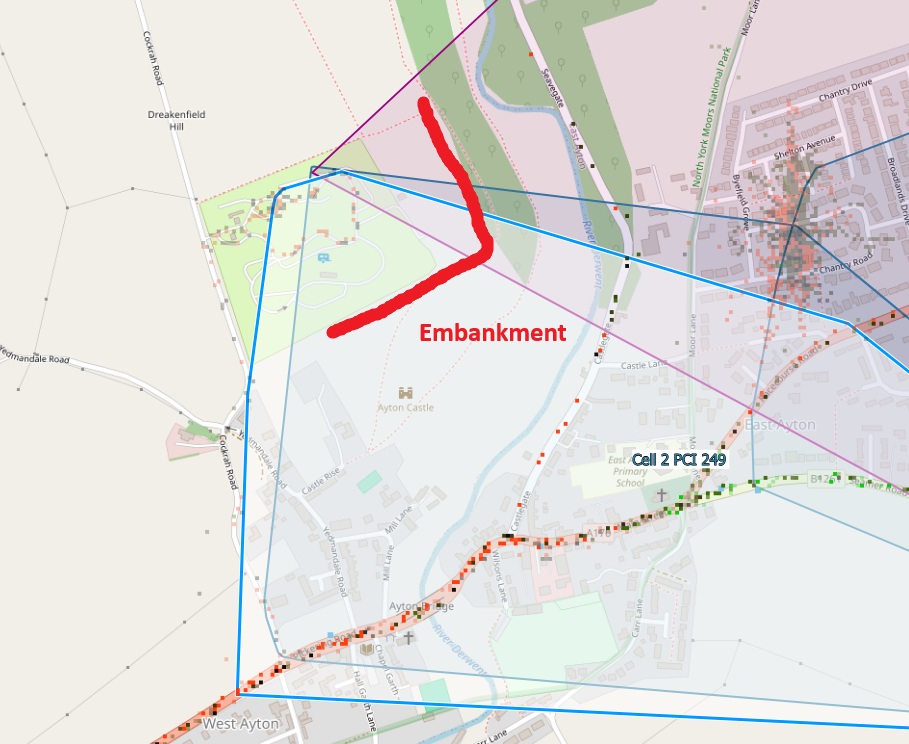
Your site is in a dip in the landscape, between you and nearest mast you have a substantial embankment to the south and west. The nearest EE mast is largely broadcasting in the oposite direction to where you are. The next nearest mast is at seamer but you are just on the very limit of the signal. All other mast are far too far away and have substantial obsticles in the way in the landscape. Hop over to cellmapper.net to see for yourself.

Before doing a bootloader reset i’d want to move to a different location to see what happens first.

I’ve tried what you suggested and switched on Auto APN and now rebooting

Yes I was going to see if anything changed when we head back home to Scotland on Monday

Also just to add, we are one space away from our pitch last year and we had absolutely no issues connecting and no drop outs…which makes it very strange

Reboot didn’t work sadly :frowning:

Will switch Auto APN back off and set the APN to the previous everywhere/eesecure credentials

Pay by app car parking always amusses me, people inc myself wandering the carpark trying to find a signal to pay for parking. There are two carparks i use where i have to stand in a very small, specific spot to pay for parking. If i take just a single step away i can’t get a signal.

On one of them the visitors centre has a map of the carpark on a board, EE customers go to that corner of the carpark, Vodafone customers to stand in middle of the carpark and three customers up on the embankment behind the visitors centre. O2 don’t get a signal at all!

On this is very strange!

I swapped the SIM card over for the one I got with the router, the swapped it over the the caravan SIM again and we now again see WAN SIM1 lit up green, I have 3 signal bars and the WiFi is working…:grimacing:

Checked Fast.com and getting about 1.1mb which is still poor but at least I know the settings are correct.

Maybe the SIM card slot is failing….

Edit: That’s it off again and the 3G and 4G and flashing alternatively arghhhhh

I think theirs nothing wrong with the router, i’s where you are. Happy to be proven wrong though. When you move to a place that you’ve proven to be reliable in the past, and if it still fails i’d do a bootloader reset.

I agree, it must be where we are situated on the site

Yes will definitely test when we get back to Scotland

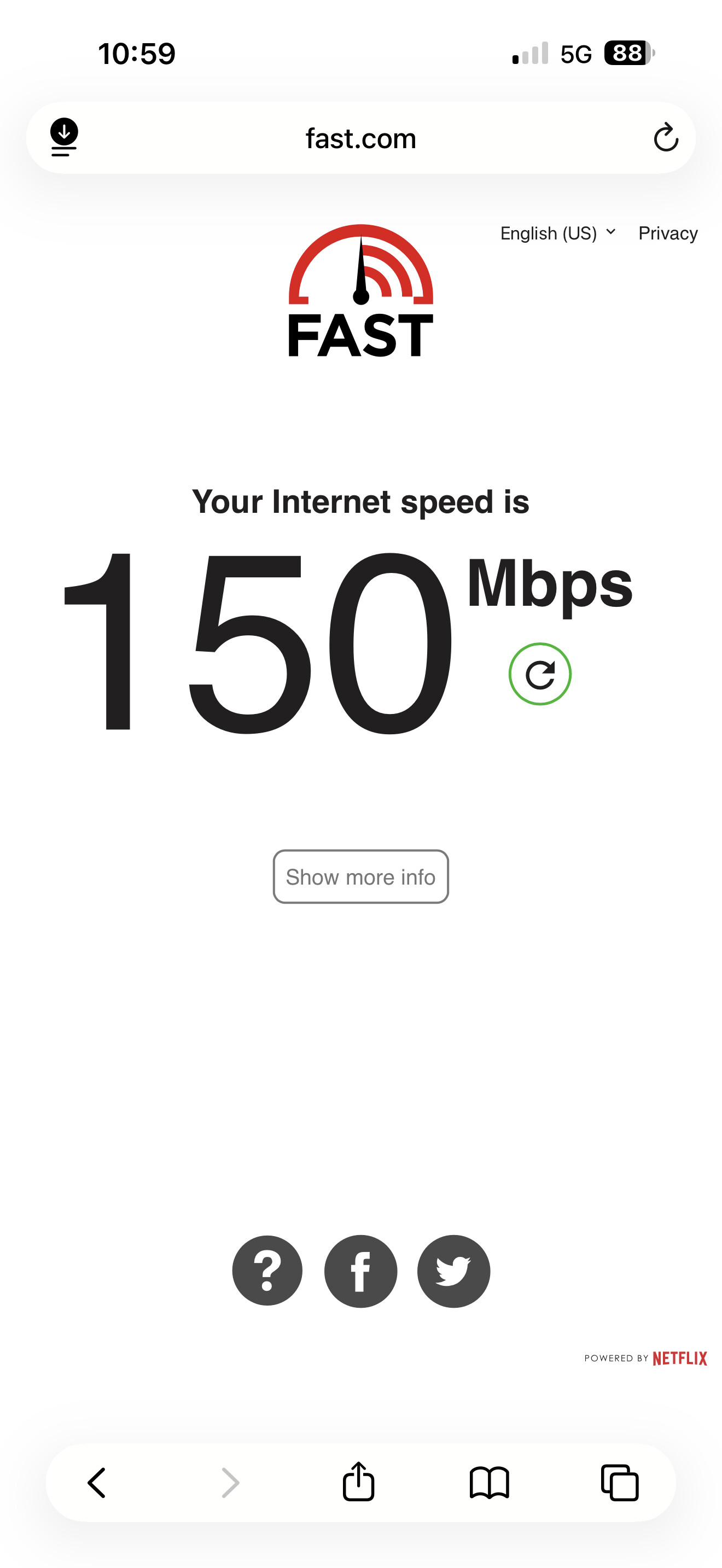
Funny how I can get 150mbps on my iPhone 17 Pro Max

Yet when it works 1.1, and my phone is lower than the Maxview antenna on the roof and both SIMS are unlimited data and highest EE speeds

Try a bootloader reset. Afterwards, update the modems’ firmware. Device and modem firmwares have to be updated separately. Stick with auto APN to get started.

I can’t do the bootloader reset until I’m at home using a desktop PC is that correct?

A Desktop PC or a Laptop with an Ethernet port. Some new laptops sold today don’t have Ethernet ports.

I’m guessing you have checked the antennas sma connections are tightly connected to the router.

Knowing the park where you are staying well in a dip in the landscape, knowing you are behind a substantial embankment between your camper and the two masts i think you should get a connection too, i’m still convinced you’re in a “Not Spot” and the best thing to do to resolve the issue is to move. Happy to be proven wrong, though.

You are in a hole in the landscape with a substantial embankment on the very limit of a 5Mhz B3 band.

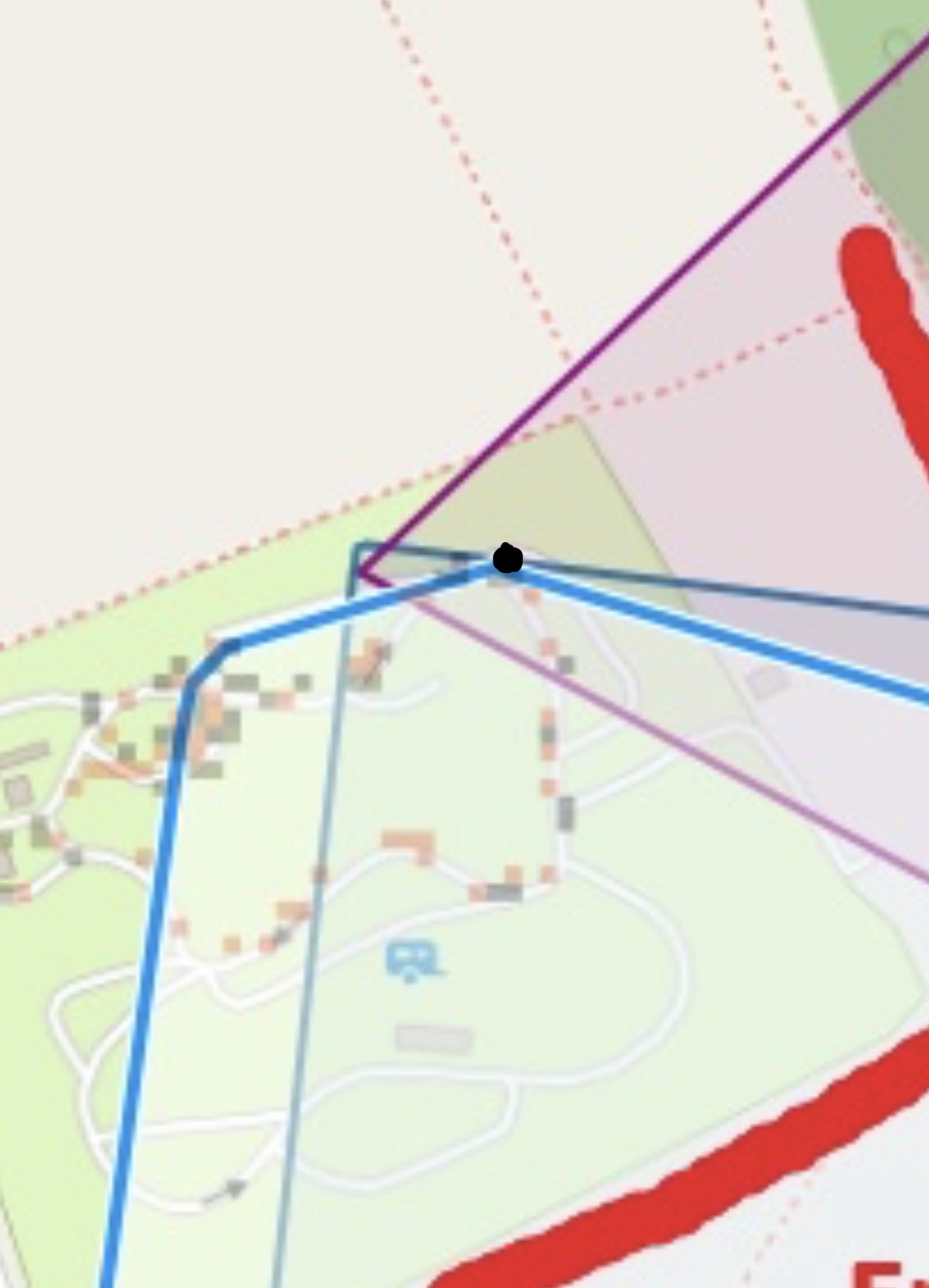
We’re right in that corner with the black dot

In that spot, with that embankment, in that hole, with this weather, right on the limit of a 5Mhz B3, B7 and B20 bands i’d say you’d have no chance.

It’ll be interesting to see what happens when you move.

Please let us know what happens.