Magic
July 14, 2026, 5:06am
1
Hello
I replaced my RUTX11 with RUTC50, but configured from scratch.
One of the WiFi is guest network. I’ve done the setup according to: How to set up a guest WiFi network - Teltonika Networks Wiki
It used to work until first device reboot. My guest clients can connect to the Guest Wifi but do not get any IP. I’ve checked several times my setup, if dhcp is enabled and and.
In the Logs I see the clients connected to Guest Wifi:
FilipGolarz: WiFi client connected: 7A:xx:xx:xx:xx:xx.
On the Device (iphone and laptop) I see the WiFi connection, but no IP assigned.
Default WiFi/LAN works perfectly.
From the logs and Problem I have the same issue as madadmin: Guest wifi: no dhcp fuction after restoring Backup but there is no solution.
So my question: anyone has an idea what could be the reason? It is stock setup + Guest WiFi and
I use the latest stable FW: RUTC_R_00.07.23.7
Thank you for any input!
Greetings,
Apologies for the delayed response.
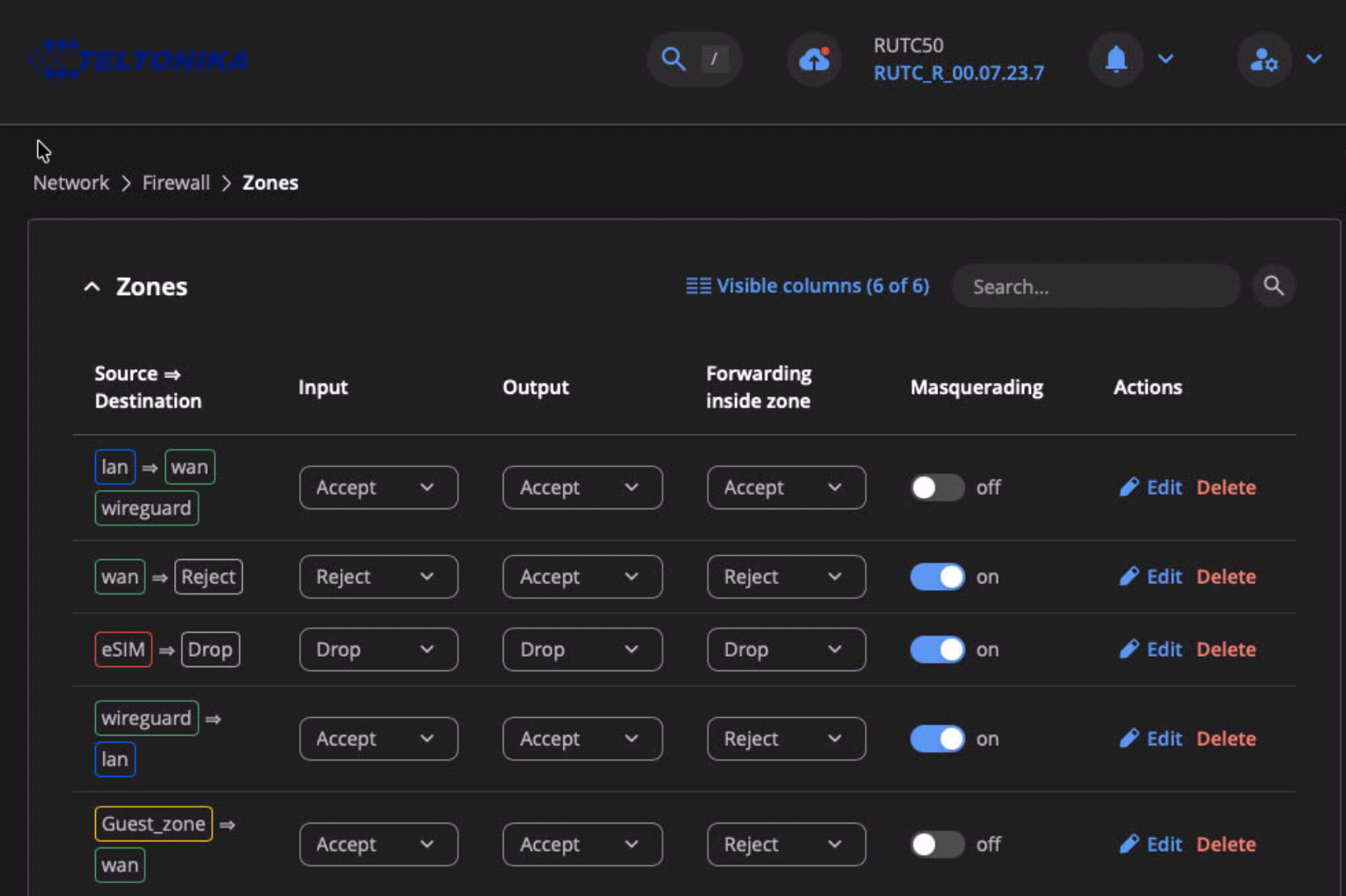
Could you please provide screenshots of the following pages?
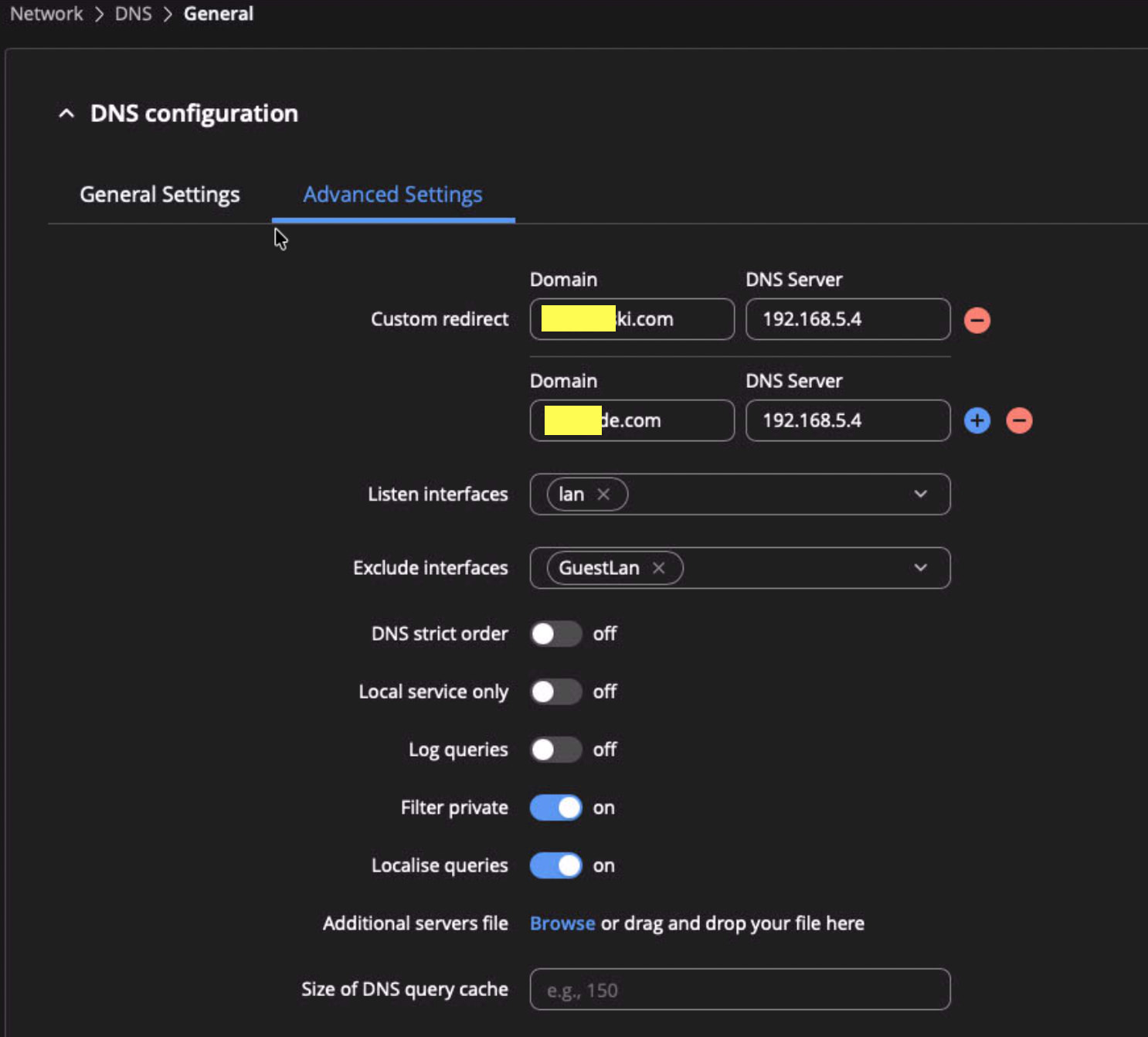
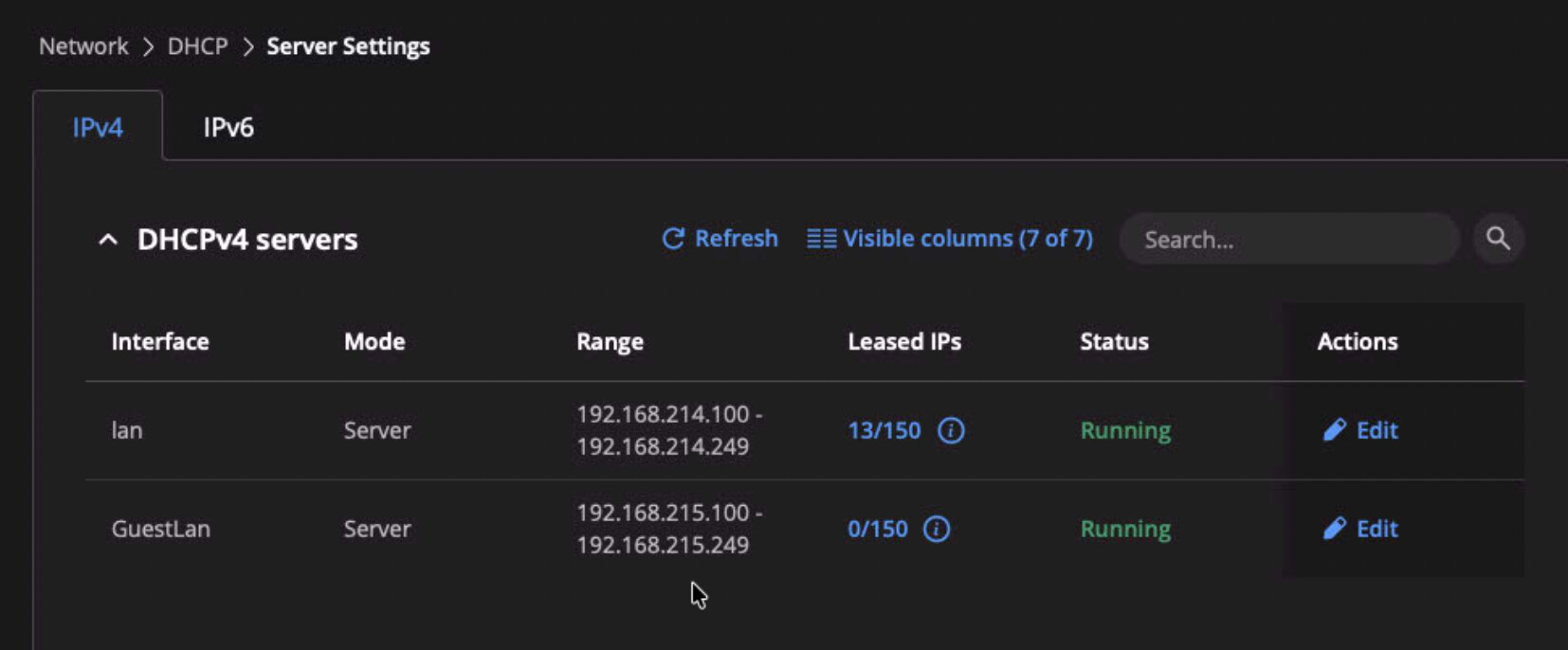
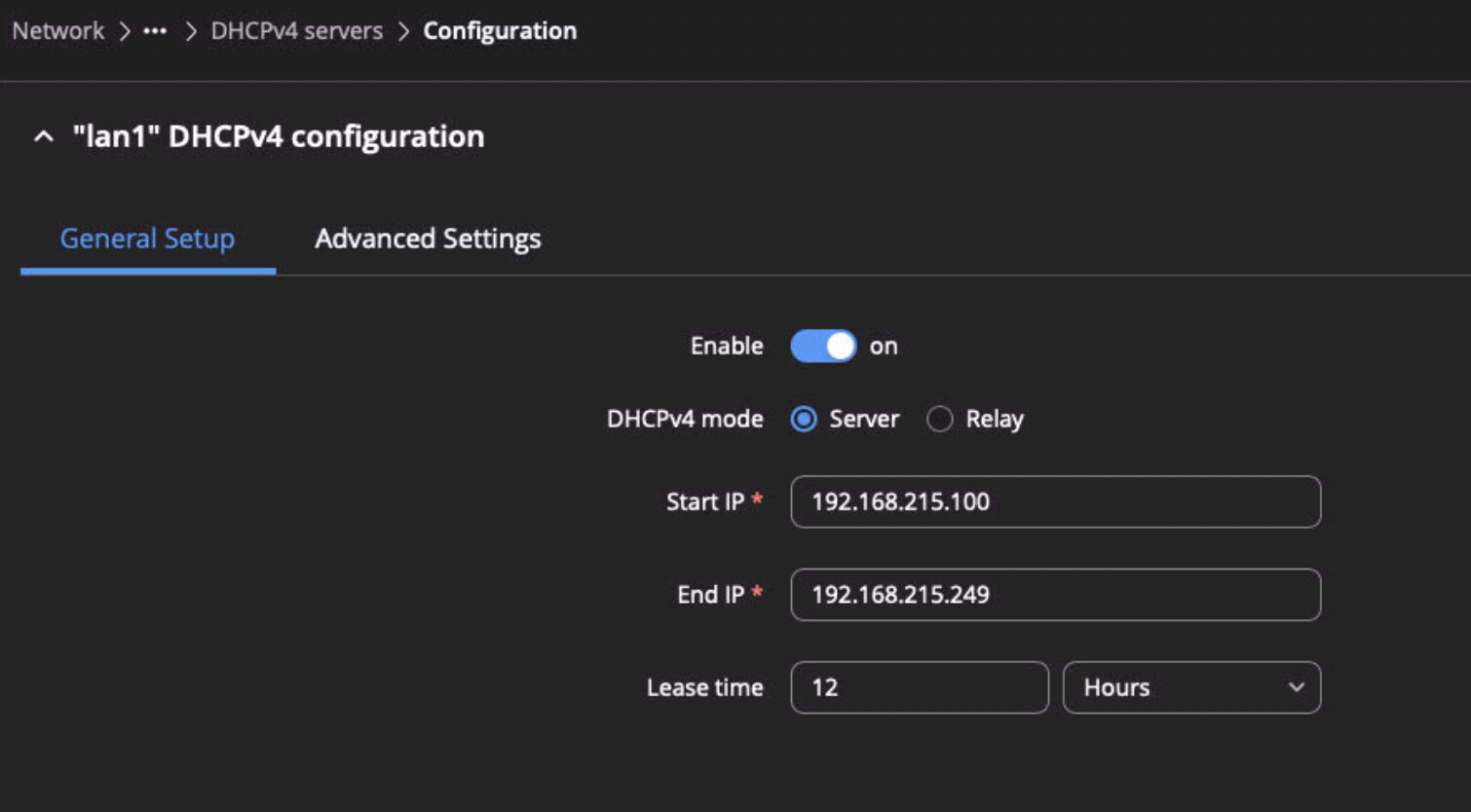
Network → Firewall → Zones Network → DNS → General → Advanced Settings Network → DHCP → Server Settings , specifically, the guest DHCP server configuration
Have you created any custom firewall traffic rules?
Best Regards,
Magic
August 11, 2026, 8:25pm
4
Hi Justinas
Thanks for looking on it.
No, I didn’t created any custom FW rules - just followed the referenced in first post setup guide.
below requested screenshots:
Best regards,
Lukas
Greetings,
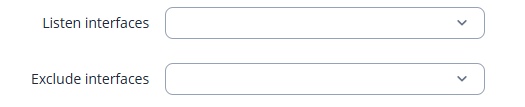
Could you please try removing the LAN and GuestLAN interfaces from both the Listen interfaces and Exclude interfaces fields?
Alternatively, you could add the GuestLAN interface to the Listen interfaces field instead of the Exclude interfaces field.
The Exclude interfaces option prevents DHCP and DNS requests from being listened for on the specified interface.
Please leave both fields empty, as shown in the screenshot below. This will allow both interfaces to listen for DHCP requests:
Best Regards,
Just to clarify, these options are under Network → DNS → General → Advanced Settings