I would like to request a ‘toggle’ in the configuration of the SIM network tab, to be able to not use NR-SA.
Some eSIM and SIM cards don’t allow switching to SA (standalone) and network access may be blocked. It seems possible to do this through AT commands (see below), but it would be great if Teltonika can provide a more robust, user friendly, solution to the issue.
Show current NR disable mode (for reference)
AT+QNWPREFCFG=“nr5g_disable_mode”
Disable SA only, keep NSA enabled
AT+QNWPREFCFG=“nr5g_disable_mode”,1
Force preference to LTE + NR5G (NSA)
AT+QNWPREFCFG=“mode_pref”,LTE:NR5G
Optional: reboot modem to apply cleanly
AT+CFUN=1,1
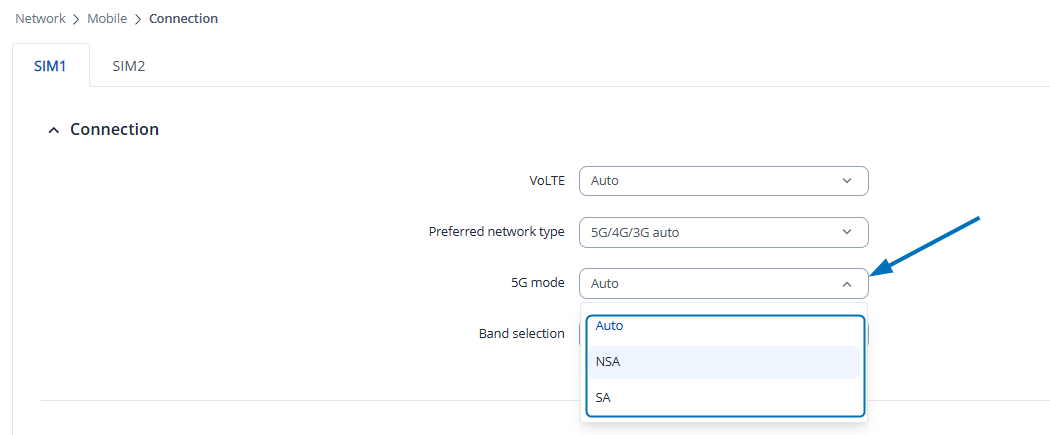
To clarify, you can already specify 5G mode by navigating to Network → Mobile → Connection page and in the 5G mode field, selecting your preferred NR mode: