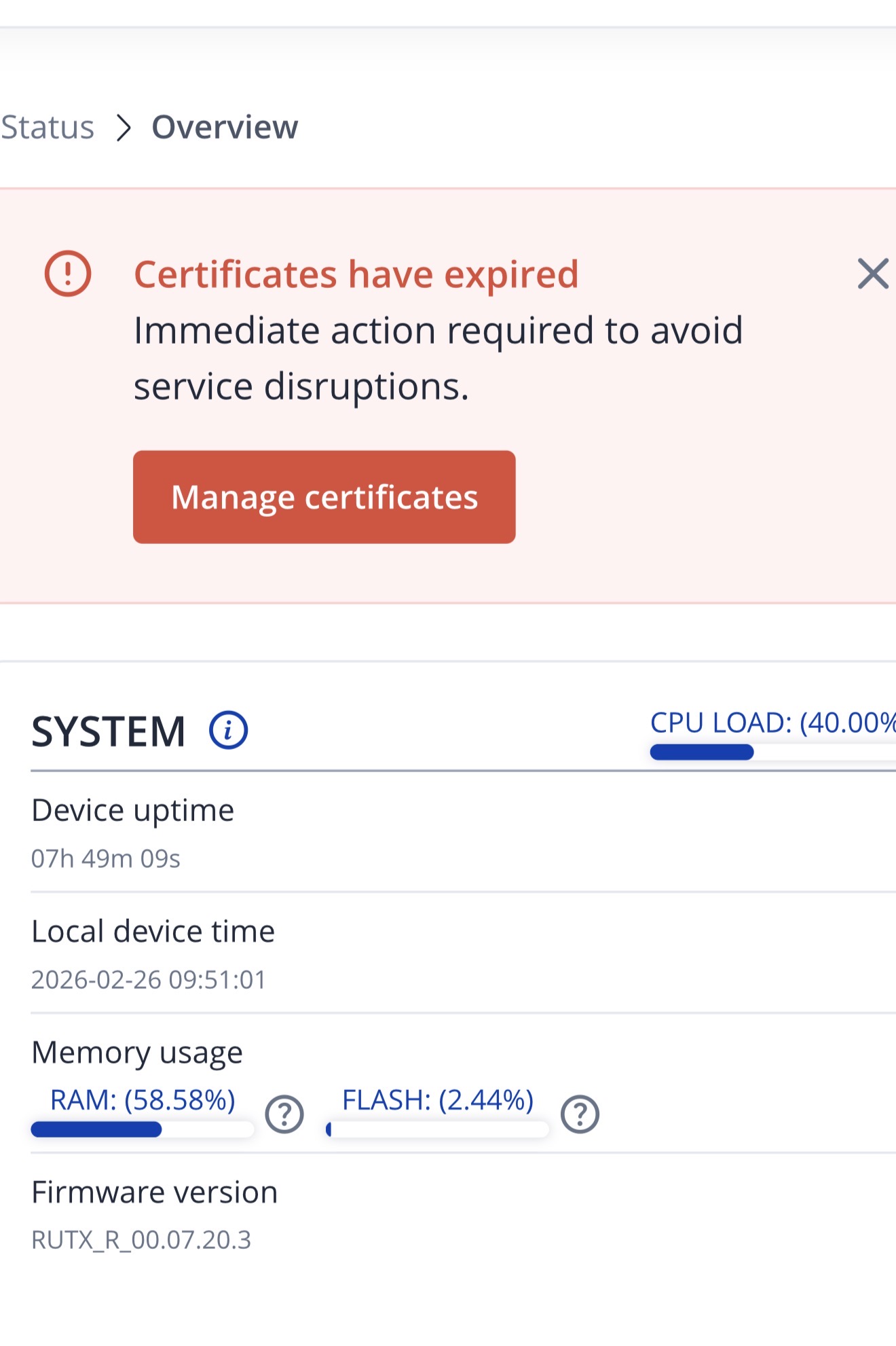
I have an RUTX50. It has already for months expired certificates which I cannot resolve. I expected that at the latest upgrade this should disappear but it is still there. I have search the blogs and found very unclear solutions.
is there a step by step solution to end this nonsense of expired certificates???
I followed the instructions but it’s still there. What I don’t get is the last part of the message is persistent. Go to Advanced and select proceed. No clue where to find that.
For me the outcome is that it doesn’t resolve the problem. The message remains and I have no new expiry date. I have followed the procedure 3 times to no avail.
I also don’t understand the purpose of these certificates. No clue why we can’t put these on a 1000years and forget about it. Even better to skip it completely.
TLS certificates on your Teltonika router serve one main purpose: making sure your router is who it says it is. Without them, someone on the network could intercept your admin traffic or impersonate your device - especially relevant for remote management (RMS) and VPN connections.
As for why they expire: it’s a security safeguard. If a certificate’s private key is ever compromised, expiry limits how long it can be misused. It also ensures your router keeps up with modern encryption standards over time.
We understand certificate renewals can feel like overhead. If you’re managing a fleet of routers, a good middle ground is setting up your own private Certificate Authority (CA) with multi-year certificates (e.g. 5–10 years) — reducing renewal frequency while keeping security intact.
For troubleshooting purposes, we will require more sensitive information from your end, such as the troubleshoot file, which may contain passwords, public IP addresses, serial numbers, and such. To avoid leaking this information, we have sent you a form to fill out, which you will receive in your e-mail inbox that you have registered your account with in the forums. In the Ticket ID field of the form, please enter the ID of this thread, which is 18044.
BTW I have this message already for months. I have tried multiple times to get rid of it but I couldn’t get it done. The RUTX50 is good as long as it is good but if it gets of track then it becomes instantly a huge headache. To update the certificate should be as simple as upgrading the firmware (although I believe that even that can be simpler). I have not seen any impact on the expiry of the certificate. So it didn’t hurt me but every time I log in it’s still there.