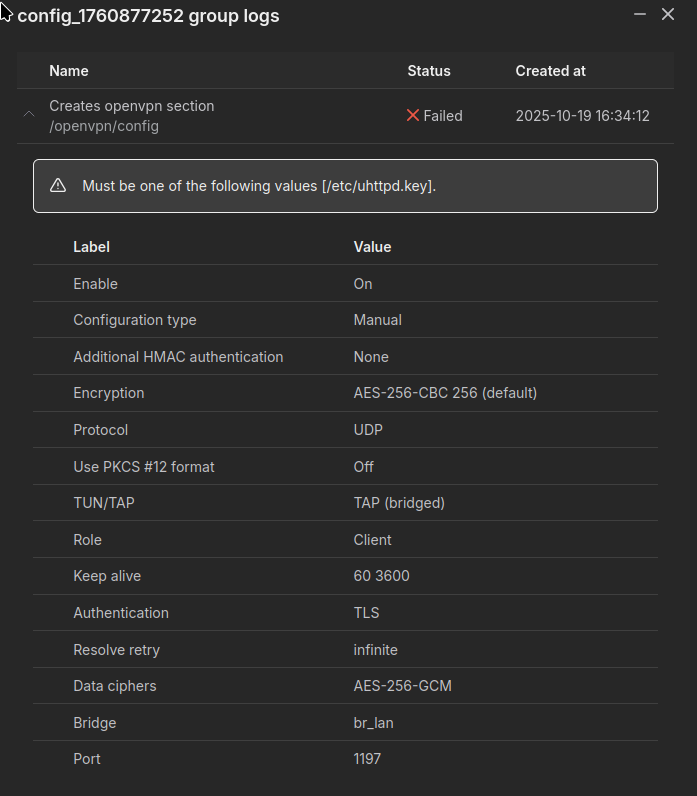
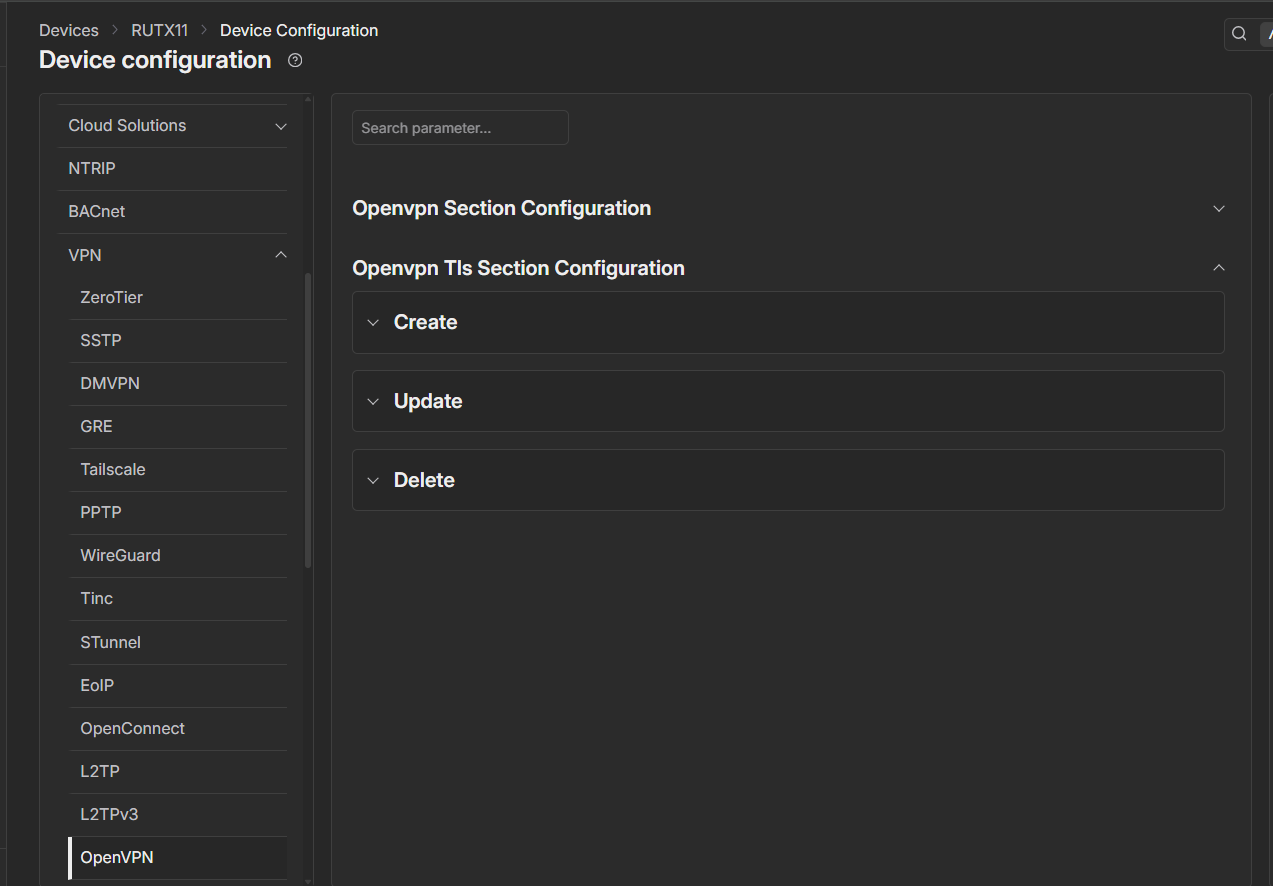
I am trying to configure an OpenVPN connection on a RUTX8 (Firmware 7.17.5) via RMS. This has worked some times yesterday, but I had to go through repeated revolutions while finding out which settings to do to make the tunnel work with my remote. Today, I cannot configure the router with the RMS any more. The connection first times out, and then the configuration fails with “Must be one of the following values [/etc/uhttpd.key]” without any more explanation.
uhttpd.key has something to do with LUCI on regular OpenWRT installation, not with OpenVPN. I guess this is totally unrelated to what I am trying to do.
The error message “Must be one of the following values [/etc/uhttpd.key]” is indeed misleading, and you’re right that it normally relates to the web interface certificate rather than OpenVPN configuration directly. In most reported cases, this happens when the RMS configuration agent encounters a mismatch or corruption in the device’s HTTPS key/certificate parameters while applying a remote configuration — especially after multiple provisioning attempts.
You can try these steps to resolve your issue:
Resync or Re-register the device in RMS
Remove the RUTX8 temporarily from RMS and add it back.
This triggers a fresh key exchange between RMS and the router.
Regenerate HTTPS Certificates Locally
From the router’s WebUI (locally, not via RMS), navigate to
System → Administration → Certificates
Regenerate or reapply the certificate/key pair and save.
Check the OpenVPN Template via RMS VPN Hubs
Instead of pushing configuration through the standard RMS “Device Configuration” tool, set up your VPN using RMS VPN Hubs, which handles certificates and provisioning more cleanly.
The documentation here outlines the correct flow:
Firmware Note
Firmware 7.17.5 is supported, but if the issue persists after the above steps, consider upgrading to the latest 7.18.xx release — several RMS sync bugs related to certificate paths were addressed there.
Let us know if you need help regenerating the HTTPS keys or deploying the connection via VPN Hub — once the certificate mismatch is cleared, OpenVPN provisioning via RMS should behave normally again.
If you need help setting up or troubleshooting the RMS VPN Hub, just let me know, and we can move the conversation to a more secure channel.
Upgrading firmware. That rendered my configuration invalid and I had to patch the downloaded file to be accepted by the new firmware. The problem remained.
Unregistered the device from RMS and re-adopted it by entering serial, mac-address and password. Applied configuration again. The problem remained.
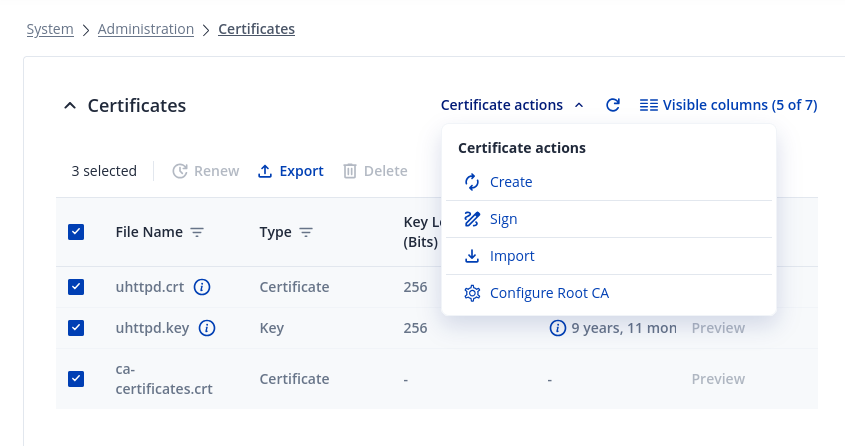
System → Administration → Certificates yields the attached dialog. How would I Regenerate or Reapply a certificate/key pair on that dialog? Am I supposed to select “create” here?
Can I use RMS VPN Hubs when I want the device to connect to my own OpenVPN server? Do I need an additional license for that or is that service available when I just have a RMS Management license?
Thank you for your follow-up and for sharing the steps you’ve already tried.
You can create or import certificates in System → Administration → Certificates by pressing the Create or Import button. Detailed instructions on how to generate or manage certificates can be found here:
This setup will not work because RMS VPN Hub acts as a VPN server itself. It is designed to establish VPN connections between RMS-connected devices through the Teltonika VPN infrastructure, not to external or third-party OpenVPN servers.
If your goal is to connect the RUTX8 to your own OpenVPN server, you’ll have to configure an OpenVPN client interface via the WebUI (or RMS) separately, without using the RMS VPN Hub.
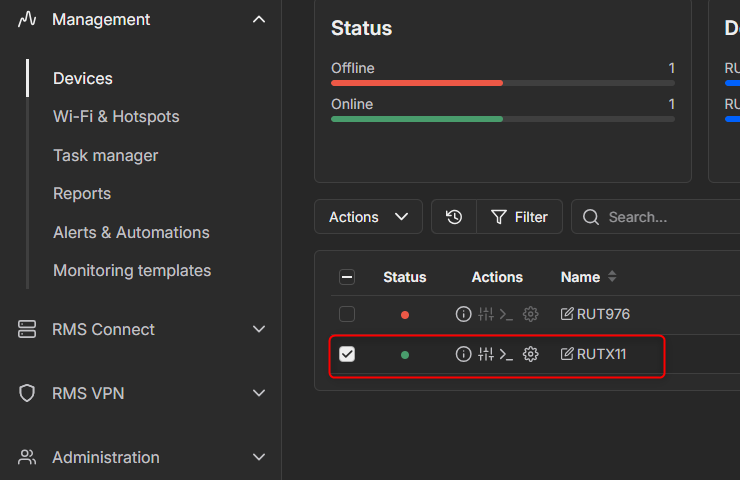
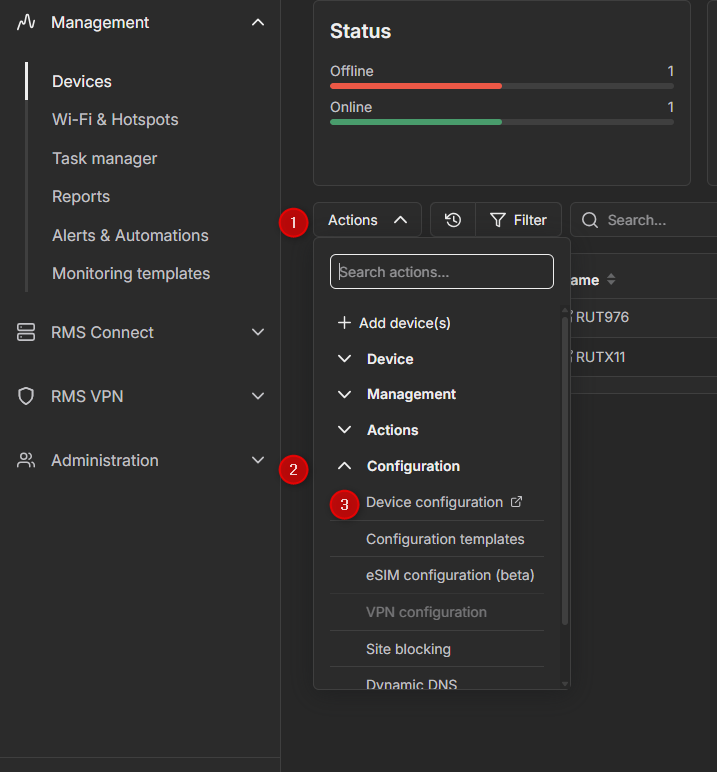
To do so, select the device in RMS, then go to Actions → Configuration → Device Configuration. This will open a page where you can view and edit the device’s configuration remotely.
Just to make sure that we’re still on the same train: I have difficulties applying a new configuration to a router with an error message refering to uhttpd.key (see the screenshot given at the thread start). You are suggesting that I delete and regenerate the key for uhttpd, right? Wouldn’t that lock me out from administration of the device?
This is just a test box and it’s right on my desk, so that wouldn’t be a big issue, but how would I handle this situation in a deployed device in a couple of hundred kilometers distance?
Okay, that’s definetely not what we want to do.
Yes, that’s exactly what I am trying to do and am failing because the device wouldn’t let me apply the VPN configuration any more.
Okay. This is a systematic failure. I have now the very same issue with a second device. There must be something that I am doing wrong, this cannot be an issue with the device.
For troubleshooting purposes, we will require more sensitive information from your end, such as the troubleshoot file, which may contain passwords, public IP addresses, serial numbers, and such. To avoid leaking this information, we have sent you a form to fill out, which you will receive in your e-mail inbox that you have registered your account with in the forums. In the Ticket ID field of the form, please enter the ID of this thread, which is 16032.
Sorry for being stupid and sending an empty form. I expected the next page of the form have an upload button of some kind, but in fact it is a one-page form.
The web interface says “troubleshoot download was successful”, but my browser never receives a file. I guess the download ends up somewhere in the depths of the RMS. And, this router is one of the devices that is behind NAT itself and I thus cannot log in directly.
When I click on submit, I go through the hell of reCAPTCHA and then it just says “thank you for submitting the support form”, probably with having sent an empty form. What am I doing wrong here?
I apologize, but it looks like that in the mean time the machine in question got manually deployed by another person in my organization. I currently cannot reproduce the issue. I will re-try in due time and report back here soon with a new step-by-step description how to reproduce the issue.
As there is no possibility to select a certificate that is already on the device when configuring OpenVPN from the RMS (see Configure OpenVPN Client via RMS when key material is already there - #3 by Justinas ), I am now configuring my OpenVPN connections via WebUI and have thus not encountered this issue any more. I guess this was just a beginner kind of “holding things wrong” and I will revisit this issue once it has become possible to configure an OpenVPN connection via the RMS.