fortel
June 11, 2026, 7:07am
1
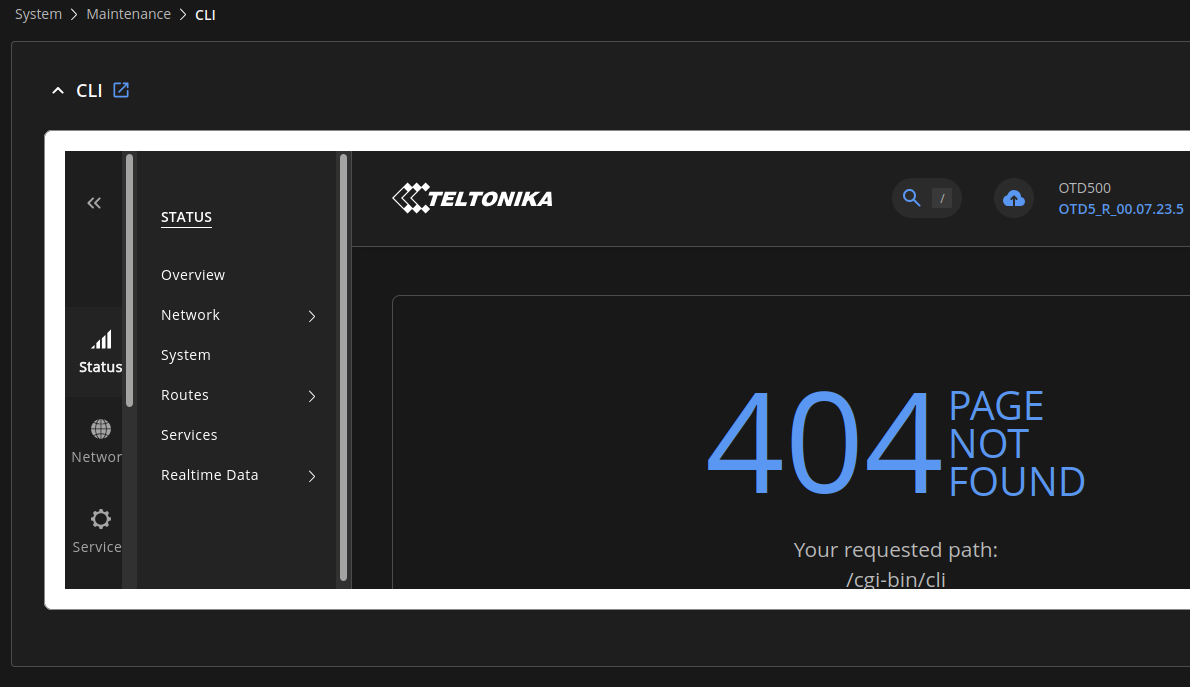
While trying to understand why my speeds are so bad and carrier aggregation is disabled (posted about this problem here: OTD500 modem temperature at 87°C ), I wanted to try some cli commands, but when I open the CLI page it returns 404.
I am using the latest firmware OTD5_R_00.07.23.5.
Thank you.
Hello, @fortel !
Thank you for your post.
Could you please clarify how you are opening the WebUI?
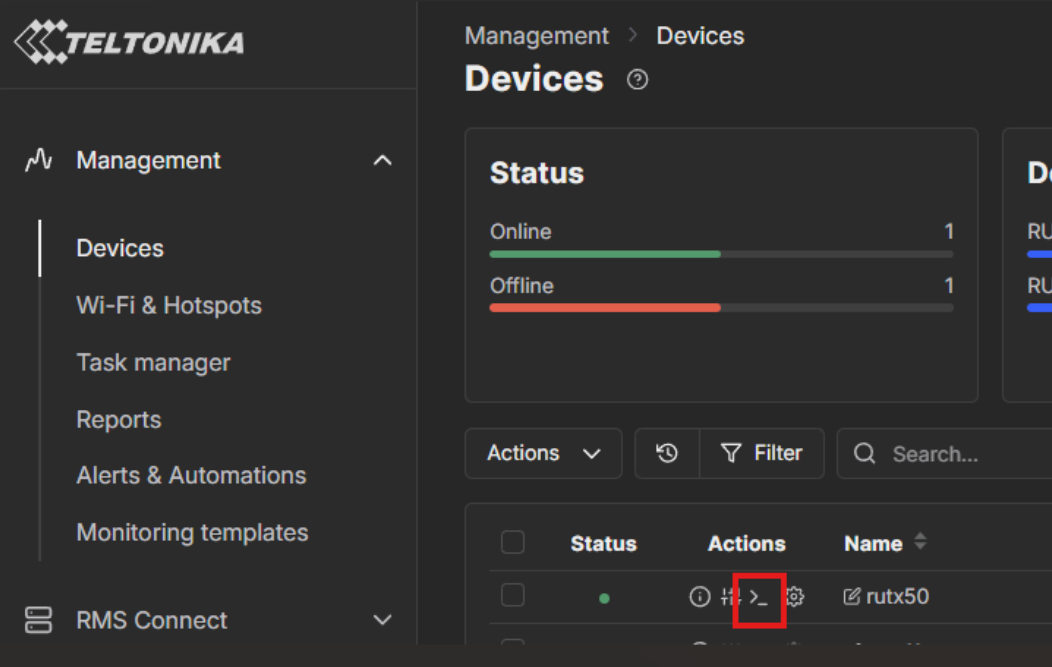
If it is via RMS, please note that you will not be able to access the CLI inside of the WebUI. In this case, we would recommend using the CLI directly in RMS:
If it is directly via the device connected by wireless or Ethernet, please let us know the following:
When did the issue start happening?
Are you able to access the device via command prompt?
When last updating the firmware, did you select “keep settings,” and have you reset the device since then?
Kind regards,
fortel
June 12, 2026, 7:17am
4
I don’t know what RMS is, so probably I’m not using that
I’m accessing the OTD500 by using Firefox directly at the https://router address that I’ve setup for the device with my custom TLS certificate.
To answer your questions:
I don’t know when it started happening, this is the first time I tried the CLI
I tried SSH but port 22 is blocked by the firewall
On every update I select “keep settings” but I’ve never reset the device
I honestly don’t need CLI access, just wanted to try some commands from the wiki, in case I could improve my situation with carrier aggregation.
Hello, @fortel !
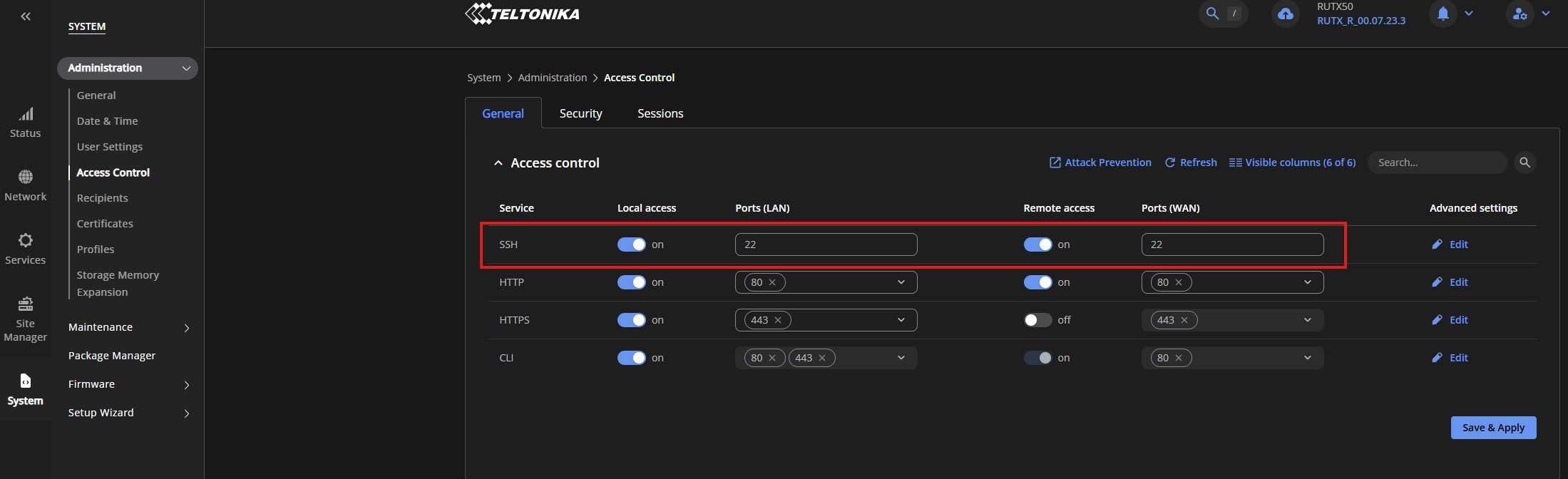
In this case, please try enabling SSH remote access.
You can do so by following these steps:
Please also check if “CLI” is enabled. Once done, click “Save & Apply”. And try accessing the CLI once more.
Kind regards,
fortel
June 12, 2026, 11:23am
6
That was it, SSH and CLI access are disabled in the above menu.
Thank you!!
Hello!
Happy to have been of help!
Let us know if there is anything else we can help with!
Kind regards,