Hi I want to buy RMS Credits but don’t own an company.
In the portal I have to type in a company name and must fill out the VAT field, which says its optional.
How can i proceed with these issues?
Best regards Jan


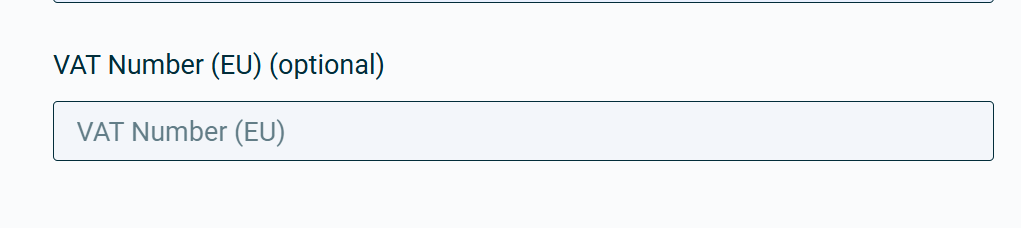
tried different adresses, companies, real VAT numbers from DEXXXXXXXXX Germany and payment methods - nothing worked. Seems like there is a error at the vendors website checkout process at the moment.
Are you in contact with https://instantbuyrms.com/ ?
Same problem. I guess they don’t want to have sales…
1 Like
Greetings, Jan S.,
Thank you for your message.
Please note that instantbuyrms.com is a third-party reseller and is not affiliated with Teltonika. As such, we have no direct control over their website or purchasing process.
You can try creating an RMS user account and setting up a company within the system. When purchasing credits, enter your company’s name — since VAT is listed as optional, you should be able to complete the transaction.
If this still doesn’t work, we recommend contacting the reseller directly or choosing an alternative partner. You can find a list of official RMS credit resellers here:
I hope this helps!
Kind regards,
V.
Thanks for the reply, I thought that this is the “official” reseller as it is linked via the Teltonika webpage. Found a reseller I Germany “Jacob" and wait now for recieving the license.
Thanks for the reply, I’ve bought the 10 year pack but cannot acces my device. It says 1 Pack but 0 credits. Don’t get it how to acivate the pack for the device to administrate it from remote. Think at this point I’d need some help for sure.
Somehow i’ve managed it to apply the package to the device, next is that the OTD500 doesn’t connect to the RMS. See here OTD500 RMS doesn't connect to the Device
Greetings, Jan.S,
Thank you for your message,
I am glad that you were able to activate this package, however, for the future references to the other forum users here’s a step-by-step guide on how to activate a management pack.
After activating the management code, you need to enable its service.
Select the desired device → Device → Set pack → Then Select pack → click Save.
You should be able manage the router afterwards.
Regarding the other thread that you have linked, we will review and respond to it as soon as possible.
Best regards,
V.
1 Like
This topic was automatically closed 2 days after the last reply. New replies are no longer allowed.