I would like to setup a VPN connection with a BACnet device over RMS VPN using the BBMD Package.
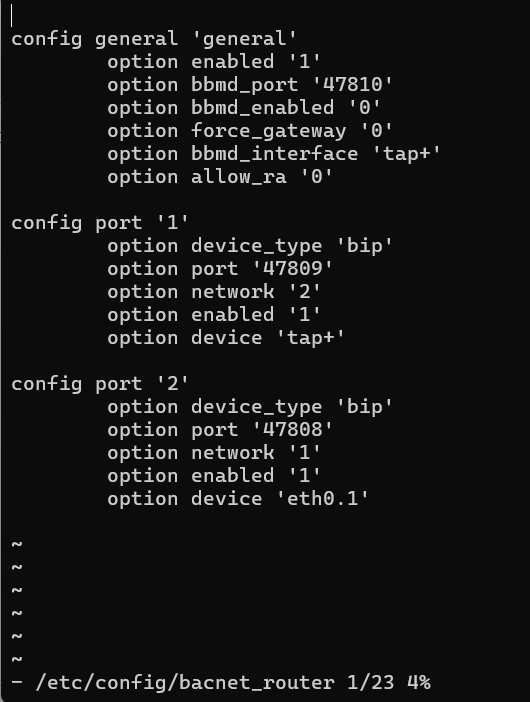
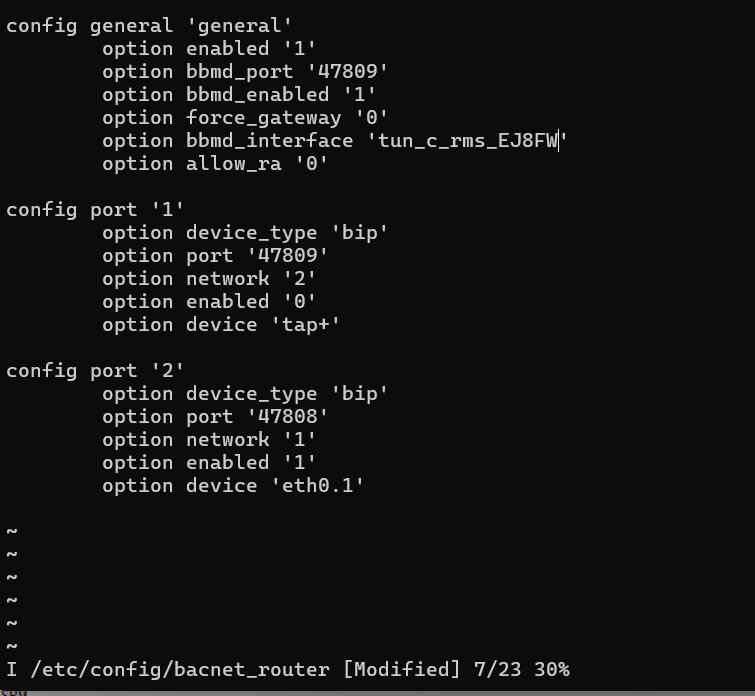
I’m using RUT241 thats connected to RMS and has a VPN hub, i’ve setup the routing correctly such that i can see the BACnet device when i connect using teltonika RMS VPN application. I’ve also tried to configure BBMD such that it forwards udp packets to a local network.
config port ‘1’
option device_type ‘bip’
option enabled ‘1’
option port ‘47808’
option network ‘1’
option device ‘br-lan’
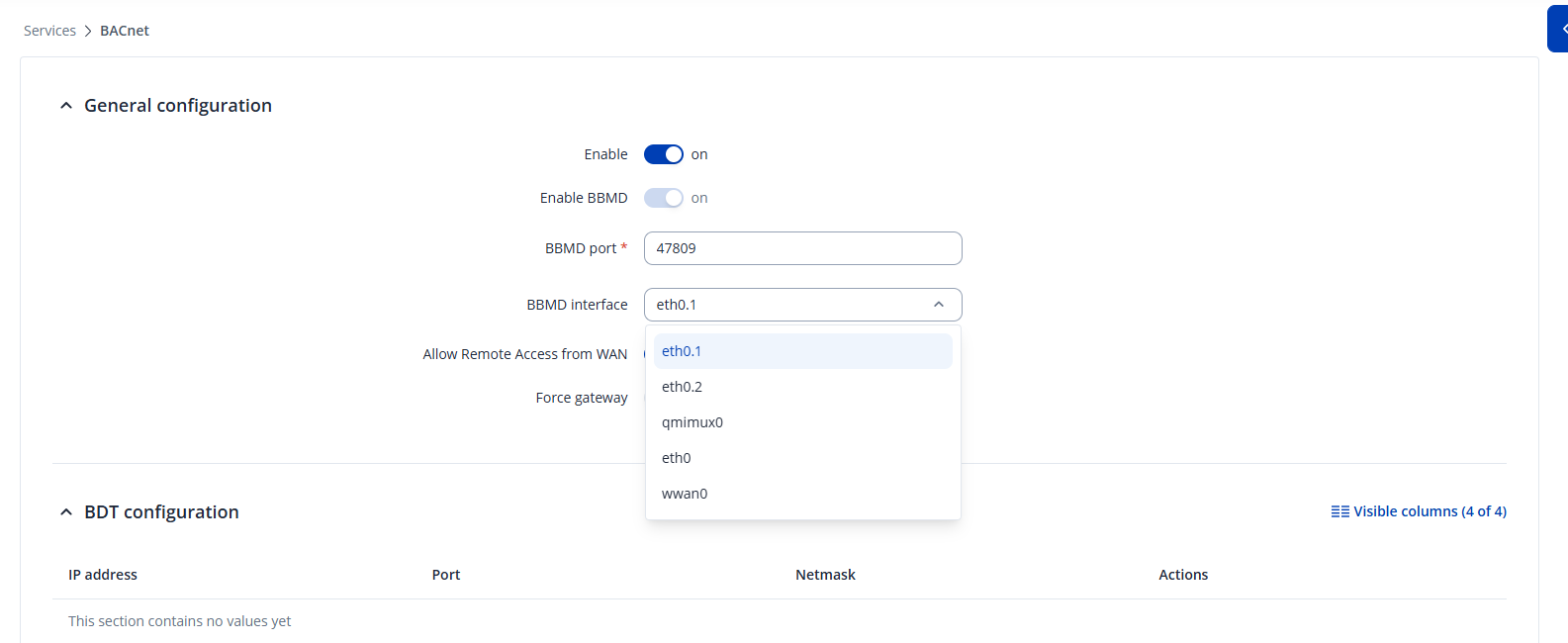
Note that i had to change the config through ssh because the web ui doesn’t show the tunnel interface.
I’ve been using service bacnet_router restart command to apply this config.
i also don’t want to enable a FDT function on the plc itself because we are testing the rms as a way to enable remote connections to existing sites without the need to reconfigure the plcs there.
I can’t register the teltonika as a foreign device pointing to its VPN ip adress, despite the fact that running tcpdump on tunnel interface shows that the packets are recived and there’s response from teltonika, YABE logs show Receive Register as Foreign Device Response.
Could you assist me in troubleshooting this? Not sure if i’m misunderstanding something about BACnet overall or with specific teltonika configuration. Happy to provide more details if needed
using those configs i can connect to a Bacnet Device Simulator from SCADA thats running in local network thats connected to eth0.1
But i can’t connect to a siemens PXC100-E-D using the BACnet Router package. Only way is to use the udp broadcast relay package with command udp-broadcast-relay 1 47808 eth0.1 tap+
Using Wireshark i was able to find out that the packets are properly distribiuted by bmmd over vpn but the pxc doesn’t respond.
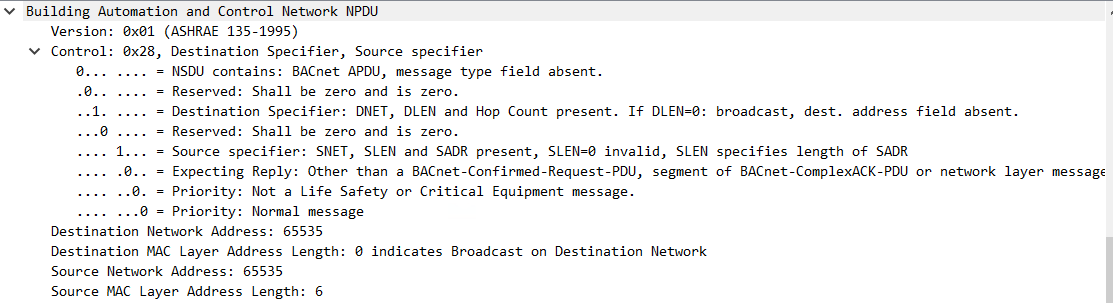
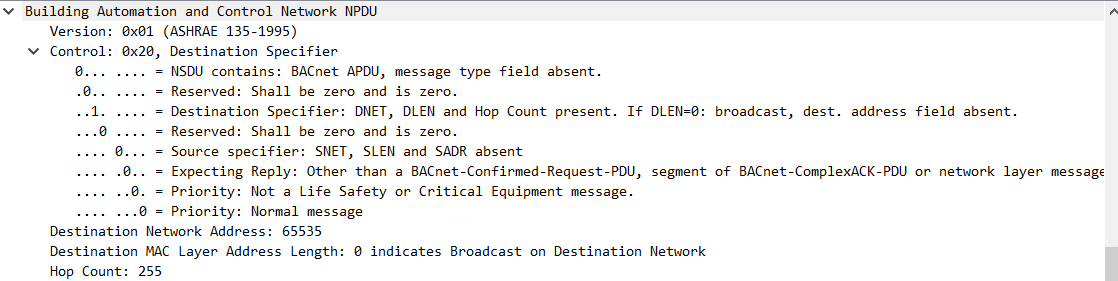
I’ve also installed YABE on a local network and i can see the PXC but the who-Is packets are diffrent
Packet from teltonika(example shown here is over bbmd, when using only bacnet router function the source network address is one configured in bip, for example for my config of TAP vpn the source network address would show 2):
I suspect that’s something to do with the fact that in case of PXC100.E-D the “who-is” request is answered over the BBMD back to the requester. You can see better explantion here : Siemens SiePortal There’s a pdf at the bottom called VPN_connection.
Regarding the interface not showing in web ui problem :
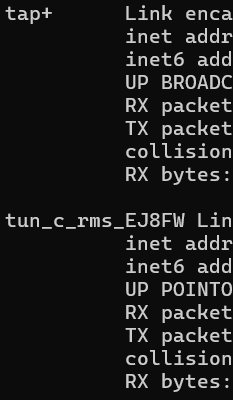
The web ui doesn’t show tap+ and tun interfaces that are created for the purpose of vpn connections, and are visible through ifconfig or ip a on the teltonika:
After all this i would like to say that the openvpn tunnels are up and running, i was using them to connect to a VM on the local network with RDP for the whole time i was testing
Will the BACnet package support older devices that can’t send unicast messages directly to sender? Or is there a configuration to resolve this ?
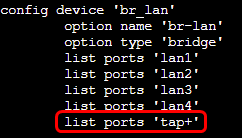
When you configure TAP mode in RMS, you must edit the /etc/config/network configuration file. Specifically under the br-lan device options, manually add this line list ports ‘tap+’
You can use vim editor, so execute the command vi /etc/config/network , then press Insert or the letter “I” on your keyboard, you will be able to edit the file. To save, press ESC , write :wq , and press ENTER
It works! I had to change the ip of OpenVPN TAP-Windows6 adapter to one from the local network, but i have layer 2 connectivity, i can see all the PLCs and ARPs so there shouldn’t be any problems. Thank you.