I am trying to backup and restore a RUT956 on an identical device. It fails. I then tried to restore a backup on the device it was taken from, it also fails.
I checked Backup Restore = Fail , it is not an extension problem (.tar.gz.tar vs tar.gz).
I tried backing up locally (over ethernet) or via RMS. No joy. I tried uploading backup to RMS (succeeded) but cannot figure out how to apply it to device.
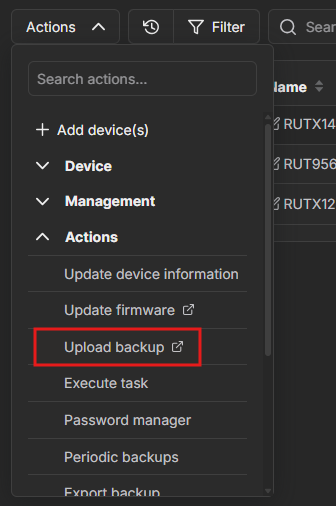
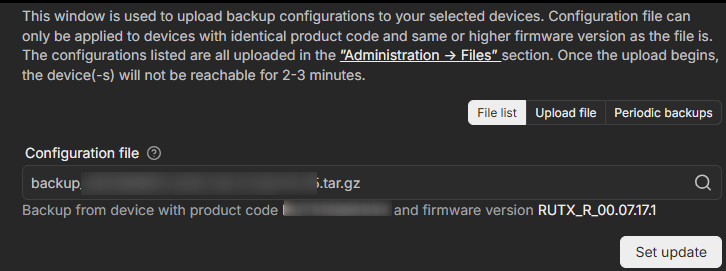
To apply the backup to a device through RMS, please follow these steps:
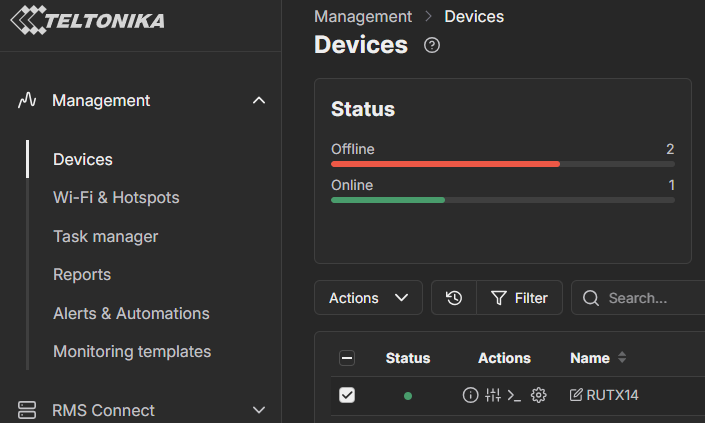
Go to Management → Devices and select the device you want to apply the backup to.
We would have to investigate why these issues occur when uploading the backup via WebUI. For troubleshooting purposes, we will require more sensitive information from your end, such as the troubleshoot file and the backup file, which may contain passwords, public IP addresses, serial numbers, and such. To avoid leaking this information, we have sent you a form to fill out, which you will receive in your e-mail inbox that you have registered your account with in the forums. In the Ticket ID field of the form, please enter the ID of this thread, which is 16044.
Strangely, another backup from another device type (rut956 … a00 (North America) instead of 500 (global)) worked fine (from a00 to a00). I will try another time between global devices. thanks