Hi,
I’ve a RUTX50 and the connection to my traccar server stopped working 6 days ago. The last successful status: online in my log on the server says also the time where the last successful connect was and when the next was status: unknown. But in the router logs there is nothing what is connected to that, only normal WiFi connection stuff from clients.
Since then I also upgraded from 7.16.3 to 7.17.4 two days later. Did also another reboot today a I first noticed that the router didn’t have a GPS fix. But after the reboot GPS was okay, but the connection to my server still doesn’t work. Tried hostname and the IP in case there’s a DNS issue.
I’ve a prepaid Telia SIM here in Sweden. Which was inserted and switched to two days before it stopped working. So that can’t be the case either.
I can ping the host from the router cli and don’t have anymore clues yet. The port on the server is open, I checked that with nmap from my notebook, which is connected to the routers wifi.
Greets
Hendrik
Hello,
Thank you for reaching out.
Could you please clarify where the Traccar server is located? Is it on the LAN of the RUTX or externally on the WAN side?
If it is on the WAN side, could you confirm with your operator whether they might be blocking traffic to the AVL server’s port?
For troubleshooting:
- Could you try changing the Traccar server port (e.g., to the commonly used 5050) and update the setting accordingly in the AVL configuration on the router?
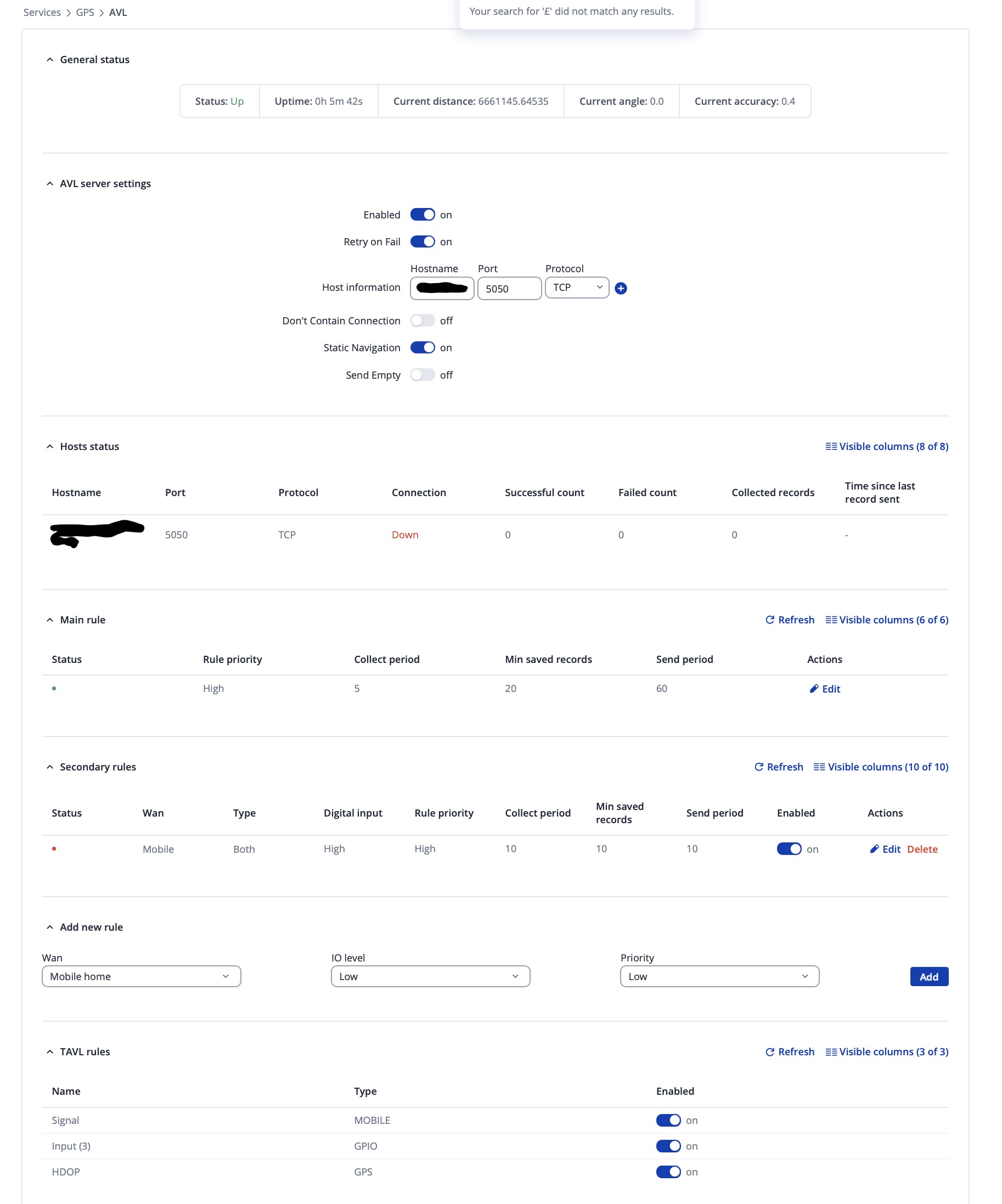
- Could you provide a full screenshot of your AVL configuration page (with any private or sensitive information hidden)?
- Are there any logs visible on the Traccar server side when the router attempts to connect?
- Does restarting AVL service (
/etc/init.d/avl restart) changes anything?
Best regards,
Hi,
it’s on the WAN side. I can reach the server port from my notebook wich is on the LAN side of the router. So the provider isn’t blocking it. It also worked for nearly 2 days on the new provider before it stopped working.
I changed the Teltonika protocol port to 5050 on the server and on the AVL configuration in the router. Also restarted AVL, it doesn’t work.
I ran a tcpdump on the server to see anything coming in on port 5050, but nothing. BUT when I tried a nc 5050 from the router cli I saw that in the dump. So the router can reach the server:port without problems but it seems it doesn’t even try it by itself.
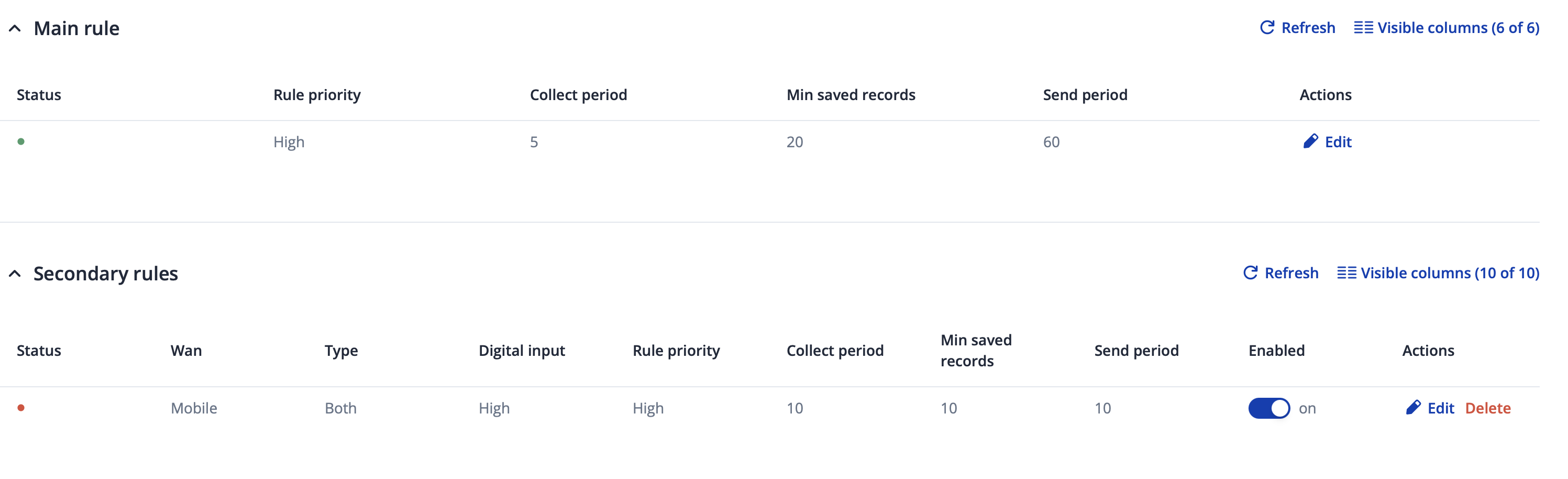
Here is the screenshot:
Greets
Hendrik
Hello Hendrik,
Thank you for your prompt update.
For testing purposes, could you try disabling the Static Navigation option and see if that makes any difference?
Best regards,
Hi Martynas,
yes, when I turned off static navigation, the router connects to the server. But shouldn’t it have sent the stored data to the server then also? I’m still missing all the data since the 18th.
Kind regards
Hendrik
Further I can only test if now the connection also works with static navigation on when we are driving again in a few days. I really would like this feature be on, because we are staying at places for some days and I doesn’t want to generate unnecessary data.
Thank you for your update and providing additional information.
If I understood correctly, the device was stationary and didn’t move during these days, which caused it to stop collecting GPS data and therefore not send anything to your server. In this case, once the device is moving again, you could enable Static Navigation or alternatively adjust the main AVL rule parameters for data collection to lower values.
In short, when Static Navigation is enabled and the device is not moving, no data will be transmitted and a connection to your Traccar AVL server won’t be established.
Best regards,
No, you misunderstood me. I know that this options work this way. We were moving after the 18th. The Tracking stoppen when we arrived at our spot at the 18th and then didn’t start again when we drove the next 3 times. That data is missing, is that data not stored in the flash and only in RAM? Then it would be clear that it is lost, because I rebooted the router several times since then for troubleshooting.
I meant that I can only check if the tracking starts again when we are going to drive again, probably on Saturday. I will report then.
Greets
Hendrik
Hello,
Thank you for your correction, and apologies for my misunderstanding earlier.
Could it be that the router did not have an internet connection at the time you arrived at your spot and during the following trips?
As far as I know, AVL data is not stored permanently in memory, it is only kept temporarily and sent once the minimum saved records or the defined sending period is reached. Only NMEA sentences can be stored in flash or RAM.
In your case, please let me know whether the AVL data starts being sent again to your Traccar server once you begin driving. Additionally, you could try adjusting the main AVL rule parameters to gather data a bit more sensitively, for example, lowering the minimum distance, angle, or accuracy thresholds slightly, to see if that improves sending behavior.
Best regards,
Hi,
no, the router had connections on all places we arrived and probably all the time, apart from maybe occasional dead spots, during the drives.
I’l try altering the settings. But it had worked fine with the standard settings since we started our journey in December last year, first with the RUT955 and since February with the RUTX50.
When we drive again, probably tomorrow, I will report if it’s working again or not.
Kind regards
Hendrik
Okay, we drove today and the tracking seems to work again after all that reboots & stuff. Also with static navigation turned on. The connection even stays up now after not moving for 20 minutes.
It would only be interesting why it stopped working in the first place?
Regards
Hendrik
Hello,
Thank you for the update. It’s good to hear that tracking is working again and the connection to your Tracar server remains stable.
It’s unfortunately difficult to determine in retrospect why the data transmission or connection to the AVL server was interrupted, especially since the router itself had internet access the whole time. One possible explanation/guess could be that the Traccar server was undergoing maintenance at that moment, and after several unsuccessful retries, the connection was eventually dropped.
If the issue no longer persists, shall we go ahead and mark this thread as solved/closed?
Best regards,
Hi,
yes you can close the topic.
Kind regards
Hendrik