Zerotier-cli: missing port and zerotier-one.port not found in /var/lib/zerotier-one

Hello, I have bought fresh TRB140 and now I can’t configure zerotier.

When I try to execute “zerotier-cli info” command I always get message like this:

zerotier-cli: missing port and zerotier-one.port not found in /var/lib/zerotier-one

I have tried restore factory settings but nothing helps.

FW: TRB1_R_00.07.18.1

Hi, @Megaball

I test the 7.18.1 at RUTX12 and same issue here.

------------------------------------

 Teltonika RUTX series 2025

------------------------------------

Device: RUTX12

Kernel: 6.6.96

Firmware: RUTX_R_00.07.18.1

Build: c77b994fe14

Build date: 2025-10-09 06:41:42

------------------------------------

root@RUTX12:~# zerotier-cli info

zerotier-cli: missing port and zerotier-one.port not found in /var/lib/zerotier-one

root@RUTX12:~# netstat -na | grep 9993

tcp 0 0 0.0.0.0:9993 0.0.0.0:* LISTEN

tcp 0 0 :::9993 :::* LISTEN

udp 0 0 192.168.212.19:9993 0.0.0.0:*

udp 0 0 192.168.13.1:9993 0.0.0.0:*

udp 0 0 fdec:654f:5ce1::1:9993 :::*

root@RUTX12:~#

Greetings,

The issue seems to be present on our end as well, I’ll go ahead and register this issue for our R&D to investigate.

Thank you,
M.

Hi,

i have this problem too.

It does seem to connect to the network, but i can’t ping it from an other device in the network. Can I conclude that zerotier isn’t working at all then? So it is not just the cli which is not working ?

BR,

Harm

Hi there,

ZeroTier still works just as expected, it’s just that particular command that doesn’t seem to give any information, we’ve tested this a few times and can confirm.

If something doesn’t work from your end, it could require you to double-check the configuration, and after any changes, make sure to re-connect to the VPN via the ZeroTier application.

Regards,
M.

Hello,

@harm , @Marcelo.Barros & @Megaball

The fix for this issue is going to be released (or at least is planned to be released) with the firmware version 7.19 as the R&D said. I am able to send you guys a test firmware version privately for you to install & test out if you wish, kindly let me know. If this isn’t something that is neccessary for you to have at this given moment, I’d recommend waiting for the firmware to be released officially, of course, there’s no ETA as of now, but since we’re already on 7.18.1 it shouldn’t be too long of a wait.

Regards,
M.

1 Like

Hi, Matas.

Thank you for your message.

I can wait for the version 7.19.

Regards, Barros

Hi Matas,

Thanks for the offer. But since I knew zerotier itself was still working I was able to find the problem without the CLI. So I will wait for the official update as well.

Thanks again,

Harm

I just tried to install and run zerotier and no luck. Same error

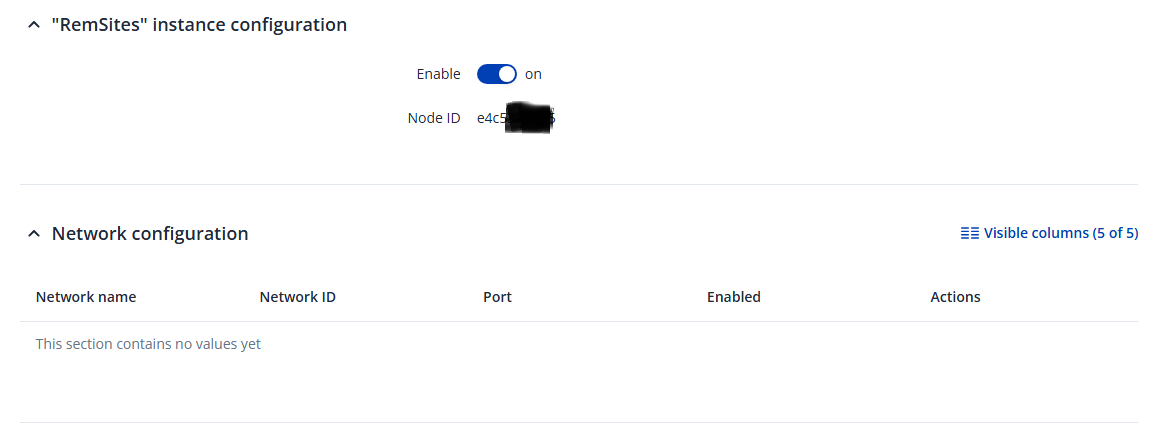
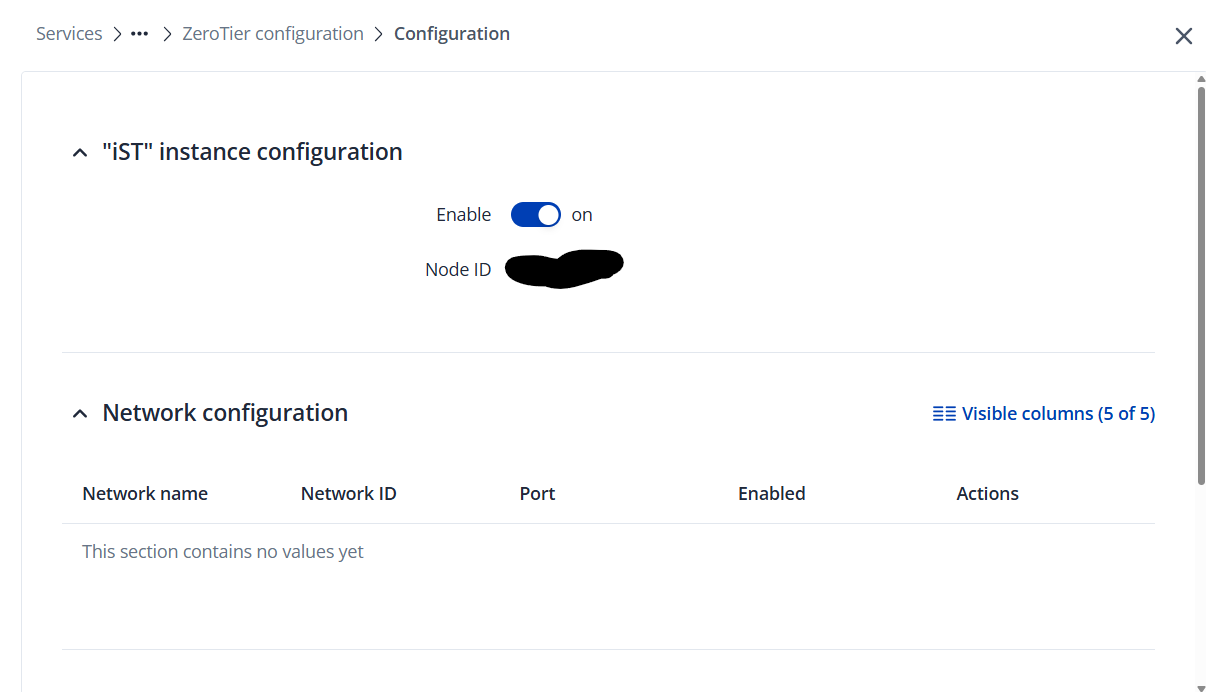
The configuration page only displays Enable toggle and Node ID.
None of the other configs that appear in the wiki are present.

Hi there,

Thanks for reporting. I’ve reached out to the R&D.

Regards,
M.

Hi, @jalonsom

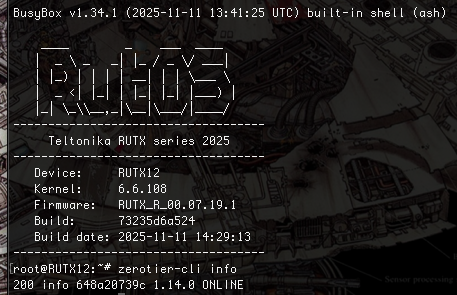
With RUTX12 (07.19.1) it is working…

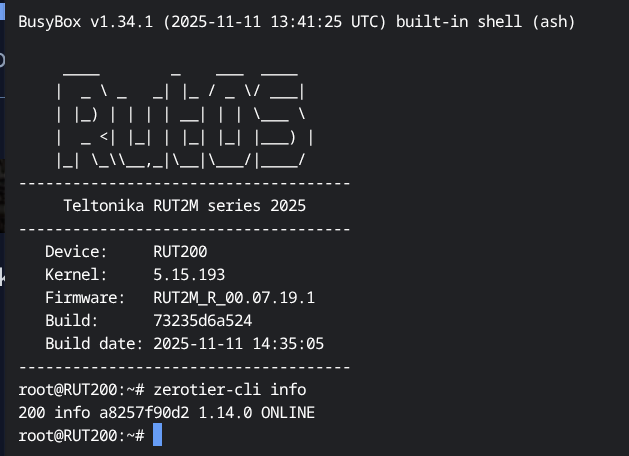
I have a RUT200 at my lab… I will check with it…

updating…

Working with RUT200

@Marcelo.Barros Thanks for the reply and the testing!

Not sure what could be the reason for that.

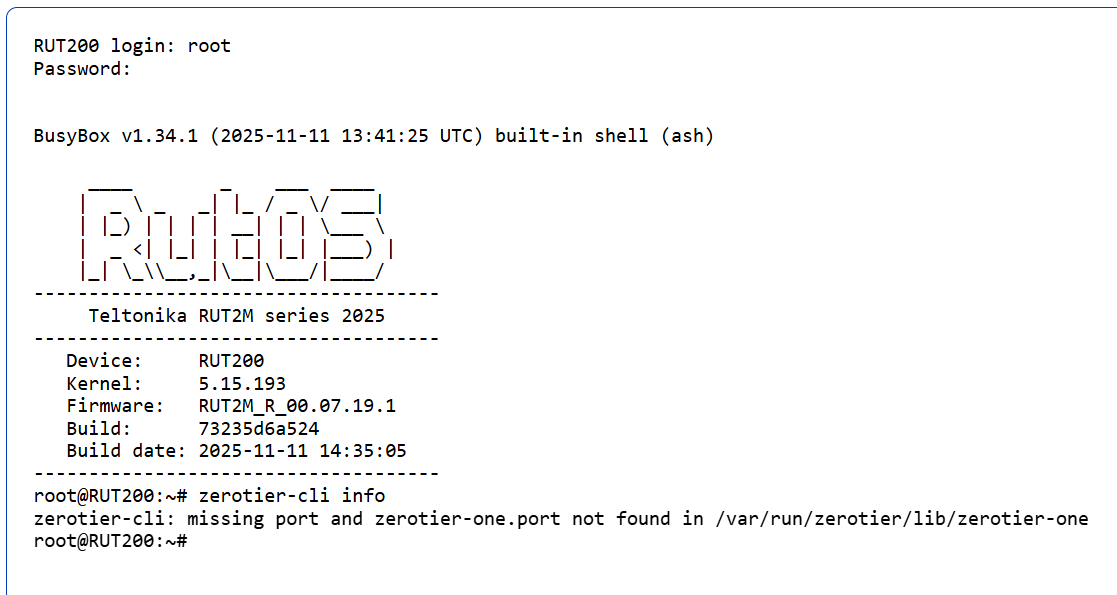
I started with a RUT200 with factory reset. I only installed the Zerotier package, and when I add an instance in Zerotier, I get missing parameters in the configuration as shown in my previous screenshot.

Will try again and report. Maybe the problem is only with fresh install.

Regards.

I too am having the same issue.
The router is able to be assigned an instance node ID and be authorized in Zerotier central.

However the details other than the device ID are not visible or editable in the Router configuration page for Zerotier VPN.

Nor does it show a last active time on the Zerotier central.

Regards

MarkR

Hi guys,

This is a bit odd since I wasn’t able to recreate this issue in 2 separate scenarios:

  1. Going from the version where the issue was present to a version where the issue was fixed
  2. Factory resetting and having the latest (7.19.2) version installed

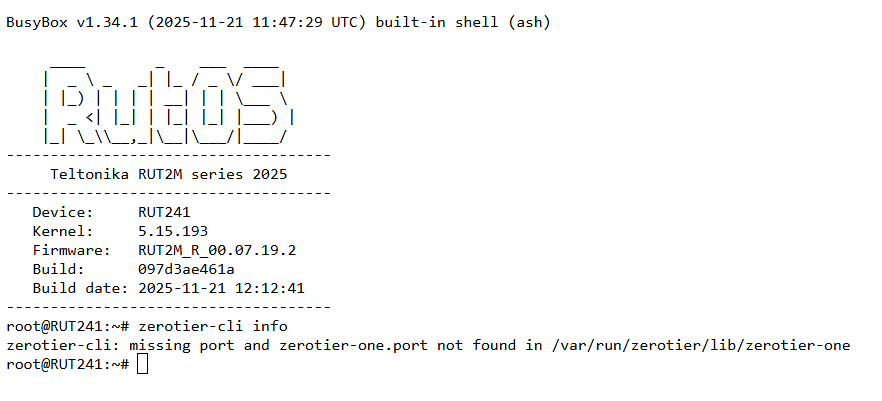
I’m in contact with our R&D at the moment and will be waiting for further responses to see what we can do about this.

Thank you for your patience,
M.

1 Like

Hello, @MarkR and @jalonsom ,

I’ve sent both of you a form to fill out (you’ll receive it in your email inbox). The reason for that is because I’ll need both of your troubleshoot files from your devices during different scenarios so I could forward these to the R&D.

@MarkR please use the “Ticket ID” 15945-5
@jalonsom please use the “Ticket ID” 15945-6
Thank you,
M.

Thanks for the interest.
I have re-flashed the unit with the latest firmware and deleted all configuration for a fresh start and now it workd fine.

Regards and thanks again for the support.

1 Like

Thanks for clarifying!

@MarkR , could you confirm whether this approach works for you as well?

Regards,
M.

Matas,

Thanks for the support.

I have in fact been able to move on from my issue. I was omitting an “Add” step in the setup.

I have since been able to complete the configuration of the Zerotier VPN set up.

Unfortunately, it has become evident that the new pricing structure of Zerotier does not allow for multiple subnets within the free subscription.

Only a flat single subnet.

I appreciate the support offered.

Regards

MarkR

Hi, @MarkR

Maybe, because my zerotier signature is old… but it is a free subscription and still allow me to manage many subnets.

This topic was automatically closed after 60 days. New replies are no longer allowed.