The datasheet for the RUT956 says it supports WPA2-Enterprise in the Wi-Fi security section. (Same on the datasheet for the RUTX10.)
In the Admin UI, when the device is in “Access Point” mode, “WPA2-EAP” is indeed available as an option under “Wireless Security”.
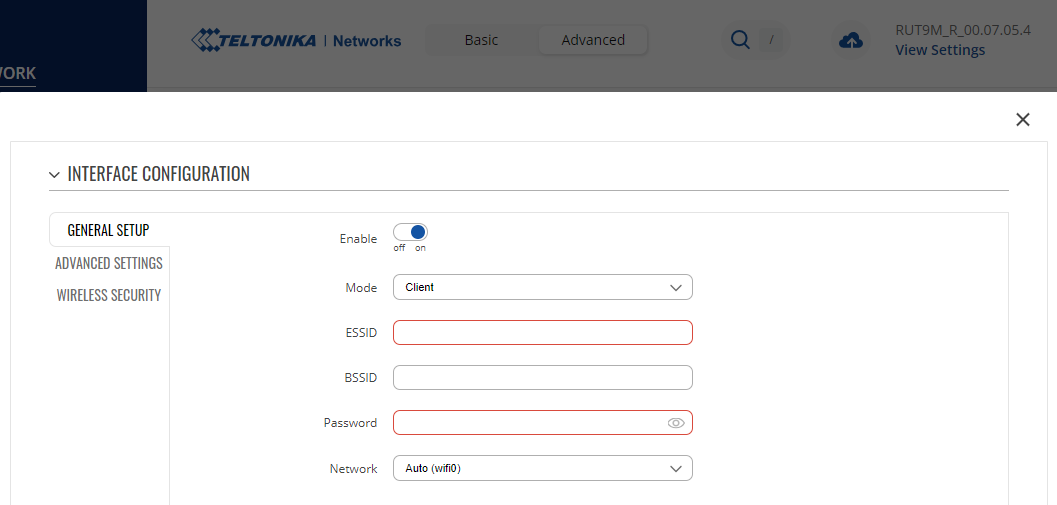
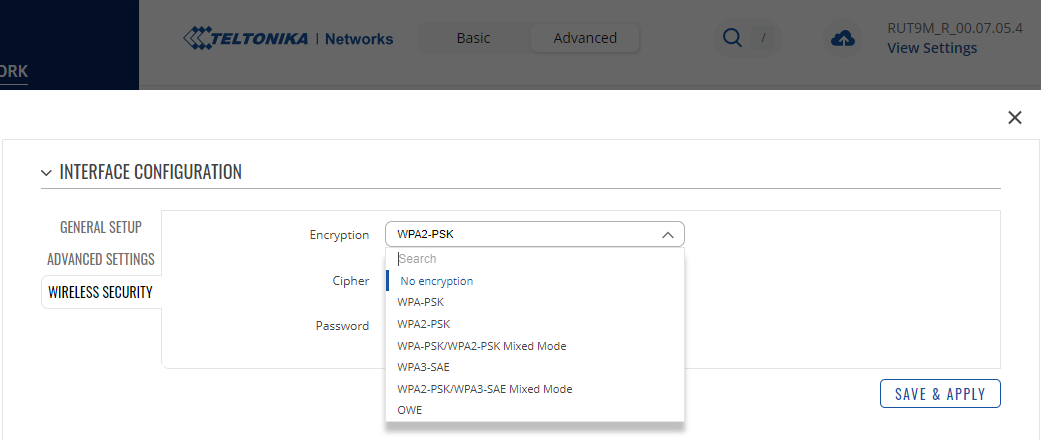
However, this doesn’t seem to be available when “Client” (i.e. STA) mode is configured.
Does the RUT956 (or RUTX10) support connecting to third-party access point using WPA2-EAP?
Can it be done from the UI? Alternatively, can it be done by editing /etc/config/wireless?
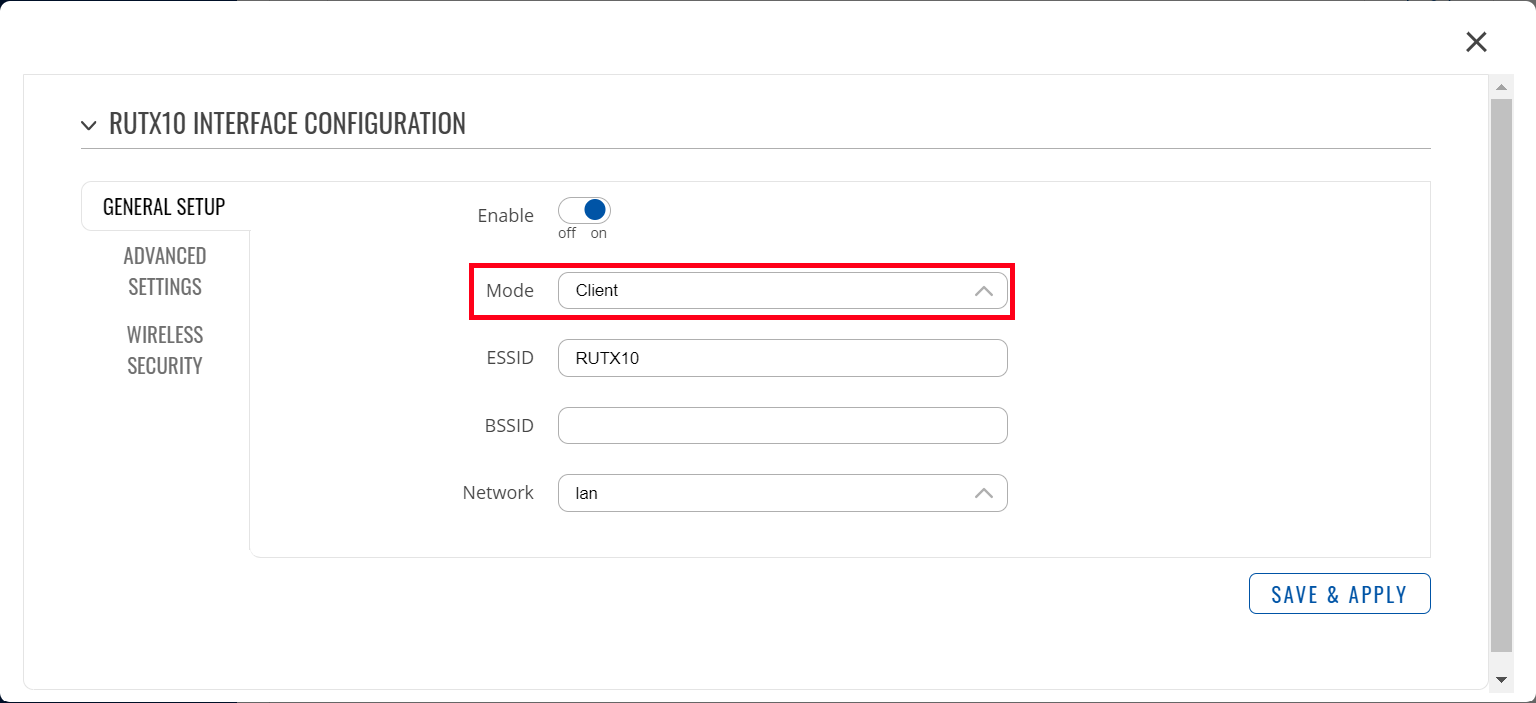
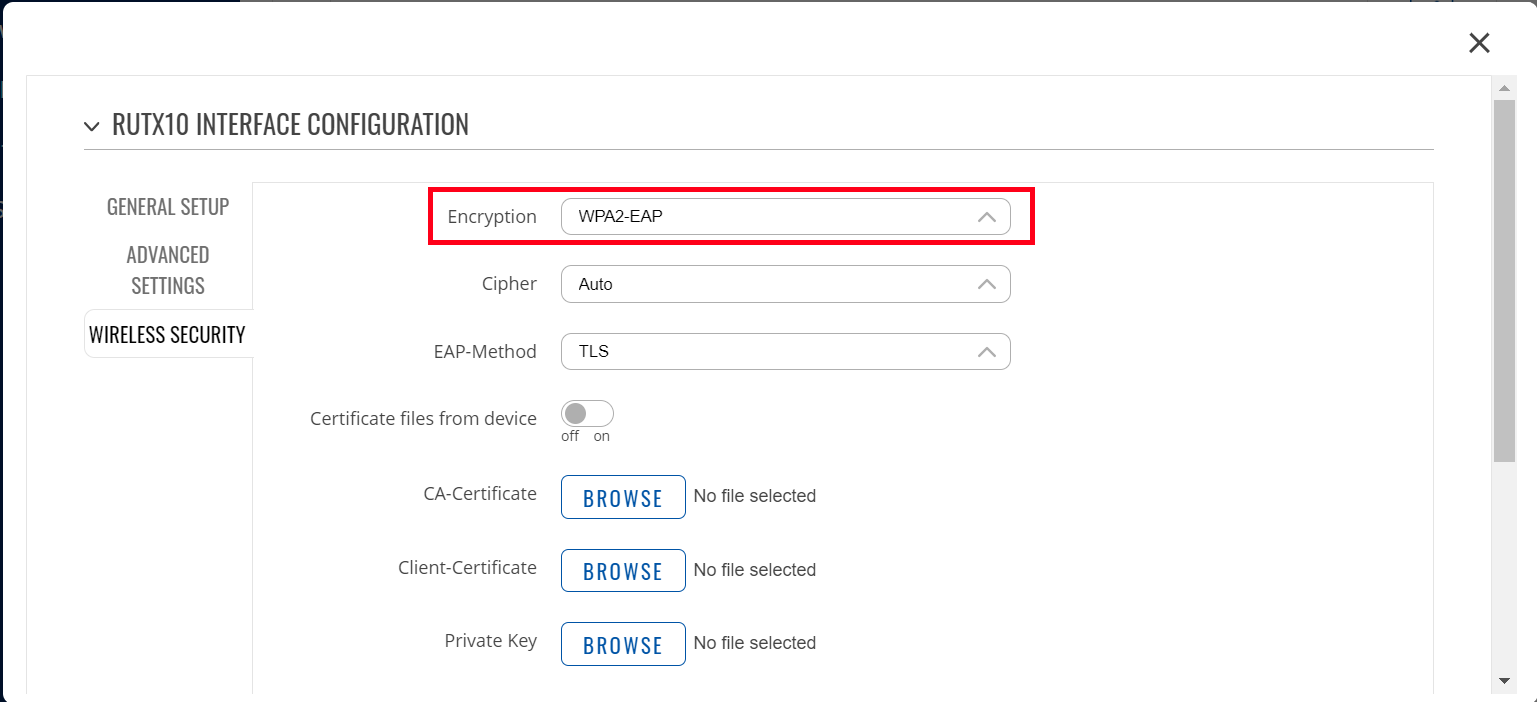
for RUT956 and RUTX10 support for WPA2-EAP in Client mode. For example, I attached a picture related to the configurations in the RUTX10 for Wireless configuration:
“Fixed client connection to EAP Wireless network” is listed in the release notes for RUT9M_R_00.07.05, but that’s visibly not the case for RUT9M_R_00.07.05.4.
Hello @Alam, the forum says “This topic will automatically close in 3 days.”, but it still hasn’t been answered. Would you mind the screenshots I’ve attached in my reply?
I apologize for the late response and continuing my previous response, I will update some information related to it. Regarding the WPA2-EAP option not being available in the Client mode, there are currently some devices that do not support EAP in Client mode, one of which is RUT956. We are still working on updating the wireless driver and hopefully this feature will come with it.