I couldn`t see the PLC at first on the RUT241 which was weird.
Adding a static route on the UI of the RUT241, did fix that and I can now see it and ping it successfully via the diagnostics on the UI of the RUT241.
I setup a VPN with my user, a device (the RUT241) and I can now scan for devices and see the PLC. (192.168.1.200)
I Run the teltonika RMS VPN tool and get the VPN running etc. But i cannot use the programming software to connect to the PLC and i can`t successfully ping the device?
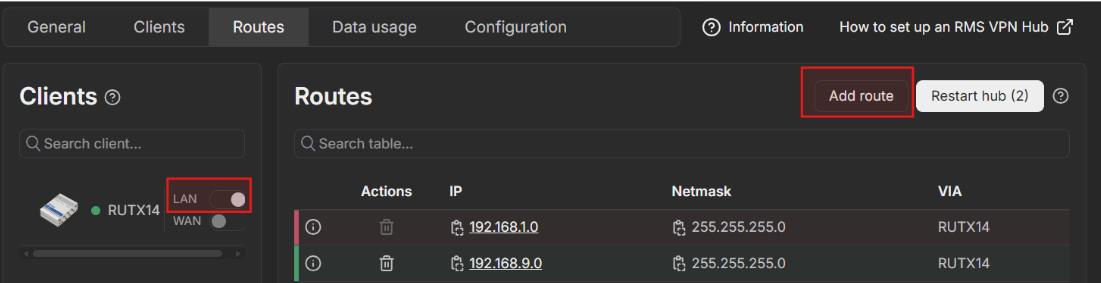
Have you enabled LAN forwarding and added a static route to the VPN hub? You can do this by navigating to Routes and clicking the buttons shown in the image below.
A static route for the entire subnet would look like the example shown below. If you only want to route traffic to a specific IP address, use the 255.255.255.255 netmask.