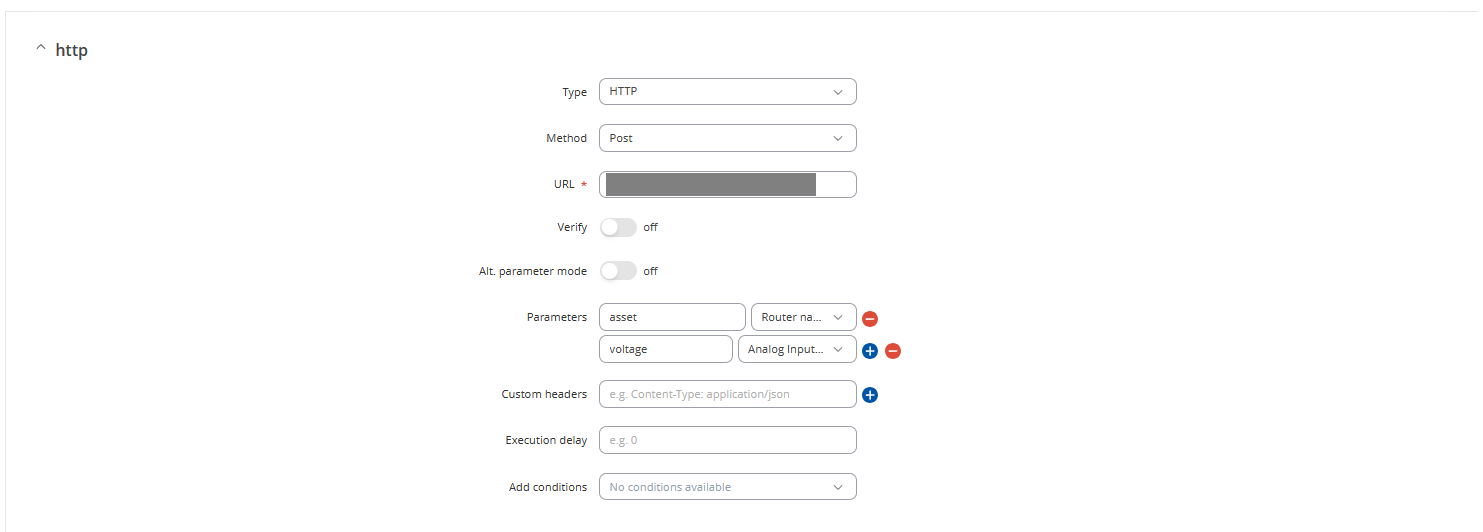
based on your case, the first thing you need to do is you need to use the POST method action in the I/O juggler to send your voltage data, not use GET method action. After the voltage data is sent, you can use the GET method by leveraging the API application. I suggest you test the GET method in the Postman application.
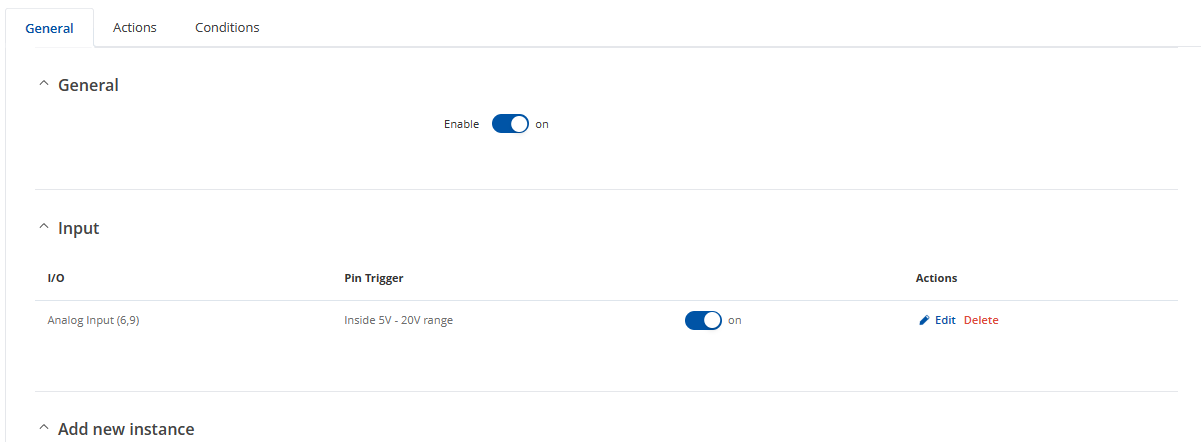
If the above procedure still does not resolve the issue, please send me a screenshot of the I/O juggler configuration details so we can check in more detail for this case.
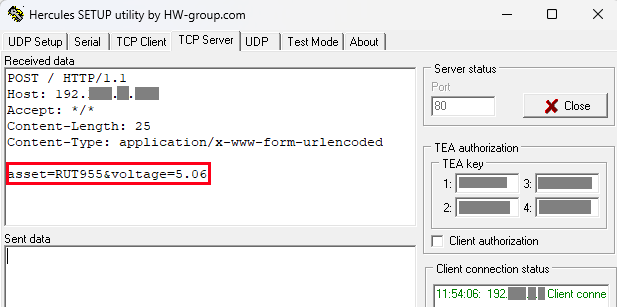
please ensure your script has been set up properly to receive the POST method from RUT955 since I have tried to replicate your scenario in my lab, and the POST method ran well. You can try to use the Hercules application to ensure your RUT955 can post the HTTP request. The following is my configuration on the RUT955:
thanks for the reply. The post script does work, I tested this via a separate web form with two text field inputs. when submitted the post script writes the two variables into a Text file.
I have checked all my access logs on the web server and do not see any attempt from the RUT to even connect to the server. It seems like the function is not even triggering.
How have you set up the sending? in the conditions page? It seem slike it is just not triggering the send action.
If i remove the condition. when I save it the post works at that exact time. But then will not send again because the trigger is still true. There is no change to the triggering event. It seems there has to be a change to false, then to true again for the event to trigger.
I want to send the Voltage at a specified interval of every Half Hour. I cant see anyway of making it Trigger at an interval, only where there is a change in the input logic.
based on your case, the I/O juggler feature not possible to read data periodically. However, if you want to read data periodically you can leverage the Modbus protocol and the Data to Server feature. Also, if you require an alert feature, you can use the Modbus alarm feature that you can set up on your RUT955.