Dear all,
I need to change some of network and certificate settings in bulk for several devices and have created a shell script to do so.
I would like to ensure that what I am thinking is the right way to deploy this:
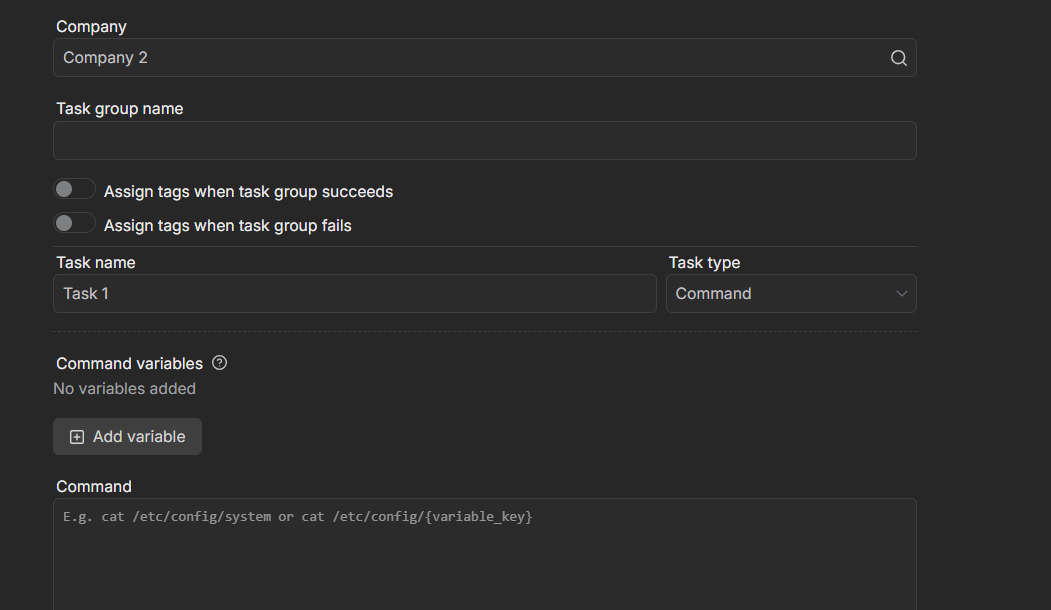
Create a new Task group consisting of 3 tasks
- Task 1: Upload the shell script
- Task 2: Run it
- Task 3: Remove from filesystem
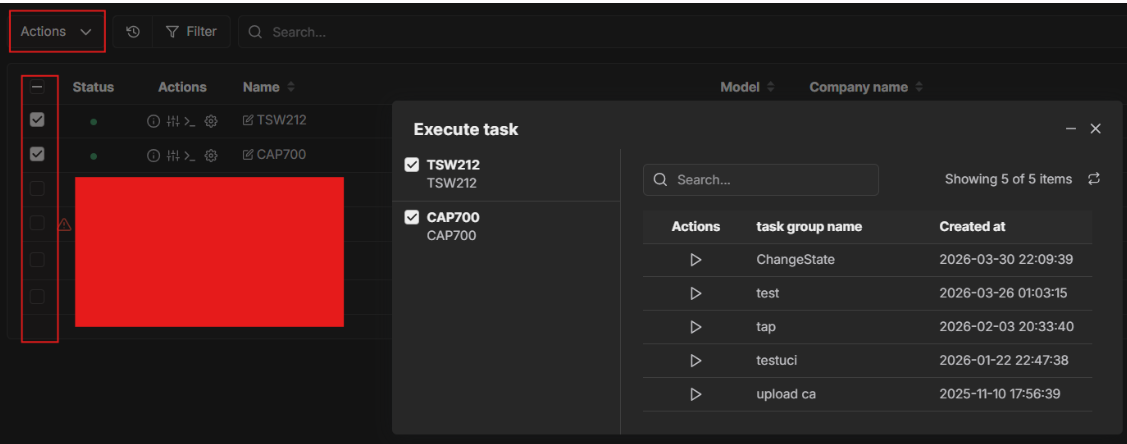
It seems to me that the task group still needs to be triggered manually to run on each device, which is not great for automation.
Is there perhaps a better way to achieve what I want?
Greetings,
Apologies for the delayed response.
If your shell script is simply a sequence of configuration commands (such as uci set, uci commit, etc.), there’s no need to create a 3-task group. You can paste the script directly into the command text box and execute it as a single task.
You can run the task on multiple devices simultaneously by selecting the desired devices, then navigating to Actions → Actions → Execute task
Best Regards,
Justinas
Hi Justinas,
thank you for your response and no worries.
My shell script is indeed more complicated. It contains conditions, reads and writes files from the file system and so on. I think what you say confirms my understanding that the command text box does not support such complex cases.
Thank you for the info about executing tasks. I wasnt aware of that feature.