Unable to connect to RMS - Verification code not receiving

Hi Team,

I am unable to connect to the RMS, after the email and password, I do not receive the verification code.
My junk and spam folders are empty.
After multiple attempts and resending request I am still not receiving the code.
Is my email suppressed?

Can you please provide assistance in resolving the issue?

Best regards,
Matija.

Greetings, @Matko,

Welcome to Teltonika Community!

I have consulted with the RMS team, and they have confirmed that the emails were sent successfully from the RMS side. Since your email uses your company domain, I would recommend checking the SMTP logs on your company’s mail server to verify if there are any restrictions, filters, or blocks that might prevent the emails from being received.

Please let me know the outcome once you have checked, so we can determine the next steps if needed.

Warm regards,
V.

Hi Vilius,

I checked with our IT department. They confirmed that no filters are active regarding this matter.

Also, I did not use this for a couple of months till now, but before that I was able to receive the code and connect without any issues.

Best regards,

Matija.

Greetings,

Thank you for your swift response.

If you are using Microsoft Outlook, it is worth checking the following:

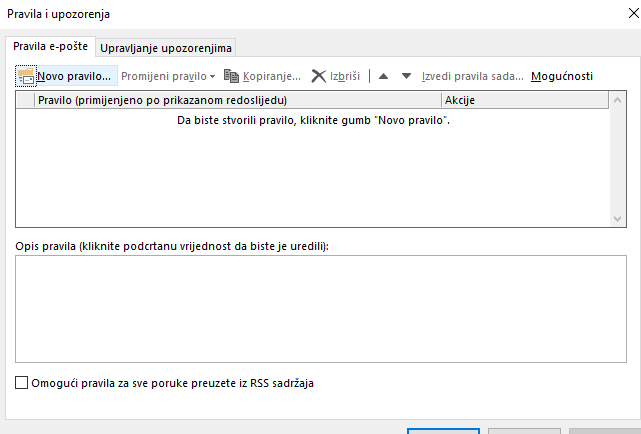
  • Inbox Rules: Ensure that there are no rules set up that automatically move, delete, or forward emails from a specific sender.
  • Focused / Other Inbox: Check both the Focused and Other tabs, as emails might be redirected there automatically.
  • Folder Redirection: Verify that the emails are not being delivered to a specific folder within the mailbox instead of the main Inbox.
  • Junk / Spam Folder: Sometimes emails can be incorrectly marked as spam, so it’s worth checking the Junk folder as well.

Please check these settings and let me know if you are still not receiving the emails.

Warm regards,
V.

Hi,

Yes, I am using Microsoft Outlook, but there are no rules or restrictions.

I doublechecked, but there are no restrictions or anything.

I didn’t change anything in my settings for ages, and the verification worked fine 3-4 months ago.
I havent used the service since then.

Best regards,

Greetings,

Thank you for your follow-up message,

I have forwarded this issue to our R&D team for further investigation. I will provide you with an update as soon as more information becomes available.

Your patience is greatly appreciated.

Warm regards,
V.

Hello,

For troubleshooting purposes, we will require more sensitive information from your end, such as the troubleshoot file, which may contain passwords, public IP addresses, serial numbers, and such. To avoid leaking this information, we have sent you a form to fill out, which you will receive in your e-mail inbox that you have registered your account with in the forums. In the Ticket ID field of the form, please enter the ID of this thread, which is 17333.
Thank you,
V.

This topic was automatically closed after 60 days. New replies are no longer allowed.