I have a problem, the Teltonika TRB246 is sending the json data to the server with a wrapper, that our cloud data provider does not understand.
In the old TRB245 it didnt send this wrapper.
In the old situation i would just put in
And it would send it like this.
What it does with the TRB246:{
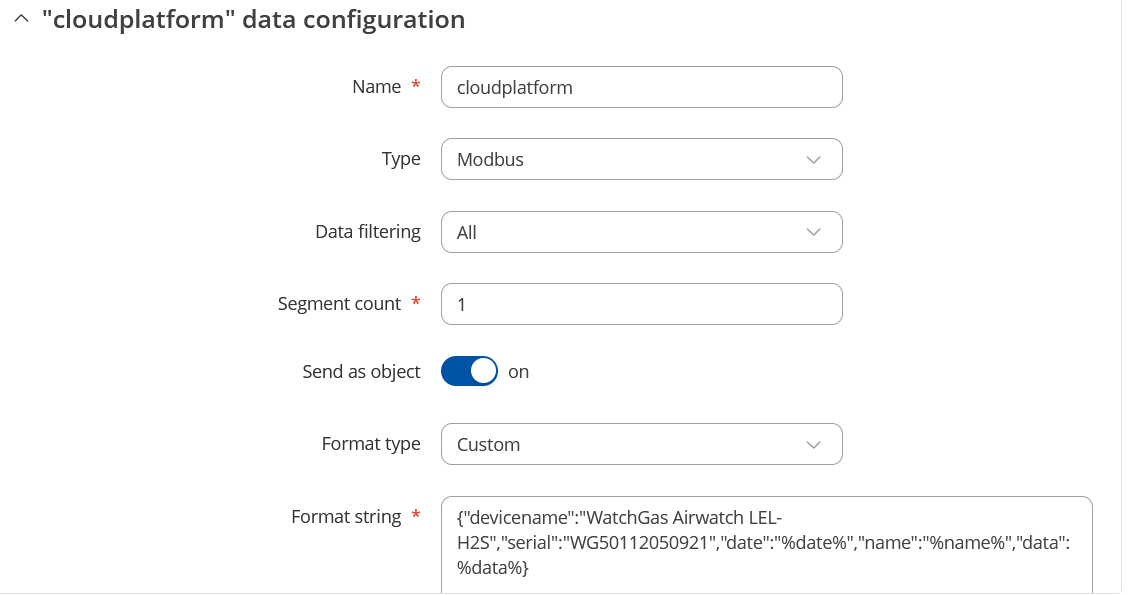
“nameofdatapoint”:{“devicename”:“WatchGas Airwatch LEL-H2S”,“serial”:“WG50112050921”,“date”:“%date%”,“name”:“%name%”,“data”:%data%}}
How can i make it so it does not send the name of the datapoit as a wrapper?
Marija
July 31, 2025, 8:13am
2
Hello,
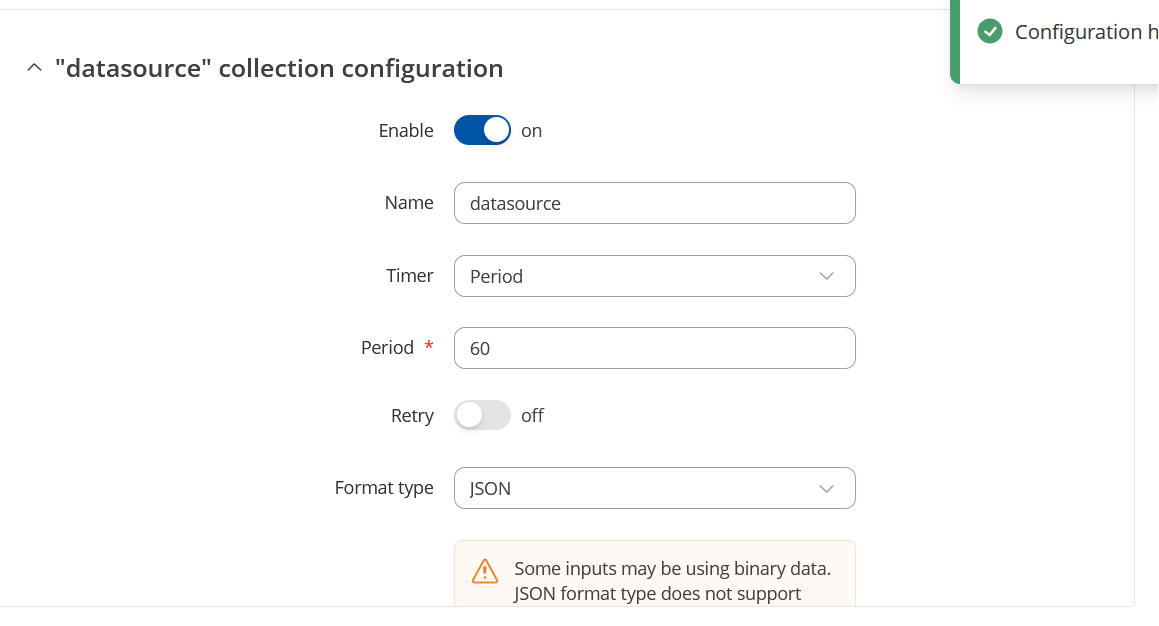
Could you kindly share screenshots from the WebUI of your data-to-server configuration? Please make sure to hide any sensitive information.
Best regards,
This is how im receiving the data, i want to get rid of this part: {
{
Marija
August 4, 2025, 9:05am
5
Hello,
Do you happen to remember the firmware version on your TRB245 when you were receiving messages without the name of the data point?
I will create a ticket for the RnD team regarding this issue.
Best regards,
Hello,
I’m also interested in this topic.
I’m working with a Router Teltonika RUT956 with firmware 07.07.1. The configuration is the same one shared in this chat.
At the moment, I’ve tried all the possible configurations but it always sends the wrapper on the first line.
There is a solution to remove it?
Thanks and have a good day
Marija
August 29, 2025, 10:47am
7
Hello,
I have created a ticket for our RnD team regarding this issue. Once I receive any feedback from them, I will let you know.
Thank you for your patience.
Best regards,
Marija
September 1, 2025, 5:55am
8
Hello @wbakker @giulio.capovilla ,
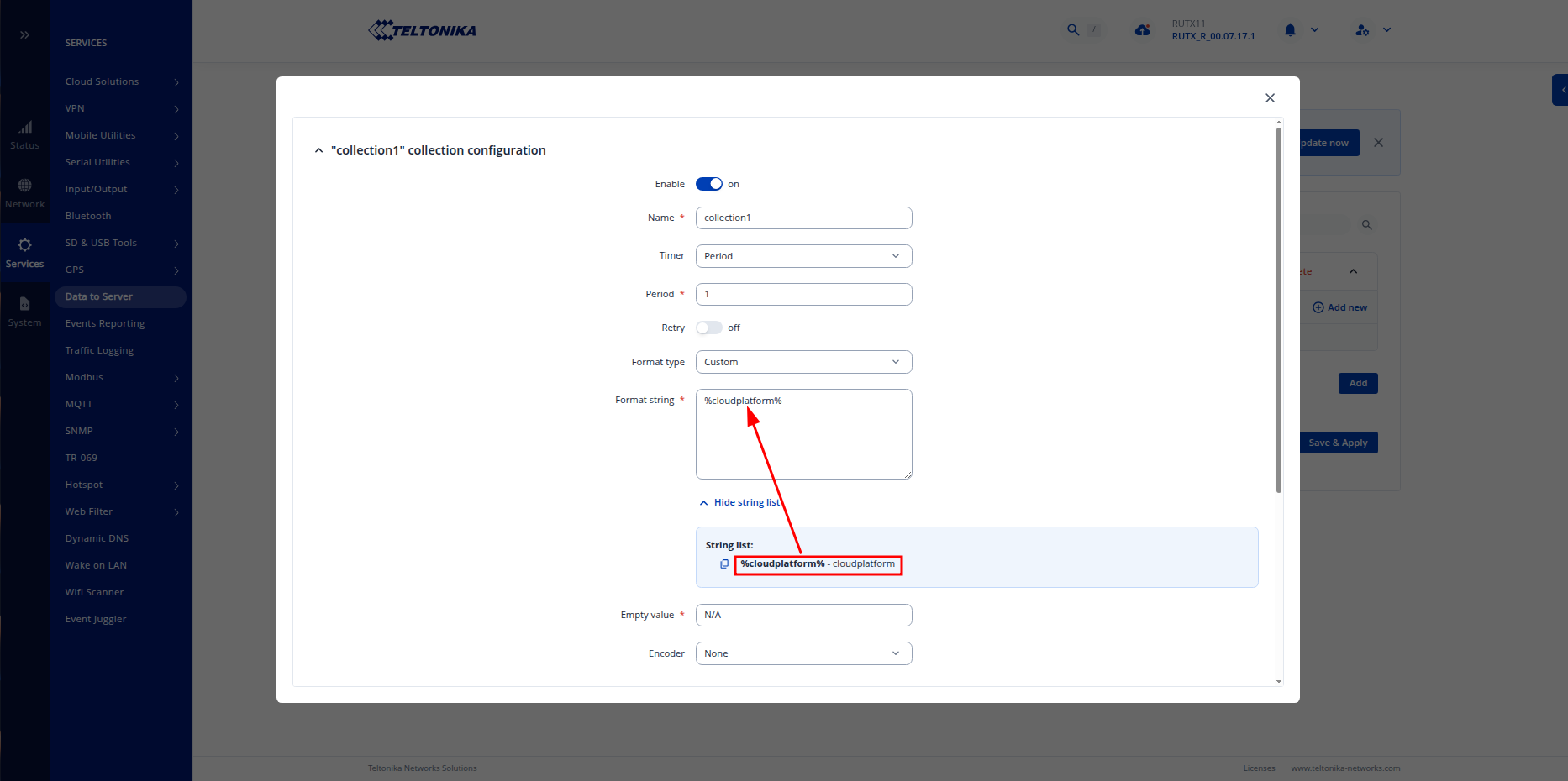
In order to achieve your goal, in data configuration settings you should select Custom in the Format type option in the Collection configuration, then enter their input name between percent signs in the Format string field, and enter whatever you want in the Empty value.
Configuration example:
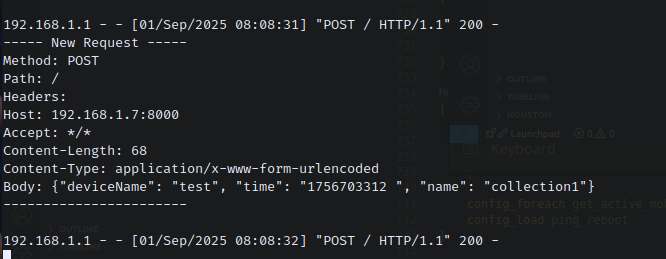
Output example:
Hope this helps!
Best regards,