TSW212 - Routing help

Hi team,

Thank you for reading.

I recently purchase a number of TSW212, testing a few things on homelab.

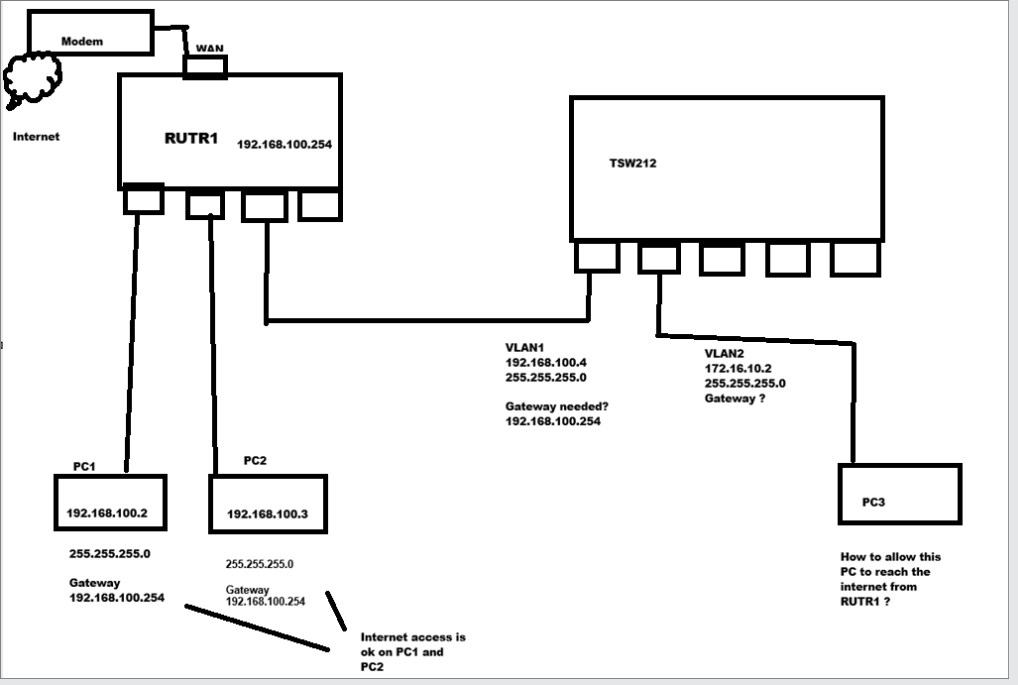
I would like to know if someone could provide some steps on how to configure InterVLAN routing, similar to the below but a variation of it.

I have a standard home router(RUTR1) connected to internet via WAN > Gateway is 192.168.100.254, its LAN ports are DHCP enabled. 192.168.100.x range

I would like the TSW212 on VLAN1 to be connected to R1 therefore its on 192.168.100.Xwhatever.

Now I also have on the TSW212 with VLAN2,3, 4, etc with different subnet say example VLAN2 on 172.16.10.X

How can i get my VLAN2 on 172.16.10.X to be able to access the internet from the R1/VLAN1

Greetings,

Could you please provide a topology diagram of your setup, including the IP addresses? This would help us better understand your use case.

Best regards,
Justinas

Thank you, i created this. hoping to get some advice.

Greetings,


Regarding this section, the IP address 172.16.10.2 serves as the gateway for this network.

First, you need to configure a default route on the TSW212 .
Navigate to Network → Static Routes and add a route as shown in the image below

Next, on the RUTR1 , add a route as shown in the following image so that it knows how to reach the VLAN2 network

Finally, if you have configured static IP addresses on devices within VLAN2 , their gateway should be set to 172.16.10.2 .

Best Regards,
Justinas

Thank you Justinas, I have got it working with your easy to follow steps provided. thank you again.

Arhhh, just noticed when doing a speedtest, im only getting around 10Mbps on my VLAN2 and VLAN3… something i missed in the settings of the TSW212 ? Seem like this speed is only occurring on these VLANS from the switch everything else on my network is on normal speed around 1gbit speed….hmm

Greetings,

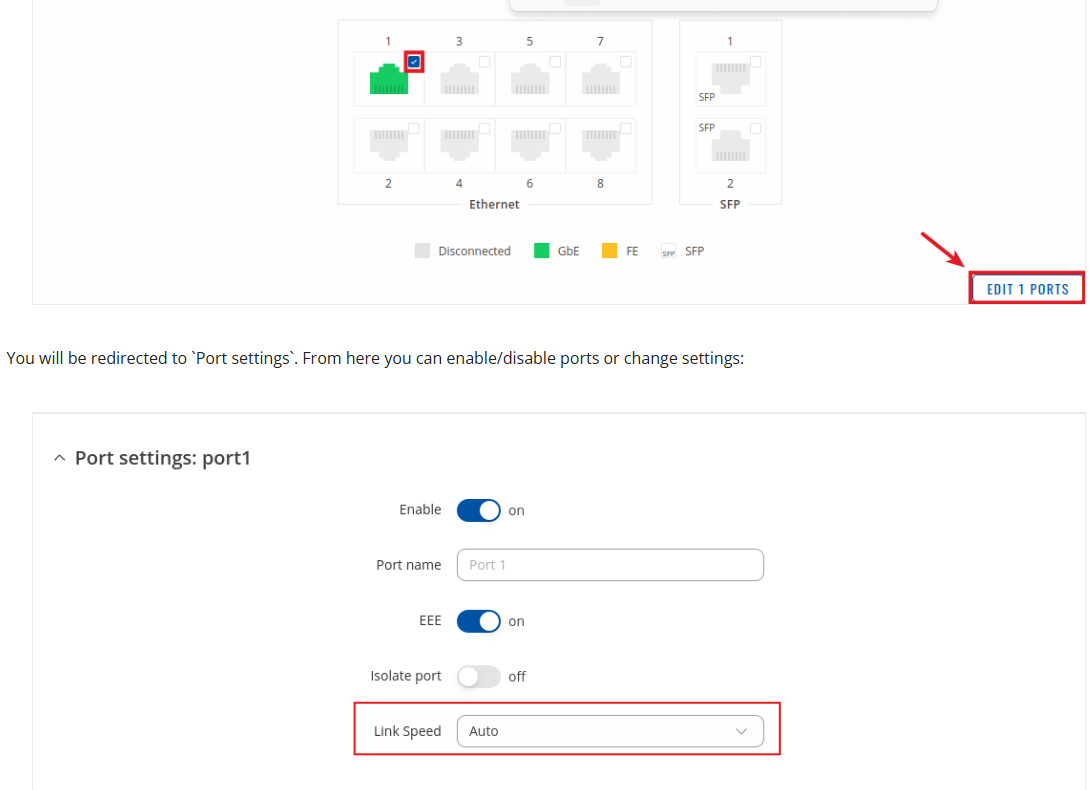
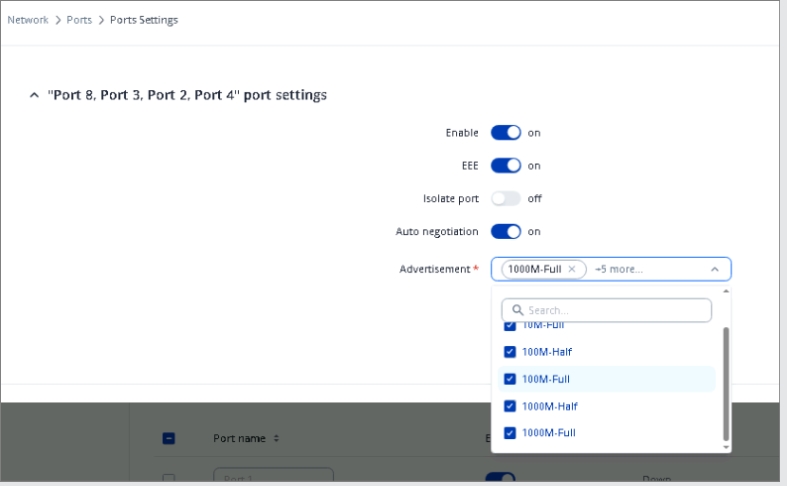
Could you please try changing the link speed of the port on the TSW212 from Auto to 1000 Mbps? You can do this by navigating to Network → Ports → Port Settings, as shown below.

Additional details can be found here: TSW212 Ports - Teltonika Networks Wiki

Please let me know if this solves the issue.

Best Regards,
Justinas

Hello Justinas,

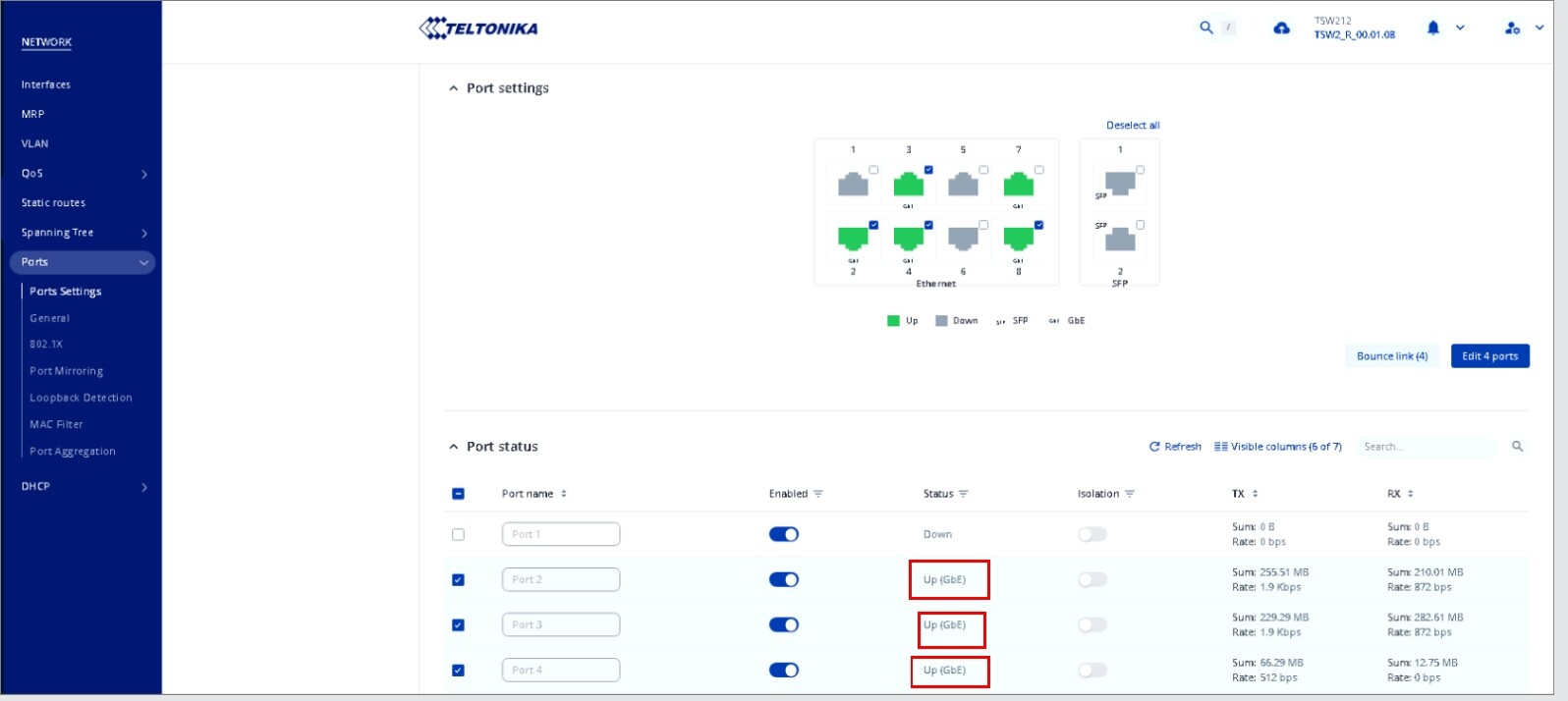
Looks like those settings are already selected:

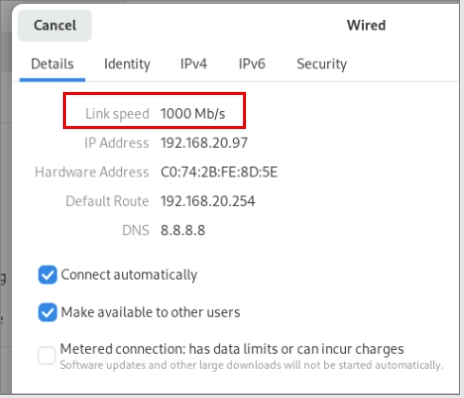
And even on the connected device OS, it states 1gbe

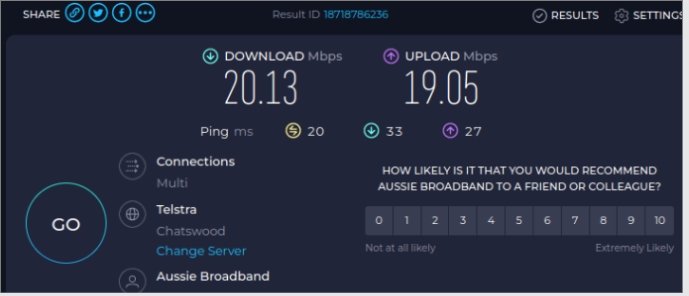
speed test still showing 20Mbps via its VLANs

I tried unticking all other speeds leaving 1000M full duplex but still the same…

A bottleneck somewhere which i cant see to located within the TSW212.