Can anyone provide a very simple instruction to use a TRB500 modem as a mobile gateway then pass internet via ethernet to a WiFi router.
This worked with one mobile carrier but with a new SIM (different carrier) the setup no longer works.
My TRB500 is factory settings and updated to the latest firmware. I receive good mobile signal. TRB500 auto connects to the correct carrier and creates a data connection.
The TRB500 itself seems to have internet but cannot pass it to another device.
The carrier allocates IP 192.0.0.2/32, which I think is NOT a public address. The downstream router cannot use this address to get internet.
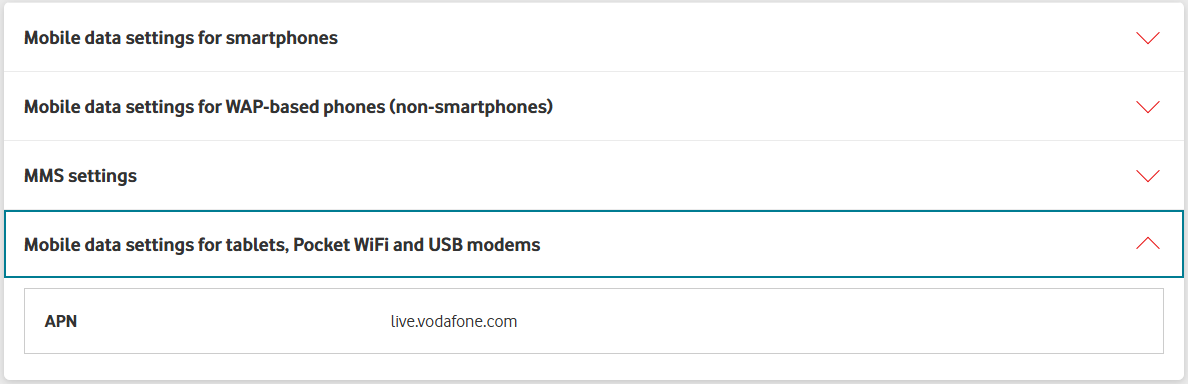
The carrier suggests the following APN settings:
Internet settings for WAP-based (i.e. non-smartphones)
Name: VF WAP
APN: live.vodafone.com
Proxy: 10.202.2.60
Port: 8080
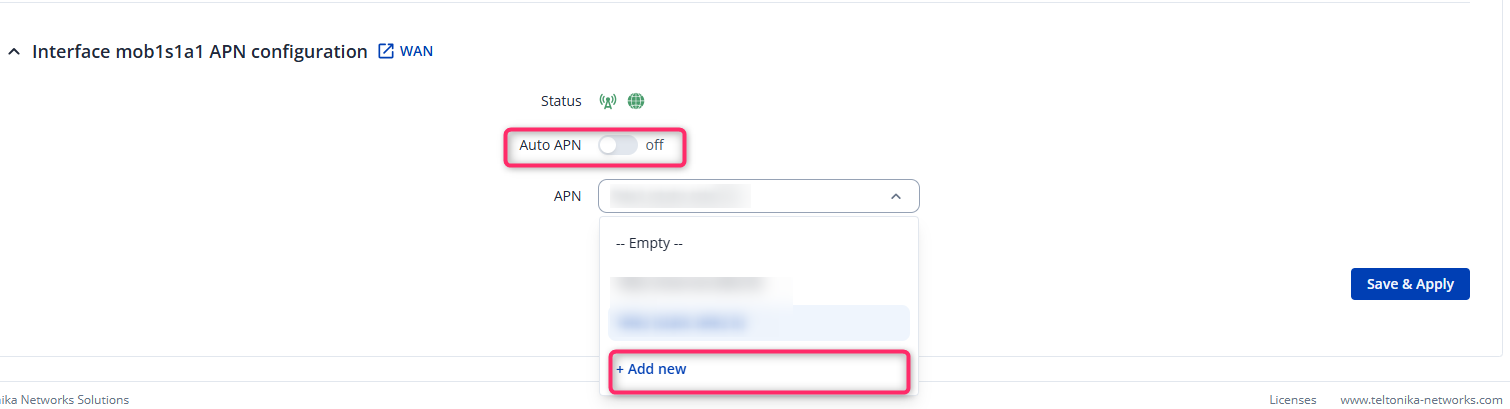
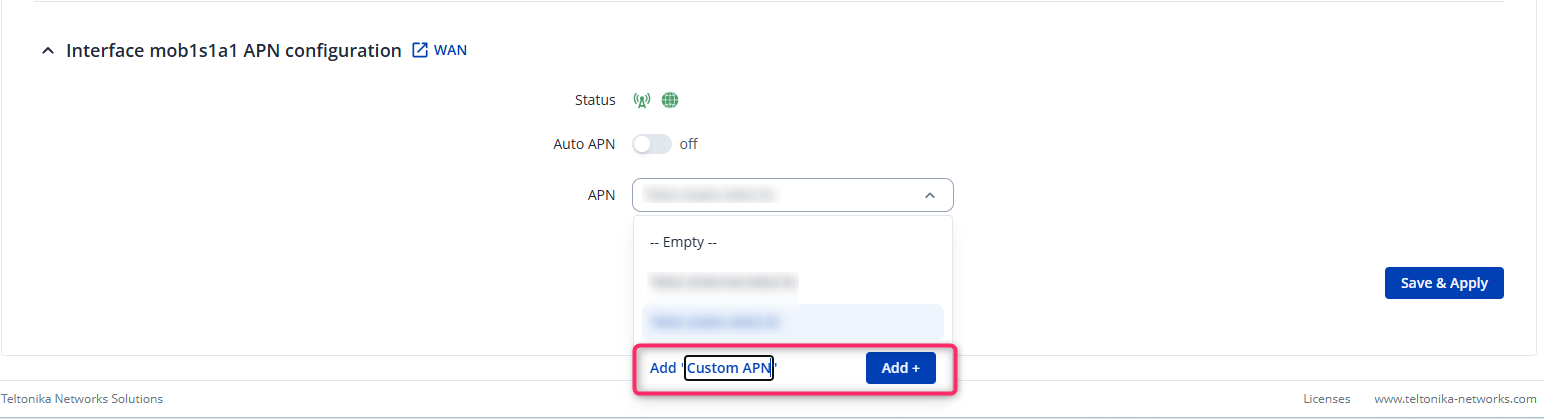
I don’t know where to put these settings in the TRB500 WebUI.
Please also keep in mind that network coverage varies between providers. You may want to test the SIM card in another device (e.g., a smartphone) to ensure it receives a signal and has internet connectivity.
I hope this helps! Please let me know if you need any further assistance.
I already knew to manually enter the APN string but I don’t know how to enter the PROXY (10.202.2.60) or PORT (8080) details supplied by my carrier (included in my original post).
The mob1s1a IP was 192.0.0.2/32. Another user has explained that Vodafone AU does not allocate IPv6 addresses for all users- I have worked around this by requesting PAP IPv4 only. After changing PAP type in mob1s1a I received a public IP.
While my immediate issue was resolved (it was a carrier limitation) I still think the Teltonika community would appreciate a simple guide for adding a WiFi router to the TRB500 5G gateway modem.
The WAP-based settings are intended for older WAP-enabled phones and are not suitable for the TRB500. Since the TRB500 is a gateway, the most appropriate APN option is the one shared in our previous message.
We also appreciate your suggestion regarding WiFi integration. We will take it into consideration and may create a guide on how to connect a WiFi router to the TRB500.