If your server cert was signed by trusted CA then just enable “Use certificate files from device” and use ca-certificates.crt that will be selected by default.
When I want to use certificates from device (both if I choose Certificate Authority File uhttpd.crt or ca-certificates.crt it Failed to save the configuration….
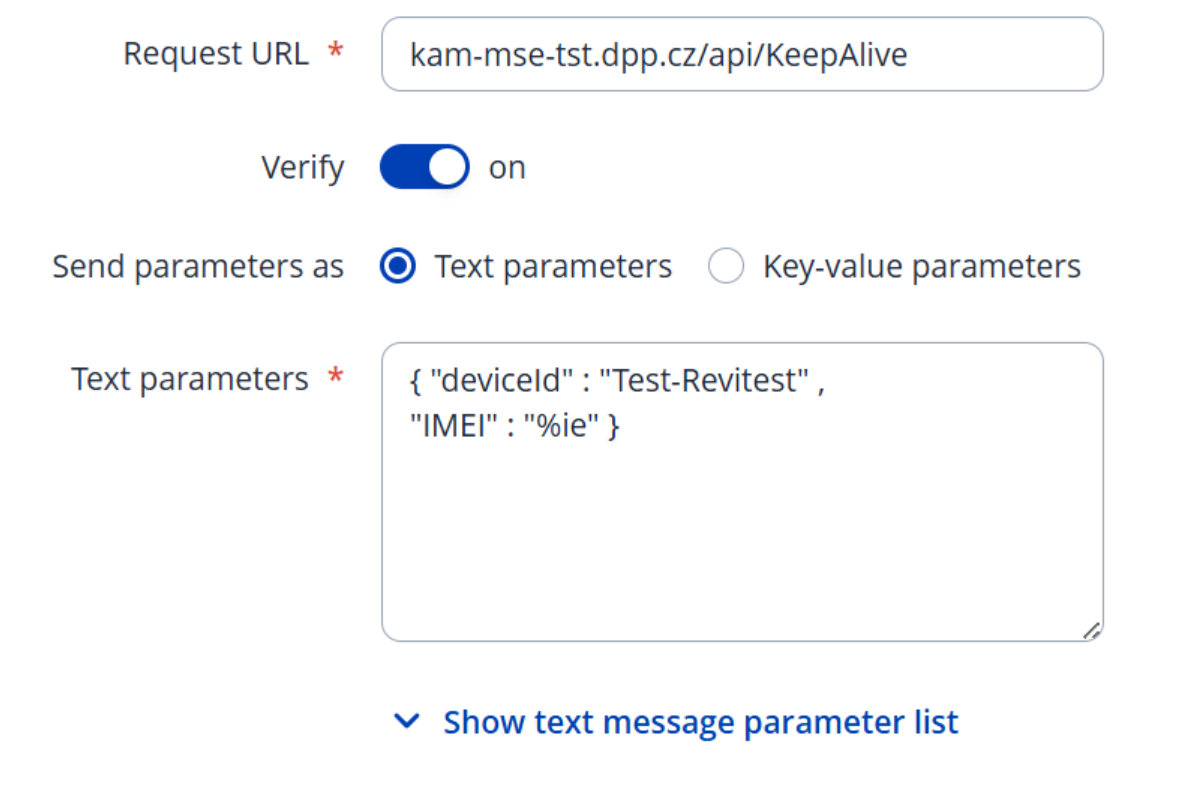
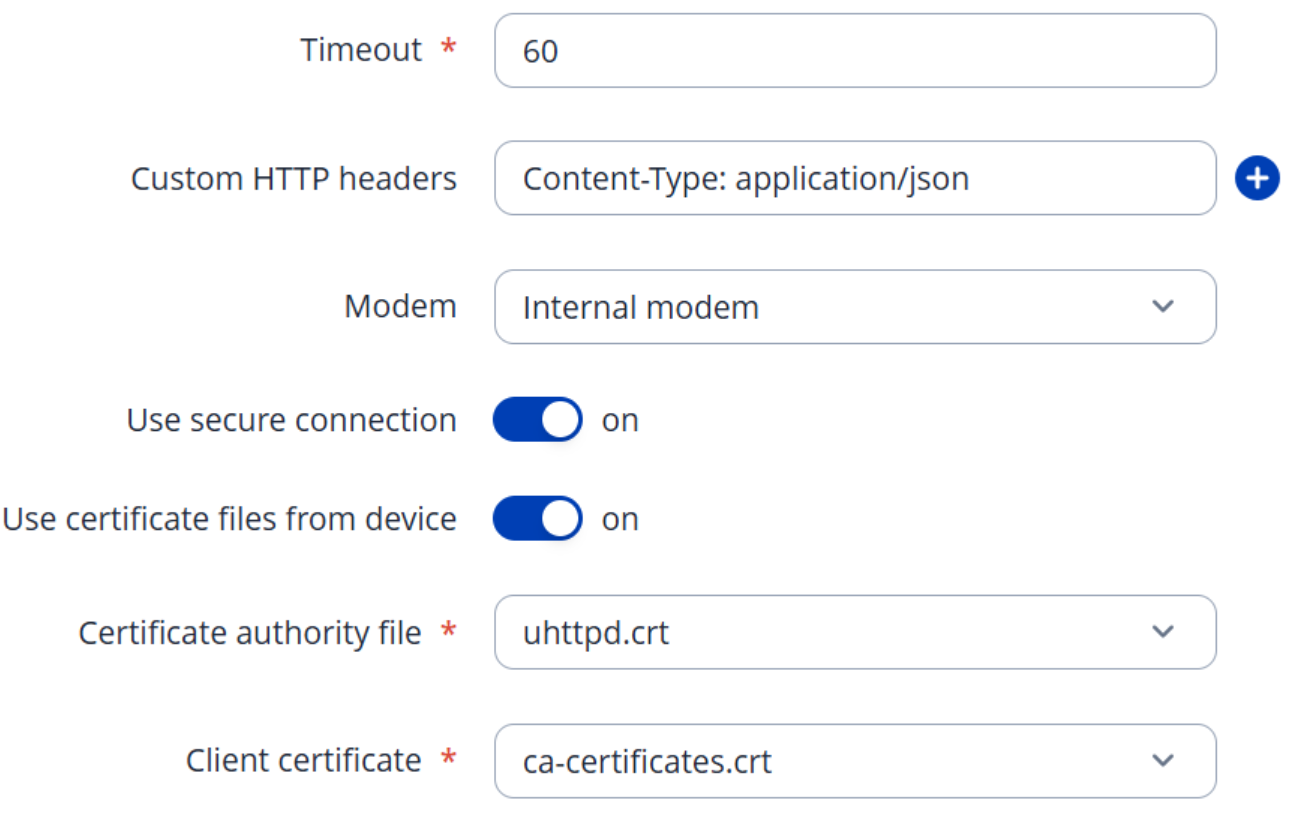
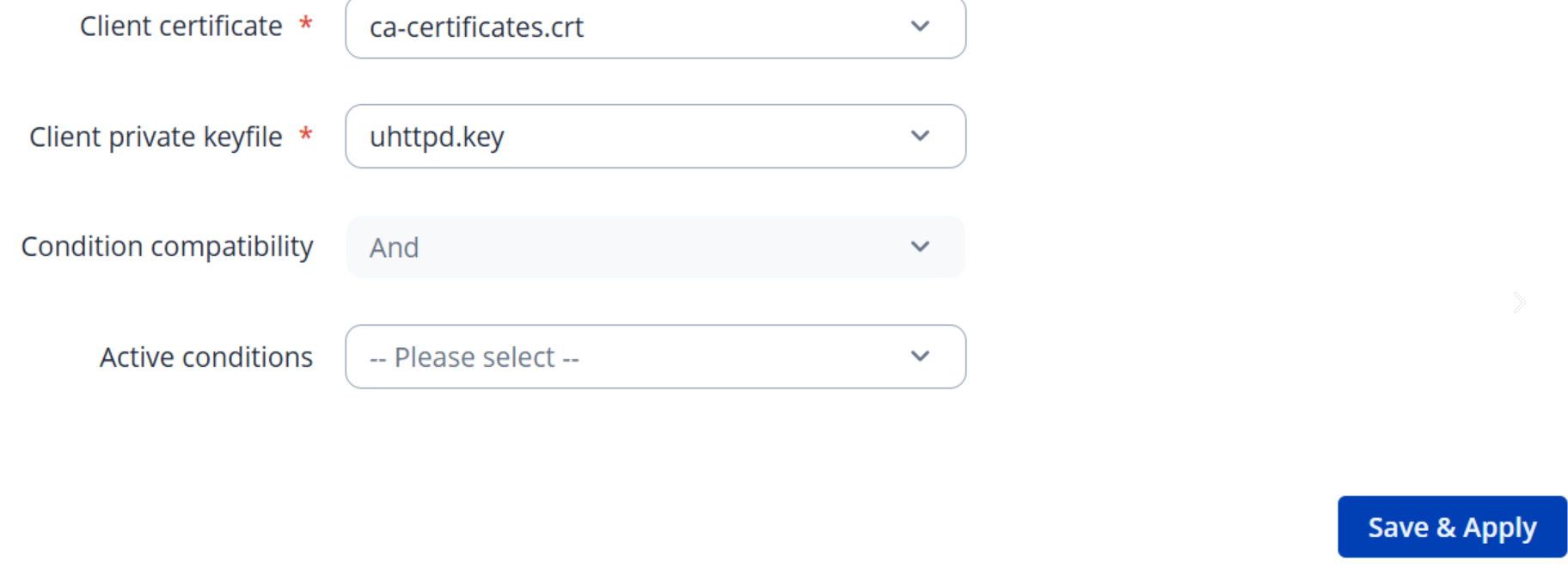
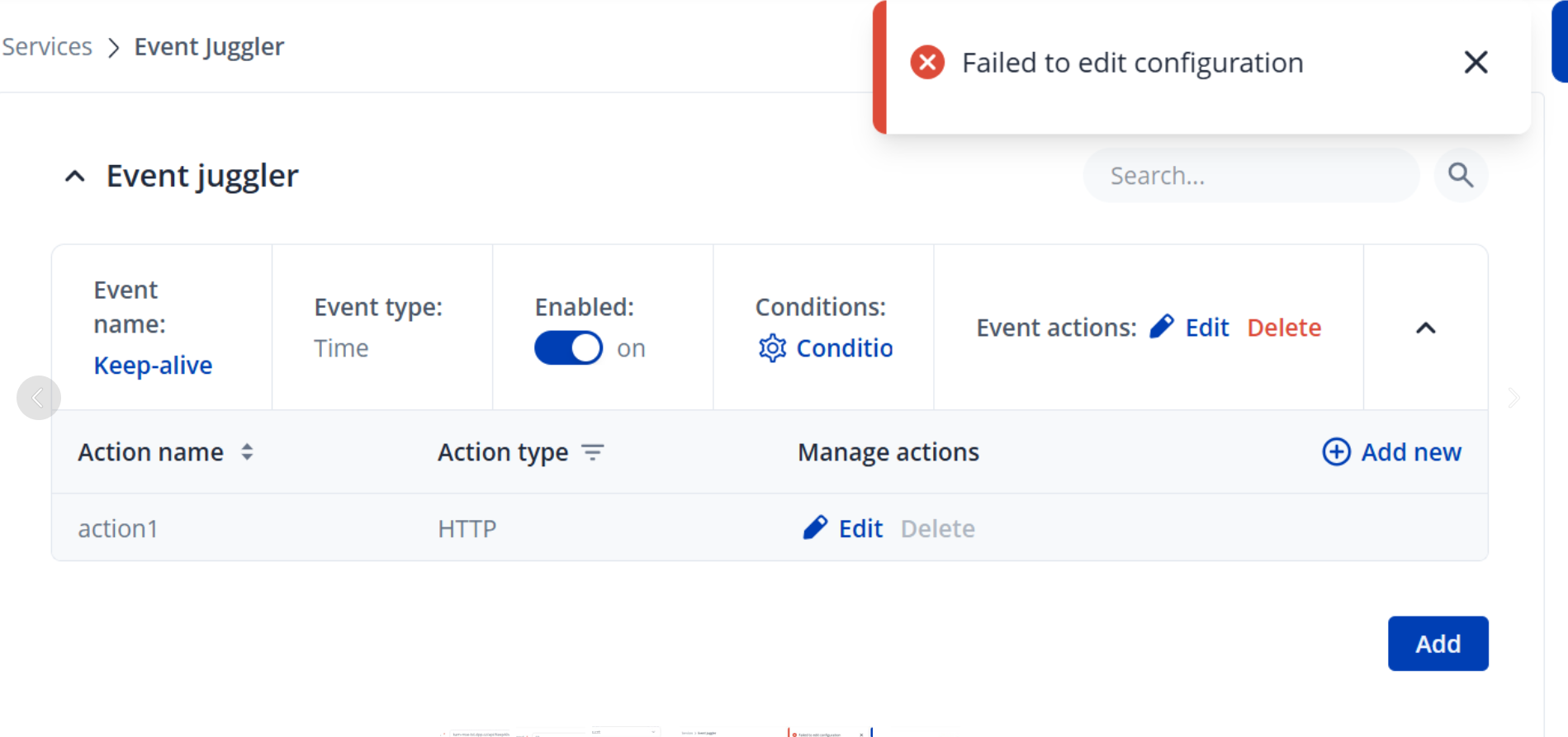
Moreover if I use certificate from the device, it will work only for 9 years and 10 months:
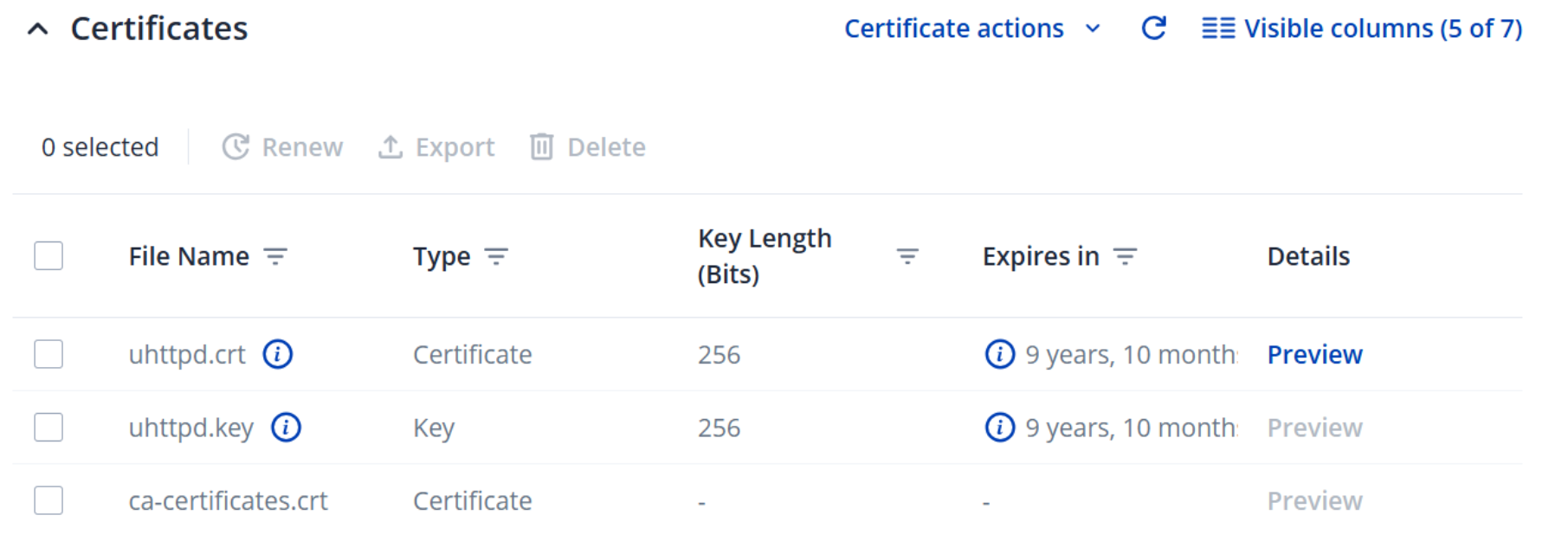
And my goal is to work it indefinitely…
I find out one issue concerning TLS that may relate to our issue:
1. TLS 1.3 attempt (default curl) – unexpected downgrade + connection reset
When running the command below directly on the TRB256 CLI:
curl -v https://kam-mse-tst.dpp.cz/api/KeepAlive --insecure
The following behavior occurs:
-
The device starts with TLS 1.3 Client Hello
-
The server responds with TLS 1.3 Server Hello
-
But then the TRB256 suddenly switches to TLS 1.2 handshake messages, which should not happen
-
After the handshake completes, the server resets the connection
Relevant output:
* TLSv1.3 (OUT), TLS handshake, Client hello (1):
* TLSv1.3 (IN), TLS handshake, Server hello (2):
* TLSv1.2 (IN), TLS handshake, Certificate (11):
* TLSv1.2 (IN), TLS handshake, Server key exchange (12):
...
> GET /api/KeepAlive HTTP/2
* Recv failure: Connection reset by peer
curl: (56) Recv failure: Connection reset by peer
This mixed TLS 1.3 → 1.2 downgrade should not normally occur.
2. TLS 1.2 forced manually – handshake succeeds but HTTP/2 fails cleanly
If I force the TRB256 to use only TLS 1.2:
curl -v --tls-max 1.2 https://kam-mse-tst.dpp.cz/api/KeepAlive --insecure
Then:
-
TLS 1.2 handshake completes successfully
-
The server responds normally with
HTTP/2 405(expected for a GET on this endpoint)
So TLS 1.2 itself works fine.
3. TLS 1.3 handshake appears unstable or partially implemented
Summary of observations:
-
TLS 1.3 negotiation is attempted, but the device downgrades mid-handshake
-
This does not happen when performing the same request from a PC connected behind the TRB256
-
TLS 1.2 works reliably
-
TLS 1.3 from the TRB256 leads to connection reset
This suggests a possible issue in the TLS 1.3 implementation or the OpenSSL version used in the TRB256 firmware.
Questions
-
Is this a known TLS 1.3 issue on TRB256 devices?
-
Is there a firmware version where TLS 1.3 handshake works reliably?
-
Are there recommended configuration steps or settings to stabilize TLS 1.3 on TRB devices?
I can provide full debug logs or tcpdump captures if needed.
Oh I see with current release both client cert/key are required and you were using router’s https server certs that are not very valid here.
If you are looking for insecure https I think that you can disable “Verify”, “Use secure connection” and use protocol in request url field like https://kam-mse-tst.dpp.cz/api/KeepAlive. If not then I am not sure what to recommend at this time. Although dev FW that I was using no longer had this problem.
As far as further TLS problems I afraid this is where my knowledge ends :S But from your logs seems like tls is downgraded by server not client.
I cannot save configuration when I check “Use secure connection” without uploading certificate or choosing one from device…
I meant - you can disable it and add https:// proto to url in order to achieve insecure https.
but when I just add https:// to url it does not work - no meter if “Verify” is checked or not. In logs I can see:
1387 Wed Dec 10 14:21:00 2025 daemon.info event_juggler: [1] Time event triggered
1388 Wed Dec 10 14:21:00 2025 daemon.info event_juggler: [1] Event triggered
1389 Wed Dec 10 14:21:12 2025 daemon.err event_juggler: Failed to send http packet reason: Error
1390 Wed Dec 10 14:21:12 2025 daemon.err event_juggler: [2] Action failed
My requirement is the following:
I need the device to communicate over HTTPS, but without SSL certificate verification
From the system point of view, this is clearly possible – both curl and wget available on the device support disabling certificate verification, for example:
curl
curl -I https://kam-mse-tst.dpp.cz/api/KeepAlive/GetDeviceDetail/TEST-999
# SSL certificate problem: unable to get local issuer certificate

curl -I https://kam-mse-tst.dpp.cz/api/KeepAlive/GetDeviceDetail/TEST-999 --insecure
# works, returns HTTP response
wget
wget https://kam-mse-tst.dpp.cz/api/KeepAlive/GetDeviceDetail/TEST-999
# Connection error: Invalid SSL certificate

wget https://kam-mse-tst.dpp.cz/api/KeepAlive/GetDeviceDetail/TEST-999 --no-check-certificate
# works correctly
So from a technical perspective, it would be sufficient to have an option in Periodic HTTP(s) POST configuration to:
-
disable SSL certificate verification, or
-
allow “insecure HTTPS” connections (similar to
--insecure/--no-check-certificate).
Is there currently any way to achieve this using Periodic HTTP POST on TRB256 (e.g. via UCI, CLI, or hidden configuration), or is this not supported yet?
Greetings,
If the curl command works with the --insecure flag and you need to send requests every 5 minutes, you can utilize a script in crontab for this purpose, instead of the event juggler.
Please follow these steps in the router’s CLI:
-
Open the configuration editor by running:
crontab -e -
Press i on your keyboard to enter insert mode.
-
Paste the following command line into the editor:
*/5 * * * * /usr/bin/curl --insecure -s -X POST "https://kam-mse-tst.dpp.cz/api/KeepAlive/GetDeviceDetail/TEST-999" -H "Content-Type: application/json" -d "{\"imei\":\"123456789012345\"}" -
To save and exit: Press Esc , type :wq, and hit Enter
-
To apply the changes immediately, restart the service:
/etc/init.d/cron restart
The */5 in the crontab entry defines how frequently the command runs, in this example, every 5 minutes.
For additional details on crontab, you may find this page helpful:
[OpenWrt Wiki] Scheduling tasks with cron
Please let me know if this works for you.
Best Regards,
Justinas
This topic was automatically closed 2 days after the last reply. New replies are no longer allowed.