In effort to resolve flakey behavior of multiple TRB245 we are using, I have tried entering the bootloader using power up with reset held in but cannot get TRB245 to enter bootloader mode. There appears to be several versions of instructions for entering bootloader mode, one says hold reset for 3-4 seconds and another says hold reset for 4-8 seconds but neither work for me. Unit is batch 044. Please advise correct process for entering bootloader.
How do you know that device is not in bootloader mode ? Did you set fixed IP address on your device you are trying to access your router from ?
Greetings,
The instructions for performing a firmware upgrade via the bootloader menu can be found here: TRB245 Device Recovery Options - Teltonika Networks Wiki
Best Regards,
Justinas
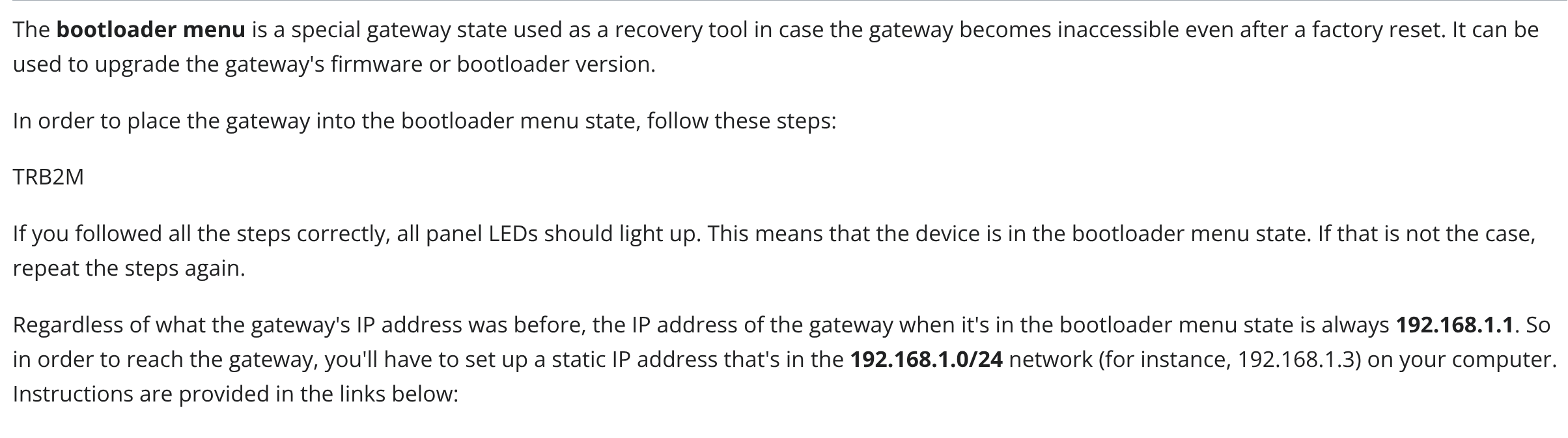
@Justinas the instructions you provided say “In order to place the gateway into the bootloader menu state, follow these steps:” but there are no steps listed. See picture below.
Greetings,
Thank you for informing me about this, meanwhile you can use the instructions here: TRB246 Device Recovery Options - Teltonika Networks Wiki
They are the same for both devices.
Best Regards,
Justinas
While holding the reset button, plug the power cable into the gateway. Continue holding the button for another 5 seconds.
Release the reset button.
The LEDs will begin to blink rapidly, indicating that the device has entered bootloader mode.
I have tried above steps many times and used stopwatch to make sure time reset was held in after power applied was accurate. I have tried holding reset in for 3, 4, 5, 6, 7, 8, 9 and 10 seconds in case timing was critical for reset and unit will not enter bootloader mode.
There appears to be inconsistencies in Teltonika firmware as another unit I tried this on blinks one of the LAN leds while reset is held in whereas this unit doesn’t.
Due to the many issues we are having the early model TRB245, can these be returned to Teltonika and replaced with TRB246? These units are not in warranty but feel they should be replaced due to the many issues we are having.
Also, when powering unit up with reset button held in, there is no power LED before or after reset button is released. If I remove and reapply power, unit will start normally and allow access by web browser but we still have issues with connecting to RMS. I am hoping that updating firmware by Bootloader will resolve this issue.
Hello? Can someone from Teltonika please help?
Can you help me? | posted a topic in the forum.
Can you help me? I posted a topic in the forum.
While holding the reset button, plug the power cable into the gateway. Continue holding the button for another 5 seconds.
Release the reset button.
The LEDs will begin to blink rapidly, indicating that the device has entered bootloader mode.
I have tried above steps many times and used stopwatch to make sure time reset was held in after power applied was accurate. I have tried holding reset in for 3, 4, 5, 6, 7, 8, 9 and 10 seconds in case timing was critical for reset and unit will not enter bootloader mode.
There appears to be inconsistencies in Teltonika firmware as another unit I tried this on blinks one of the LAN leds while reset is held in whereas this unit doesn’t.
Due to the many issues we are having the early model TRB245, can these be returned to Teltonika and replaced with TRB246? These units are not in warranty but feel they should be replaced due to the many issues we are having.
Greetings,
Apologies for the delayed response.
If you’re unable to access the bootloader menu, this typically indicates a hardware issue. Since the bootloader is the final recovery option for the device, there are no further troubleshooting steps we can offer.
If the device was still under warranty, this would be an RMA case.
Best Regards,
Justinas
Unit is operating correctly other than not connecting to RMS when firmware later than 07.07.3 installed. I was trying to access bootloader to upgrade firmware in an attempt to resolve the RMS issue. I am wondering if bootloader ever worked ??
I have multiple units here that will not enter bootloader when following instruction provided.