TRB145 / TRB246 – Modbus data buffering during connectivity loss: RAM database capped at ~1.3 MB; moving it to flash via UCI works – is it supported?

Hi,

We run four gateways (3x TRB145, 1x TRB246, RutOS 07.24.3) in a factory. Each polls Modbus RTU meters (flow, pressure, energy) every 60 s - 12 to 57 requests per minute per gateway - and sends the readings with Data to Server → MQTT (TLS, QoS 1) to our own broker. Mobile connectivity on this site sometimes drops for many hours, and organising a site visit takes days, so each gateway must keep at least 10 days of readings and push them when the link returns.

What we measured (07.24.3):

  • Readings are queued in the Modbus client’s SQLite database at /var/run/modbus_client/modbus.db (tmpfs = RAM). During a 10.5-hour period in which Data to Server could not send, the TRB145 polling 12 requests/min recovered everything, but the TRB246 polling 57 requests/min recovered only the last 6 h 12 min (about 21,200 records). Its DB file had stopped at exactly 340 x 4096 = 1,392,640 bytes, so the default page limit seems to be 340 pages and the oldest records are silently dropped.
    • The Data to Server “Retry” settings are not a buffer: retry count and retry timeout are both limited to 1-10, i.e. 100 seconds at most.
      • We have read the TRB145 Modbus and Data to Server wiki pages. The Modbus client global settings list “Database location: RAM; default: RAM” - RAM is the only value. Only DNP3 offers “RAM | Flash”.
        • The hardware has 128 MB RAM (~65 MB available) and 512 MB flash (the /log ubifs partition alone has ~120 MB free). Ten days of our data is only 10-50 MB per gateway.
      • What we tried (TRB145, via UCI, because the WebUI does not expose it):
      • modbus_client.main.db_max_page_count is honoured: with a value of 8 the file stopped at exactly 32,768 bytes, the oldest records were removed and collection continued (ring behaviour).
        • modbus_client.main.db_path=/log/modbus_client/modbus.db (directory owned by modbus_client) works: the daemon creates the DB there and Data to Server reads from the new path.
          • We then blocked the MQTT port for 10 minutes and rebooted the device: the records queued in /log survived the reboot and were delivered afterwards. So the flash database solves both the size limit and the power-cut problem for us.
            • One thing we noticed: the first ~3-4 minutes of readings after the link was cut were lost (only records from ~3 minutes after the cut were retained). It looks as if records are marked as sent as soon as they are handed to the MQTT client, before a PUBACK arrives, while the TCP connection was silently dead.
          • Questions:
          1. Is this configuration (db_path on /log, db_max_page_count raised to e.g. 20,000 pages = about 80 MB) supported on TRB145? Is there a reason the WebUI offers only RAM - flash wear on the ubifs partition? Our write rate is only 12-57 records per minute.
            1. Will a firmware upgrade keep these UCI options and the database?
              1. Is the default page limit really 340 pages, and is it documented anywhere?
                1. Does Data to Server wait for the MQTT PUBACK before advancing its “last sent id”? If not, is there a setting to avoid losing the in-flight records when the link drops?
                  1. The TRB246 has no usable flash space (/log is 576 KB, overlay 2.5 MB). Apart from a larger RAM page limit, is there any option for it?
                2. We would prefer a supported configuration rather than an undocumented workaround. Thank you!

Hi @Kerem,

Thank you for the detailed measurements and testing.

Regarding the Modbus database size, your measurements are consistent with the database reaching a fixed capacity and retaining only the newer data once that capacity is reached.

Regarding increasing the database size and moving it to flash, there is an important limitation. The supported Modbus Client configuration on both TRB145 and TRB246 specifies RAM as the database location; a Flash option is not provided in the WebUI documentation.

The db_path and db_max_page_count parameters you tested are also not documented in the Teltonika Wiki. While your testing shows that they affect the behaviour of the service, I would therefore not recommend relying on them as a supported production configuration without confirmation from our R&D team.

There is also a general consideration regarding persistent storage. Teltonika documents that frequent writes to flash can significantly degrade flash memory, so using a frequently updated database on persistent storage requires particular care.

Based on the figures you provided, approximately ten days of buffering would require substantially more storage than the default database capacity. Using your estimated 66 bytes per record, the requirement is approximately 11 MB at 12 requests/minute and approximately 54 MB at 57 requests/minute. These figures are useful for sizing the requirement, but the practical database capacity and performance limits would need to be confirmed before recommending a larger database.

For this reason, I would currently consider the following approaches:

  1. Reduce the amount of data that needs to be buffered. Where appropriate, on-change storage and the available tolerance settings can reduce the number of records generated. Increasing the Segment count can also reduce the number of transmissions, while compression can reduce the amount of data sent. The actual benefit would depend on your specific Modbus configuration.

  2. Define the required retention period according to the typical connectivity outage duration rather than a ten-day worst-case scenario.

  3. If ten days of full-resolution buffering is a hard requirement, consider whether a platform with suitable external storage is required for this use case. I would prefer to confirm the exact storage and data-rate requirements before recommending a specific model.

Regarding firmware, TRB145 firmware TRB1_R_00.07.24.5 was released on 15 September 2026 and its changelog includes a fix for a Data to Server MQTT reconnect problem. The TRB246 firmware TRB2M_R_00.07.24.5, also released on 15 September 2026, contains the same fix. The changelog does not specify whether this addresses the particular data-loss behaviour observed in your test, so I cannot confirm that it is the cause.

As a first step, could you please upgrade one TRB145 to TRB1_R_00.07.24.5 and repeat the same connectivity-loss test?

It would also be helpful to have the following information:

  • Firmware versions currently installed on all four gateways, including the TRB246.
  • The configured MQTT Keepalive value and whether Retry is enabled.
  • Whether the 3–4 minute gap was reproduced consistently across multiple tests.
  • For one test, the timestamp of the last record received by the MQTT broker and the timestamp of the earliest record still available after connectivity was restored.
  • The average record size and the number of registers included in each request for each gateway.

This information should help me determine whether the missing records are related to database capacity, the MQTT reconnect process, or another part of the data collection/sending process without making assumptions.

Regarding the UCI configuration and firmware upgrades, I would also prefer to confirm the behaviour of custom options such as db_path and db_max_page_count with R&D before advising that they will be preserved or migrated during an upgrade. Standard configuration persistence does not by itself establish that an undocumented database location or database file will be retained.

Once we have the above information and the result of the 07.24.5 test, we can determine the appropriate next step.

Best regards,
V.

Hi Vilius, thank you for the thorough answer.

Requested details:

  • Firmware: TRB246 (GW-1) TRB2M_R_00.07.24.3; TRB145 GW-2 and GW-4 TRB1_R_00.07.24.3; TRB145 GW-3 upgraded to TRB1_R_00.07.24.5 on 18 Sep for the repeat test. Two sysupgrades so far (GW-4 07.24.1→07.24.3 on 14 Sep, GW-3 07.24.3→07.24.5 on 18 Sep, keep-settings) both preserved the custom db_path/db_max_page_count options and the database file under /log; the daemon resumed appending to the same file.
  • Data to Server: MQTT QoS 1, keepalive 60 s, Retry enabled (retry count 10, retry timeout 10 s), period 60 s, “send as object” off, segment count 1.
  • The 3–4 minute gap was observed in a single test on 07.24.3 (12 Sep, TRB145). Timeline (device local time): last record delivered to the broker before the cut: 12:48; port blocked at 12:49:59; earliest record still in the database after the reboot and reconnection: 12:53; records 12:49–12:52 were never delivered.
  • Records per request: one value per request (a 32-bit float = 2 registers, or a 16-bit register). Requests per minute: 57 (TRB246, 6 devices), 32, 16 and 12 (TRB145s). Average stored record size measured from the database file: ~65 bytes on the Klemsan-only gateway, ~109 bytes on the flow-meter gateways.
  • 07.24.5 test result (18 Sep, same TRB145 GW-3, same method: MQTT port blocked with iptables DROP for 10 minutes, then unblocked; no reboot this time): no gap. Port blocked at 03:17:06; every minute from 03:16 to 03:29 (3 records/min) reached the broker after the port was reopened at 03:27. With 07.24.3 the same procedure had lost the first ~4 minutes (12:49–12:52), so the MQTT reconnect fix in 07.24.5 appears to resolve the in-flight loss we reported. We will upgrade the remaining gateways to 07.24.5.

We will keep the database in RAM on the TRB246 and treat the /log configuration on the TRB145s as experimental until R&D confirms it. If R&D can comment on (a) whether db_max_page_count is safe to raise, (b) whether db_path on /log is acceptable for a 12–60 records/min write rate, and (c) whether the database is migrated on upgrade, that would settle it for us.

Hello,

Thank you for the detailed testing and the additional results.

The TRB145 test performed on 07.24.5 is helpful, as the previously observed MQTT data gap was not reproduced. Please proceed with the planned firmware upgrade of the remaining gateways.

To complete the investigation, could you please provide the following information:

  1. TRB246 07.24.5 test:

After upgrading the TRB246 to 07.24.5, please repeat the same MQTT connectivity interruption test and confirm whether all records generated during the interruption are delivered after connectivity is restored.

  1. Current Modbus Client UCI parameters:

On one TRB145 using the /log database configuration, please provide the output of:

uci show modbus_client | grep -E 'db_path|db_max_page_count'

  1. SQLite database parameters:

If sqlite3 is available, please provide the following output for the currently used Modbus database:

sqlite3 /path/to/modbus.db 'PRAGMA page_size; PRAGMA page_count; PRAGMA max_page_count;'

Please use the actual database path configured on the device.

  1. Data to Server database setting

Please confirm whether the Data to Server database is currently configured to use RAM or Flash.

  1. Storage-rate mapping

Please confirm which gateway(s) correspond to the approximately 65-byte and 109-byte record sizes, so that we can accurately calculate the required database capacity for the stated 10-day buffering requirement.

For now, please do not increase the db_max_page_count value further. We would first like to verify the current database limit and configuration before making any additional changes.

Kind regards,
V.

Hi Vilius, thanks again. Here are the details you asked for.

1. TRB246 (GW-1) on TRB2M_R_00.07.24.5 — interruption test (23 Sep): same method as on the TRB145: MQTT port 8883 blocked on the device with iptables DROP from 15:34:38 to 15:44:38 (local time), no reboot, database in RAM (default path, db_max_page_count='5000'). The RAM database grew by 4 KiB per minute while blocked (10,223,616 → 10,260,480 bytes) and Data to Server resumed as soon as the rule was removed. On the server, every minute from 15:30 to 15:49 for all three Modbus devices behind this gateway (57 requests/min) arrived — no gap on the TRB246 either. So with 07.24.5 the in-flight loss we saw on 07.24.3 is gone on both platforms.

2. uci show modbus_client | grep -E 'db_path|db_max_page_count' on a TRB145 with the database on /log (GW-3):

modbus_client.main.db_path='/log/modbus_client/modbus.db'
modbus_client.main.db_max_page_count='20000'

GW-2 and GW-4 are identical. GW-1 (TRB246) uses the default path with db_max_page_count='5000'.

3. SQLite PRAGMA values: there is no sqlite3 CLI on the device (only libsqlite3.so.3.50.4), so I copied /log/modbus_client/modbus.db to a PC and read it with Python’s sqlite3 module:

PRAGMA page_size      = 4096
PRAGMA page_count     = 2685        (file size 10,997,760 bytes = 2685 x 4096)
PRAGMA max_page_count = 4294967294  (default of a fresh connection - this pragma is per-connection,
                                     so the limit modbus_client applies at runtime is not visible in the file)
PRAGMA freelist_count = 0, journal_mode = delete, auto_vacuum = 0
modbus_data: 191,975 rows, ids 100..192074 (contiguous), time 12 Sep 12:31 -> 23 Sep 15:04 (device local, UTC+3)
sent_id_table.last_sent_id = 192062  (rows are kept after delivery, as you described)

The device has been writing to /log for 11 days: 12 requests/min = ~17,300 rows/day = ~0.99 MB/day, i.e. ~57 bytes per stored row on disk. With 20,000 pages (81.9 MB) that is roughly 80 days before the ring starts overwriting. We will not raise db_max_page_count any further, as you asked.

4. Data to Server database: on 07.24.5 the Data to Server (data_sender) configuration has no database option of its own; uci show data_sender | grep -i db returns only the Modbus plugin keys (modbus_filter, modbus_segments, modbus_object). The only database involved is the Modbus client’s: in RAM on the TRB246, on /log on the three TRB145s.

5. Which record size belongs to which gateway: the ~65 B/record figure is the TRB246 (GW-1: 6 Klemsan analyzers, 57 requests/min, 32-bit float/int values). The ~109 B figure I gave for the TRB145s was an estimate from file growth that included the rollback journal - measured from the database file it is ~57 B/record (GW-3: VA500 flow meters + BQ inputs, 12 requests/min). Measured today on GW-1: RAM database 10,113,024 bytes after 46 h = ~64 B/record, ~4.7 MB/day, so 5,000 pages (20.5 MB) is about 4.3 days in RAM.

Firmware: all four gateways have been on 07.24.5 since 21 Sep (GW-3 since 18 Sep). Four sysupgrades with “keep settings” so far (07.24.1->07.24.3 and three x ->07.24.5) all preserved db_path, db_max_page_count and the existing database file on /log; modbus_client simply continued appending to the same file.

Flash wear, for R&D: on GW-3 /sys/class/ubi/ubi2/max_ec went 2 → 44 → 100 between 12 and 23 Sep (1206 erase blocks of 124 KiB). With journal_mode=delete every insert creates and deletes a journal file, which is probably what drives this. Could R&D say what the rated endurance of the TRB145 NAND is (SLC, 100k cycles?), so we can judge whether ~10 erase cycles/day on the most-worn block is acceptable for a multi-year deployment?

Hi Kerem,

Thank you for the thorough testing and data you’ve provided so far.

Confirmed:

  • The MQTT in-flight data loss you reproduced on 07.24.3 does not occur on 07.24.5 - this is now confirmed on both the TRB145 (GW-3) and the TRB246 (GW-1). Please go ahead and upgrade the remaining gateways if that hasn’t been completed yet.
  • The Modbus client database defaults to RAM with a fixed capacity (~1.3 MB). This is a hard-coded limit and is not currently exposed in the WebUI or documented in the Wiki for the Modbus client.

Under review with R&D:

  • The db_path and db_max_page_count parameters you’ve been using to relocate the database to flash and increase its capacity behave as you’ve tested, but they are undocumented. I need R&D confirmation on whether this is an officially supported configuration before we can recommend it for production, including whether it’s guaranteed to persist through major (not just point-release) firmware upgrades.
  • I’ve noted the flash wear figures you shared (ubi2 max_ec) and are asking R&D to assess whether the observed rate is acceptable for a multi-year deployment given your write pattern.
  • For the TRB246 specifically, since it has no usable flash, I’m also asking R&D for a supported route to reach your ~10-day buffering target at your polling rate.

As requested, please continue to hold off on increasing db_max_page_count further until we hear back from R&D.

We’ll follow up as soon as we have their input. In the meantime, feel free to share any updates on the remaining firmware upgrades or further data here.

Best regards,
V.

Hi Vilius,

Thank you for the clear summary and for taking this to R&D.

Firmware status: all four gateways at this site are on 07.24.5 (GW-3 since 18 Sep, GW-1/GW-2/GW-4 since 21 Sep). A fifth TRB145 at another site will be upgraded to 07.24.5 as soon as it comes online.

We will keep the current settings and not raise anything further until R&D replies: db_max_page_count = 20000 with the database on /log on the three TRB145s, and 5000 (RAM, default path) on the TRB246.

An updated flash-wear data point for R&D (/sys/class/ubi/ubi2/max_ec, database on /log since 12-14 Sep, 12-32 records/min per gateway):

  • GW-3: 100 on 23 Sep 15:00 → 116 on 24 Sep 14:30 (about 16 erase cycles per day on the most-worn block)
  • GW-2: 122
  • GW-4: 49

On the TRB246: our own plan is to replace it with a TRB145 on the next site visit, so the ~10-day target is covered by the TRB145 route. An R&D answer is still useful for other sites where we would prefer the dual-SIM model.

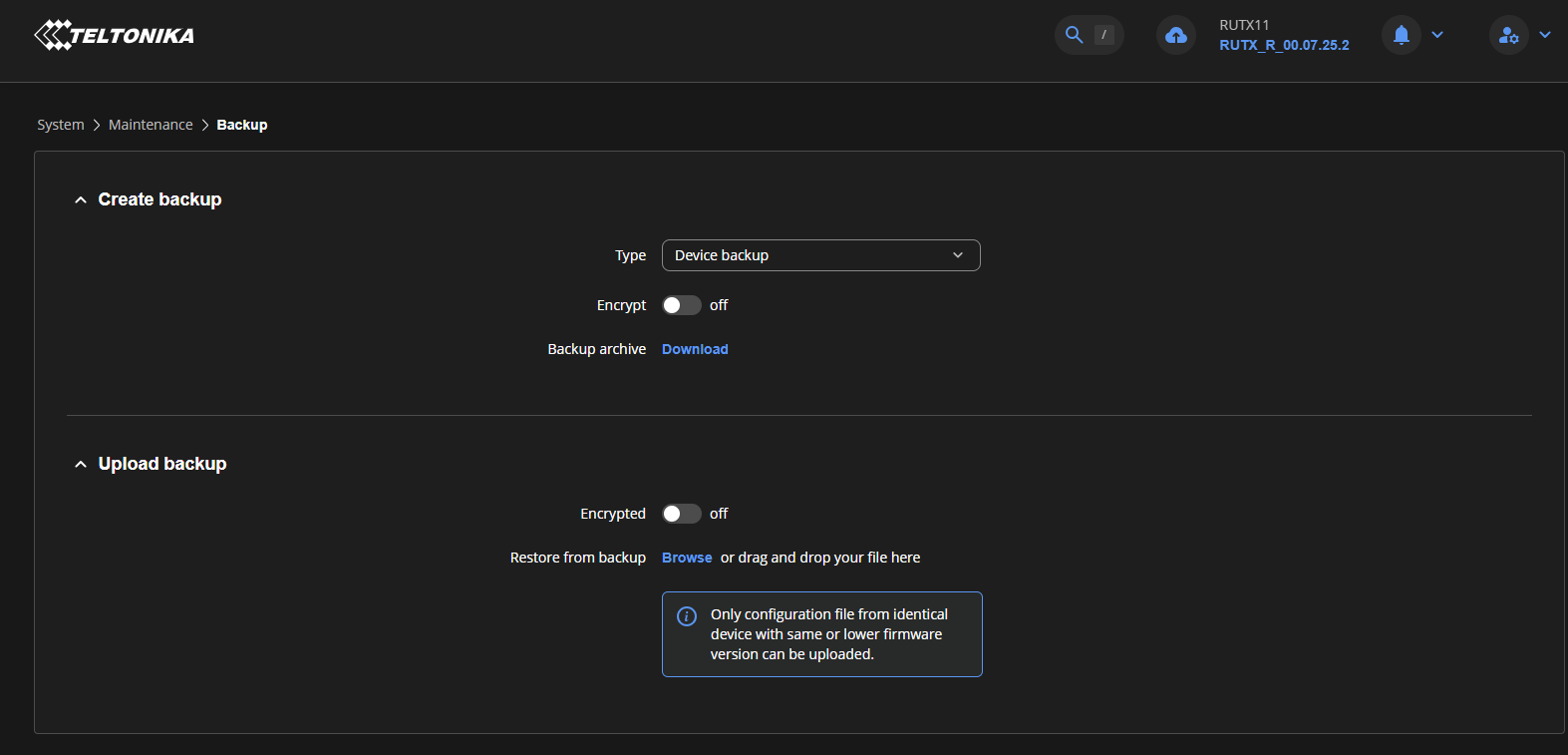
One practical question while we wait: before a major firmware upgrade, is backing up /etc/config/modbus_client (plus copying the database file off /log) the right precaution, or does R&D recommend something else?

Thanks again,
Kerem

Greetings,

By default, the Modbus Client database on our devices is stored in RAM and has a maximum configured size of approximately 1.4 MB.

The database size and storage location can be adjusted through SSH if required. Please find the relevant information below.

Database size

The database size is not defined directly in megabytes. Instead, it is configured as a number of 4 KiB pages.

By default, the maximum database size is 340 pages, which corresponds to approximately 1.4 MB. 340 x 4 kB = ~ 1.4 MB

The database does not occupy the maximum amount of memory immediately. It starts with a smaller allocation and grows as data is added until the configured maximum is reached. Once the maximum size is reached, older entries are removed to make room for new data.

The currently allocated database size can also be checked over SSH using the following debug command:

modbus_client -D 5

image

To increase the maximum database size, the /etc/config/modbus_client configuration file can be edited. Under the main section, add or modify the following option:

option db_max_page_count '2560'

For example, a value of 2560 corresponds to approximately 10 MiB.

Please note that when the database is stored in RAM, increasing its maximum size also increases the potential RAM usage of the Modbus service. Therefore, the configured database size should be selected according to the available RAM and the other services running on the device. We recommend avoiding unnecessarily large allocations, particularly on devices with limited RAM.

Database storage location

The default database location is RAM.

If external storage, such as an SD card or USB drive, is available, the Modbus database location can be changed through:

Services → Modbus → Modbus TCP/Serial Client → Global settings

image

When external storage is selected, the maximum database size can also be configured from the same menu. In this interface, the database size is specified in KiB, rather than in 4 KiB pages.

The router’s internal flash storage is not available as a selectable database location through the WebUI. If there is a specific requirement to store the Modbus database in internal flash, this can instead be configured through SSH by modifying /etc/config/modbus_client.

Under the main section, the following option can be added:

option db_path '/usr/local/home/root/modbus_db'

The configured database path can also be verified using the Modbus Client debug output.

image

or

image

Please note that storing a frequently updated database on internal flash may increase flash write activity. For this reason, external storage or RAM should generally be considered where appropriate, depending on the application requirements.

Precautions before a major firmware upgrade

If the Modbus configuration and accumulated database data are important, we recommend taking both of the following precautions before a major firmware upgrade.

First, create a standard device backup through System → Maintenance → Backup. This is the recommended way to preserve the device configuration. When performing the firmware upgrade, the Keep settings option should be used where supported and appropriate.

Second, as an additional precaution, make a separate copy of the Modbus-specific configuration file:

/etc/config/modbus_client

and a copy of the Modbus database file from its current location. These files should be stored externally before starting the firmware upgrade.

This is particularly advisable when the historical Modbus data must be retained.

The /etc/config/modbus_client copy provides an additional reference for the Modbus-specific configuration, while the database copy preserves the accumulated Modbus data independently of the firmware upgrade.

Please note that we do not recommend relying solely on a manually copied database file as a guaranteed restore mechanism across major firmware versions. Database compatibility and migration may depend on the specific firmware versions involved.

Important note

The information above applies specifically to the Modbus Client database. Other services that use separate databases, such as Bluetooth or DNP3, have different storage mechanisms and do not currently provide the same configuration options for modifying their database size.

Best regards,
V.

Hi Vilius,

Thank you, this is exactly the confirmation we needed: both db_max_page_count and db_path are configurable over SSH, and we now have a clear backup procedure for major upgrades. We will follow it (standard backup with Keep settings, plus separate copies of /etc/config/modbus_client and the database file).

Two short follow-ups, only if R&D has a view:

  1. Database location on internal flash. Your example uses /usr/local/home/root/. On our TRB145s we use /log/modbus_client/modbus.db instead, because /log is a separate 126 MB UBIFS volume (ubi2:storage), while /usr/local sits on the 85 MB overlay that also holds the device configuration. Our reasoning was that a growing database should not share space with the configuration. Is /log an acceptable location, or is there a reason to prefer /usr/local/home/root?

  2. Flash wear. Latest figure on GW-3 (database on /log since 12 Sep, 12 records/min): ubi2 max_ec = 191 on 30 Sep, up from 100 on 23 Sep, so about 13 erase cycles per day on the most-worn block. The database is 17.6 MB after 18 days. If R&D can say whether this rate is fine for a multi-year deployment, that would close the topic for us.

For the TRB246 we will simply size the RAM database to what the device can spare, as you describe, and move sites that need longer buffering to the TRB145.

Thanks again for the thorough answer,
Kerem