TRB145 I can’t add the sender email address for sending emails. I’ve tried with three different addresses, and each time there’s a sending error. What’s the problem?
Good day.
Are you using a prepaid or static IP simcard?
Hi,
Yes. I am using prepaid simcard.
Are you using a gmail account to send the emails? If yes, you may well need a Google Application Password instead of your normal Google password.
I’ve tried using multiple email addresses from various domains, but I keep getting a sending error every time.
Good afternoon,
In the first instance, If i can clarify what firmware you are using with the device? Please install the newest. TRB145 Firmware Downloads - Teltonika Networks Wiki
Can you also advise me if you have a working internet connection? If you go to WEBUI Administration → Maintenance → Troubleshot and then diagnostics, ping 8.8.8.8 to see if you can send and receive packets.
Can you also send some screenshots of your configuration? While hiding sensitive data.
I’d also recommend trying a different sim card, as prepaid sim’s sometimes have restrictions on data connectivity or SMTP port access.
Regards,
Arturas
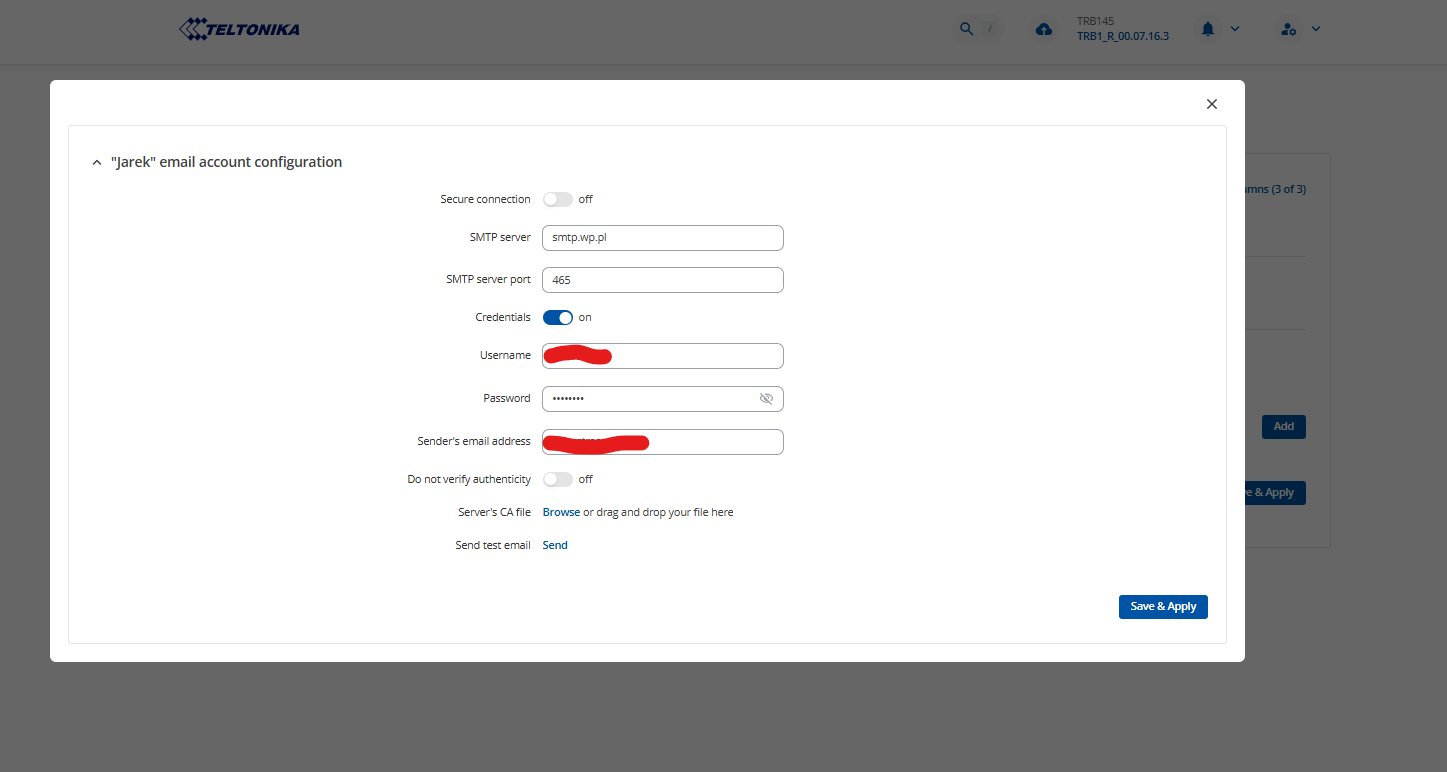
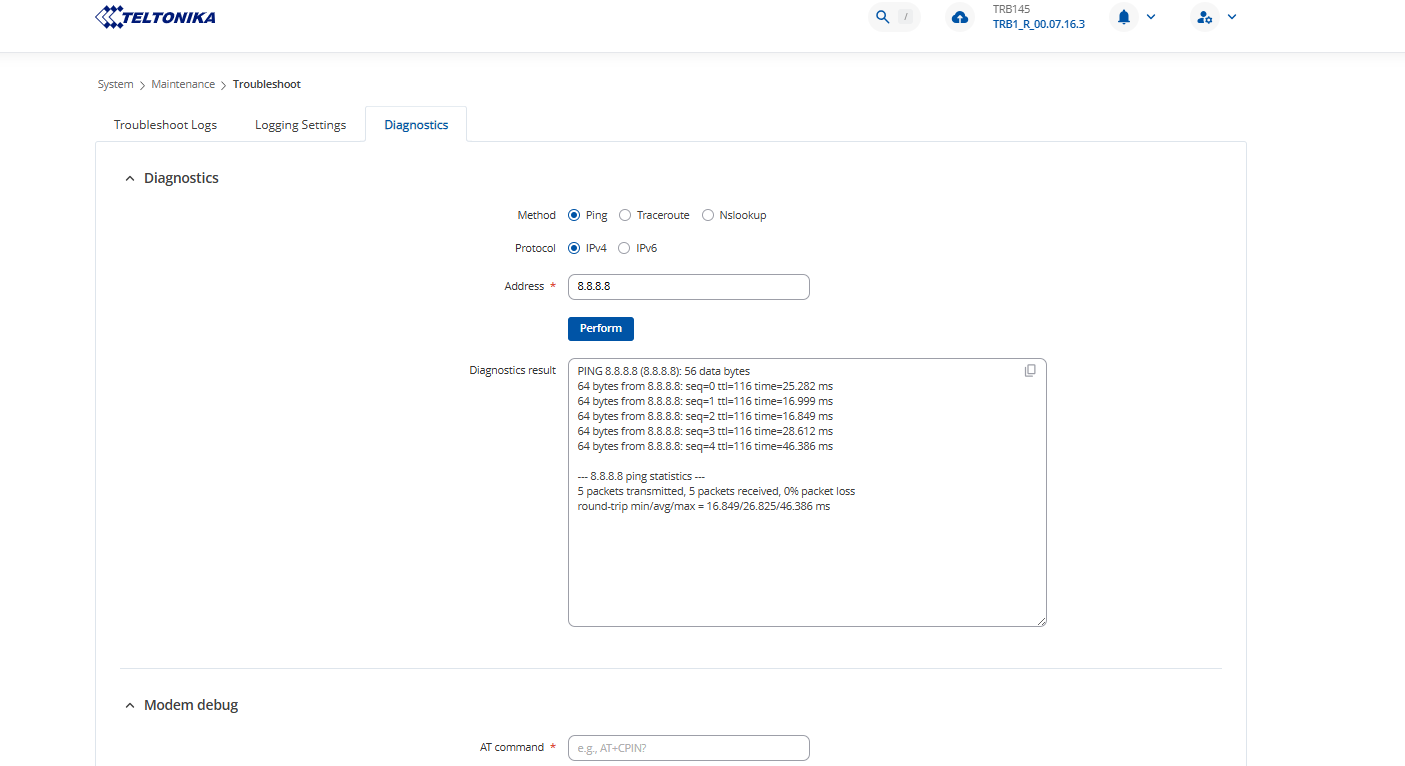
Good afternoon,
Looking into your configuration, firstly, as you are using port 465, it needs to connect via Secure connection, so please enable it. Alternatiely, use port 587.
If using Gmail, create an “App Password” in your Google Account security settings and use it instead of your normal Gmail password. Ordinary passwords often won’t work due to enforced two-factor authentication or “less secure app access” settings.
Regards,
Arturas
I’m using an App Password with Gmail. It doesn’t help.
Hi there,
Have you tried changing the port, or enabling secure connection?
Regards,
Hi,
Yes. 
Hi there,
To assist you further, we would need to proceed to private communication, as it will require us exchanging sensitive data.
I have sent you a form for private communication, please fill in the form, and in ticket ID provide this query ID which is 12813. This form should arrive to your personal email address used to register to this site.
Regards,
Arturas
Most cellular networks employ CGNAT for standard prepaid sim connections which blocks most common ports that opens the data connection shared carrier ip to public access. That is why you cant host a server from a standard prepaid sim connection… you wont have a unique public ip for the sim, but a shared CGNAT internet relay server forwarding traffic from the web. In South Africa for instance only one network offers an open APN that doesnt incur additional charges or applications to the ISP to enable a public ip. Telkom has the usual CGNAT APN : ‘internet’, but also provides the open ip APN : ‘Unrestricted’ - which allows for your prepaid sim to have a publicly accessible ip. The problem with iot devices is that port scanning bots start pinging the living daylights out of that public ip and unless you enable and tune your firewall appropriately on your TRB you end up with no data after just a few days… Depending what country you are in, you should research which cellular service providers offer a free Unrestricted APN for prepaid sims and use that network with APN set to ‘Unrestricted’ or whatever the open APN might be for that particular provider. Static ip m2m or iot sim or business contracts usually offer better network security in terms of back office prevention against port scanners etc, but it comes at a premium and usually offered only on contract. If you are in ZA, use a telkom prepaid sim but you might still have to change smtp ports… port 25 might still be blocked even on the unrestricted APN… Still try what Arturas and others have mentioned in earlier replies. Sometimes you have to troubleshoot by trying everything and then combinations of something, some things and everything. I am quite sure the problem is with your CGNAT internet connectivity so try get out from behind the normal prepaid sim APN firewall… Alternatively you should set up a VPN or a DDNS service to bypass CGNAT. The Teltonika device range offers great flexibility regarding connectivity and security… I am sure you will find a solution to solve the issue soon enough.
Hi, these Gmail settings should work ….
Secure connection = on
SMTP server = smtp.gmail.com
SMTP server port = 587
Credentials = on
Username = [insert gmail address e.g. myaccount@gmail.com]
Password = [insert gmail application password]
Sender’s email address = [insert gmail address e.g. myaccount@gmail.com]
Do not verify authenticity = off
Server’s CA file = (blank)
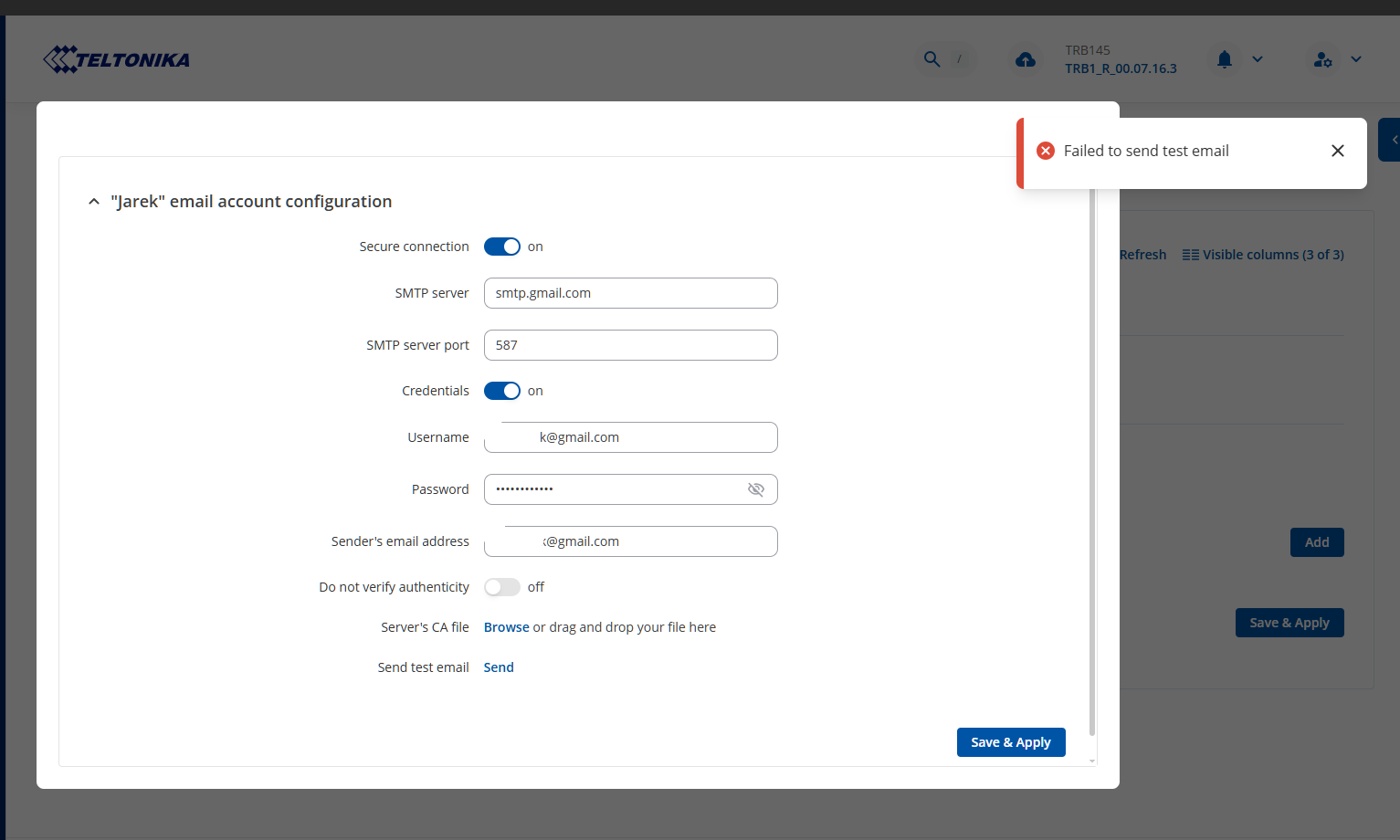
Ouch …. hopefully Arturus can solve this problem.
Hi there,
I have queried our RnD departament for assistance in helping with your case.
I will advise, as soon as they inform.
Regards,
Arturas
Hi there,
After clarifying, I can confirm that we managed to make this functionality work.
In your case, as SMTP server I recommend using POP3 server: pop.gmail.com
-
Server port: 995
-
Username: mailname@gmail.com
-
Password: Gmail account password (This is the app password that you need to use, I want to advise that it has worked with a sucessfully setup app password.
-
Secure connection: Enable
-
Credentials On
-
Senders email address same as username
In regards to the Gmail app password, you need to firstly enable two factor authentication, as gmail will not let you create an app password without that. When you do, go to create and manage app passwords in your gmail. Create an app name, and you will be provided with the app password in such screen :
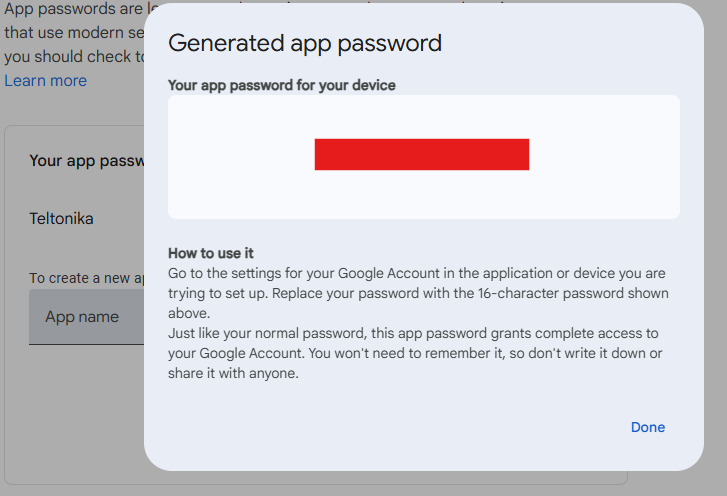
Copy that password, delete spaces, and paste it in the password bit in WEBUI.
Regards,
Arturas
I did as you instructed. Unfortunately, it does not work for me.
Good afternoon,
Thank you for your query.
We are currently working on it, and will be back with a response as soon as possible.
Thank you for your patience,
Regards,
Teltonika Team