TRB140 Remote Connection via VPN to PLC

Hi,

Hope for some assistance please.

We need to setup Remote Connection to a AN Micro 850 PLC and a HMI. We have setup as per the following video: How to control your Siemens PLC remotely over Ethernet with RUT240?

However, we are unsuccessful to establish connection with neither the PLC or HMI. We have to use a VM for this task. We have setup a VCN connection with the HMI and works with no issue.

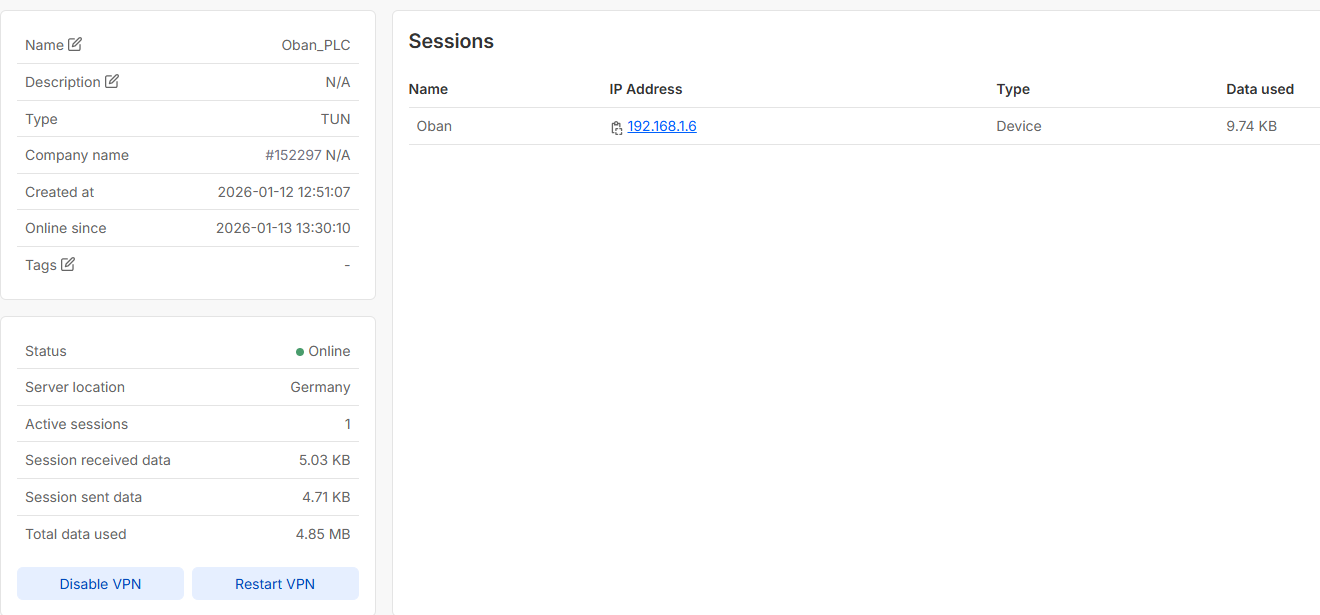
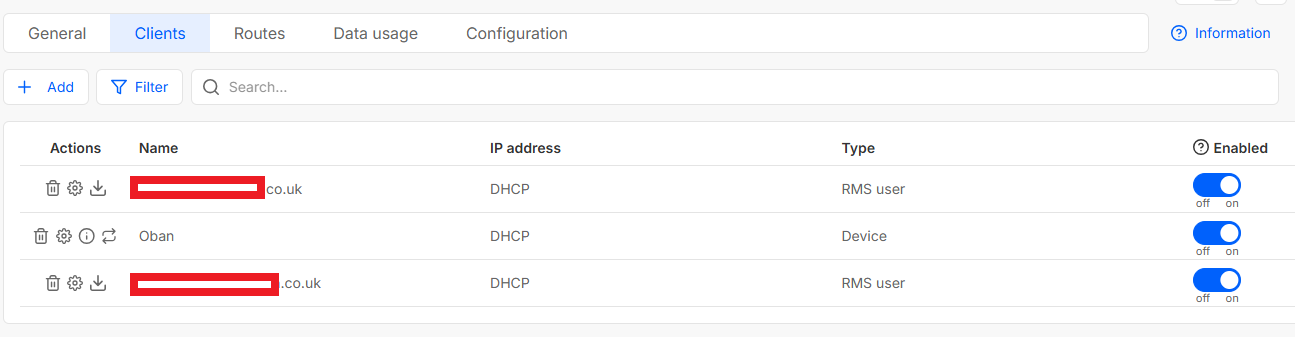
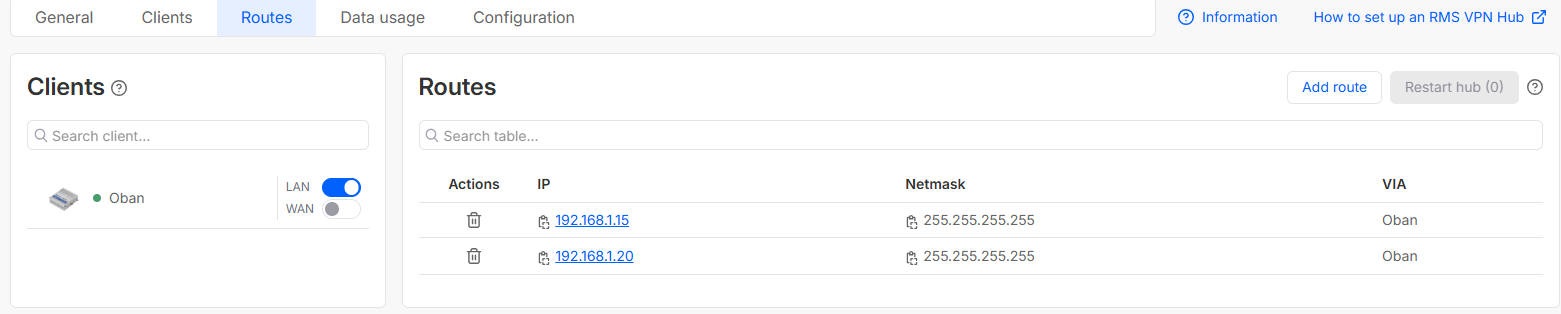
Setup as below:

We have also setup the OpenVPN Connect as per the video.

Any assistance would be greatly appreciated.

Thank you.

Greetings,

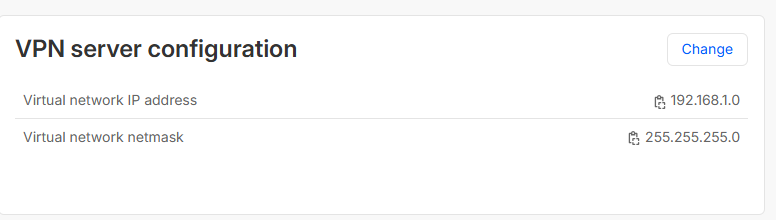
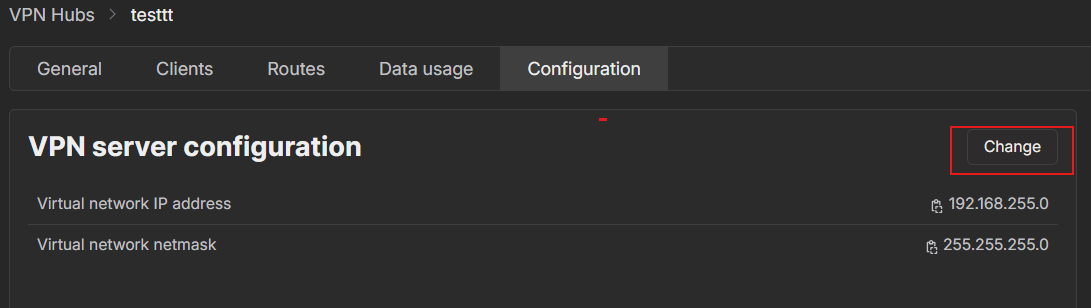
Could you please change the virtual network subnet back to 192.168.255.0? It must not overlap with your local LAN IP range.

You can do this from the Configuration tab of the VPN hub, as shown in the image below.

Best Regards,
Justinas

Hi Justinas,

Thank you for the reply.

The IP was originally 192.168.255.0 but because we were unable to establish a connection we changed it to 192.168.1.0. Have changed the IP back to 192.168.255.0 with the same result, unable to establish connection.

Any further information will be greatly appreciated.
Greetings,

Could you please navigate to Network → Firewall → Zones and enable Masquerading for the LAN zone?

Additionally, could you please confirm whether the PLC has a default gateway configured? If not, please set it to the router’s LAN IP address.

Are you using any system to connect to the PLC (for example, TIA Portal)?

Best regards,
Justinas

This topic was automatically closed after 60 days. New replies are no longer allowed.