Hi, new here so be kind haha I have a TRB-500 and it is has a fault “cannot connect to ip address” it was working flawlessly for about 8 months until i had a low voltage issue. Since then it randomly connects but then the error comes up. Thought i may have damaged the unit so i purchased another one and it does the same. Ive since found out the the tower i thought was 5g is 4g would this affect the TRB-500 im getting 2 bars of signal strength. Setup with openvpn. Any ideas before i look at starlink. Cheers, Don from Melbourne.
Hi,
Could you perhaps provide more details about the issue itself? Where are you getting/seeing this error message exactly? Could you possibly provide a screenshot of it?
You mention the device connecting to something, what exactly do you have in mind? Regarding the signal strengths, they’re dependent on a lot of different factors, such as the Mobile Operators’ coverage, antennas being used, mobile frequency bands that your device is connected to, the placement of the device itself, etc.
I recommend looking into manual band-locking for starters, which may improve your signal-issues: Band Lock - Teltonika Networks Wiki
Regards,
M.
Thanks for the reply. The unit will normally be connected to a hf remote unit to operate a hf radio remotely.
Without the ethernet connection the TRB fires up and the 5g led is flashing and according to the manual its not connecting to an IP address. I have a LPDA antenna pointing to the tower approx 700 meters away it has 11dBI gain i think??
It was working ok at home but when i took it to the remote site and powered it up it went into fault.
Hi, Don,
You are indeed correct in regards to the LED status. If possible, could you access the WebUI of the TRB500, and head to Status → Network → Mobile and send me a screenshot? Please blur out your IP addresses, serial numbers, IMEI numbers, ICCID’s, or anything sensitive:
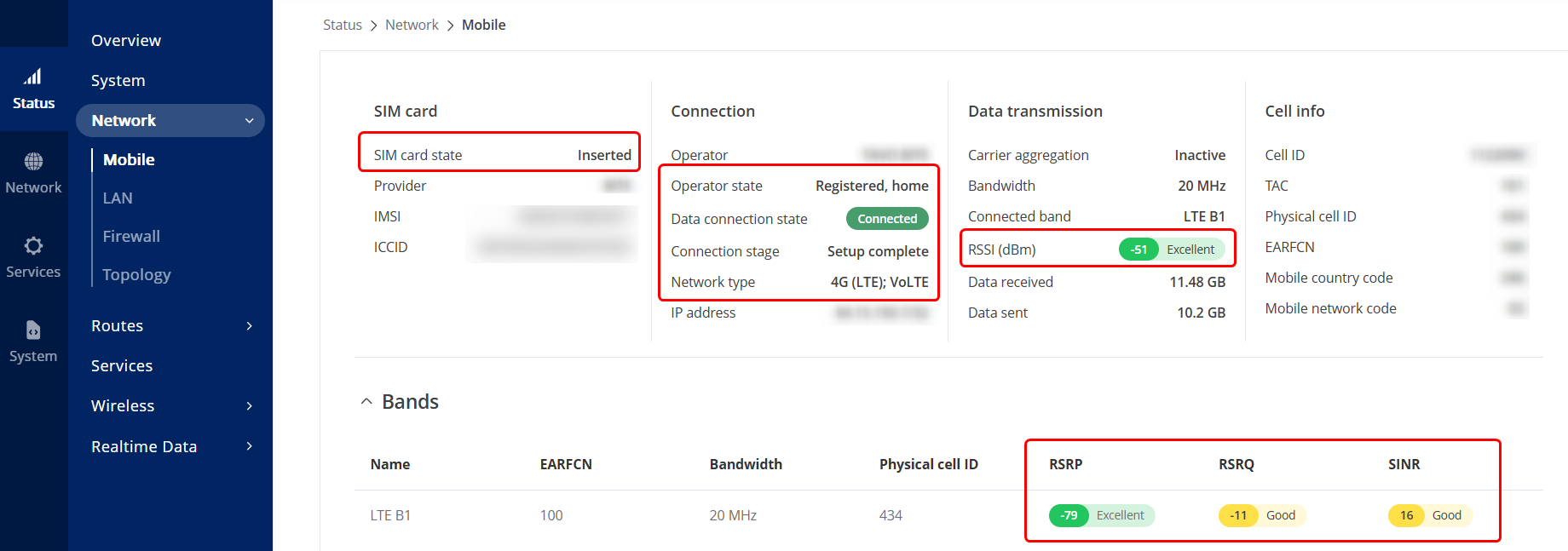
The highlighted information (in red rectangles) is the one the matters the most to me in this case.
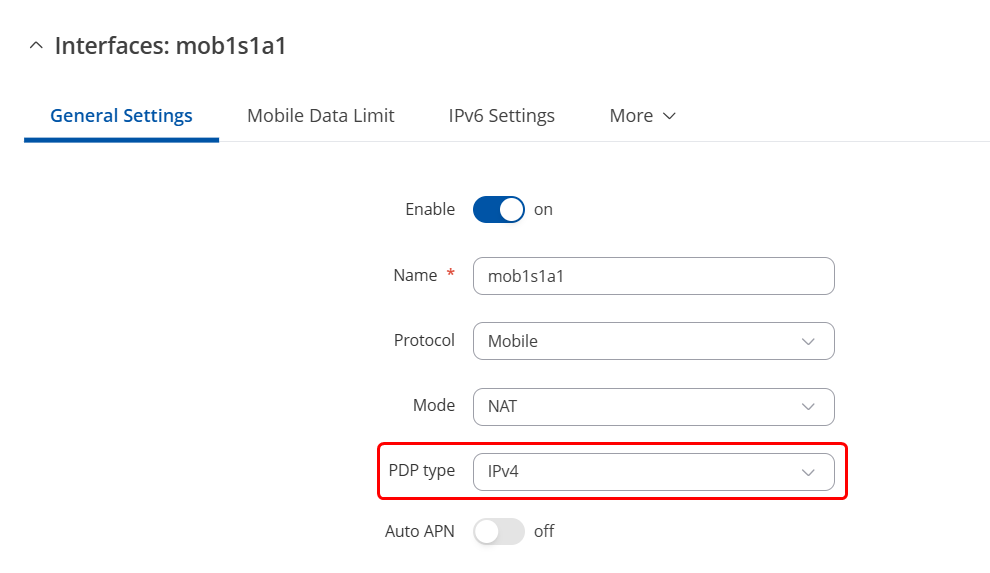
You could also head to Network → WAN press “Edit” on your interface, and change the PDP type to IPv4 if it’s not set to that already:

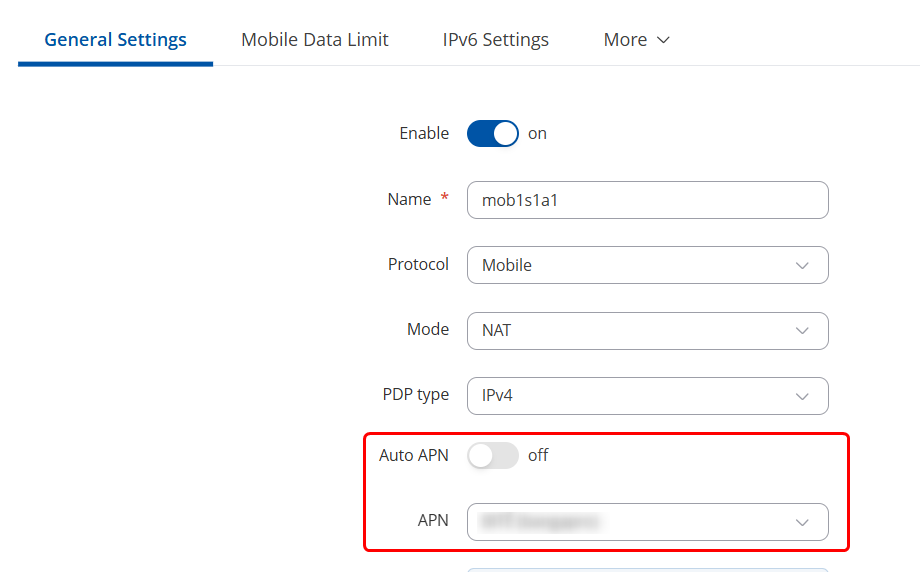
Also, ensure that your Operator doesn’t require any custom APN to be used for 5G to work:
Regards,
M.
I have connected the TRB in my office with supplied antennas and it has connected?? the signal is weak but still connected. I shall go up to the remote site and do the same there to compare. It did disconnect once but reconnected within 30 secs.
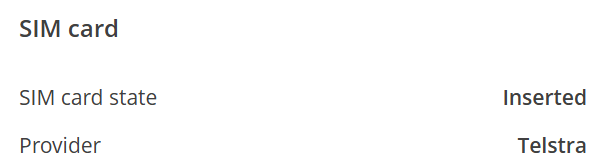
Here are the screen shots as per request. For the APN assignment when you say operator, are you suggesting my Carrier (Telstra) or OpenVPN??
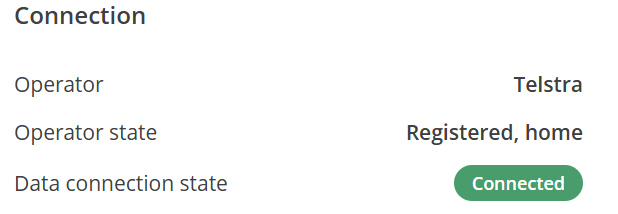
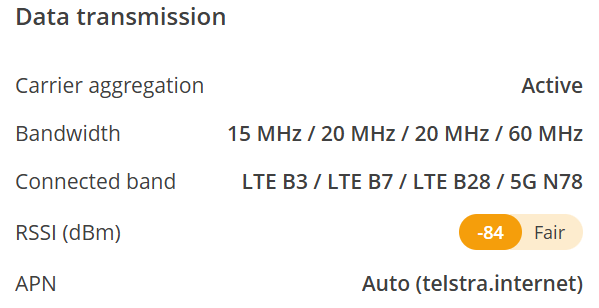
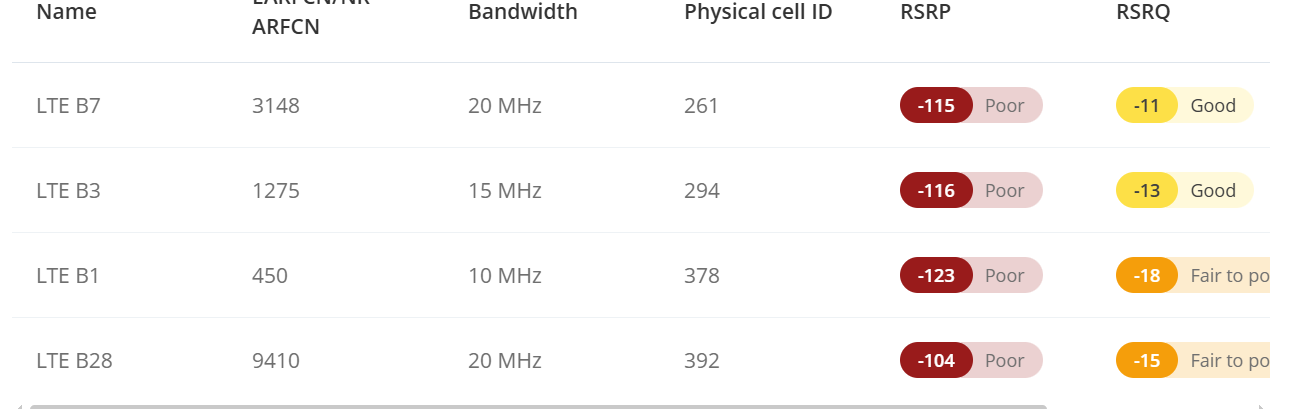

HI, I am using an antenna such as this one with 12dBi gain, it has 2 leads so which of the 4 inputs on the TRB should i be using??
Cheers, Don

Hi, Don,
First off - thanks for the screenshots, your signal strengths seem to be quite weak, which would make sense why you’re failing to connect or as you say obtain an IP address.
As seen in the datasheet, the TRB500 mobile connectors don’t have “main” ones specifically, so which ones you occupy, shouldn’t matter:
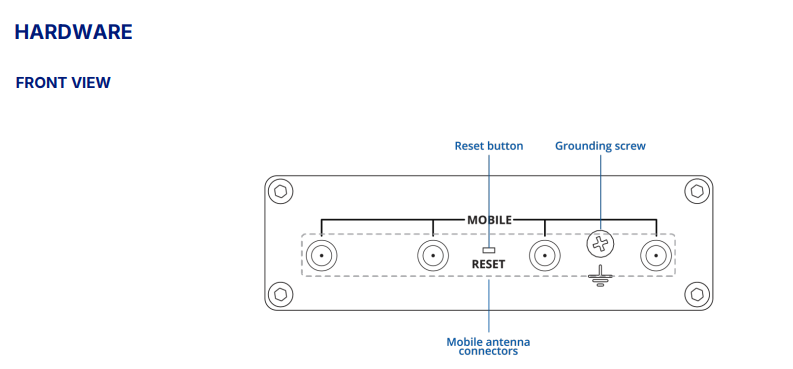
I would recommend looking into band locking, which may improve your signals:
Band Lock - Teltonika Networks Wiki as mentioned earlier.
Regards,
M.
Hi Matas,
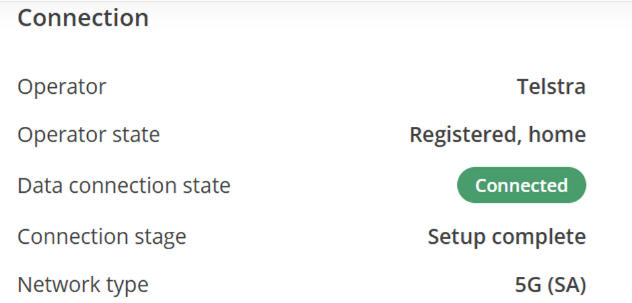
I took the TRB back to the site and plugged it in and it connected straight away!! I have not changed any settings and am puzzled as to why it was not working and now it is. Ill keep in touch if it fails again.
I have taken the same shots to show the connected status.
Thank you for your assistance. Cheers, Don


Thanks for the heads up! Hopefully it stays connected now.
This topic was automatically closed after 60 days. New replies are no longer allowed.