Hello,
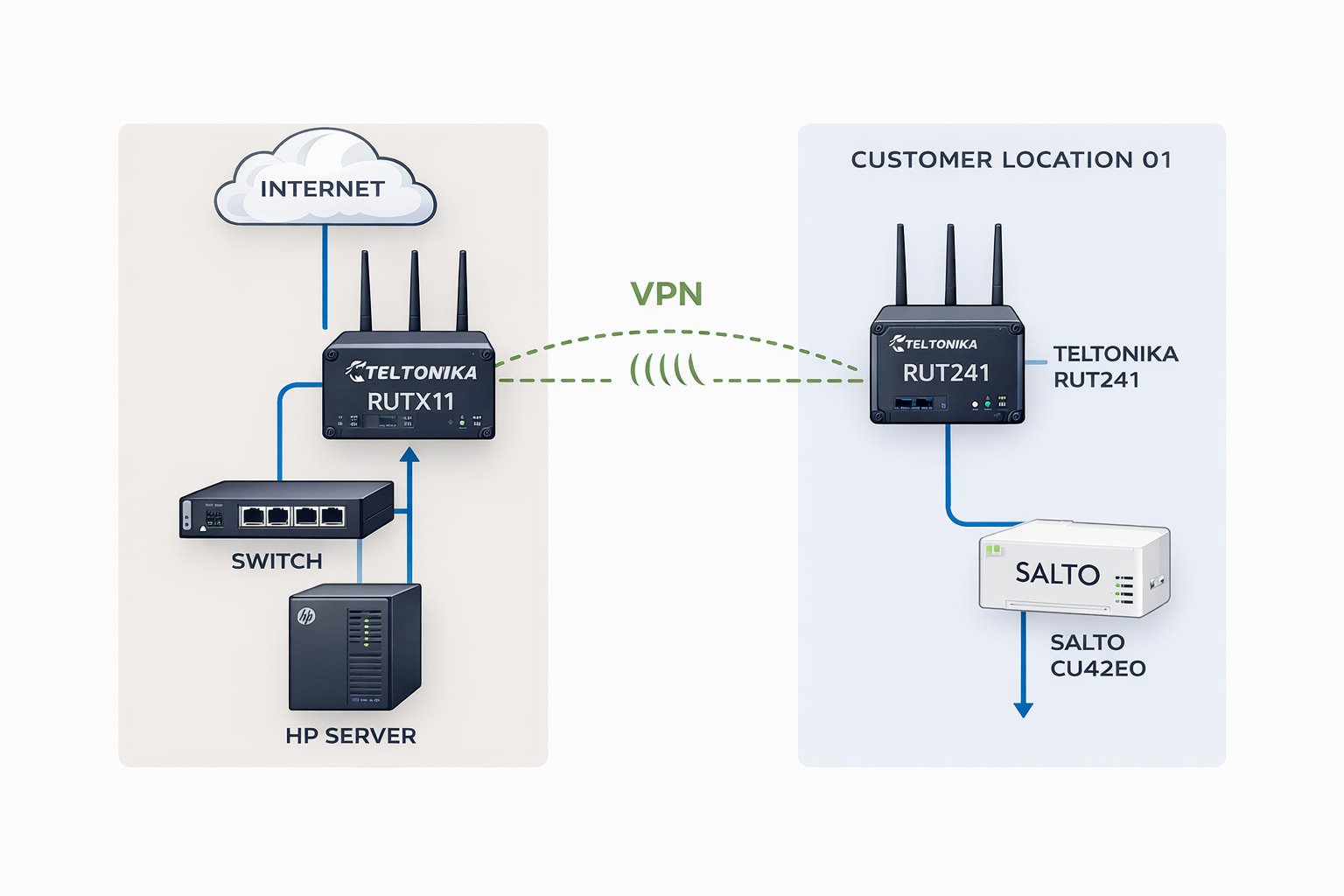
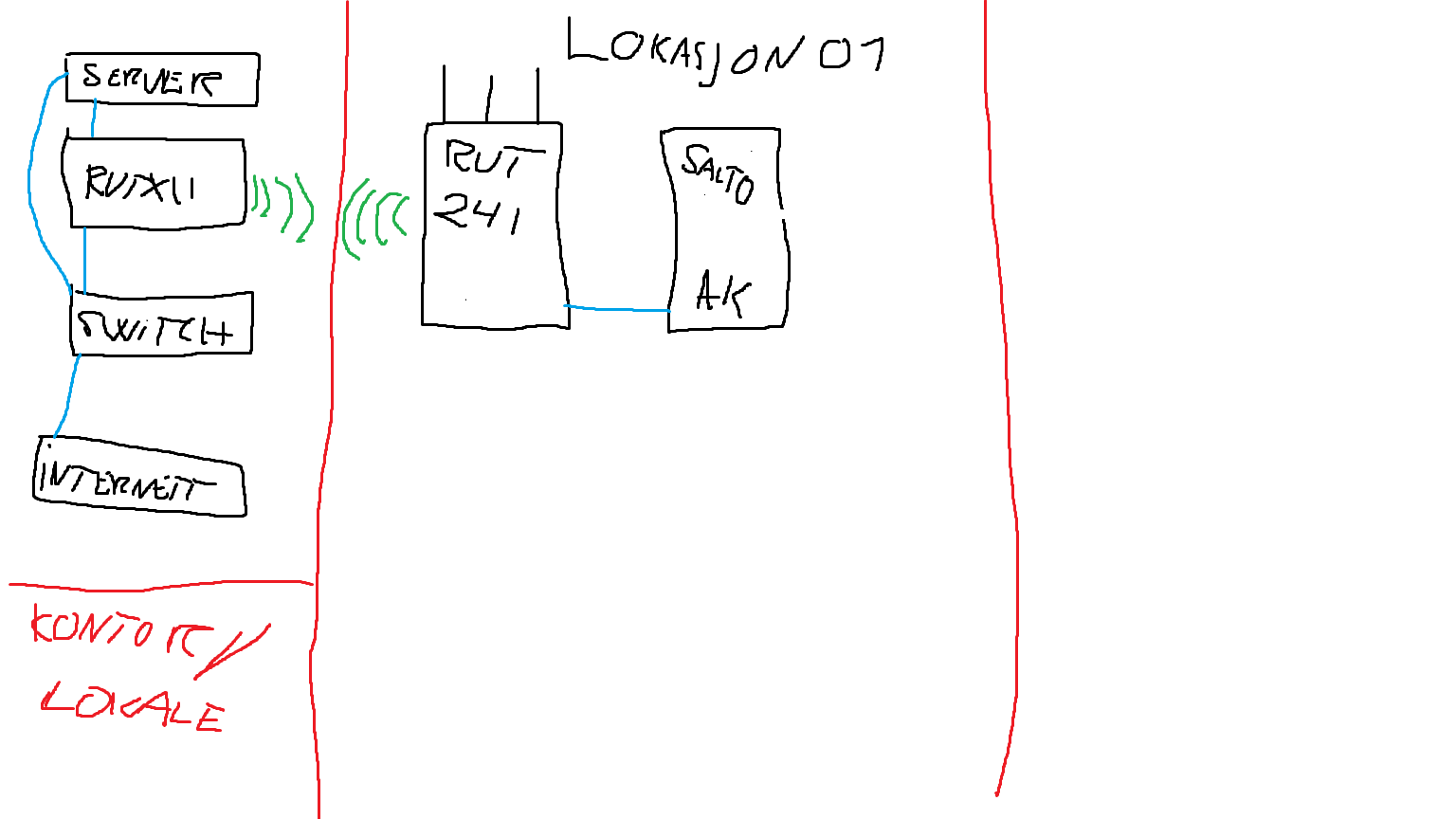
We are seeking technical assistance regarding the configuration of a Teltonika VPN and static IP setup. Please see the attached schematic illustration (simplified drawing for reference).
Background
We operate a dedicated on-premises server at our office, where we host an access control platform (SALTO SPACE) for selected customers.
In cases where customers require online functionality for their controllers, we install additional networking equipment on site to enable secure remote communication between the central server and the customer’s access control hardware.
Until now, we have been using a Tosibox solution for this purpose. However, we find it somewhat complex to manage and maintain at scale, and therefore wish to migrate to a Teltonika-based infrastructure.
Intended Setup
Our planned architecture is as follows:
-
Teltonika RUTX11 installed at our office, connected to our SALTO server.
This unit will function as our central VPN gateway (“main hub”). -
Teltonika RUT241 units deployed at customer sites.
These will provide secure remote connectivity to on-site access control hardware (e.g. controllers) via LAN.
The objective is to establish secure, stable communication between:
Office Server (SALTO SPACE)

RUTX11 (Office – VPN Server / Gateway)
RUT241 (Customer Site – VPN Client)
Access Control Controllers (LAN)
Assistance Required
We require guidance on:
-
Recommended VPN type (OpenVPN, IPsec, WireGuard, RMS VPN, etc.) for this use case.
-
Best practice configuration for site-to-site connectivity.
-
Static IP handling (public static IP vs. dynamic + DDNS).
-
Routing setup between subnets (office LAN ↔ customer LAN).
-
Security hardening recommendations.
-
A scalable configuration model for onboarding future RUT241 units efficiently.
-
Whether RMS would be beneficial or unnecessary in this architecture.
Our goal is to implement a robust and scalable structure that allows us to easily deploy additional field units going forward, with predictable routing and minimal complexity.
We would appreciate your guidance on how this should be configured correctly from the outset.
Looking forward to your response.