i did the suggested update to 7.15.1, after the update the mobile modem does not work any more.
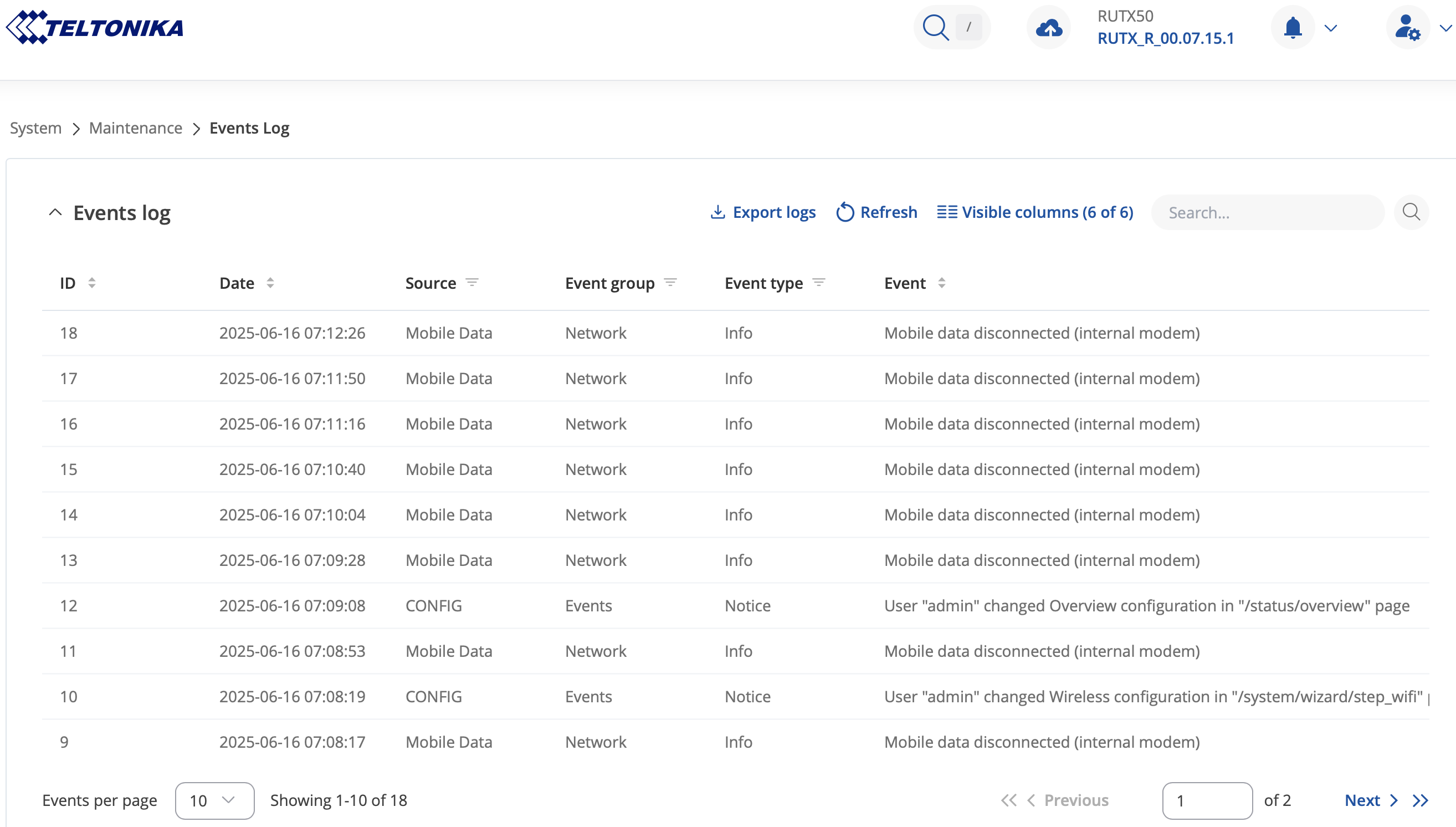
first i tried a simple warm reboot executed via gui. the modem shows the sim-card, connects short to the provider, but after that its suddenly not working any more.
second i tried a cold reboot via power off for 10 seconds and plug it back again. result is the same.
third i did a manual downgrade to 07.15 via downloading the file from teltonika and uploading it to the gui. result is the same.
how do i get the modem working full and reliable again?
Could you please try or share the following information:
Flash the 7.15.1 firmware through the bootloader menu. Instructions for this process are available here.
After booting, do you see any modem-related errors in the WebUI, such as “internal modem is unreachable” or similar?
Please check the Status → System page, confirm whether the internal modem information is displayed at all. Also, under Device info section, verify if the Serial number, hardware revision, and batch numbers are visible and correct.
If the issue persists, kindly access the CLI and provide the output of the lsusb command.
If none of these steps resolve the problem, we may need to troubleshoot the situation privately.
starting the bootloader succeeded on first try. flashing the file RUTX_R_00.07.15.1_WEBUI.bin also worked on first shot.
after booting the errors seems to remain the same. it looks like there is some kind of mechanism to do at least a couple of automatic retries to get the mobile modem working.
Thank you for the update and answers. In this case, I believe, to assist you effectively, we’ll need to continue this process privately. You should find a support request form in the inbox of the email address you used for your forum registration. Kindly fill out the form, and please reference Ticket ID: 14379 when submitting it. Once the form is completed, we’ll contact you directly via email to investigate the issue in detail and help work towards a solution.
I enjoyed really good remote support from your tech support team. Your colleague tried everything on CLI to got the modem working again. Never the less the result from your support team is, that the RUTX50 needs to send in for RMA and my device has still warranty.
Unfortunately I moved to another city in my country and RMA over the seller is really complicated. I already explained this to your tech support.
He mentioned I could sent the device on my on cost to Teltonika for RMA Process. I did what he told me to do and sent a message using the contact form on your website on monday this week but til now I got no answer.
Thats why I ask you to support me with direct information how I can send my device for RMA process.

 submitted.