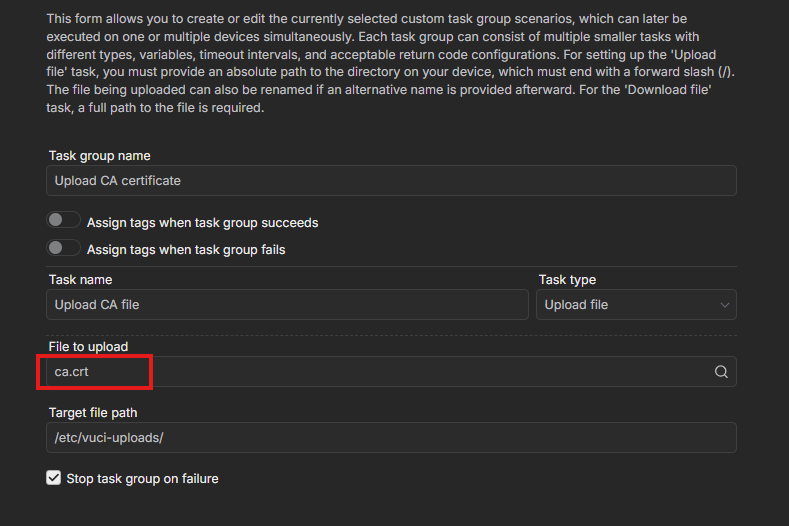
I want to push client certificates to several RUT241 devices using task manager in Teltonika RMS. I have setup a new task to upload the file from RMS files area by using /etc/vuci–upload/ in the target file path. I have a the task type set to ‘upload file’ and file to upload set to the correct client certificate in the files area. Upon executing this task for a RUT241 device I get a message to say an error occurred for task.
Please can anyone advise what the problem might be?
To better understand the situation, could you please clarify whether:
The task fails during the file upload to the device,
or
The error appears after RMS attempts to apply the uploaded file to the configuration?
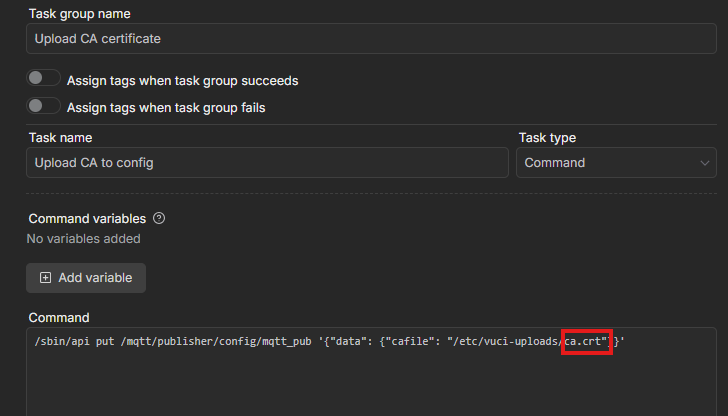
Please also ensure that the filename used in the command exactly matches the name of the file uploaded to the device, as shown in your screenshots. Even minor differences (such as uppercase letters or missing extensions) can cause the task to fail.
If the filenames match and the issue still occurs, please share a screenshot of the error message. This will help me identify the cause and provide accurate guidance.
Thank you for your support there was a small typo of ‘upload’ rather than ‘uploads’ in the target file path for the first task. This has now executed the task successfully.
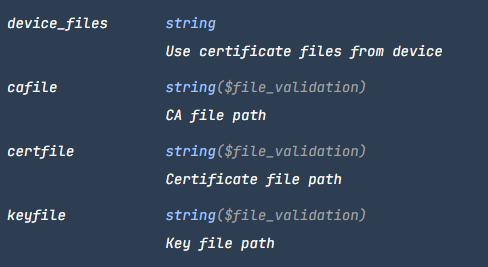
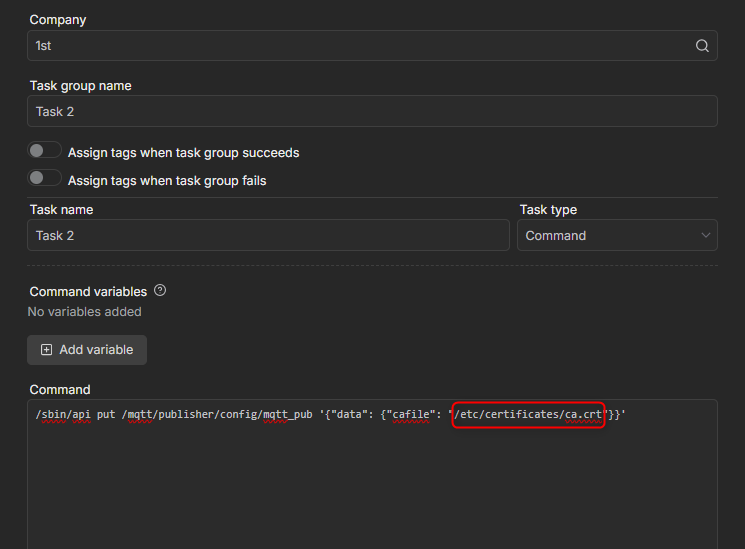
To make this work, you will need to adjust the command that pushes the file to the configuration. In the example provided, a file named “cafile” was used. While the file paths remain the same if you are uploading to the same directory, you must update the variable in the API call to match the specific file you want to apply to the configuration. Here is an example of how the variables should be set:
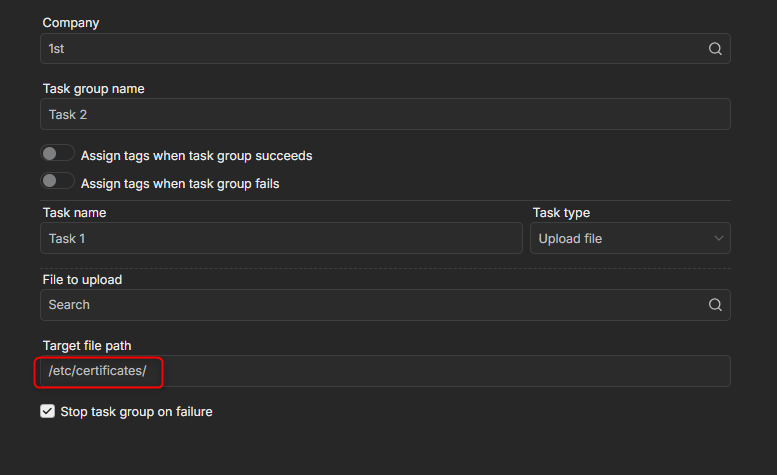
As discussed during our call, I am sharing the screenshots demonstrating how to adjust the task manager settings when working with a different directory. The first step is to update the directory path where the file will be uploaded, following the example below:
You will also need to adjust the command accordingly. Since the file location changes, the path inside the API call must match the new directory. In the example below, the highlighted section indicates the required “path_to_file/filename” structure:
Could you please clarify whether the certificates you are trying to generate will be used for OpenVPN? This will help ensure that the guidance provided is aligned with your intended use case.
Additionally, you may find the following thread helpful, as it contains relevant information regarding OpenVPN client certificates when key material is already available:
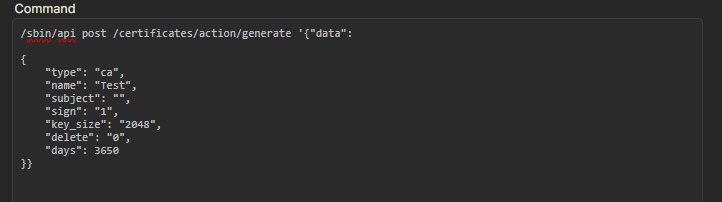
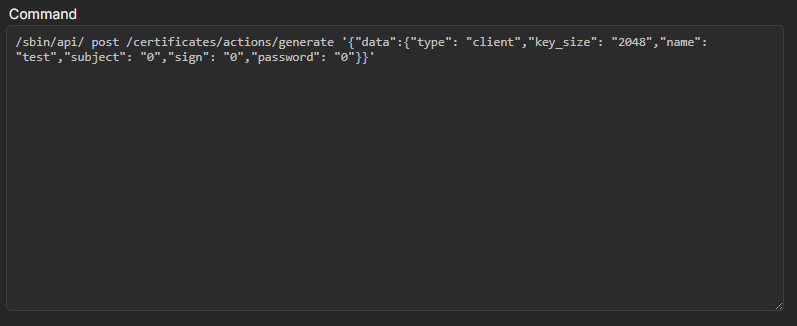
The use case for creating these certificates is for secure mTLS communication between a MQTT broker and RUT241s (I understand I think how to send a CA certificate from RMS to the RUT241 as a start to creating client certificates). I want to be able to create the client certificate and key inside the RUT from RMS task manager. I need to make the task repeatable for many RUT241s and make each RUT241 client certificates unique so I need the task manager to have script to make them unique somehow (could I do this by reading the RUT serial number as that is unique?). Also the certificates I want to generate I want to be able to create from the System→Administration→Certiificates area of the RUT241 rather than in the RUT services.
When testing this on my side, executing the above command successfully generated a unique client certificate, with the certificate name set to the device serial number.
Please let me know whether this API call works in your case or if you have any additional questions.
Thank you this script did work for me, I generated a test CA certificate on the RUT as you did. I have edited the script to use an imported CA certificate and key I used to setup an MQTT broker. However using the imported CA I found stopped the script producing a client certificate. I used OpenSSL on an external MQTT broker server to produce the imported CA. Can you advise if this should work?
I would like to make my solution a mutual TLS solution which will mean creating username and password either on the RUT device and passing that information to the broker or vice versa. I would like to discuss with you how I could do this?
To expand on my mTLS post. The MQTT broker I am testing is a mosquitto broker, I am able to use the mosquitto broker password generator exactable to input a desired client username and password (so I can also setup ACLs in the broker). The password is only kept in the broker in an encrypted format.
I would like to have the RUT241 device subscribe to the broker topics using that same username and password and to automatically input those credentials into its subscribe command. For example CLI mosquitto_sub -h 10.20.xxx.xxx - t topic -u username -p password -cafile -clientcrt -clientkey -p 8883.
I am not sure how to get the username and password I setup in the broker shared with the RUT241 device in an automatic and secure way for it to then subscribe to the broker. I am looking to do the above across many RUT devices with individual username and passwords. From my previous discussion I now know how to produce unique client certificates.
For troubleshooting purposes, we will require more sensitive information from your end, such as the troubleshoot file, which may contain passwords, public IP addresses, serial numbers, and such. To avoid leaking this information, we have sent you a form to fill out, which you will receive in your e-mail inbox that you have registered your account with in the forums. In the Ticket ID field of the form, please enter the ID of this thread, which is 16438.