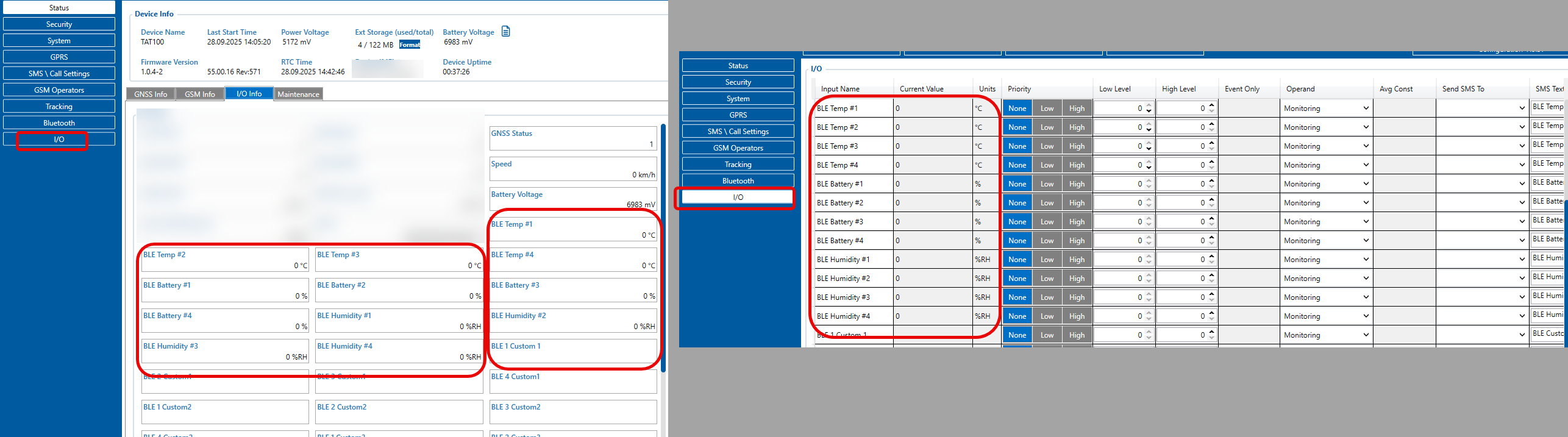
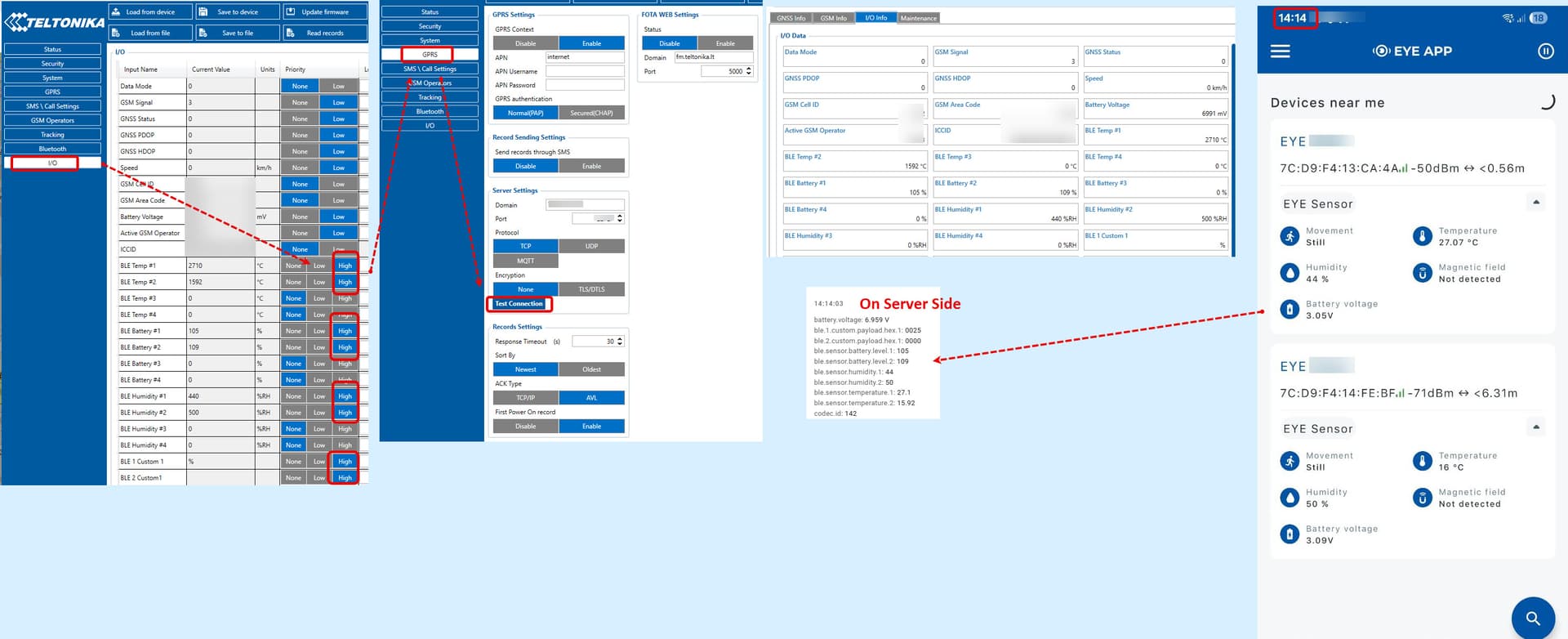
I tried combining different Bluetooth settings for TAT100 (EYE Sensor + MAC address) with BTSMP1 (Eddystone, Sensors, Eddystone and sensors),
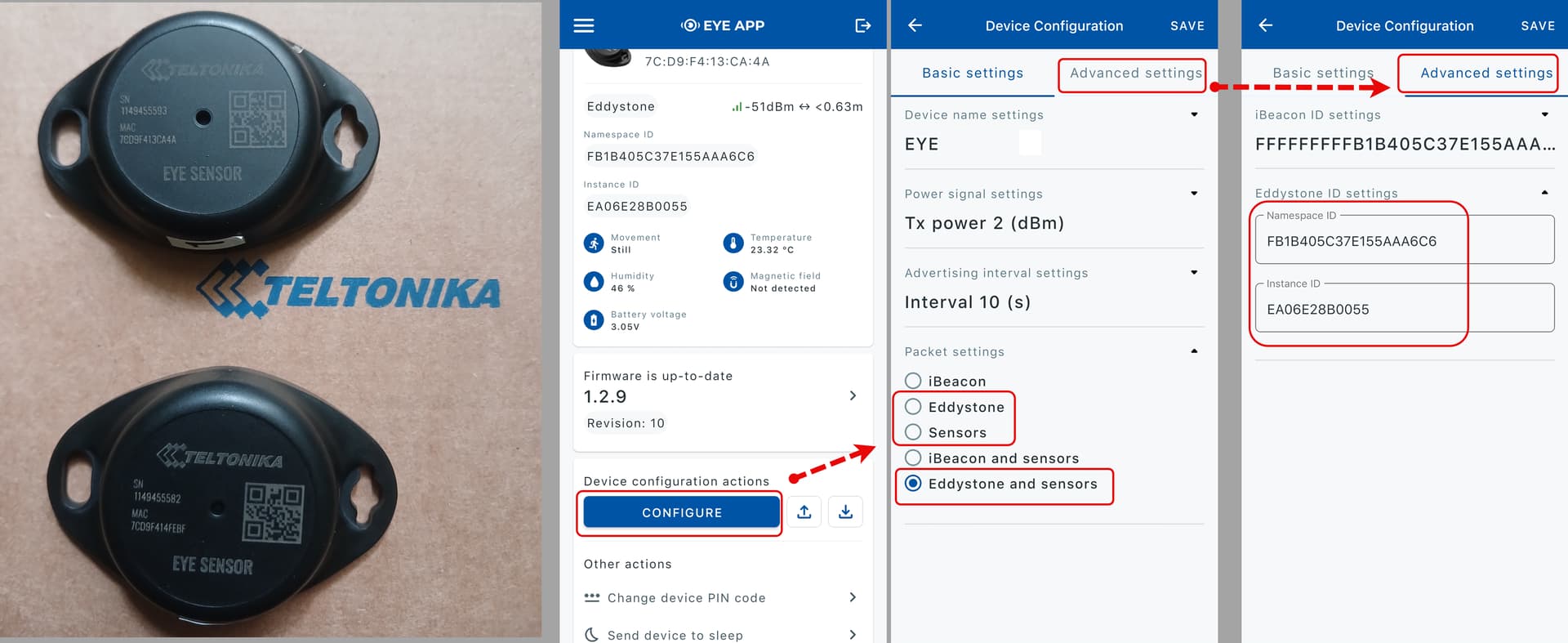
then TAT100 (Eddystone + Namespace ID, Instance ID) with BTSMP1 (Eddystone, Sensors, Eddystone and sensors),
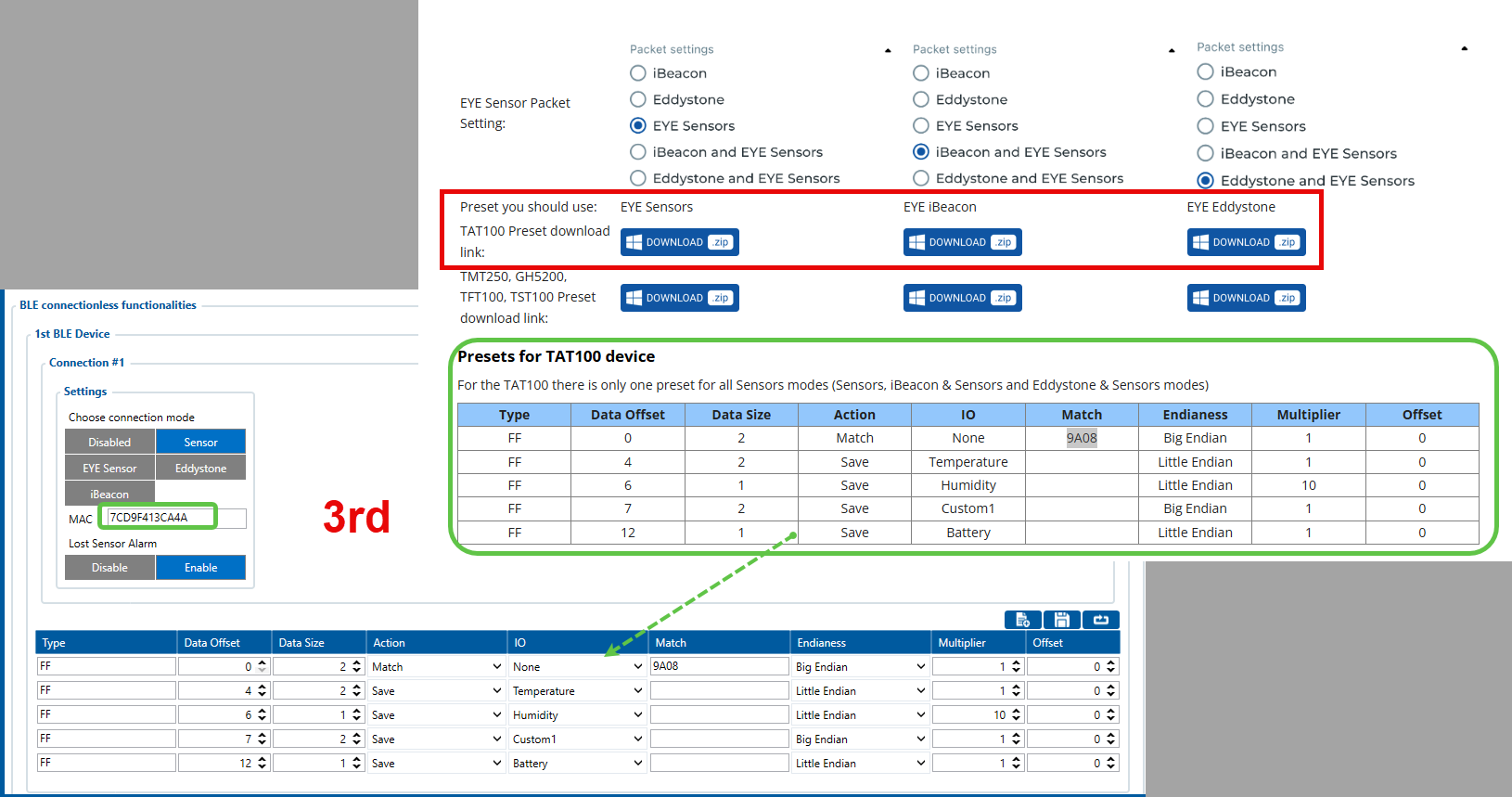
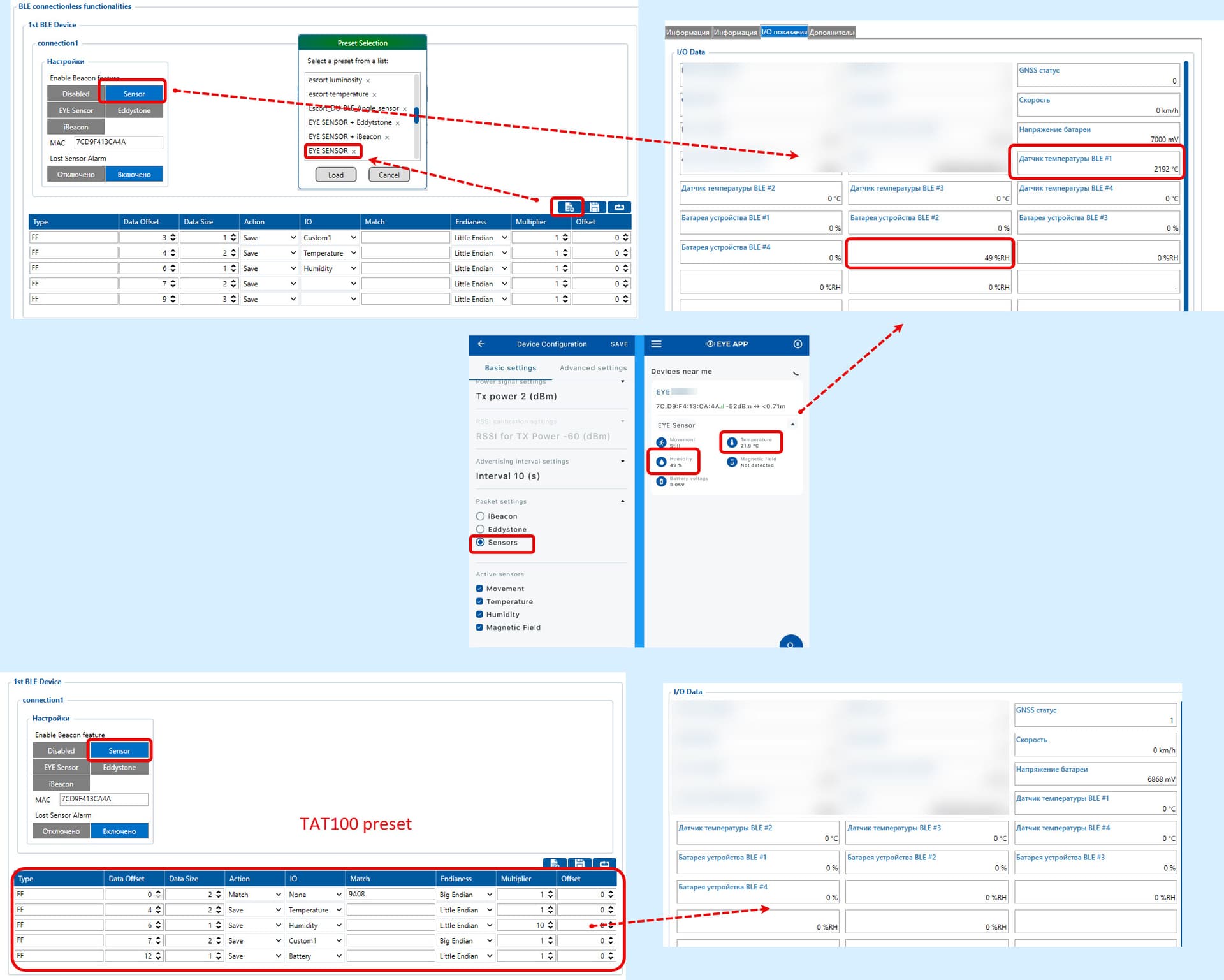
and lastly TAT100 (Sensor) with BTSMP1 (Eddystone, Sensors, Eddystone and sensors), but since premade EYE sensor presets for TAT100 do not download from the site,
I used manual input of the single preset for TAT100 device, as “For the TAT100 there is only one preset for all Sensors modes (Sensors, iBeacon & Sensors and Eddystone & Sensors modes)”
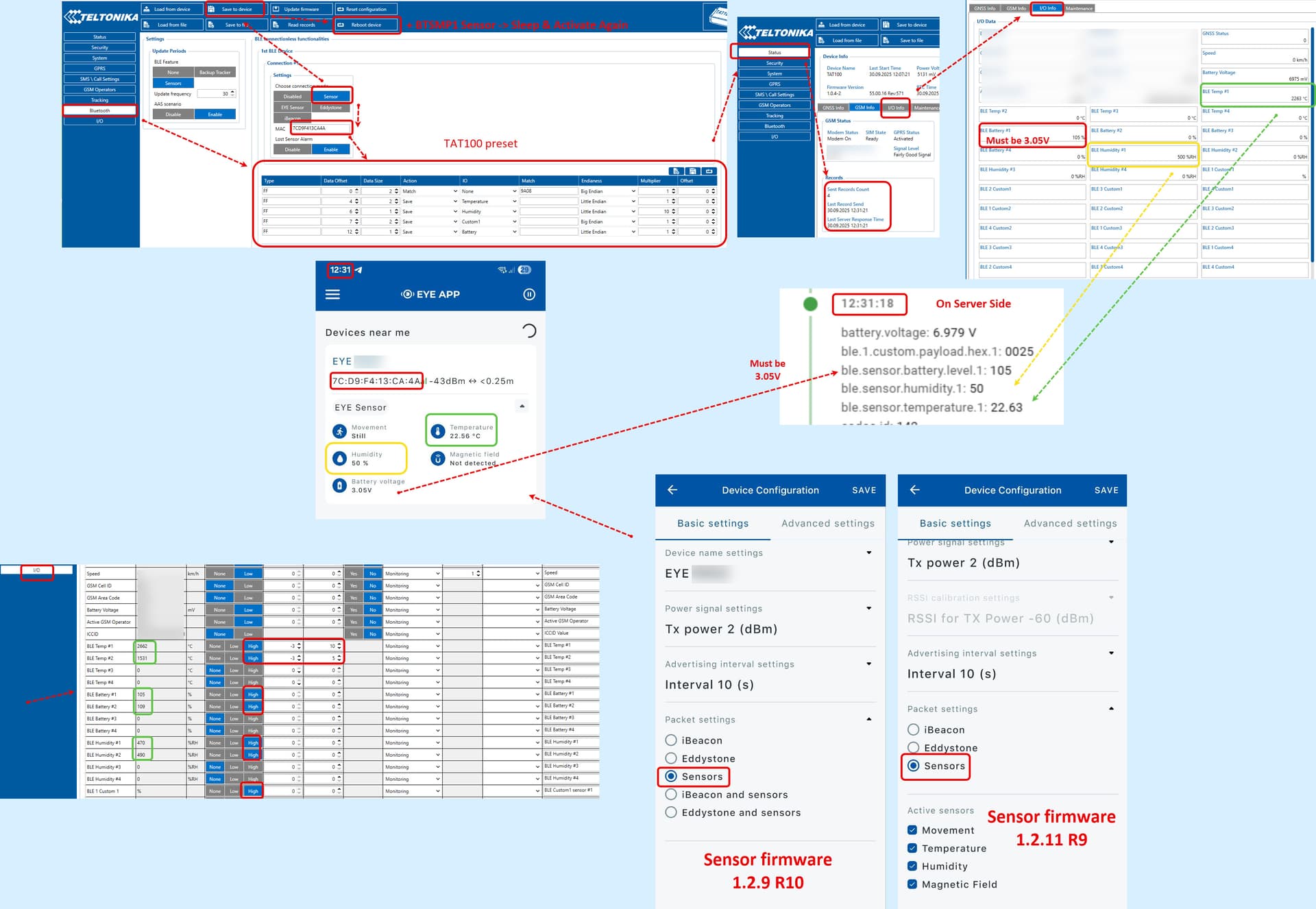
In this statement, I made an inaccuracy regarding the BTSMP1 Sensor — it actually did require a firmware update from 1.2.9 R10 to the current version 1.2.11 R9, as I described here:
After that, I selected the “Eddystone” packet format in the software and app — but this had no effect.
Then I switched to the “Sensor” packet format and selected the “EYE SENSOR” preset. After that, data started appearing in the software, but the format was slightly incorrect.
Switching to the TAT100 preset did not display any data. Moreover, when I switched back to the “EYE SENSOR” preset — the data disappeared again. Rebooting the TAT100 device did not help.
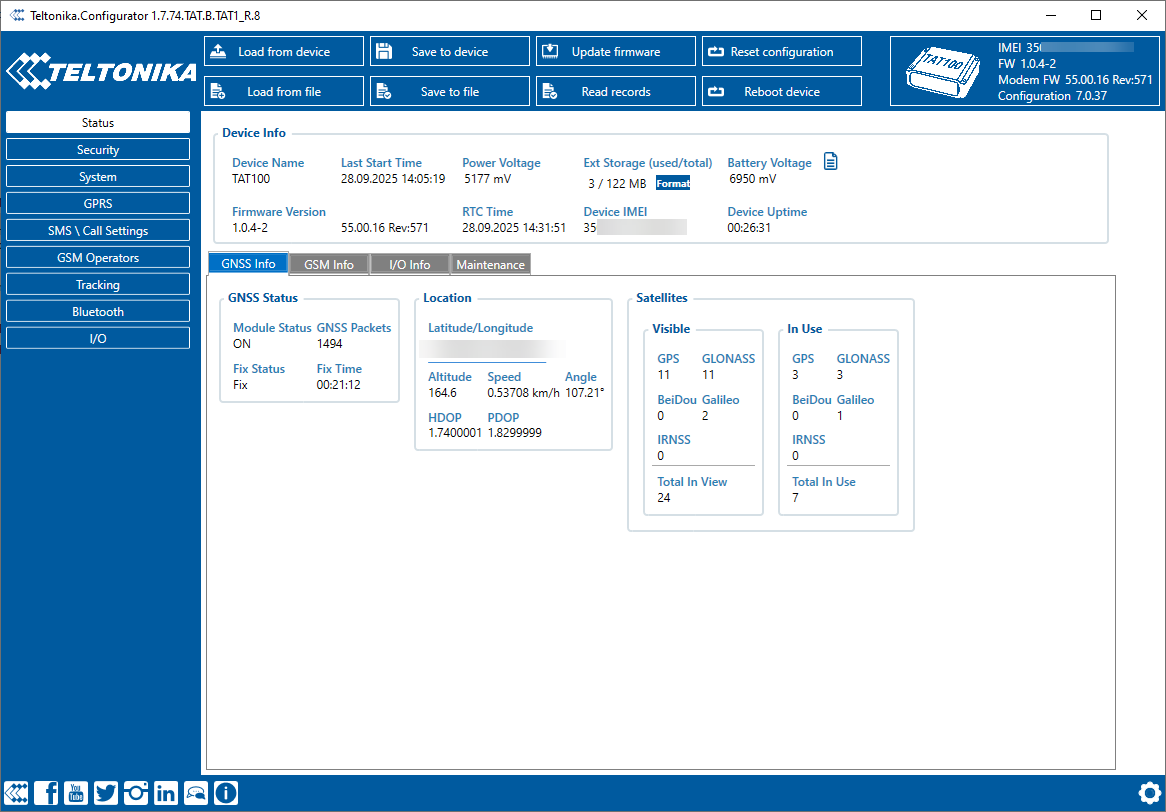
At this point, it’s unclear how the TAT100 is functioning at all.
Meanwhile, the EYE APP still shows that the BTSMP1 sensor is available and broadcasting.
If the packet is not sent, change the “Priority” setting for the I/O item → go to “GPRS - Test Connection” → check the “I/O Info” and the value on the server.
This sequence also worked for the second BTSMP1 Sensor with the older firmware version 1.2.9 R10.