SYSLog over broadcast

Hello!

Is there any way to sent syslog (Maintence => Troubleshooting) over broadcast address?
I have tried to configure this on RUT976, but im only able to recive data if I send to an ip within my range.

The problem for us is that our syslog servers is on DHCP address.

Hello,

“The problem for us is that our syslog servers is on DHCP address.”

Excuse moi and my french but DHCP service can provide fixed address to a host when you register that host there with its mac address first. The “D” for dynamic in DHCP doesn’t mean that every address it provides are in the dynamic pools where it then picks and gives those addresses.

Don’t take it personally, I’m not blaming that the syslog server is using dhcp-pool changing addresses, but that’s really to put it mildly a ridiculous situation you have it there :slight_smile:

Thus what you are suggesting to do is basically same as trying to fix mirror when you face happens to be dirty. I’m therefore suggesting you try to fix root of the problem and not consequences you get when root cause is not fixed.

If I were you I would like to have a talk with whoever is maintaining that DHCP-service and register that syslog server on permanent address given to it by its mac-address. And it there is possibly a situation that there isn’t free addresses which aren’t on that dhcp-pool already. I suggest you first scale that pool a bit smaller, restart dhcp service and voilá you got now free IP’s what wich you can assign to servers which shouldn’t suddenly change addresses on a whim.

Cheers,

:slight_smile: rikul

Yeah I aggree, its not optimal to have the syslog service in a dhcp adress pool.
Optimal for us would be to be able to send the syslog to broadcast address.

We have that setup with other routers.
The syslog service is located on clients in the network and there is a advantage for us to have the same loggning on diffrent clients regadless of thier IP.

I know I could solve this by having static address.

Hello, I would agree that if you have several syslog servers, a pool of them, receiving all the same then it would make sense to have means sending multiple destinations. But incase you have single syslog server having that on dhcp-pool address isn’t much but a dirty hack at best.

And delivering multiple syslog servers I would prefer using multicast destination address instead. So that only those would receive and not spill syslog messages to all subnet addresses whether they need it or not.

I did work over 30 years with enterprise environments didn’t ever see in use using broadcast address syslog server that Cisco etc. supports, but perhaps that is a thing somewhere which I just never saw in real life.

What I saw a lot later times was passing syslog via load balancers when redundancy was the requirement.

:slight_smile: riku

Tested to use multicast address as well. But I can only get the syslog data if I specify IP of a client in the teltonika interface.

The router is used in very small networks, there is just a router, and a few clients and most of them are configured to DHCP address.

I aint aginst puting static IP but we would like to have it in a more “plug and play” scenario. So if a router needs to be replaced, just grab one of the shelf and put it in so the configuration need to be as minimal as possible when replacing.

OK, you try to standardise setup and avoid any site specific which nothing is wrong about.

And having a small subnet where you can just swap syslog server when needed and nothing needs to be reconfigured is valuable especially who’s doing that change or update isn’t versed to make configuration changes. I get it now.

But do you have however different subnets at each site served by local dhcpd service or same subnets at each site? Incase you have different subnets each site or you need anyway make local configurations. How much it takes to add that syslog server mac-address to that dhcp-server subnet as static config while setting it up? That will give syslog server fixed address every time and you don’t need to make static IP-config for that syslog server itself.

Now this is just my thinking. I’m just another guy mostly lurking here and not working for Teltonika. So I was just wondering what in the world someone would have syslog server in dhcp-pool address changing randomly. Wouldn’t that besides make it’s remote maintenance and monitoring more complicated than with fixed address if it had it.

BTW, if you have there DNS service you could perhaps try if you add a domain-name (dns-name) which IP-address is the subnet broadcast address and then configure instead of IP-address that hostname syslog destination. This of course depends what kind of DNS service and config system you have that it doesn’t prevent adding subnet broadcast addresses as domain-name. Ordinary ISC BIND ie. the bog standard reference implementation doesn’t prevent that. But if you have some odd configuration tool which you enter subnets etc. before adding and then knows enough networks preventing adding broadcast addresses. This kind of limitation are built in footgun prevention for less knowledgeable admins.

But anyway, perhaps someone from Teltonika will come and clarify if they would support that broadcast address syslog service. Seems like there are valid use cases for that kind of feature.

Cheers,

:slight_smile: riku

e: that [@]Teltonica which was there isn’t apparently same as Teltonika guys, so I changed that a bit. Is there a common alias for these support guys here working here?

All “sites” are separated, no WAN or anything that can connect the “sites”. Think of it as a simple small home network. A few clients are all connected to the internet with SIM cards.

All configuration in the routers will be the same. If a client or router is replaced we don’t want any configuration, just a hardware swap and that’s it.

In the network all clients have unique names so I can’t point out a local DNS.

Illustation of setup:

Network 1 (192.168.13.1)
PC1 - Syslog service
PC2 -Syslog service
PC3
etc.

Network2 (192.168.13.1)
PC4 - Syslog service
PC5 -Syslog service
PC6
etc.

And as i wrote sites aint connected they are stand-a-lone.
So this is our usecare for having the syslog broadcasted.

I hope the support guys has some input in how I get the broadcast of SYSlog to work.

Best regards,
Tobias

What you wrote “In the network all clients have unique names so I can’t point out a local DNS.” is bit ambiguous, ie. hard to parse so I would be sure what you mean. Also because you have two networks 1 & 2, there but then same IP-address on both.

While writing this I came to think that perhaps your Network1 and Network2 are at different sites and then it makes a bit more sense.

Right, don’t know what DNS you have there, but if you have a working DNS where that router resolving IP’s. Then by adding that DNS a single new domain name (dns-name resource record) which point to subnet broadcast address. Then referencing to that name in router as syslog server the DNS will reply given you the broadcast address you wrote there.

That is if you subnet is

  • 192.168.13.1/24 - where .13.1 is router address, and .13.255 is the IPv4 broadcast address.

Adding DNS .zone file following line, would add a new domain name resource record for the broadcast address.
…
syslog-service IN A 192.168.13.255
…

But whether you are capable doing this depend the DNS implementation and it’s management interface if it allows you to add broadcast addresses or not. I can’t tell you as I have no clue which or where you DNS might be. But I think because you were askin about RutOS router, it might be enough if you add just a hostname with broadcast address in /etc/hosts file. Then set syslog-service name in syslog config page as the target where to send. That would save issue only from that router point of view of course.

So the whole point of this explanation is that the broadcast address in the subnet is just an ordinary IP address. These days it’s alway the last iP-address in that subnet, long long time ago (80’s) it was configurable and Cisco supported it quite long up till turn of century. But that’s another story. “Ordinary” in the sense of setting it in configuration, but or course it’s been treated differently with network devices as it’s been sent all hosts in that subnet.

I’ve recommended often that people working with networking install linux or mac “sipcalc” CLI subnet calculator, which in addition to just show basic information show all related addresses and even in binary format which I’ve seen help people understand how subnetting works, which part of address is network part and what is subbet part, with the subnets network-address (host bits zero) and broadcast address (host bits all ones).

Cheers,

:slight_smile: riku

Yeah, I should have been more clear. Network1 and network2 i different sites and they are not connected in any way.

hopefully support guys can help me achive what we need.

Did you try to enter broadcast address where syslog server should be configured?
Oh, and be careful, better not test it in production !

Yes I did.

My network in testing is 192.168.13.1/24
so broadcast address: 192.168.13.255
Config in teltonik looks like this: 192.168.13.255:5595 UDP

And it doesn’t work?

Nope

I can only get it to work if I specify an IP of a client, hence this forum post.

Works: 192.168.13.26:5595 UDP.
Wont work: 192.168.13.255:5595 UDP

OK. Linux, which RutOS is based, does not prevent UDP broadcast address of course as if it would that would break UDP based multicast streaming services. RutOS seems to use UBOX /sbin/logread (OpenWRT package) to forward logs. Preventing broadcast is either there or if Web-UI doesn’t let use it then it’s there.

If that /etc/hosts trick doesn’t work then it’s probably in /sbin/logread code itself. Or in theory it could also be in SELinux, Apparmor or the like, but RutOS doesn’t use those.

OK, adding a bit more. Sending UDP to a subnet broadcast address in Linux requires setting SO_BROADCAST socket option with setsockopt(), which logread doesn’t seem to set.

1 Like

Greetings,

As a workaround, you can use socat to broadcast the output of logread

First, install socat via the CLI.

  1. Log in to the CLI (instructions available here: Command Line Interfaces - Teltonika Networks Wiki)

  2. Run the following commands:

opkg update
opkg install socat

Next, configure the startup script:

  1. In the WebUI, navigate to System → Maintenance → Custom Scripts.
  2. Add the following line to the Startup Script field:

logread -f | socat - UDP4-DATAGRAM:255.255.255.255:5595,broadcast &

You may also use 192.168.13.255 as the broadcast address. However, 255.255.255.255 can be more flexible if the device is deployed with a different subnet.

Please note that the output format of logread differs slightly from the format used when logs are sent when configured via the Logging Settings in the WebUI.

Let me know if this solution works for you. If it does not, I can contact our R&D department to explore alternative ways to achieve the same result.

Best regards,
Justinas

1 Like

Yes, this works!

It would be nice to have be able to have this without using extension packages.
Perhapase you can add this as an improvment issue to future development?

For now this works for us.

Thank you @Justinas!
And thank you @mesrik for your input in this :slight_smile:

Hello me again, just showing what kind of change apparently would be needed if it was patched to logread.c source.

--- log/logread.c
+++ log/logread.c
@@ -79,10 +79,20 @@
 
 static void log_handle_reconnect(struct uloop_timeout *timeout)
 {
+	int yes = 1;
+
 	sender.fd = usock((log_udp) ? (USOCK_UDP) : (USOCK_TCP), log_ip, log_port);
 	if (sender.fd < 0) {
 		uloop_timeout_set(&retry, 1000);
 		return;
+	}
+
+	/* Salli broadcast-lähetys vain UDP-moodissa, jos kohde on broadcast-osoite */
+	if (log_udp && log_ip) {
+		struct in_addr addr;
+		if (inet_aton(log_ip, &addr) && addr.s_addr == INADDR_BROADCAST) {
+			setsockopt(sender.fd, SOL_SOCKET, SO_BROADCAST, &yes, sizeof(yes));
+		}
 	}
 
 	sender.cb = log_handle_fd;

I don’t currently have build environment and I got this tentative change if someone have time and willingness to test it using Google search AI-mode, thus it’s vibe-coded caveat emptor! (But looks actually quite good, I’ve been writing quite bit C past years). I got this change by asking:

"Hi,

Could you tell me how to add the ability to send syslog messages (UDP/514) to a locally connected subnet's broadcast address using the `-r` option in the following Linux `logread.c` code: https://git.openwrt.org/project/ubox/tree/log/logread.c? Specifically, should the `SO_BROADCAST` option be added using `setsockopt()`?

In this modification, it would be good to ensure that `SO_BROADCAST` is not set unnecessarily when the target IP address is not a broadcast address. If you can help with this, I would appreciate seeing either the modified code or the changes in `diff -u` format."

But Tobias, if we think about this simple looking change what it would mean for Teltonika a moment if they would test and if good apply it. Then it would create them a continuous burden going forward to each time they possibly would take new version from OpenWRT to remember reapply all the changes what then have made locally.

That burden could be avoided if this kind of patch, once working as expected, would be approved and migrated to upstream OpenWRT source and from there downstream without worrying in future if you remember to add all local changes.

@Justinas don’t take this me pushing this to you so that I would expect you to do anything I’ve written here. RutOS is your product and all I was trying to accomplish was to find out reasons (use case) why someone would rather have broadcast syslog messages to subnet and then why it didn’t work after all. Then I thought heck I’ll find why it doesn’t work and once I knew then asking it from these coding capable LLM’s wasn’t much of effort from my part. I hope you don’t get me wrong. If you do, I’m sorry and just DM me what bugs you and I’ll never do that again.

Cheers,

:slight_smile: riku

ps. Google LLM answered me in Finnish as that was my language setting in browser. You can translate those comments trivially asking same LLM to translate those in english :stuck_out_tongue:

ps2: code seems to be just for global broadcast target 255.255.255.255, but Google search LLM will help also if asked to modify code further so that it will apply to interface subnet broadcast. Just write prompt to ask it and that’s it.
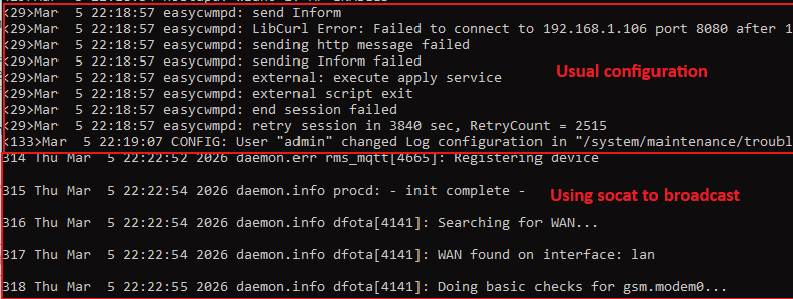
Greetings,

@tobias.axbard @mesrik thank you for the suggestions. I have forwarded them to our R&D team, once I get feedback from them, I will let you know.

Best Regards,
Justinas

The previous patch suggested version did not add any command line options, but it assumed that SO_BROADCAST would be set if given address was the global broadcast address 255.255.255.255.

Thus it left out option to set interface subnet broadcast addresses (that’s a mouthful let’s use if_bcast here later) which is probably the most commonly needed or wanted way using broadcast as destination syslog server. Supporting automatically those if_bcast addresses poses problems how to either define it on command line would it be “-r 192.168.2.31/27 514” or something else or would it be worth doing some plumbing and figuring out configured interfaces addresses and then deduct if SO_BROADCAST would be needed? I thought it a bit and while chatting with that Goole LLM we both came to a simple solution, let’s propose a new -b option for setting SO_BROADCAST which is very simple to implement and doesn’t complicate code too much. Thus that’s the reason how following patches were made.

Both of following patches functionality are same, 2) just contains error checks that setsocopt() succeeds.

  1. logread-add-b-broadcast.patch
  2. logread-add-b-broadcast-with-error-checks.patch

Previous patches were made by Google LLM which I prompted. Now I haven’t tested these myself because I haven’t got a build environment available now. But change is small and makes sense in my opinion which is based on quite long experience writing C in past *nix environments.

I think if you like to attribute changes to someone, add Google Gemini as an author. I was just bare assistant asking it politely (prompting) what kind of change would be nice to have. Google LLM was also kind and proposed change summary for your convenience.


Technical Justification for Adding SO_BROADCAST Support to logread

Feature Overview:
This patch introduces a new -b command-line option to logread that enables the SO_BROADCAST socket option when forwarding logs via UDP (-r).

Problem Solved:
Currently, logread cannot send syslog messages to IPv4 broadcast addresses (neither global 255.255.255.255 nor subnet-specific broadcasts like 192.168.1.255). This limitation prevents users from implementing log redundancy where multiple syslog collectors on the same segment receive the same log stream without complex routing or multiple unicast streams.
Implementation Details:

  • Explicit Activation: The SO_BROADCAST option is only enabled if the -b flag is provided. This ensures backward compatibility and prevents accidental broadcast traffic.
  • Support for Subnet Broadcasts: By setting the socket option manually via -b, we avoid the need for complex internal logic to calculate subnet masks or query interface lists. The kernel handles the validation as long as the permission flag is set.
  • Robustness: Added basic error reporting to stderr if setsockopt fails, ensuring visibility into permission or configuration issues during deployment.
  • Minimal Footprint: The change adds negligible binary size, making it ideal for embedded OpenWrt/RutOS environments.

Use Case.
Critical or industrial environments where log availability is paramount. It allows a single OpenWRT/RutOS device to broadcast logs to any listening collector on the local network segment, ensuring that even if one log server fails, others still capture the data.


OK, that’s it find patch files in attached .zip file, please.

:slight_smile: riku

logread.zip (3.7 KB)

Hello,

Here is yet bit more, a simple test lua script if logread -b use would be needed. Sure if lua lsocket library was available it would make avoid running external command (ip) which this does. Also improving testing if pipe fails would perhaps be good to add too.

#!/usr/bin/env lua5.1

function is_broadcast_address(ip)
    local fh = io.popen("ip -4 -o addr show 2>/dev/null")
    if not fh then return false end

    local found = false
    for line in fh:lines() do
        local brd = line:match("brd%s+([%d%.]+)")
        if brd == ip then
            found = true
            break
        end
    end

    fh:close()
    return found
end

if (arg[1] == nil or arg[1] == '') then
    print ("Usage: " .. arg[0] .. " ip")
    os.exit(1)
end

local ip  = arg[1]
local result = is_broadcast_address(ip)

if result == true then
    print (ip .. " is broadcast, logread -b needed.")
else
    print (ip .. " isn't broadcast, logread -b not needed.")
end

-- eof

Cheers,

:slight_smile: riku