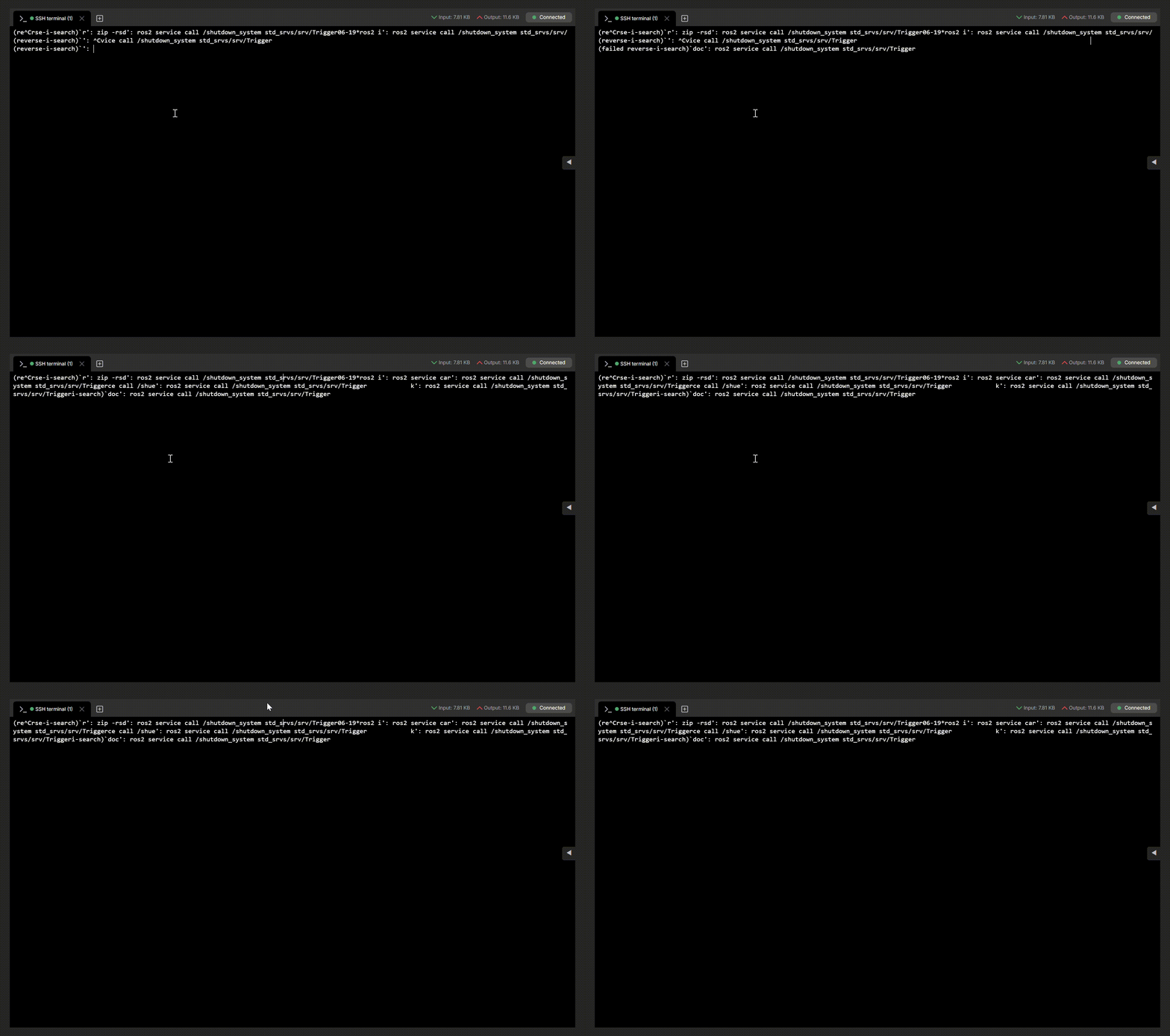
Hello, we’re observing the same problem. It’s preventing us from changing configs for example. The problem also occurs when we paste a long text or when we write a long command in the terminal.
Apologies for the delayed response and thank you for contacting us!
This could be related to the terminal window size or how the browser handles the SSH session. To troubleshoot the issue, I would suggest trying the following:
Check the browser window size/resolution and make sure the terminal is not being displayed in a restricted window.
Try accessing the CLI using a different browser.
If possible, try connecting to the CLI from another computer/device and check if the behaviour is the same.
Let us know how it goes after trying these steps. If the issue persists, please share the details mentioned above so we can take a closer look and help you troubleshoot it further.
I have tested this across different browser windows and resolutions, but the behavior remains the same.
I ran stty size directly inside the SSH session, and it consistently reports 24 80 regardless of how wide the browser window or monitor is.
This indicates that the RMS web SSH client is not passing terminal dimension/resize events (SIGWINCH) to the remote PTY session upon connection or window resize. Because the remote shell strictly expects an 80-column terminal while the browser renders wider, readline wraps long strings (like ROS 2 commands during reverse search) at character 80, causing visual corruption.
As a temporary workaround, manually running stty cols 130 or setting bind 'set horizontal-scroll-mode on' inside the shell resolves the rendering issue.
Could you please pass this detail to the RMS development team so they can check if terminal dimension negotiation/resize handling broke in the recent web terminal update?
Thank you for the detailed information and for sharing your workaround.
I have forwarded these specifics directly to our R&D team for further investigation. If you have any other questions, please don’t hesitate to reach out!