Could you please clarify what your network topology looks like? A simple sketch including IP addresses and ports would be very helpful. Additionally, could you explain the use case and what you are trying to reach?
Could you please clarify your network topology? A simple diagram including IP addresses (excluding any sensitive information) would be very helpful.
From your description, I understand that you are accessing the TRB500 remotely via its public IP address and would like it to forward the connection to a server on its LAN. If that is correct, I have tested this setup and confirmed that it works without any additional configuration beyond enabling remote SSH access under System → Administration → Access Control.
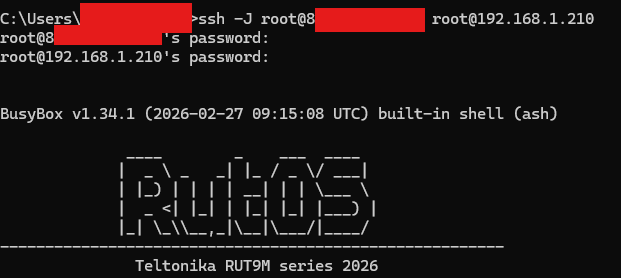
In my test environment, I connected a TRB device (with a public IP address) from its LAN port to the WAN port of a RUT device (which received IP address 192.168.1.210). Using the ssh -J option, I was able to establish the connection successfully.
Could you please confirm the following:
Are you able to run ssh username@ip_myserver directly from the TRB500 CLI? Does it connect successfully?
Are you able to SSH into the TRB500 remotely via its public IP?
Could you share a screenshot of Network → Firewall → Zones?
Thanks for your response, it was a firewall issue on my side… So I confirm it is working fine, sorry for the noise, as I found the first article with the same issue I thought it was the reason