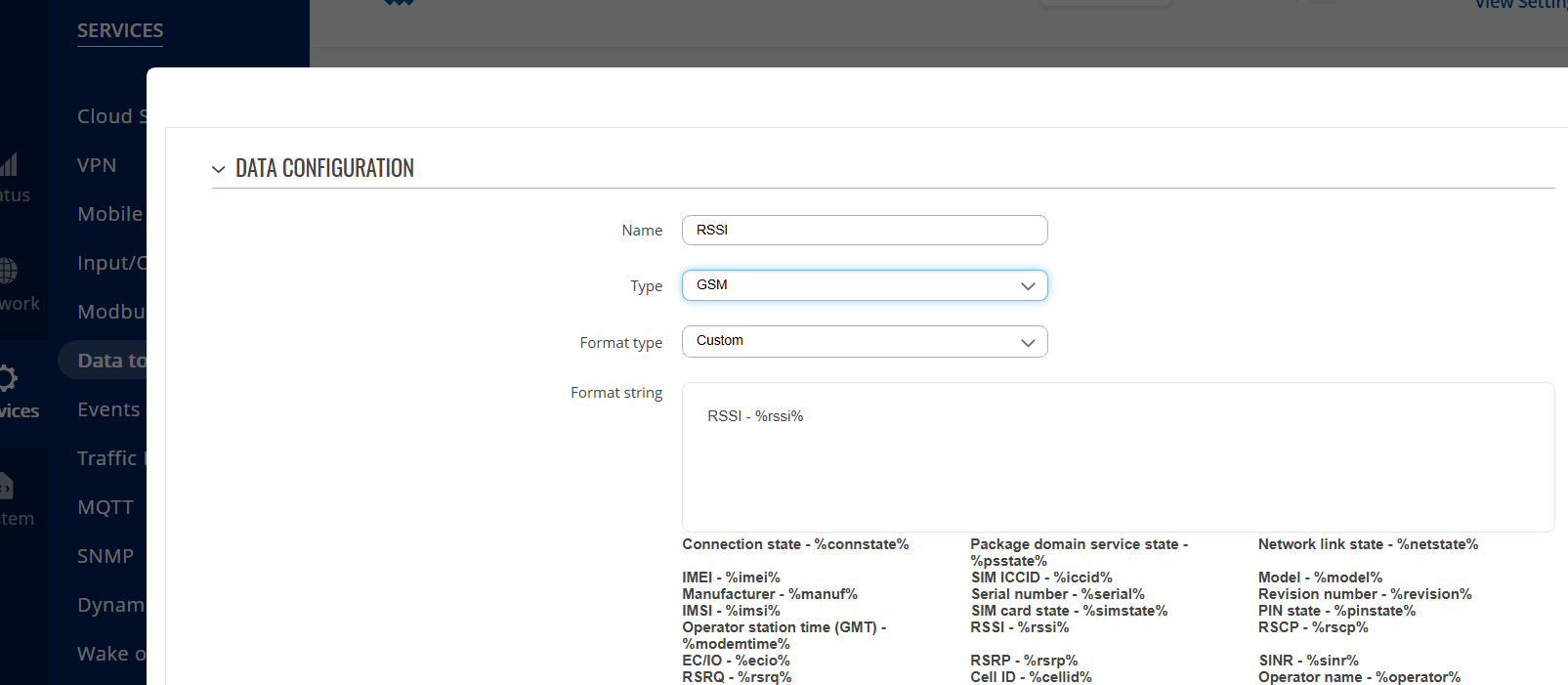
I have tried with success to post the signal strength of a TRB140.
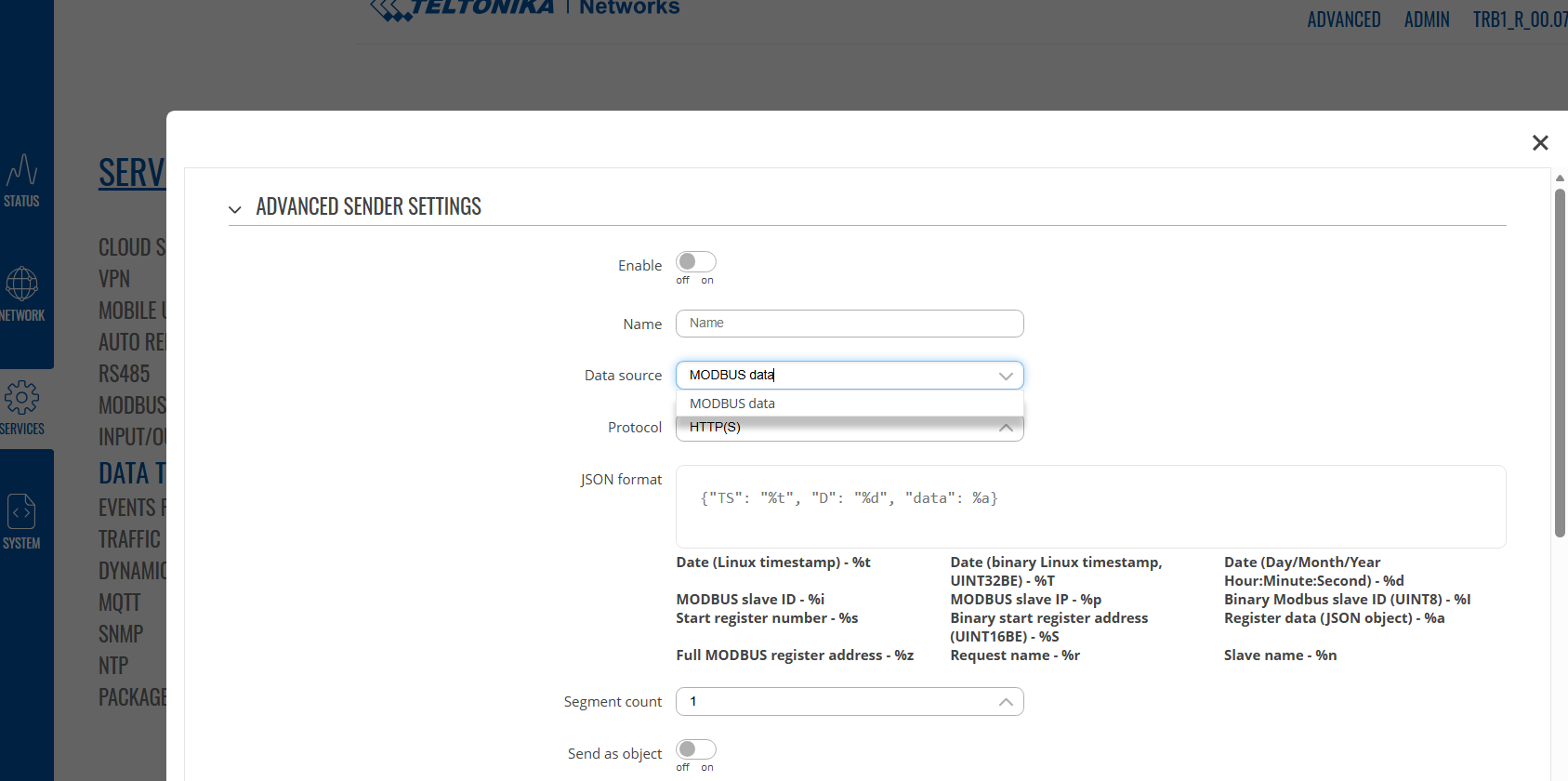
Now I need something similar with a TRB145, but the data to server - section does not come with the same options (actually there is only “modbus” instead of “GSM” and all the other stuff).
I would prefer to realize this with python anyway. But things like
ubus call gsm.modem0 get_signal_query (Not found, similar to a case in your forum)
Quality = os.system(“gsmctl --signal”) (Prints to Cli but returns nothing)
didn’t ghet me further.
Can you give me some advice?
Greetings,
Could you please confirm which firmware version is currently running on the TRB145?
Also, can you clarify whether the first screenshot is from the TRB140 and the second from the TRB145? If that is the case, please update the TRB145 to the stable firmware version 07.20.3
You can find step by step instructions for updating the firmware here: How to Download & Update Firmware | Teltonika Networking - YouTube
Best Regards,
Justinas
It seems that my last response was not saved for some reason.
Anyway:
-The type of TRB is written in the names of the picture s
-I try not to update anymore because of problems we had with our scripts (see my last topic in the forum) respectively with the package manager s.
-The main question now is how these digital- or Analog (ex.TRB141) gpios can be read from pyt hon
Greetings,
Apologies for the delayed response.
Could you please clarify whether you still require assistance or if the issue has already been resolved?
Best Regards,
Justinas
Hello Justinas, that was some months ago but yes, I still woud like to read that GPIOs and GSMCTL and other parameters with python.
Greetings,
Apologies for the delayed response.
os.system() executes the command in a subshell, prints standard output directly to the terminal, and only returns the exit status code (0 for success). It cannot be assigned to a variable.
If you want to use the os library, you should use os.popen() instead, for example:
python3 -c 'import os; Quality = os.popen("gsmctl --signal").read().strip(); print("---"); print(f"Captured into variable:\n{Quality}")'
Alternatively, you can use python’s subprocess.check_output() or subprocess.run() with capture_output=True, for example:
python3 -c "import subprocess; print('Full Signal:\n' + subprocess.check_output(['gsmctl', '--signal']).decode().strip())"
For the input/output pins, you can use the command ubus list ioman*, you will get a list with their identifiers.
And using ubus in python with os.open you can read the values, for example to parse the status of DIN1:
python3 -c 'import os, json; data = json.loads(os.popen("ubus call ioman.gpio.din1 status").read()); print("DIN1 State:", data["value"])'

If you have any further questions, please let me know.
Best Regards,
Justinas
Perfect, thanks Justinas, that’s what I was looking for!
Greetings,
Glad I could help, if you have any further questions, please don’t hesitate to reach out.
Best Regards,
Justinas