As a few other users, I struggle to establish the VNC connection via the RMS platform, using RMS Connect>Remote access.
My configuration is the following :
Siemens S7 PLC
Siemens HMI
Teltonika RUT200
I managed to ping each device using openVPN (and RMS VPN hub). I can connect to the PLC, and I’m able to establish a VNC connection using SmartClient (Siemens VNC client).
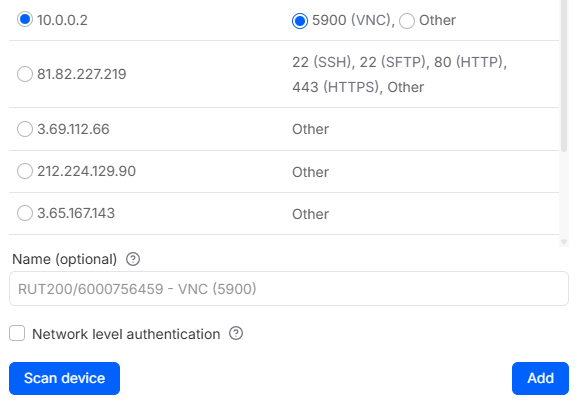
But directly via RMS Connect, impossible. The remote access seems properly configured (I found the HMI which is “behind” the RUT, choose VNC as protocol, and port 5900). Error messages are : “Timeout” and “Bad configuration”.
To help troubleshoot your VNC connectivity issue, could you please clarify the following:
Are you trying to ping the Siemens HMI using its LAN IP or the VPN-assigned IP?
Check if there are any firewall rules on the RUT200 or HMI that might be blocking port 5900.
Verify that the HMI’s VNC server is running and accessible internally on port 5900.
For example:
Let’s say the HMI has a local IP 192.168.1.50, another device on the same network (like a laptop or PC) should be able to open a VNC client, enter 192.168.1.50:5900, and connect successfully.
If this works, it confirms that:
The HMI’s VNC server is running properly.
There are no LAN-side firewall or network issues blocking VNC traffic.
This step is important because it isolates any LAN issues from RMS Connect or VPN problems. If the connection fails internally, RMS or VPN will not be able to connect either.
Please provide this information so I can assist you further.
Thank you for this very quick answer. Here are a few extra precisions :
Topology of the local network is the following : Siemens S7 CPU, Siemens HMI and RUT200 connected to the same switch
Once connected to the RUT using VPN Hub, I’m able to ping the RUT either with its local address or its VPN address. Both are responding. As well as the CPU, and the HMI, with their local IP address
Using siemens’ SmartClient (a VPN client), I’m able to establish a VNC connection with the HMI (by using its local IP address, and laptop connected to the vpn hub)
In the local network, there is also an eWon (which I’m trying to replace with the RUT…) which is connected via 4G, and I can successfully establish the VNC connection through the ewon to the HMI. Which lets me think that no rule is blocking the port 5900
I can not verify if locally, I’m able to use a vnc client as I only have remote access. But using VPN Hub, it should be as if, as I can ping local IP address.
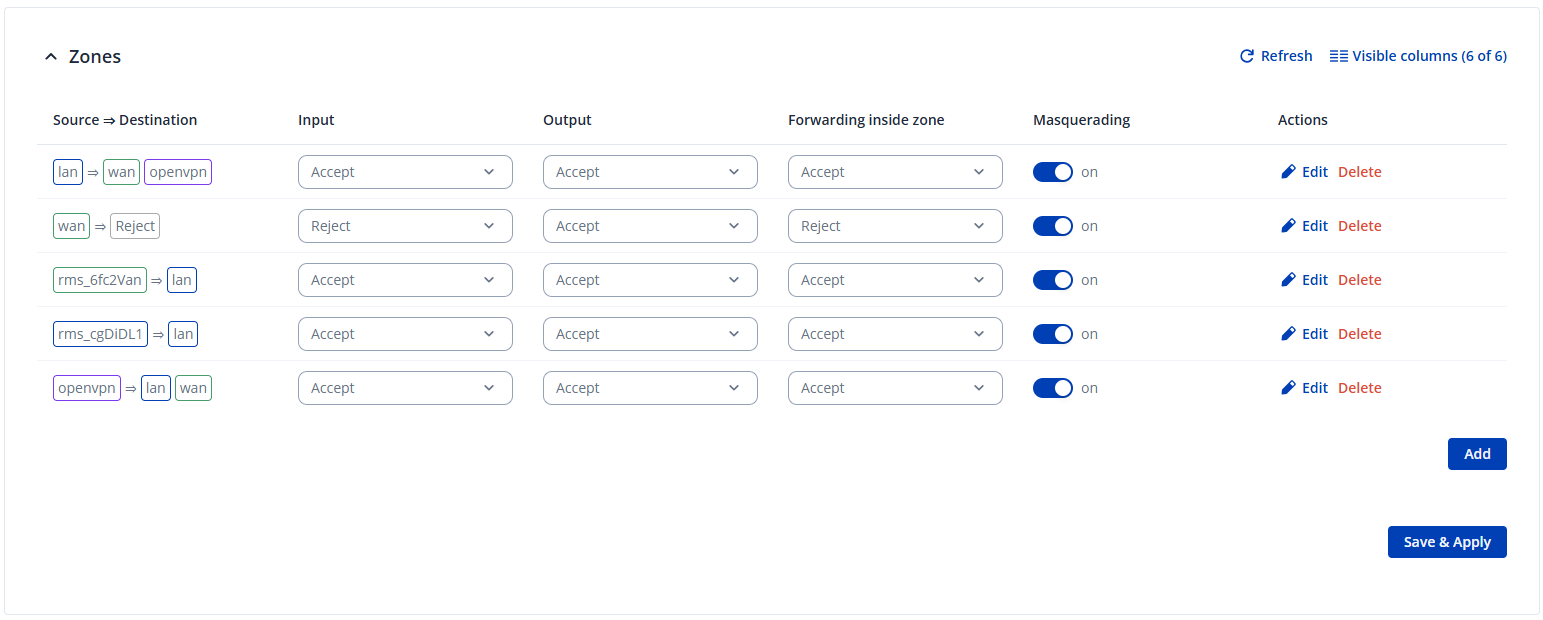
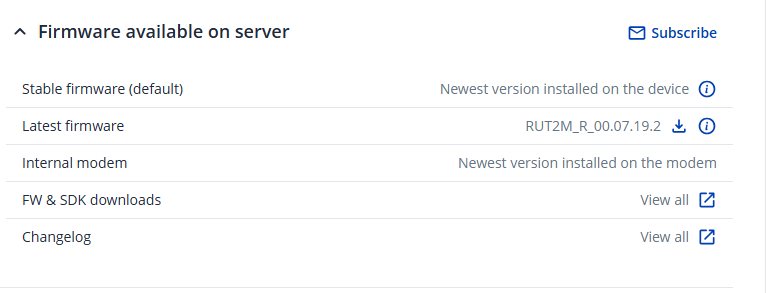
As per your suggestions, you will find two printscreen below :
RUT200 has indeed latest firmware versions
As far as firewall is concerned, traffic is enabled from RMS and VPN hub
RMS remote access is working with the RUT (HTTP, port 80) but not with the HMI (VNC, port 5900)
No active VPN interfaces while testing (neither openVPN nor eWon)
Last thing to try is to go on site, connect the HMI directly to the RUT. I must find the time to do it. I still can not understand why it is possible to establish the vnc connection through the ewon, but not through the RUT.
I managed to go on site, and I plugged the HMI directly in the Lan port of the RUT.
With OpenVPN connected, I can ping both the RUT and the HMI with their local address.
Via RMS, remote connection to the RUT is ok. VPN connection to the HMI still fail (TimeOut, Bad configuration). I even tried to connect using my smartphone, via 4G, to isolate any problem coming from the laptop, and same result.
BUT…. i tried to configure another remote access, still with VNC and port 5900. And i noticed i didn’t check the box “Network level authentication” before. I did it (in order to test everything), and, finally, it worked. That was “just” due to a simple box check. It nearly drove me mad. But that’s it, finally.
Thanks for your help, and hope this will help other users.