Hello,
Summary
The Serial to IP with the rs232 is only partially working. Serial to IP is working, but IP to serial is not, and make the service stalled.
Configuration

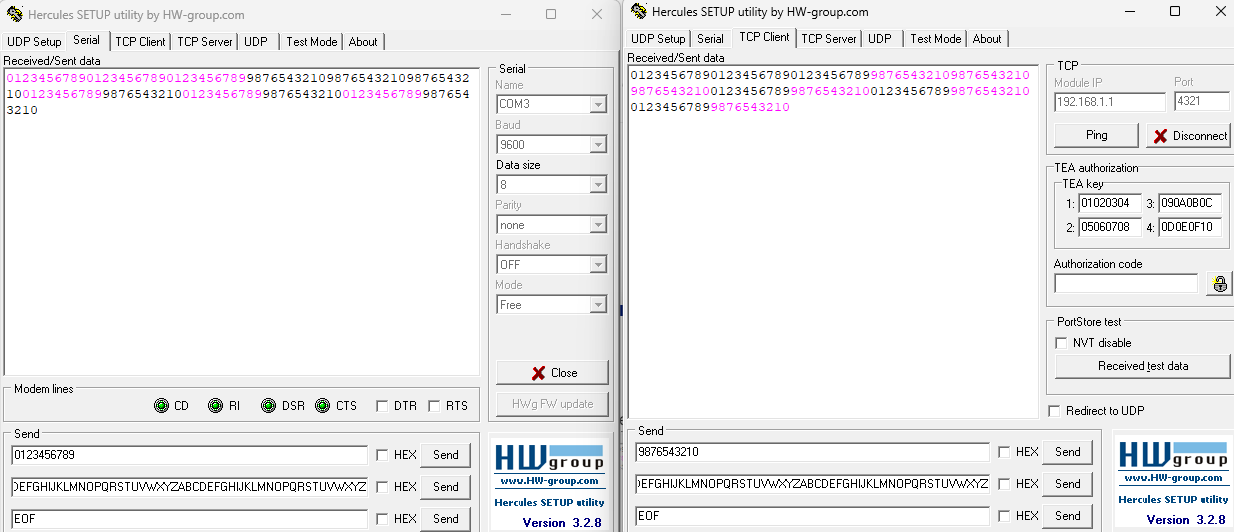
In this pictures, we can see that RX data is incrementing (correctly) and that TX data is only incrementing partially.

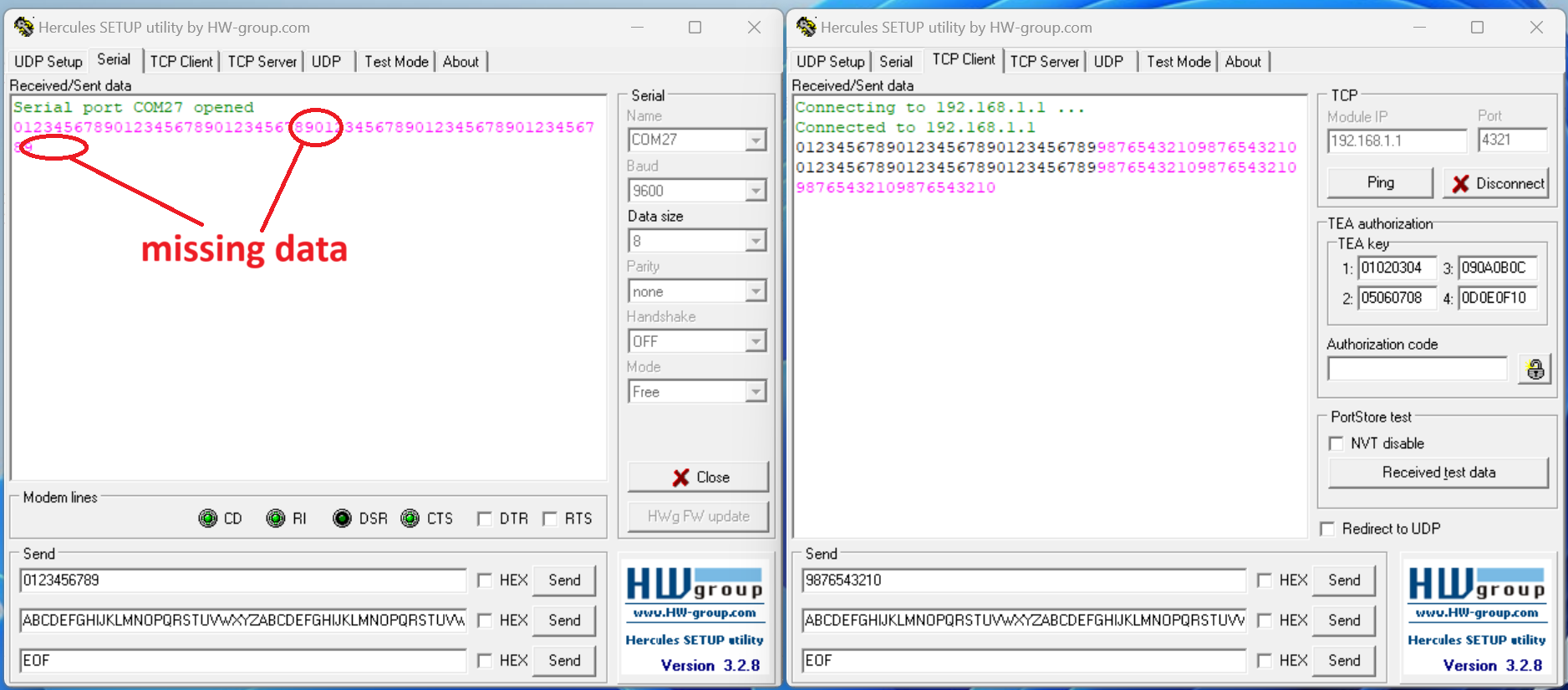
rs232 → IP (3x): OK
IP → rs232 (2x): not received
rs232 → IP (3x): OK
IP → rs232 (3x): not received, and Serial to IP service is stalled!
After switching OFF the service with the web interface, the COM did received part of the data only!?
rs232 test in CLI
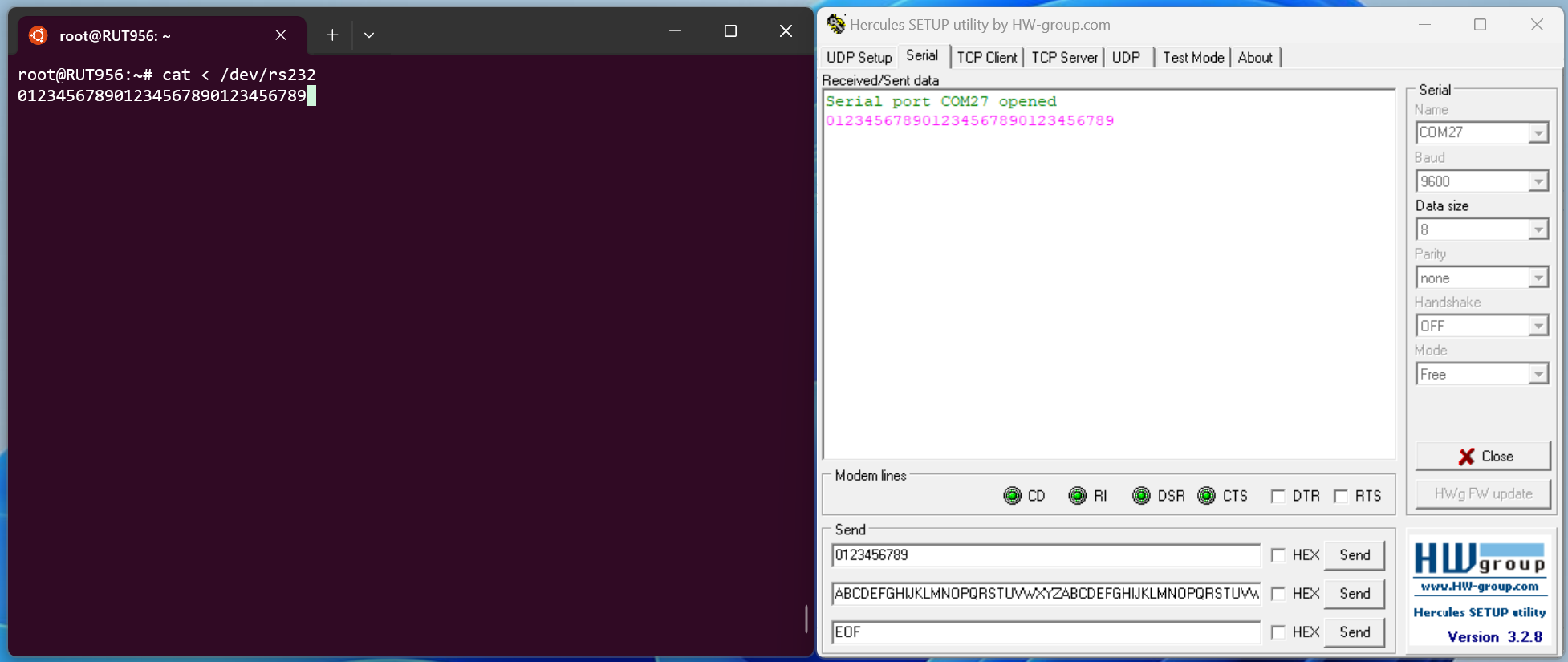
“Printing” out the data received from the rs232 on the console works fine.
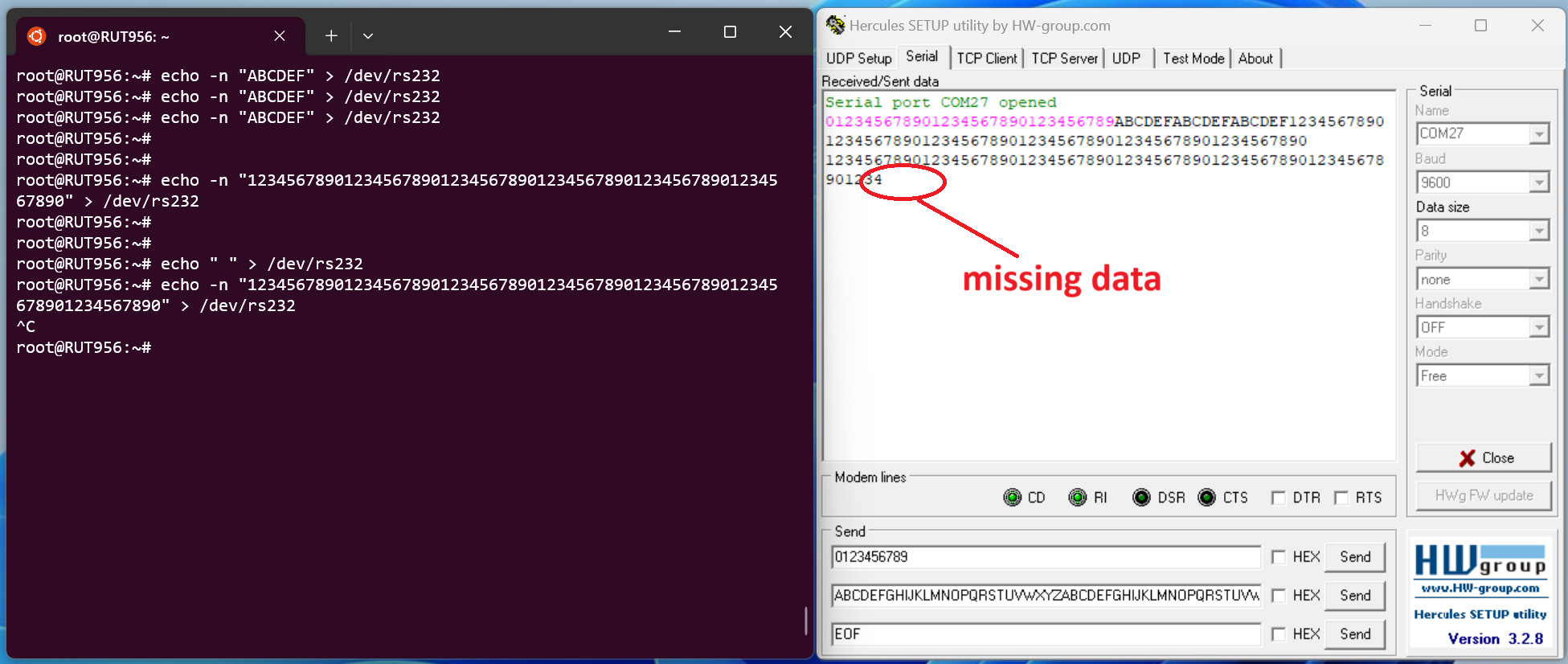
Sending data to the rs232 only worked when sending small amount of data. It blocked after 64 bytes while sending bigger chunk. Also, the echo doesn’t work if cat < /dev/rs232 is running in another console.
rs485
I did test the rs422 (rs485 full duplex), and it works just fine. Send, receive, small and big chunks, using the CLI with both cat and echo at the same time.
I haven’t spot anything strange here either…
root@RUT956:~# stty -F /dev/rs232
speed 9600 baud; line = 0;
intr = ^C; quit = ^; erase = ^?; kill = ^U; eof = ^D; eol = ; eol2 = ; swtch = ; start = ^Q; stop = ^S; susp = ^Z; rprnt = ^R;
werase = ^W; lnext = ^V; flush = ^O; min = 1; time = 0;
-brkint -icrnl -imaxbel
-opost -onlcr
-isig -icanon -iexten -echo -echoe -echok -echoctl -echoke
root@RUT956:~# stty -F /dev/rs485
speed 9600 baud; line = 0;
intr = ^C; quit = ^; erase = ^?; kill = ^U; eof = ^D; eol = ; eol2 = ; swtch = ; start = ^Q; stop = ^S; susp = ^Z; rprnt = ^R;
werase = ^W; lnext = ^V; flush = ^O; min = 1; time = 0;
-brkint -icrnl -imaxbel
-opost -onlcr
-isig -icanon -iexten -echo -echoe -echok -echoctl -echoke
Thank you for your suggestions.
Sincerely,
Jerome