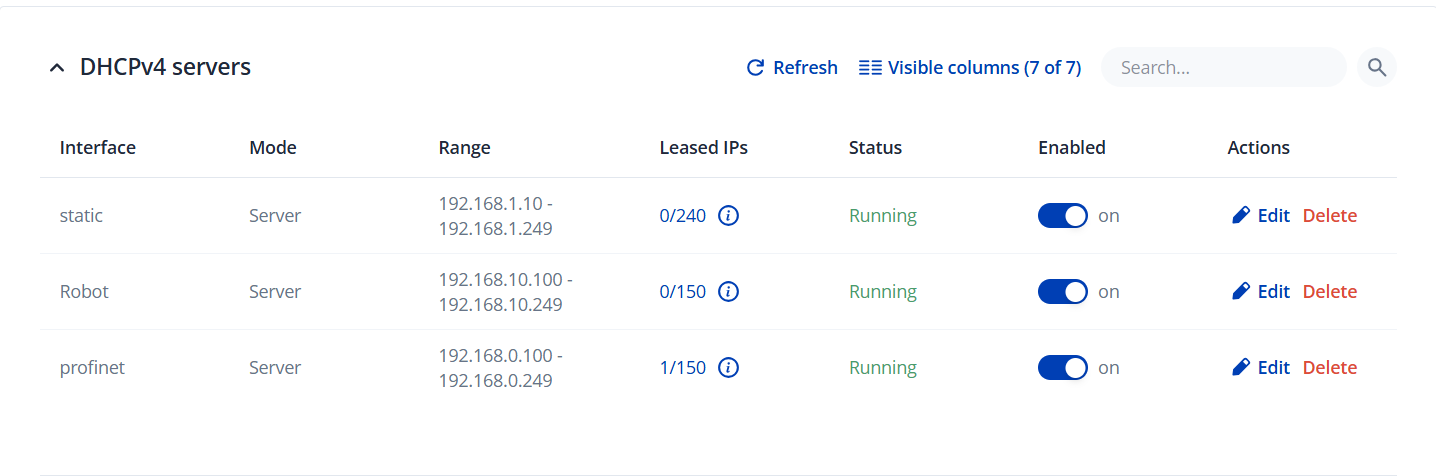
i want to set up my tws212 to seperate 2 networks in a big machine but i want to be able to able to have our remote service router (ixon) to reach in to both networks. i can’t make this one big network cause then the communication will be not relaible. i want to set my switch up so that on port 1 or port 2 i can conect the remote service router (Ixon). and then i want to set up port 3,5,7 to be an network and i want 4,6,8 to be the other network. how do i set this up?
ive had tried the following link but it doesn’t work for me : InterVLAN Routing On TSW212 - Teltonika Networks Wiki.
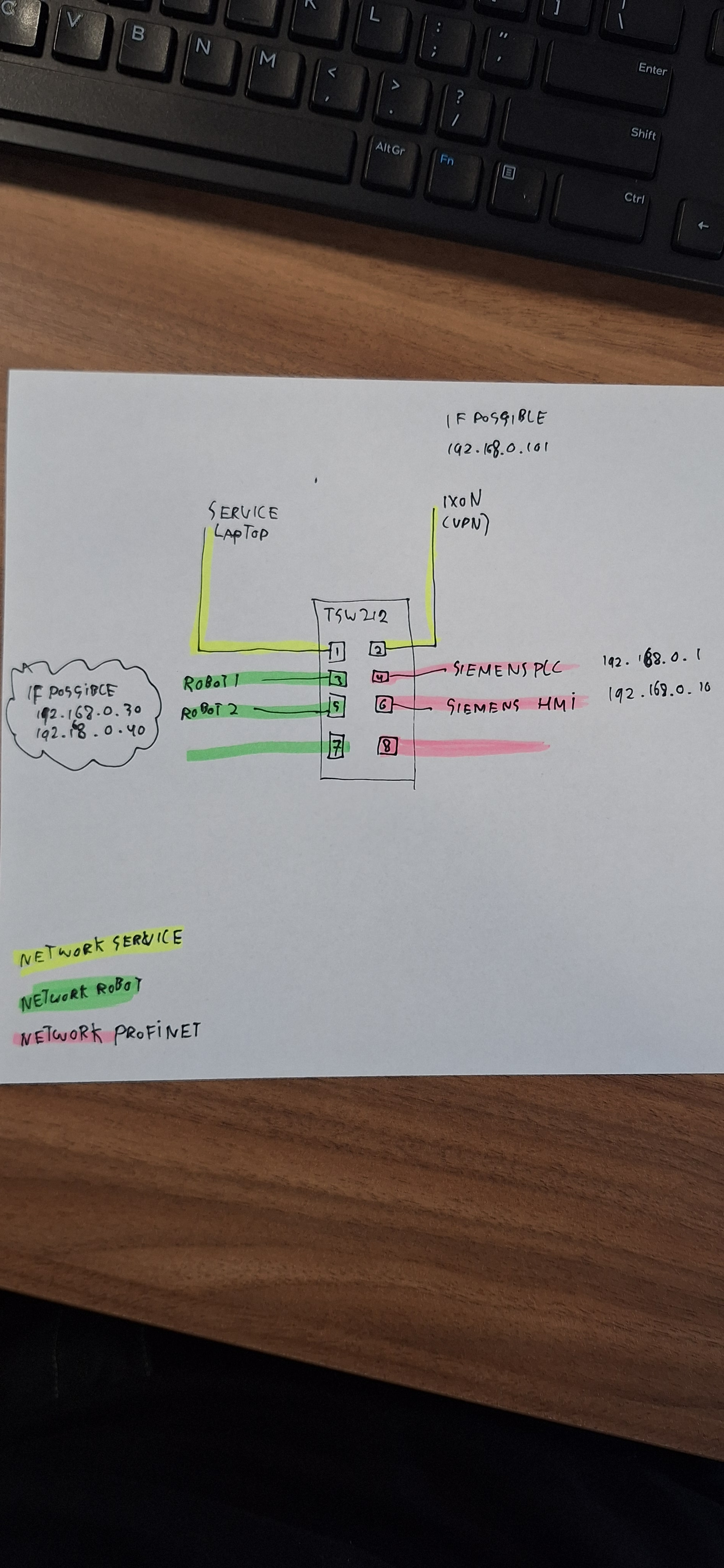
Could you please share a sketch of your network topology, including the IP addresses? It would help us understand the current configuration and what you plan to implement.
I think your “all in one network IP’s” prevents proper VLAN-Routing. As far as I know VLAN-Routing needs “different IP-network ranges” + “static route-entries”, so your net-setup could be:
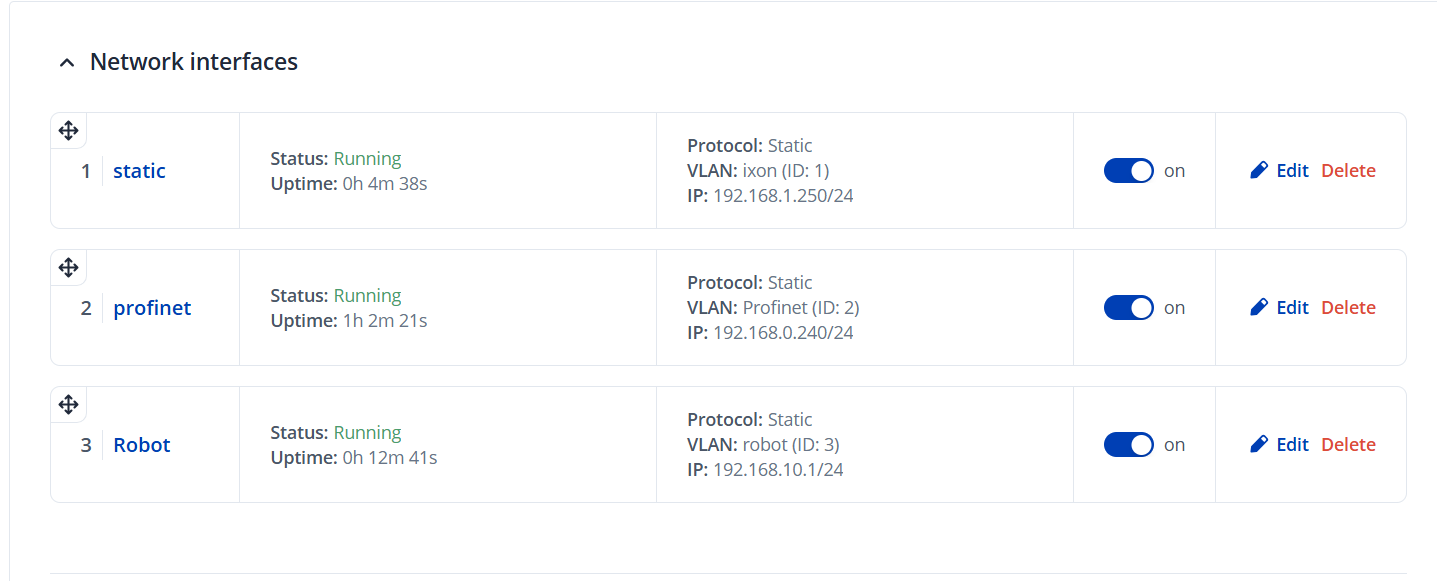
Your gateways (GW) have to be created as “interfaces”. Think of interfaces like virtual network cards, not like real physical connectors on your router. Assign these interfaces to your VLANs.
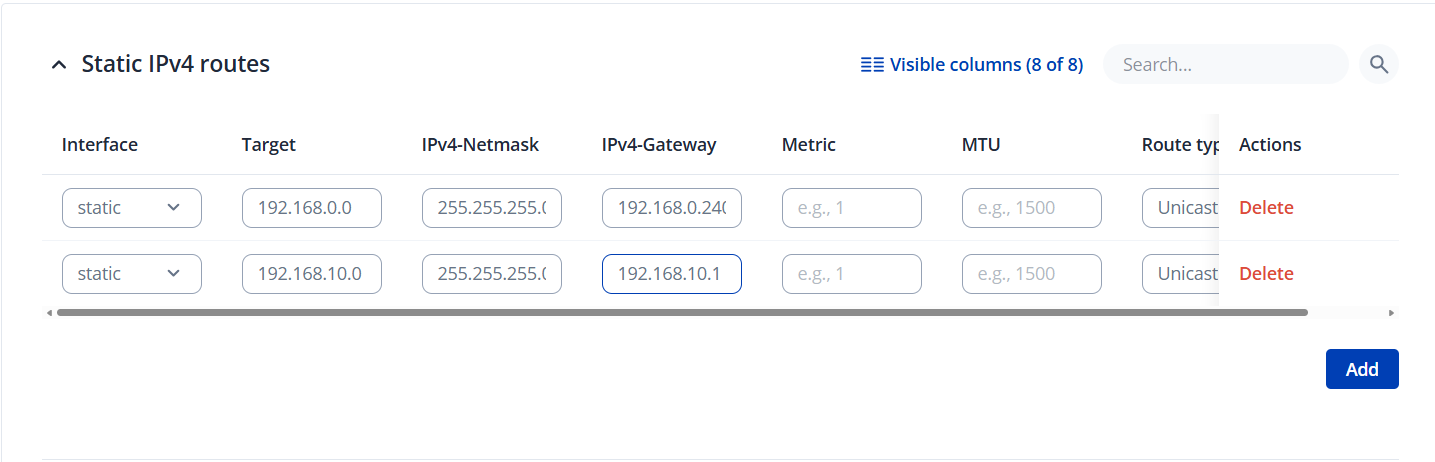
Make an entry for each of your “interfaces” in the static routes table.
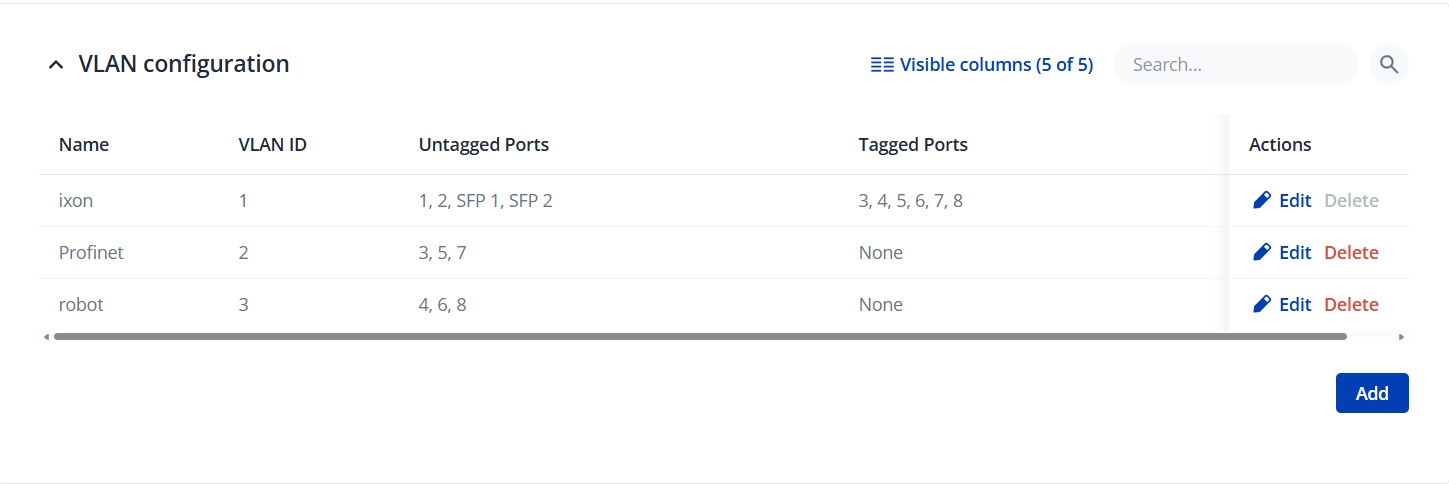
Assign the real hardware ports according to your drawing and you should be ready to go.
Ive tried to reach the siemens plc from the service port and it didnt work. Also i could not reach the robot from the management port. The plc should not be able to reach the robot. If we want to communicate with the robot we need to ad a additional card so we can separate it completly. The setup that ive had the setting are in the photo’s. Maybe you can spot something.
@gerard did you try the routing informations I mentioned? Additionally to these settings, you’d still have to prevent the “profinet”-network from reaching the “robot”-network via setting a rule in the firewall. Please do not forget this part.
Tomorow i will bring my personal laptop to the office to try the connetion on my work laptop it doesnt work but i had a meeting with teltonica engineering and they Just had it working on there switch. So i will try it out tomorrow.
Just tested with my personal laptop but i have some problems.
the technician from teltonika had a setup that had allmost everything working the only thing is that i need to shut off my wifi to reach in to the other ip range.
what i find strange is that you dont need to setup the static routes.
i am able to reach in the other vlans also the 2 that should be seperated.
Do you know some solution?
the current setup is 3 vlans:
vlan1 : service interface:192.168.1.1 mask 255.255.255.0
vlan2 : Profinet interface:192.168.0.1 mask 255.255.255.0
vlan3 : Robot interface:192.168.10.1 mask 255.255.255.0
No static routes
DNS servers enabled for all vlans
this is the current setup
Now i can reach in eacht vlan from an other. i think that schould not be possible.
After a bit of research i think for what i want to do it is better to have a router.
What is your opptinion?
I want to have 2 seperate networks for my profinet and 1 for the robots and i want to reach in to both of them but they should not reach in to eachother. so for what i know for now it should be easyer to set the firewall in a router then using a managed switch. is that right?
 .
.